
 Halkali merkez neighborhood fatih st ozgur apt no 46 , Kucukcekmece , Istanbul , 34303 , TR
In this real Ubuntu 24.04.4 LTS VPS deployment we installed Open WebUI with Docker, created the persistent openwebui_data volume and WEBUI_SECRET_KEY, bound the app only to 127.0.0.1:3000, connected it to Ollama over the shared eka-ai Docker network at http://ollama:11434, and published openwebui.ekasunucu.com through Nginx and Let’s Encrypt HTTPS. The guide includes real screenshots from the first health wait through administrator setup and the qwen3:4b chat panel.
Ubuntu 24.04.4 LTS
   ↓ Docker / eka-ai
Open WebUI :8080
   ↓ 127.0.0.1:3000
   ↓
Ollama :11434 → qwen3:4b
   ↓
Nginx + Let’s Encrypt :443
   ↓
openwebui.ekasunucu.comWe pointed openwebui.ekasunucu.com to the test VPS and verified DNS resolution. A named volume called openwebui_data was created for application data.
A WEBUI_SECRET_KEY was also generated. For production, persist this value securely in a protected file or secret manager and reuse it when the container is recreated.
dig +short openwebui.ekasunucu.com @1.1.1.1
dig +short openwebui.ekasunucu.com @8.8.8.8docker volume create openwebui_dataumask 077
[ -s /root/.openwebui_secret_key ] || openssl rand -hex 32 > /root/.openwebui_secret_key
WEBUI_SECRET_KEY="$(cat /root/.openwebui_secret_key)"The real test used ghcr.io/open-webui/open-webui:main. Host port 3000 was limited to 127.0.0.1, the application kept its internal port 8080, and openwebui_data was mounted at /app/backend/data.
Because Ollama shared the eka-ai network, OLLAMA_BASE_URL was set to http://ollama:11434. Docker DNS resolves the container name without making Ollama public.
docker pull ghcr.io/open-webui/open-webui:mainWEBUI_SECRET_KEY="$(cat /root/.openwebui_secret_key)"
docker run -d --name open-webui --restart unless-stopped --network eka-ai -p 127.0.0.1:3000:8080 -e OLLAMA_BASE_URL=http://ollama:11434 -e WEBUI_SECRET_KEY="$WEBUI_SECRET_KEY" -v openwebui_data:/app/backend/data ghcr.io/open-webui/open-webui:maindocker ps --filter name='^/open-webui$'On first start Open WebUI may run database migrations and prepare local helper models. During our test the first few minutes produced connection-reset and HTTP 000 results even though the container process was running.
After migrations and the embedding model load completed, /health returned HTTP 200 with {"status":true}. Monitoring logs is better than repeatedly recreating the container during this initialization window.
docker logs -f --tail 150 open-webuiuntil [ "$(curl -s -o /dev/null -w '%{http_code}' http://127.0.0.1:3000/health || true)" = "200" ]; do sleep 5; done
curl -sS http://127.0.0.1:3000/healthdocker inspect open-webui --format 'State={{.State.Status}} Health={{if .State.Health}}{{.State.Health.Status}}{{else}}none{{end}}'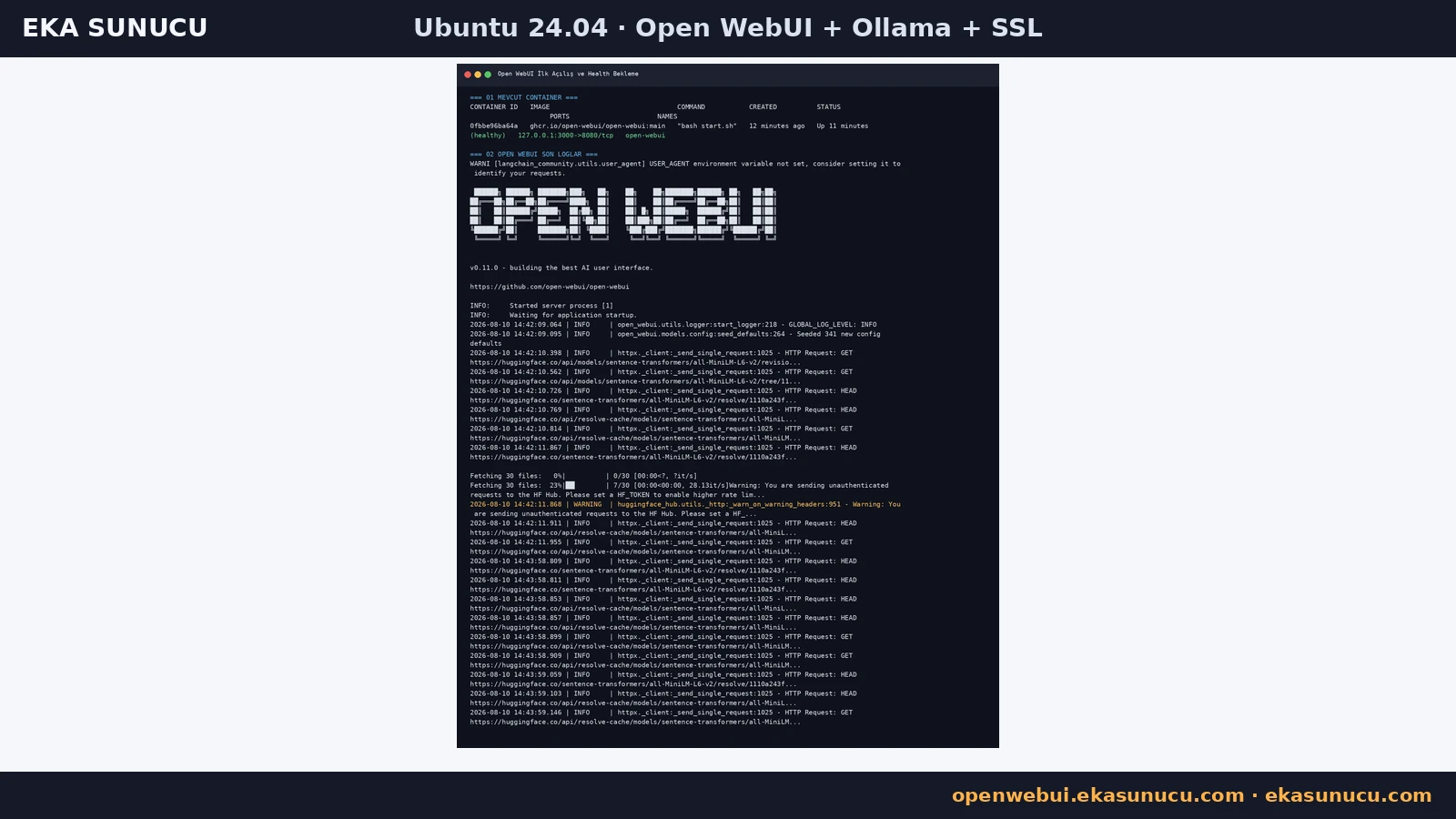
A successful host-side Ollama test is not enough; the Open WebUI container must be able to reach it too. On the shared Docker network the target is ollama:11434.
Open WebUI retrieves models through that connection. If qwen3:4b is missing, check Ollama /api/tags, the Open WebUI connection setting and membership of both containers in eka-ai.
docker exec open-webui python -c "import urllib.request; print(urllib.request.urlopen('http://ollama:11434/api/tags').read().decode())"docker network inspect eka-ai --format '{{range .Containers}}{{.Name}} {{.IPv4Address}}{{println}}{{end}}'Instead of publishing Open WebUI's host port to the Internet, Nginx became the public entry layer. Nginx listens on 80/443, forwards traffic to 127.0.0.1:3000 and preserves WebSocket upgrade headers.
Use the correct server_name and always run nginx -t before reloading the service.
cat >/etc/nginx/sites-available/openwebui.ekasunucu.com <<'EOF'
server {
    listen 80;
    listen [::]:80;
    server_name openwebui.ekasunucu.com;

    location / {
        proxy_pass http://127.0.0.1:3000;
        proxy_http_version 1.1;
        proxy_set_header Host $host;
        proxy_set_header X-Real-IP $remote_addr;
        proxy_set_header X-Forwarded-For $proxy_add_x_forwarded_for;
        proxy_set_header X-Forwarded-Proto $scheme;
        proxy_set_header Upgrade $http_upgrade;
        proxy_set_header Connection "upgrade";
        proxy_read_timeout 3600;
    }
}
EOF
ln -sfn /etc/nginx/sites-available/openwebui.ekasunucu.com /etc/nginx/sites-enabled/openwebui.ekasunucu.com
nginx -t
systemctl reload nginxOnce the Nginx reverse proxy was ready, Certbot issued a Let's Encrypt certificate for openwebui.ekasunucu.com and deployed it to Nginx successfully.
Both origin HTTPS and the public domain returned HTTP 200 in the final checks, so users access the secure hostname rather than a Docker port.
certbot --nginx -d openwebui.ekasunucu.comcurl -I https://openwebui.ekasunucu.comcertbot certificates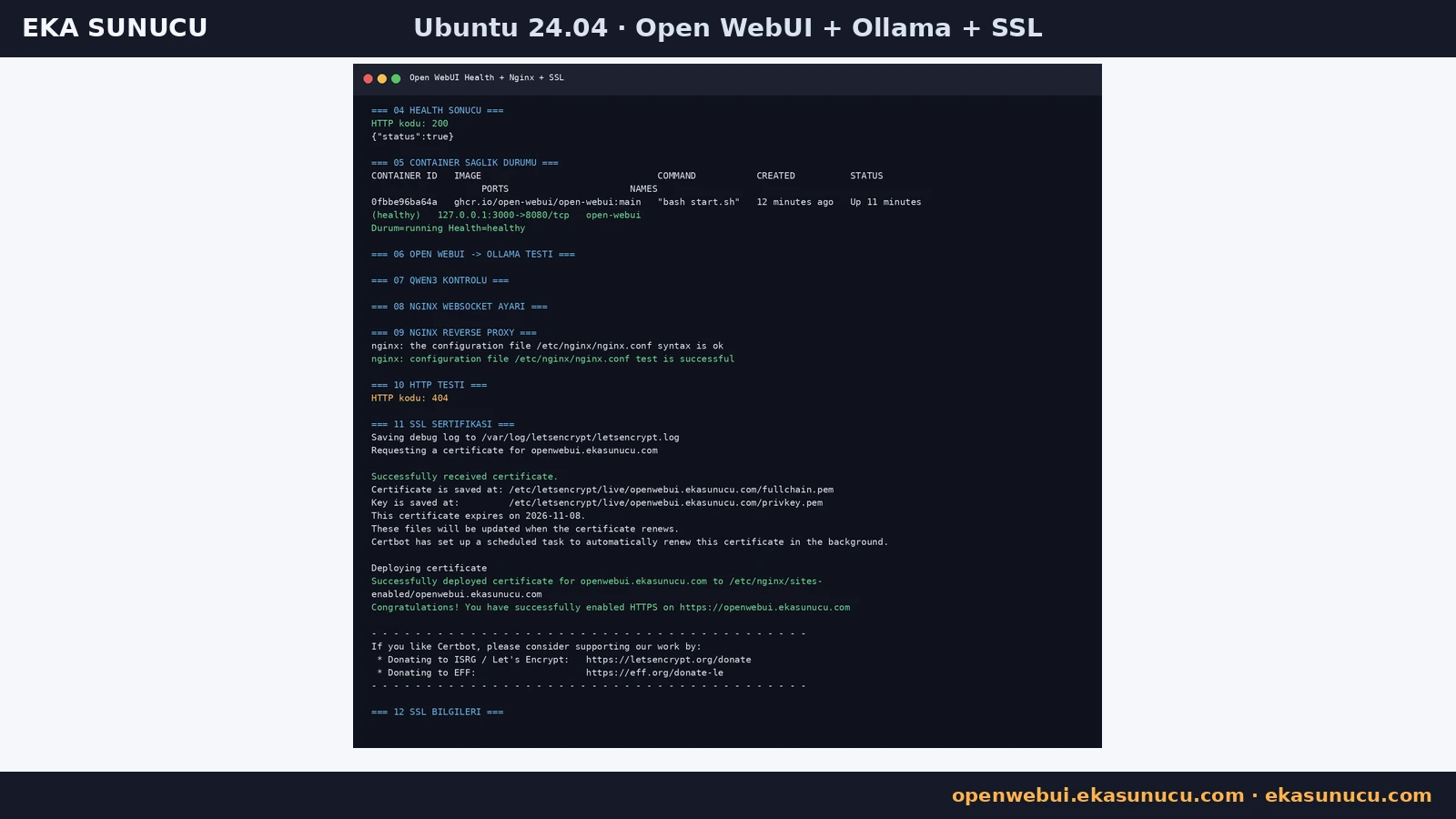
At the end of the deployment Ollama listened on 127.0.0.1:11434 and Open WebUI on 127.0.0.1:3000, while Nginx listened publicly on 80 and 443. This separation avoids exposing the raw Ollama API to the Internet.
Docker publishing can interact with firewall rules, so inspect actual listening sockets with ss and published ports with docker ps instead of relying on only one firewall view.
ss -lntp | grep -E ':80 |:443 |:3000 |:11434' || truedocker ps --format 'table {{.Names}}\t{{.Image}}\t{{.Status}}\t{{.Ports}}'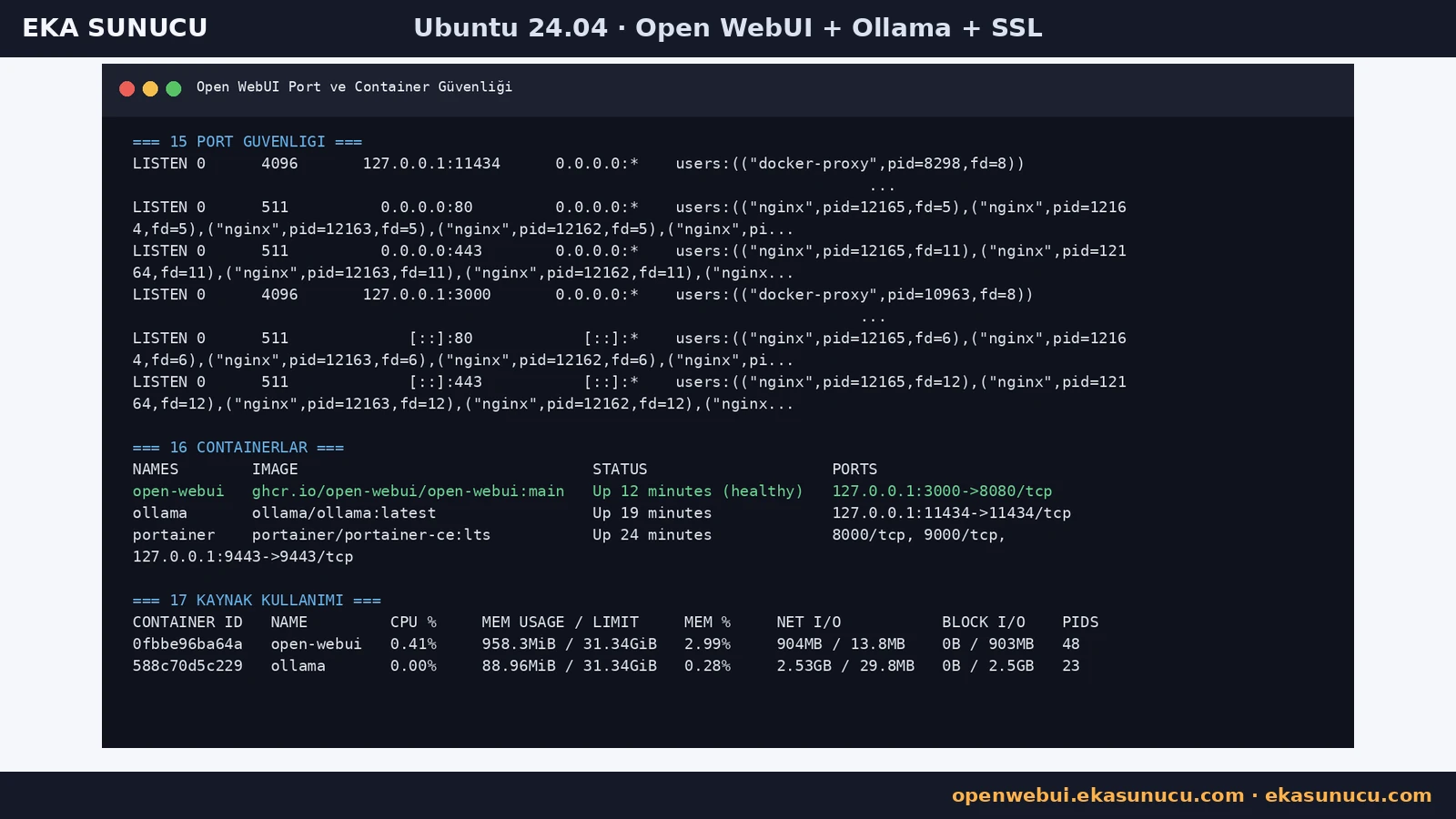
We ran certbot renew --dry-run instead of assuming automatic renewal would work. The simulated renewals for Open WebUI and Portainer completed successfully.
The final state showed a healthy Open WebUI container, running Ollama, HTTP 200 on the HTTPS domain and no failed systemd units.
certbot renew --dry-runcurl -sS -o /dev/null -w '%{http_code}\n' https://openwebui.ekasunucu.comdocker ps --format 'table {{.Names}}\t{{.Status}}\t{{.Ports}}'
systemctl --failed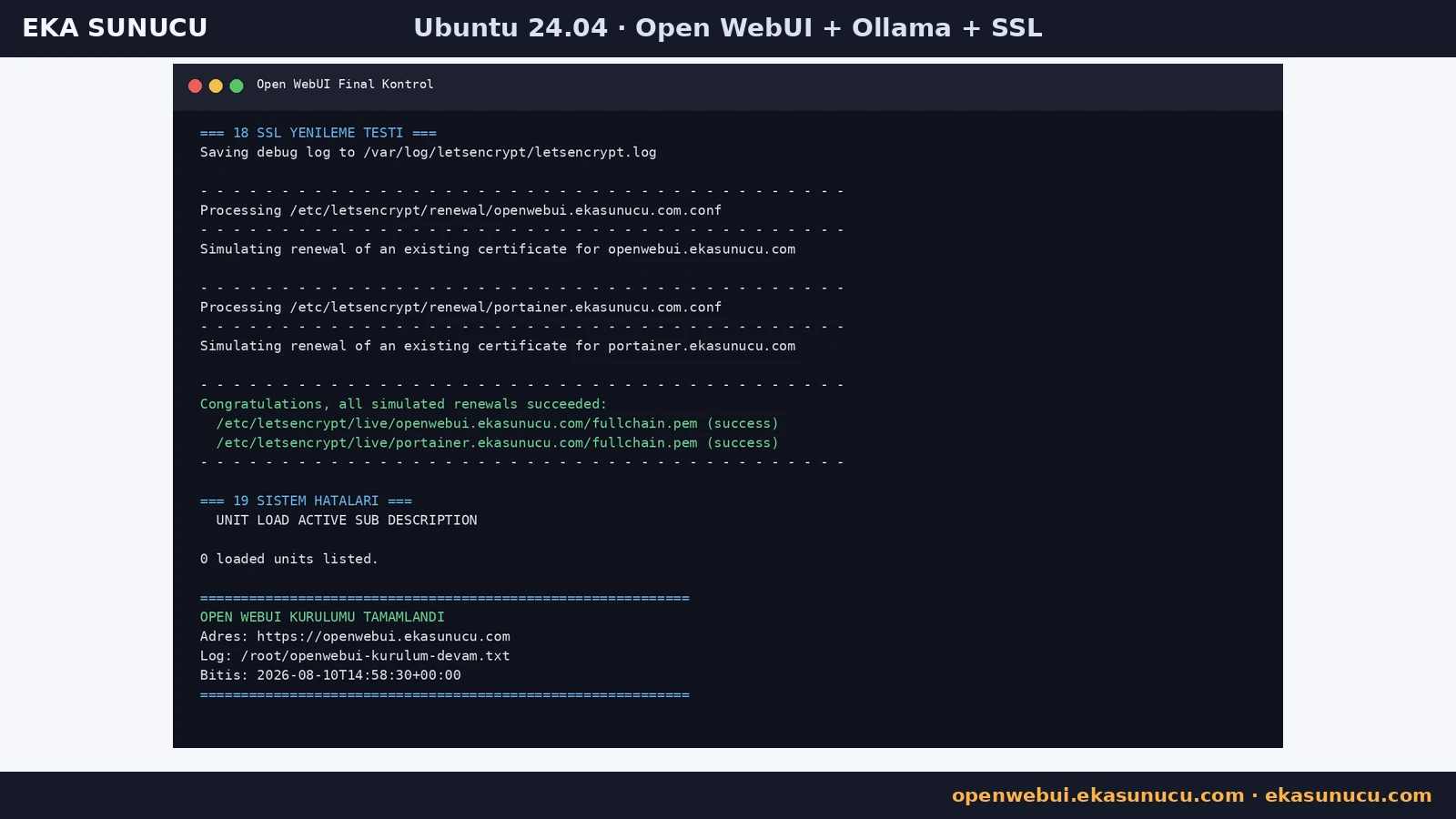
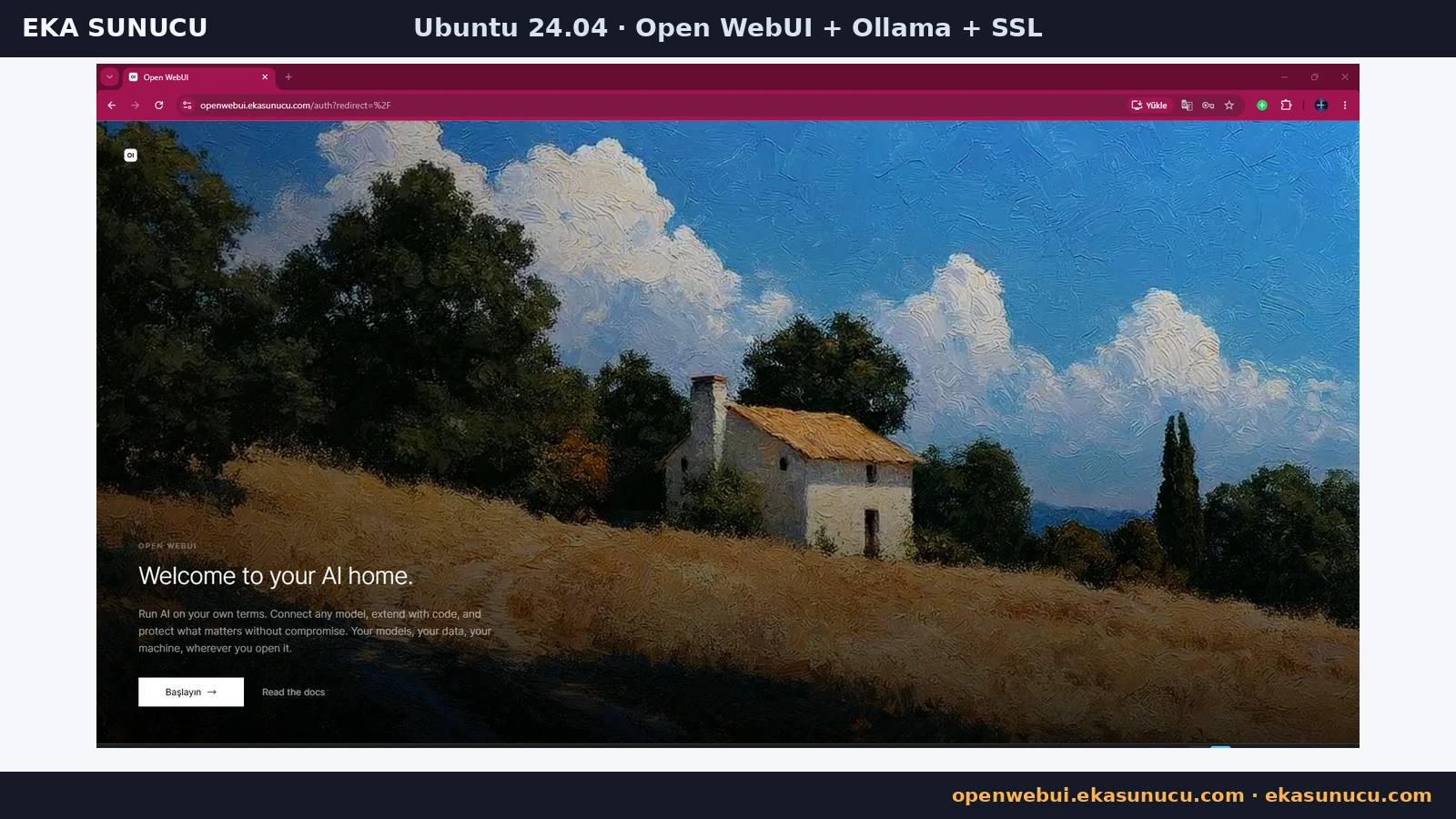
After the infrastructure was complete, we opened https://openwebui.ekasunucu.com and reached the Open WebUI welcome page. The Get Started action led to the account setup flow.
The browser should use the hostname directly. There should be no need for public access to port 3000 because Nginx and TLS terminate user traffic.
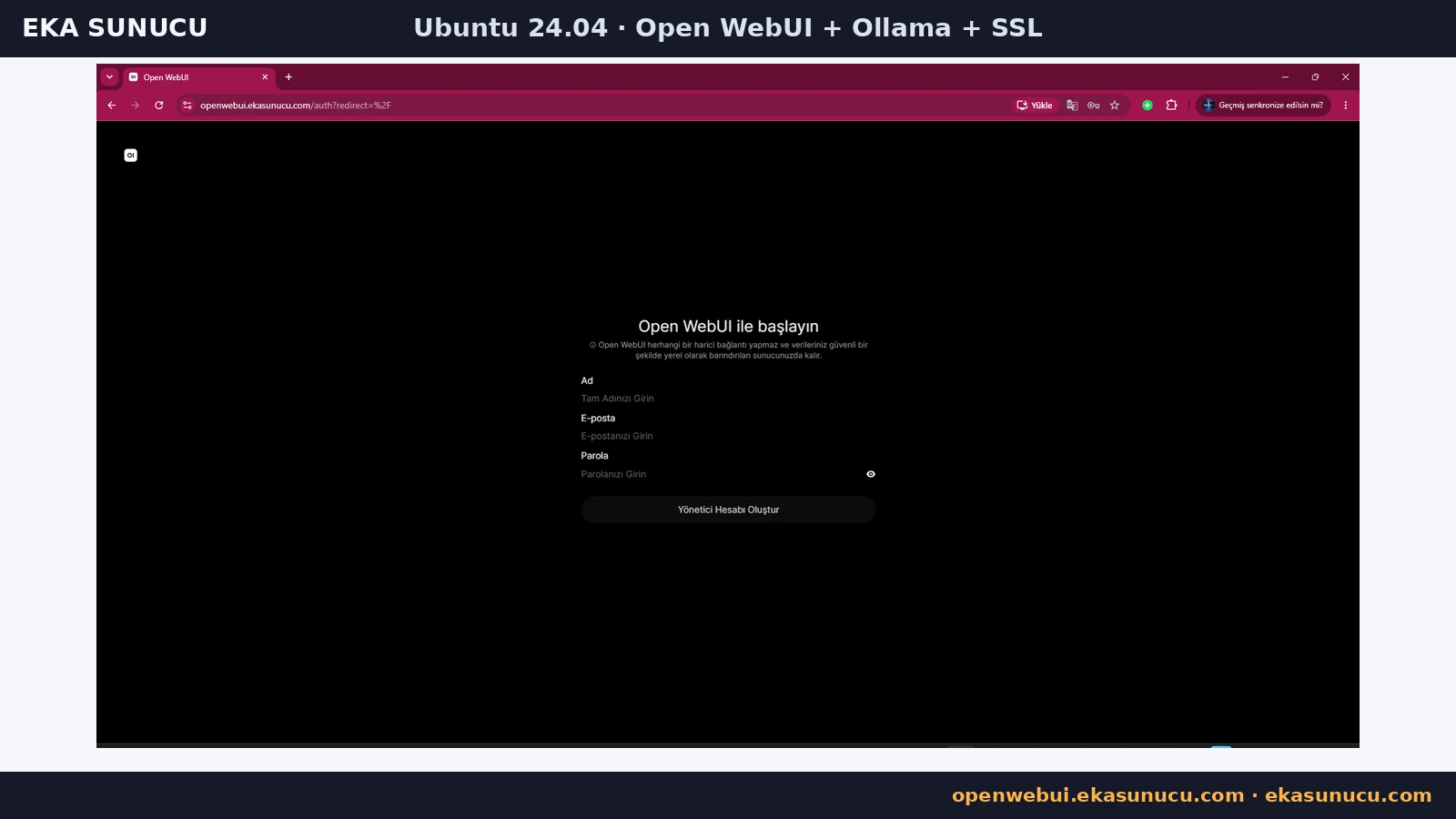
On the first registration screen we created the administrator with a name, email address and strong password. The first account controls administrative settings.
Use a unique production password and review the registration/approval policy before allowing additional users.
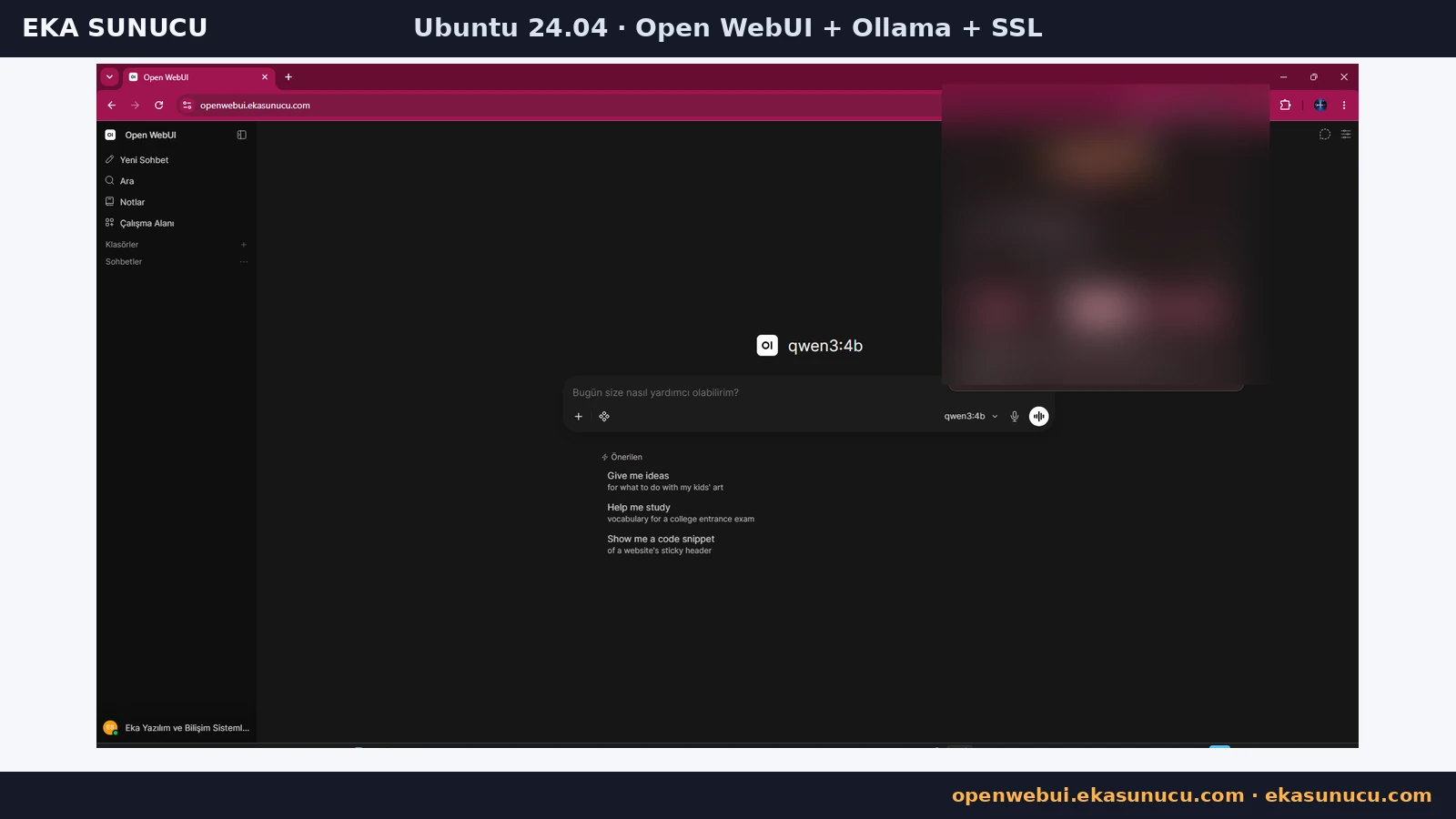
After account setup, qwen3:4b became available in the Open WebUI model selector. This completed the browser → Open WebUI → Ollama → qwen3:4b chain end to end.
Inference runs on the Ollama side of the server while Open WebUI provides the interface, user and conversation layer. Recalculate CPU/RAM/GPU capacity before moving to larger models or more concurrent users.
Ollama model data lives in ollama_data and Open WebUI application data in openwebui_data. A VPS snapshot plus volume backups before upgrades makes rollback safer.
The real test used :main. Before production updates, record or pin the image version, back up data, recreate containers deliberately, then re-test /health, Ollama /api/tags, HTTPS, local-only port binds and startup after reboot.
docker run --rm -v ollama_data:/source -v /root:/backup alpine sh -c 'tar czf /backup/ollama_data-$(date +%F).tar.gz -C /source .'docker run --rm -v openwebui_data:/source -v /root:/backup alpine sh -c 'tar czf /backup/openwebui_data-$(date +%F).tar.gz -C /source .'docker restart ollama open-webui
curl -sS http://127.0.0.1:3000/health
curl -sS http://127.0.0.1:11434/api/tagsYes. In this real test Open WebUI v0.11.0 ran on Ubuntu 24.04.4 LTS in Docker.
The container uses port 8080; the host binding in this setup is only 127.0.0.1:3000.
Because both containers share the eka-ai network, Open WebUI uses http://ollama:11434.
No. We kept it on localhost and used the Docker network for container-to-container access.
Database migrations and embedding-model preparation can take time. Our test showed HTTP 000/connection reset initially, then /health returned 200 after startup completed.
The real logs showed sentence-transformers/all-MiniLM-L6-v2 being fetched from Hugging Face.
It is a persistent secret used by the application and sessions. Preserve the same value when recreating the container.
The openwebui_data named volume is mounted at /app/backend/data.
Yes. Preserve HTTP/1.1 and the Upgrade and Connection headers in the reverse proxy.
After creating the Nginx vhost, Certbot --nginx obtained and deployed the Let’s Encrypt certificate.
Run certbot renew --dry-run to simulate renewal without replacing the live certificate.
The first account is used as the administrator account; later registration and approval policies can be managed from the UI.
When the Ollama connection works, qwen3:4b appears in the model selector and can be used in the chat interface.
The real test used :main. A tested fixed version tag is generally more predictable for controlled production updates.
Run Ollama, Qwen3, Open WebUI and n8n on your own EKA Sunucu Linux VPS.
Updated: 10.08.2026 Turkey (Turkish)
 Germany (German)
 Worldwide (English)

