
 Halkali merkez neighborhood fatih st ozgur apt no 46 , Kucukcekmece , Istanbul , 34303 , TR
This guide isolates the API layer of our real Ubuntu 24.04.4 LTS + Docker + Ollama qwen3:4b deployment. We verify runtime and model listing through /api/tags, execute a real qwen3:4b inference request through /api/chat with curl, use 127.0.0.1:11434 from the host and http://ollama:11434 from Docker services, and validate CPU/RAM usage plus localhost-only port security with captured test data.
Host → 127.0.0.1:11434
   ├── GET /api/tags → model list
   └── POST /api/chat → qwen3:4b inference

Docker eka-ai
└── http://ollama:11434This guide focuses on the HTTP API of the already working Ollama + qwen3:4b stack. Host applications use http://127.0.0.1:11434 while services on the shared eka-ai Docker network can use http://ollama:11434.
This distinction matters because localhost inside a container refers to that container. Separate n8n or Open WebUI containers reach Ollama by the Docker DNS hostname ollama, while the host port remains loopback-only.
Host API:   http://127.0.0.1:11434
Docker API: http://ollama:11434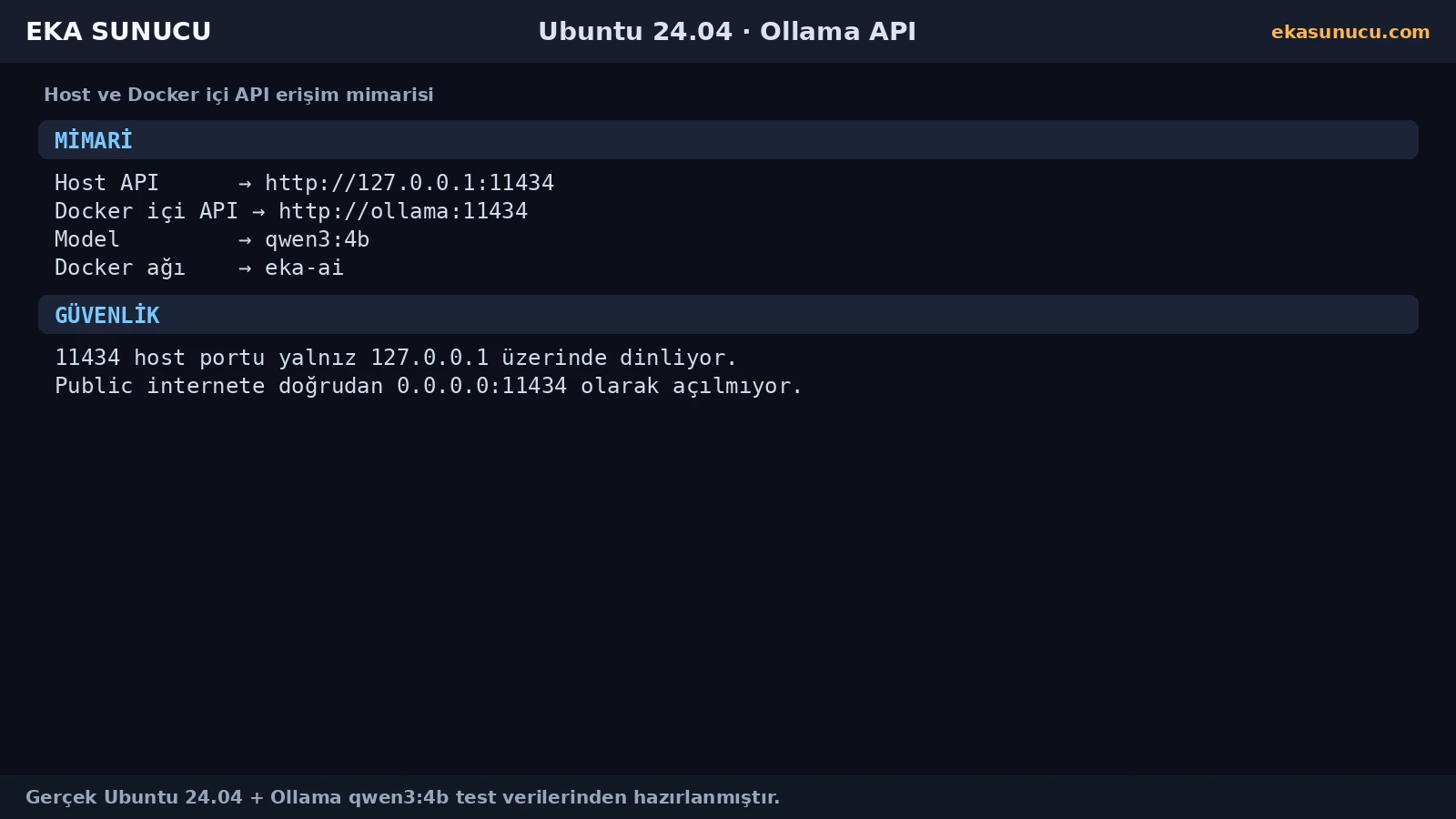
Before any model was downloaded, the real /api/tags request returned HTTP 200 with an empty models array. That proved the HTTP runtime was healthy even though no model was installed yet.
When troubleshooting, run this test before investigating a model problem. If the endpoint does not answer, check the container, port binding and Ollama logs first.
curl -sS -w "\nHTTP %{http_code}\n" http://127.0.0.1:11434/api/tagsdocker logs --tail 80 ollama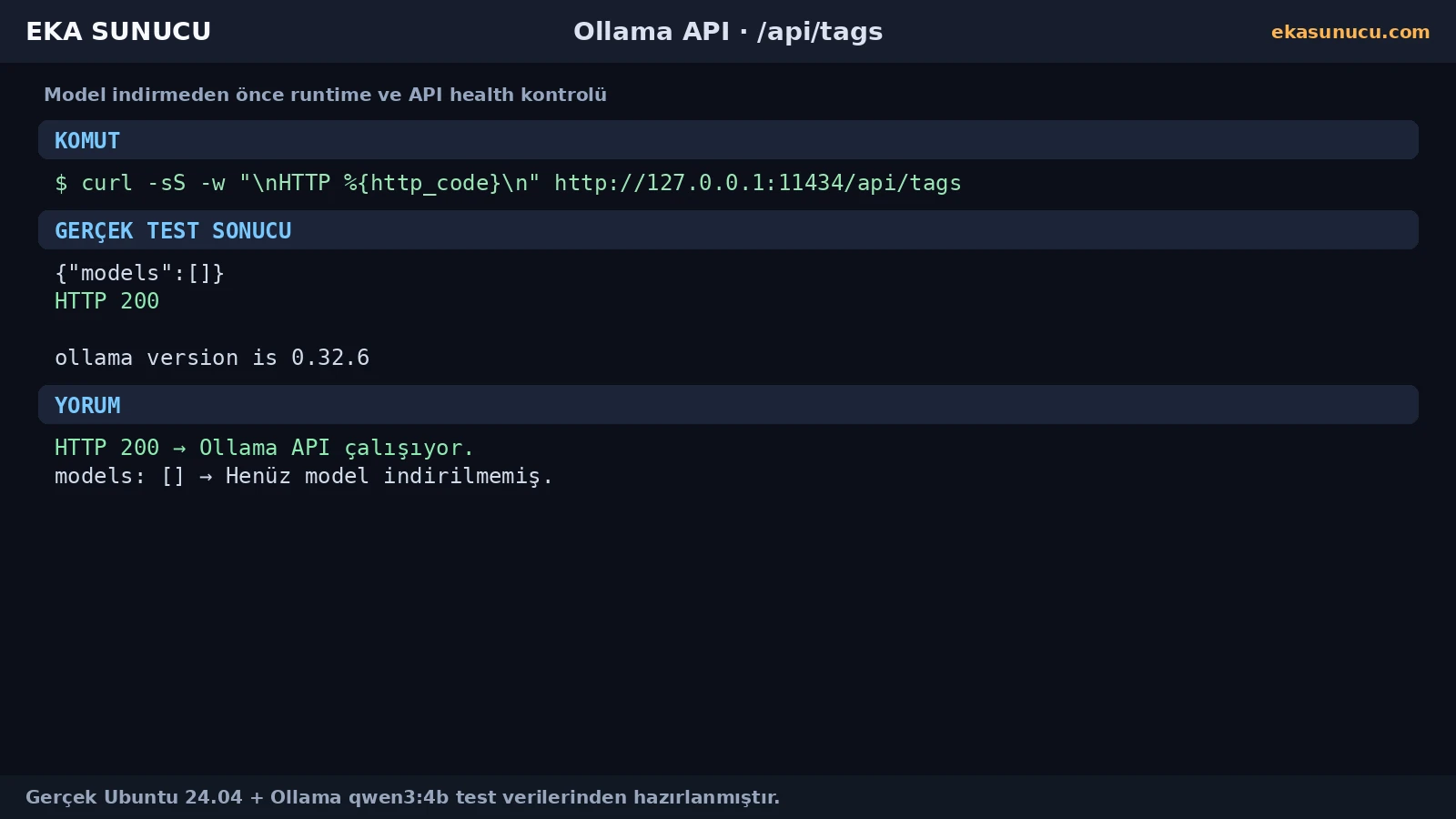
After the API was reachable we pulled qwen3:4b inside the container. The real model list showed a size of roughly 2.5 GB.
Our captured API metadata reported parameter_size 4.0B, Q4_K_M quantization and completion, tools and thinking capabilities for the tested model version.
docker exec ollama ollama pull qwen3:4bdocker exec ollama ollama list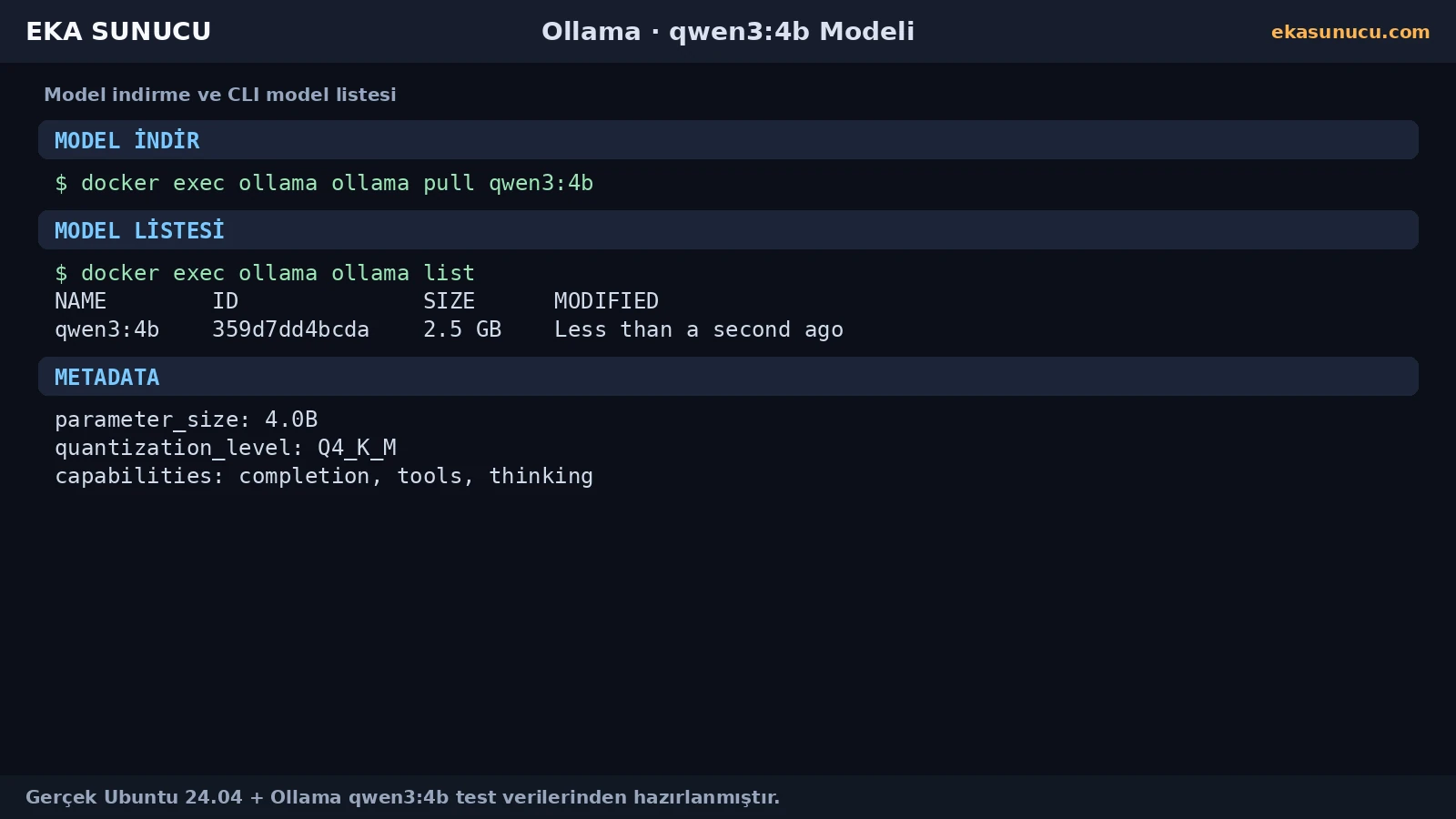
The CLI list is convenient for humans, while /api/tags exposes a JSON model list that integrations can consume. In our real test qwen3:4b appeared with its name, size and model details.
If Open WebUI or n8n cannot see models, call the same endpoint from the host and, when needed, from the relevant container to separate Ollama problems from Docker-network problems.
curl -sS http://127.0.0.1:11434/api/tagsdocker exec ollama ollama list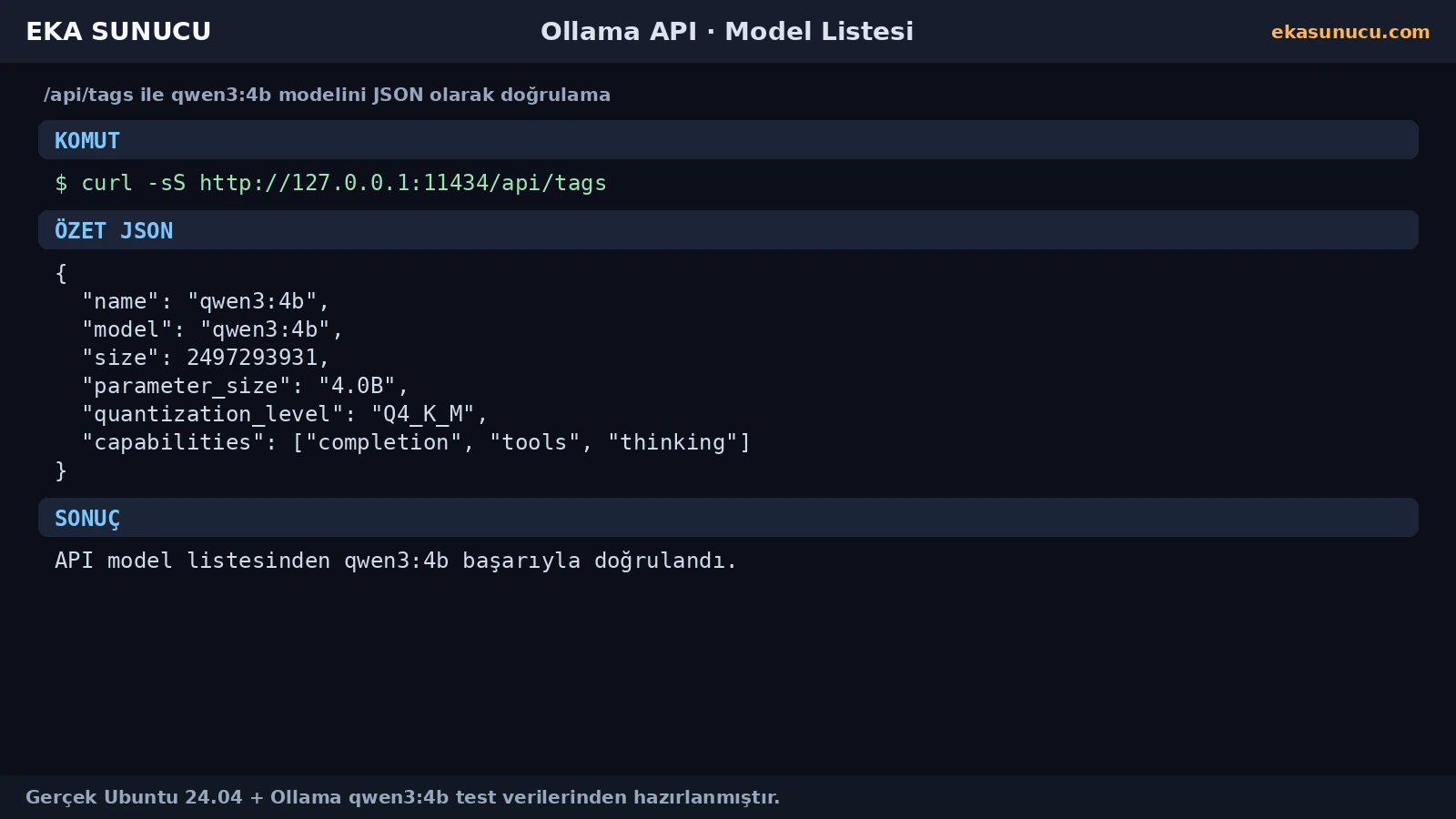
A model appearing in a list does not prove inference works. We therefore sent a real user message to /api/chat and used stream:false to obtain one JSON response.
The real assistant content was EKA-OLLAMA-TEST-BASARILI and the request finished with done:true. This CPU-based test took about 18 seconds.
curl -sS http://127.0.0.1:11434/api/chat -H 'Content-Type: application/json' -d '{"model":"qwen3:4b","messages":[{"role":"user","content":"Write only EKA-OLLAMA-TEST-BASARILI."}],"stream":false}'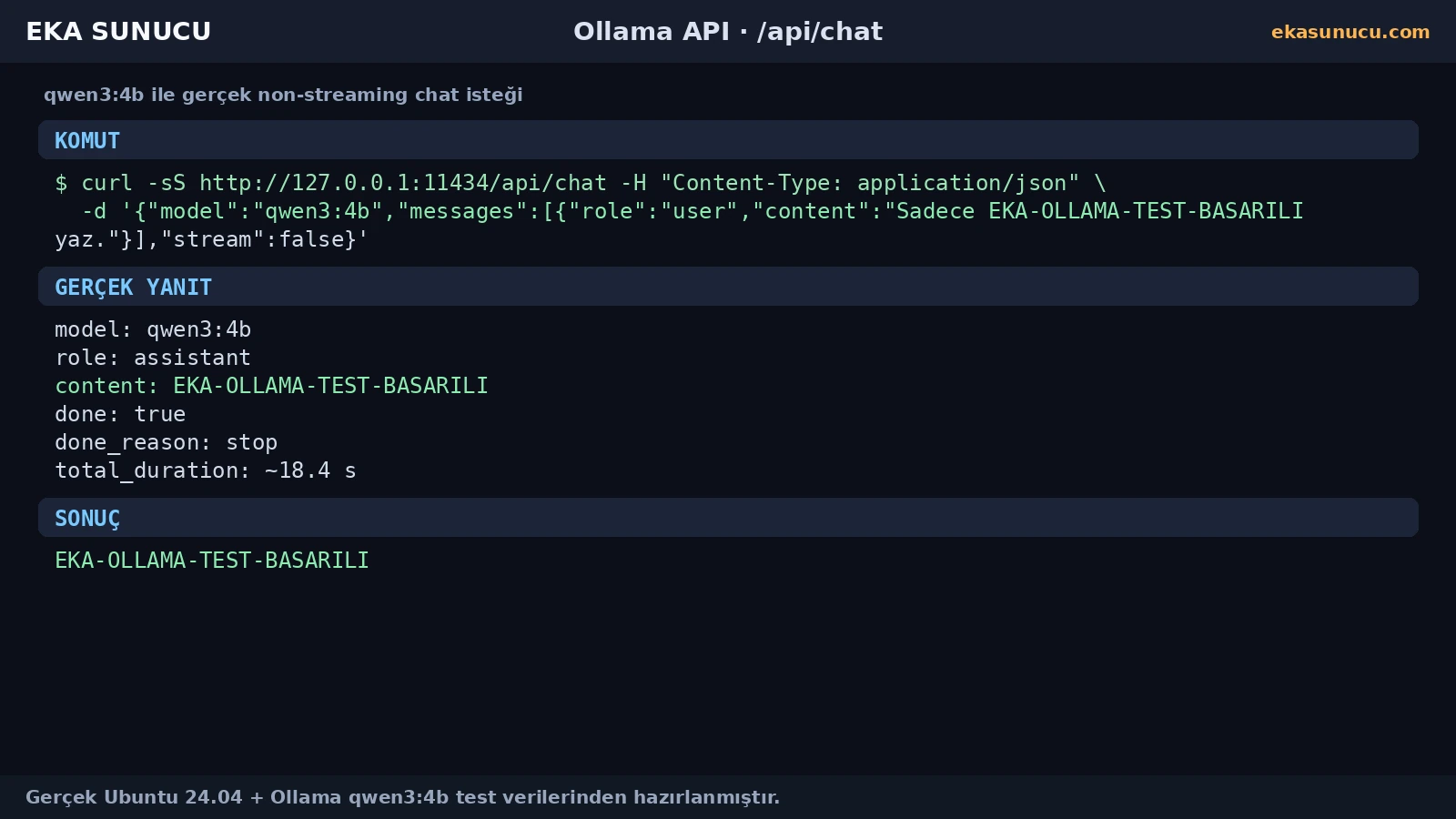
For the end-to-end check we verified model=qwen3:4b, message.role=assistant, the expected message.content and done:true.
The captured Qwen3 response also included a thinking field. If your application only needs the user-facing answer, message.content is the cleaner field to render.
Core fields to inspect:
model
message.role
message.content
done
done_reason
total_durationAfter the real chat request, ollama ps showed qwen3:4b loaded on CPU. In the captured moment the context was 4096 and processor was reported as 100% CPU.
Docker stats showed roughly 3.059 GiB used by the Ollama container. These numbers are only the recorded test moment and vary with prompt length, context, model and concurrency.
docker exec ollama ollama psdocker stats --no-stream ollama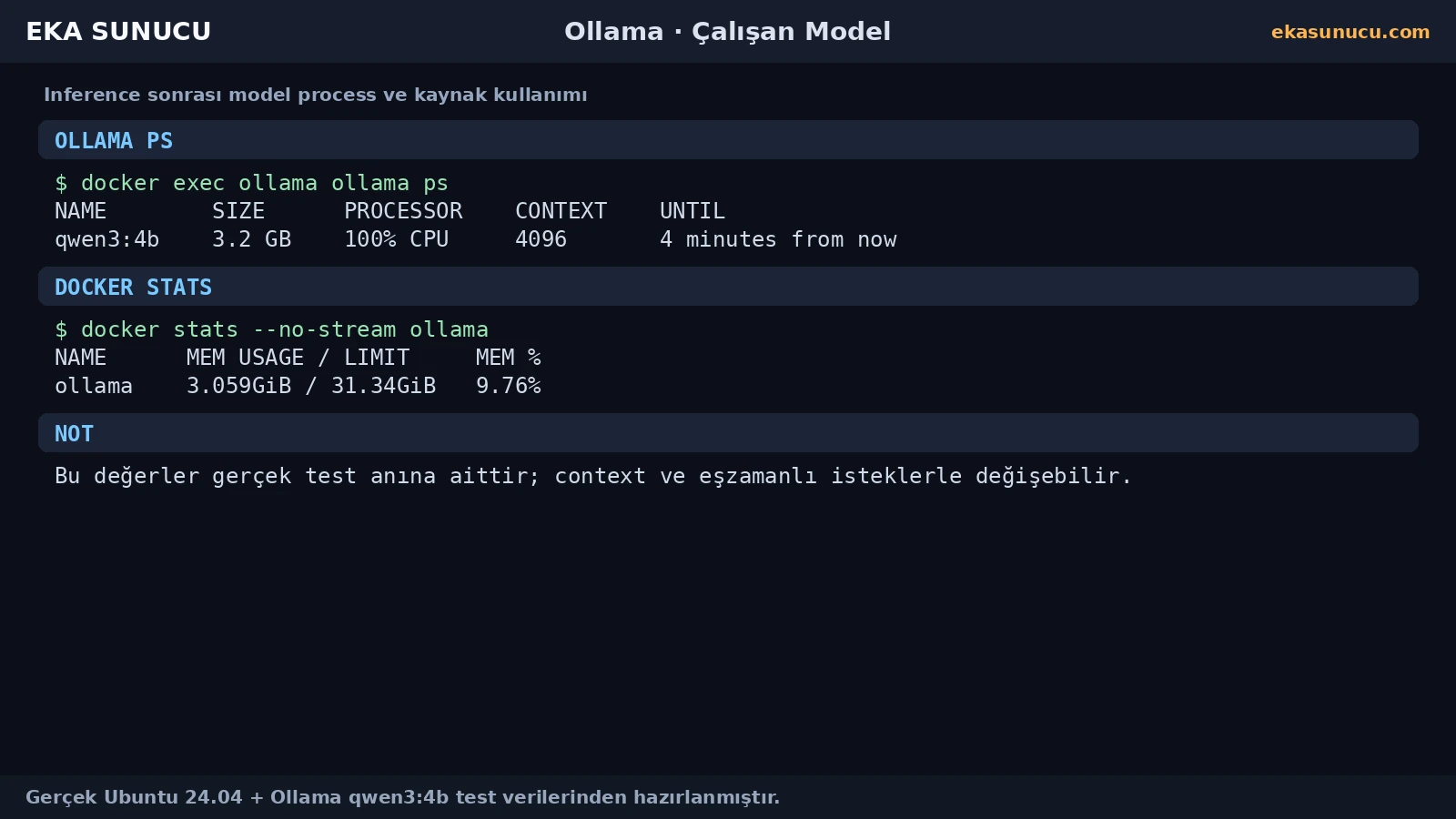
127.0.0.1 is correct from the host, but localhost inside another container does not point to Ollama. On a shared user-defined network, Docker DNS resolves the hostname ollama.
Our final test summary confirmed http://127.0.0.1:11434 for the host and http://ollama:11434 inside Docker. The same pattern was later used for Open WebUI and n8n integrations.
docker network inspect eka-aidocker exec n8n node -e "fetch('http://ollama:11434/api/tags').then(r=>r.text()).then(console.log)"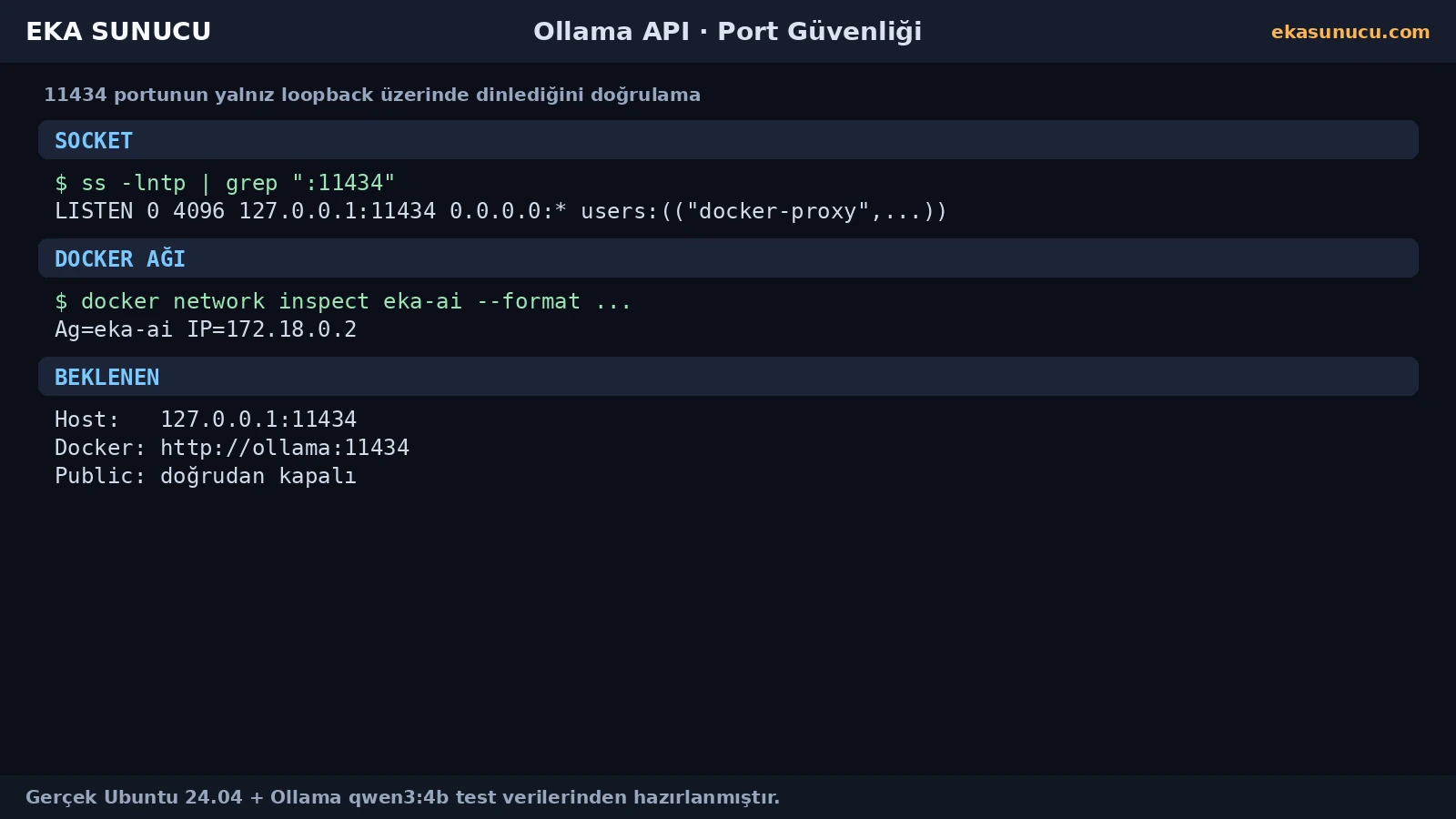
Instead of publishing Ollama directly to the Internet, the real deployment used 127.0.0.1:11434:11434. The ss output confirmed the port only listened on the loopback address.
If remote systems need access, plan TLS, authentication, reverse proxy, VPN or a private network instead of simply binding 0.0.0.0:11434.
ss -lntp | grep ':11434'docker ps --filter name='^/ollama$'If curl cannot connect, first verify the container and the 127.0.0.1:11434 binding. If /api/tags returns HTTP 200 but models is empty, the runtime is up but a model may not be installed yet.
If the model is listed but chat fails, inspect docker logs ollama. If chat works but is slow, use ollama ps and docker stats to inspect CPU and memory; CPU-only inference can have additional model-load latency.
docker ps --filter name='^/ollama$'curl -sS http://127.0.0.1:11434/api/tagsdocker logs --tail 150 ollamadocker exec ollama ollama ps
docker stats --no-stream ollamaModel listing and a real chat request are the two fastest integration checks. Add the running-model, container-log and socket checks to quickly identify which layer is failing.
The following commands summarize the host and Docker access pattern used in our real Ubuntu 24.04 test.
curl -sS http://127.0.0.1:11434/api/tagscurl -sS http://127.0.0.1:11434/api/chat -H 'Content-Type: application/json' -d '{"model":"qwen3:4b","messages":[{"role":"user","content":"Hello"}],"stream":false}'docker exec ollama ollama psss -lntp | grep ':11434'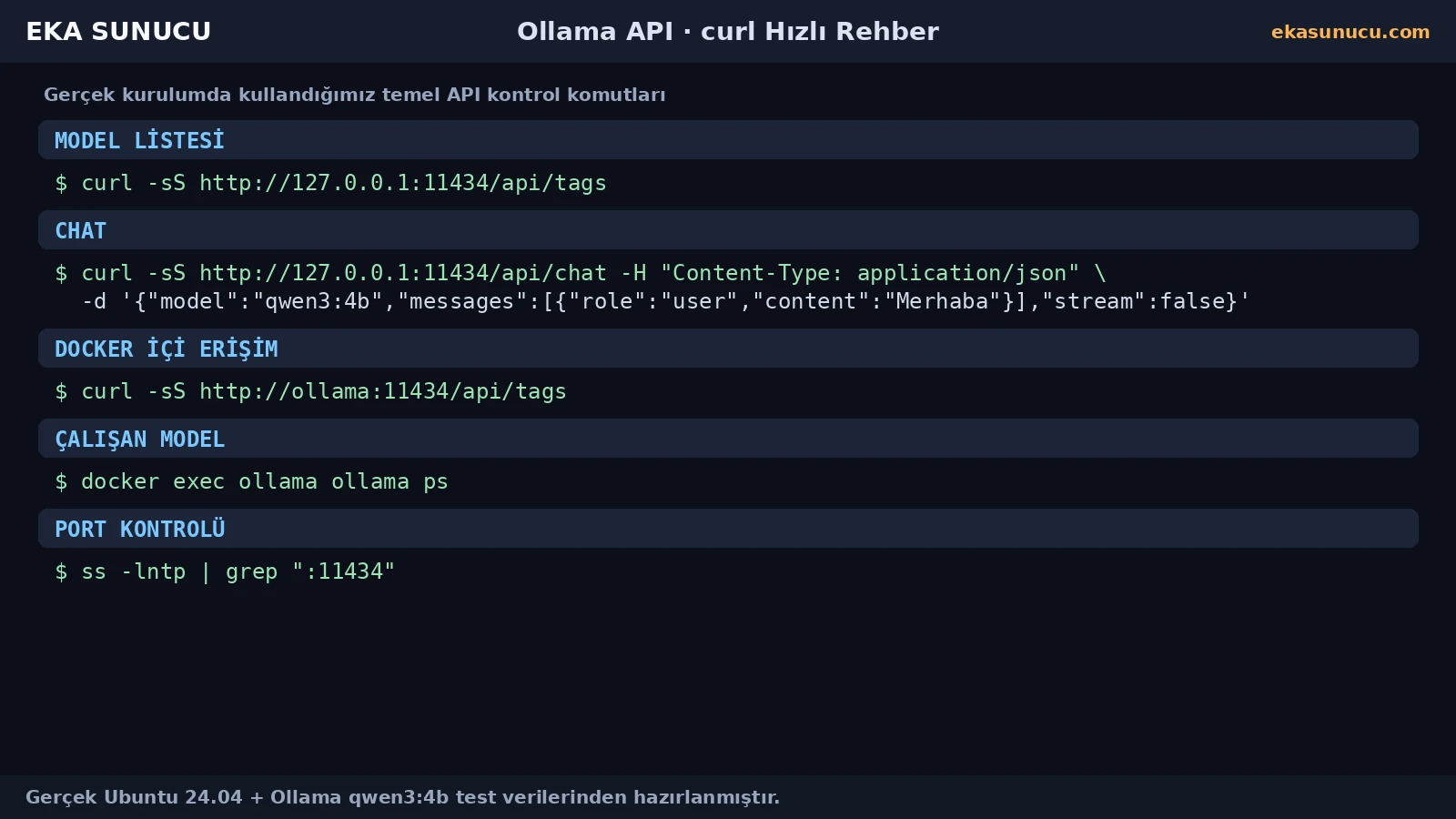
The ollama_data volume keeps model files persistent independently of the container. Define a volume-backup and VPS-snapshot strategy before image updates or container recreation.
After reboot or upgrades, re-check the container, /api/tags, a real /api/chat request and the 11434 binding. That validates the actual inference chain rather than only confirming that a process exists.
docker ps --filter name='^/ollama$'curl -sS http://127.0.0.1:11434/api/tagsdocker exec ollama ollama listss -lntp | grep ':11434'In this real deployment the host API was used at 127.0.0.1:11434.
We used it to list installed Ollama models as JSON and quickly verify HTTP runtime access.
Our first real test returned HTTP 200 with models:[], showing the runtime was available before a model was installed.
POST JSON containing model, messages and stream:false to /api/chat with curl.
The real assistant content returned EKA-OLLAMA-TEST-BASARILI.
We used it to receive one JSON response that was easy to validate in the test.
This architecture uses http://127.0.0.1:11434.
On the eka-ai network we used http://ollama:11434.
localhost refers to that container itself; use the Ollama container DNS name on a shared Docker network.
The captured ollama list output showed roughly 2.5 GB.
At the captured test moment the Ollama container used about 3.059 GiB.
We did not expose it publicly; it remained on 127.0.0.1. Add proper controls for remote access.
Use ollama ps and docker stats to inspect CPU and memory. CPU-only inference can be slower depending on model and context.
Re-check the container, /api/tags, a real /api/chat request, model listing and the loopback binding.
Run Ollama, Qwen3, Open WebUI, n8n and other self-hosted AI services on your own EKA Sunucu Linux VPS.
Updated: 10.08.2026 Turkey (Turkish)
 Germany (German)
 Worldwide (English)

