
 Halkali merkez neighborhood fatih st ozgur apt no 46 , Kucukcekmece , Istanbul , 34303 , TR
In this real Ubuntu 24.04.4 LTS VPS deployment we installed n8n with Docker, prepared the n8n_data volume and a fixed encryption key, bound the app only to 127.0.0.1:5678, published n8n.ekasunucu.com through Nginx and Let’s Encrypt, and verified the complete first-run flow from owner account to workflow editor with real WebP screenshots.
Ubuntu 24.04.4 LTS
  ↓ Docker
n8n :5678 → 127.0.0.1
  ↓
n8n_data + Encryption Key
  ↓
Nginx + WebSocket
  ↓
Let’s Encrypt HTTPS
  ↓
n8n.ekasunucu.comThis guide documents a real n8n deployment on Ubuntu 24.04.4 LTS using Docker, a localhost-only application port and n8n.ekasunucu.com published through Nginx and Let’s Encrypt.
In the final architecture users never connect directly to port 5678. HTTPS traffic reaches Nginx on 443, which proxies to the n8n container on 127.0.0.1:5678. Persistent application data is stored in the n8n_data named volume.
Internet :443
  ↓
Nginx + Let’s Encrypt
  ↓
127.0.0.1:5678
  ↓
n8n Docker container
  ↓
n8n_data volume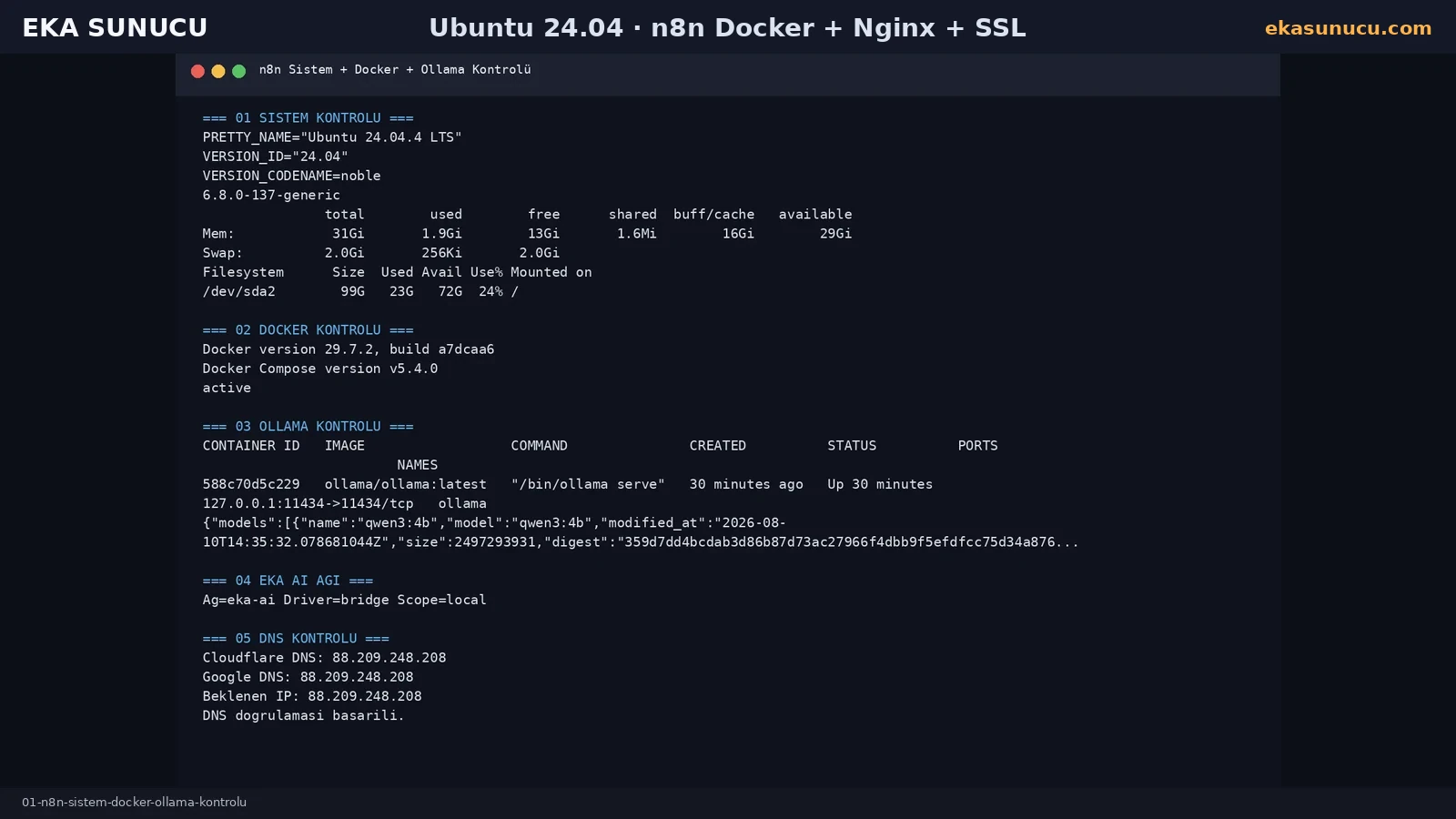
The tested server ran Ubuntu 24.04.4 LTS with Docker Engine already active. Checking OS, kernel, RAM, disk and Docker before installation makes later troubleshooting much easier.
We resolved n8n.ekasunucu.com through both Cloudflare and Google DNS before requesting a certificate. DNS must point to the intended server before the Let’s Encrypt step.
cat /etc/os-release | grep -E 'PRETTY_NAME|VERSION_ID|VERSION_CODENAME'
uname -r
free -h
df -h /docker --version
docker compose version
systemctl is-active dockerdig +short A n8n.ekasunucu.com @1.1.1.1
dig +short A n8n.ekasunucu.com @8.8.8.8We used the n8n_data named volume instead of relying on the container filesystem, so user, workflow and credential data can survive container recreation.
Generate a fixed N8N_ENCRYPTION_KEY and back it up securely. Explicit host, protocol, editor URL, webhook URL, proxy-hop and timezone settings make reverse-proxy deployments more predictable.
docker volume inspect n8n_data >/dev/null 2>&1 || docker volume create n8n_dataopenssl rand -hex 32cat > /root/n8n.env <<'EOF'
N8N_ENCRYPTION_KEY=BURAYA_UZUN_RASTGELE_ANAHTAR
N8N_HOST=n8n.ekasunucu.com
N8N_PORT=5678
N8N_PROTOCOL=https
N8N_EDITOR_BASE_URL=https://n8n.ekasunucu.com
N8N_WEBHOOK_URL=https://n8n.ekasunucu.com/
N8N_PROXY_HOPS=1
N8N_SECURE_COOKIE=true
N8N_ENFORCE_SETTINGS_FILE_PERMISSIONS=true
GENERIC_TIMEZONE=Europe/Istanbul
TZ=Europe/Istanbul
NODE_ENV=production
EOF
chmod 600 /root/n8n.envWe pulled the official n8n image from docker.n8n.io and started the container with a restart policy. Host port 5678 is bound to 127.0.0.1 instead of 0.0.0.0.
The n8n_data volume is mounted at /home/node/.n8n. Public access is therefore provided by Nginx instead of Docker directly publishing the editor port.
docker pull docker.n8n.io/n8nio/n8n:latestdocker rm -f n8n 2>/dev/null || true
docker run -d \
--name n8n \
--restart=always \
--env-file /root/n8n.env \
-p 127.0.0.1:5678:5678 \
-v n8n_data:/home/node/.n8n \
docker.n8n.io/n8nio/n8n:latest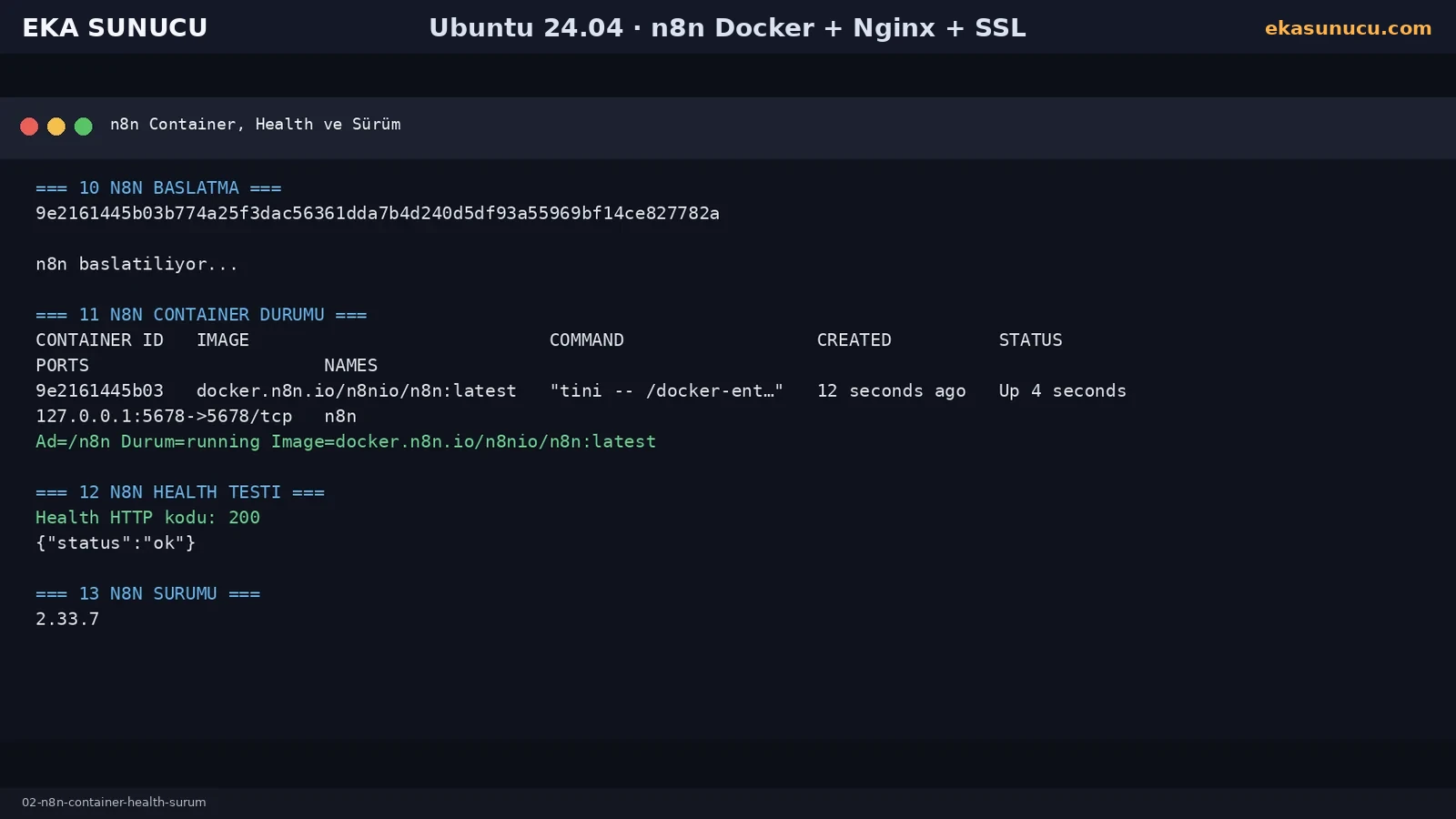
After startup the /healthz endpoint returned HTTP 200 with {"status":"ok"}. The version used in this real test was n8n 2.33.7.
First-start database migrations are expected. Our logs also showed that an internal Python task runner could not start because Python 3 was missing, while n8n recommended external task-runner mode for production. The JS Task Runner registered successfully and the normal editor remained operational.
The same startup log contained deprecation notices for future default changes, so reviewing docker logs after upgrades is important.
curl -sS -i http://127.0.0.1:5678/healthzdocker exec n8n n8n --versiondocker logs --tail 160 n8nBecause n8n listens only on 127.0.0.1:5678, we used Nginx as the public reverse proxy. Host, X-Forwarded and WebSocket upgrade headers are forwarded to n8n.
After nginx -t succeeded, Certbot obtained and deployed the certificate for n8n.ekasunucu.com. Final origin and public HTTPS checks returned HTTP 200.
cat > /etc/nginx/conf.d/eka-websocket-map.conf <<'EOF'
map $http_upgrade $connection_upgrade {
    default upgrade;
    '' close;
}
EOFcat > /etc/nginx/sites-available/n8n.ekasunucu.com <<'EOF'
server {
listen 80;
listen [::]:80;
server_name n8n.ekasunucu.com;
client_max_body_size 100m;
location / {
proxy_pass http://127.0.0.1:5678;
proxy_http_version 1.1;
proxy_set_header Host $host;
proxy_set_header X-Real-IP $remote_addr;
proxy_set_header X-Forwarded-For $proxy_add_x_forwarded_for;
proxy_set_header X-Forwarded-Proto $scheme;
proxy_set_header Upgrade $http_upgrade;
proxy_set_header Connection $connection_upgrade;
proxy_buffering off;
proxy_read_timeout 3600;
proxy_send_timeout 3600;
}
}
EOF
ln -sfn /etc/nginx/sites-available/n8n.ekasunucu.com /etc/nginx/sites-enabled/n8n.ekasunucu.com
nginx -t && systemctl reload nginxcertbot --nginx -d n8n.ekasunucu.comcurl -I https://n8n.ekasunucu.com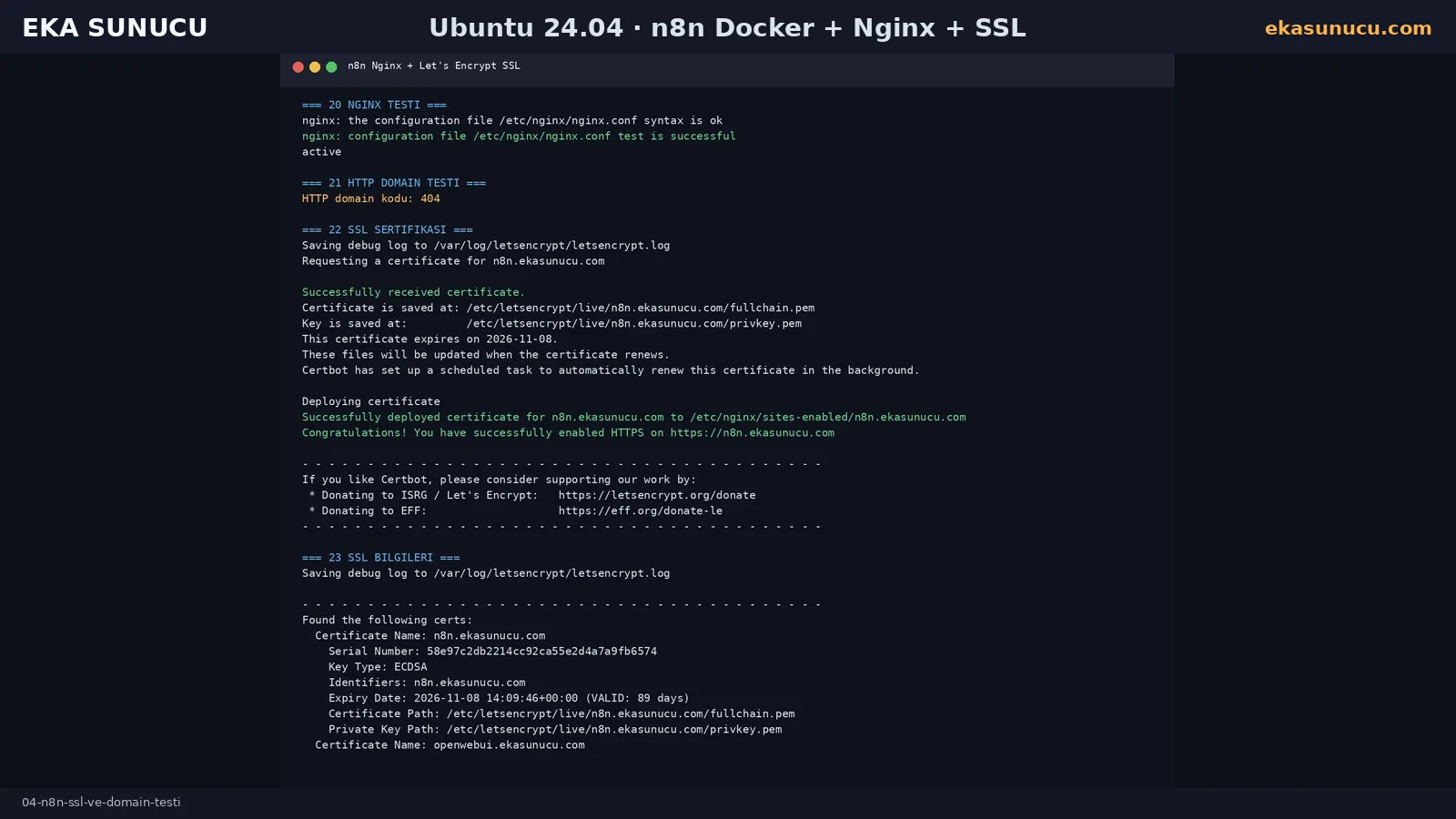
In the final setup n8n listens on 127.0.0.1:5678 while only Nginx exposes ports 80 and 443 externally. The editor is not published through a public Docker port.
We used certbot renew --dry-run to verify renewal without replacing the live certificate, and systemctl --failed showed no failed systemd services.
ss -lntp | grep -E ':5678|:80|:443'docker ps --filter name='^/n8n$'certbot renew --dry-runsystemctl --failed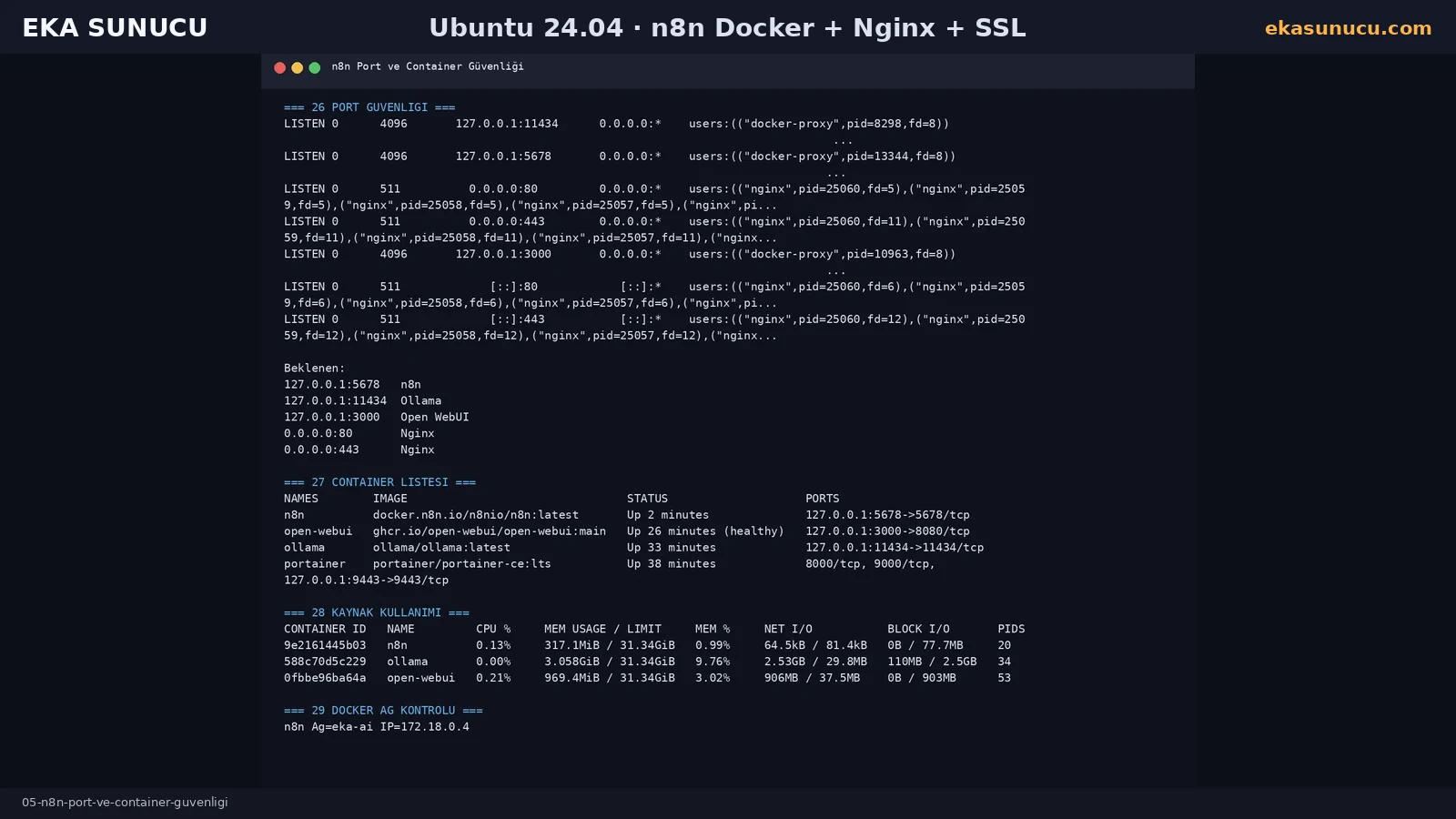
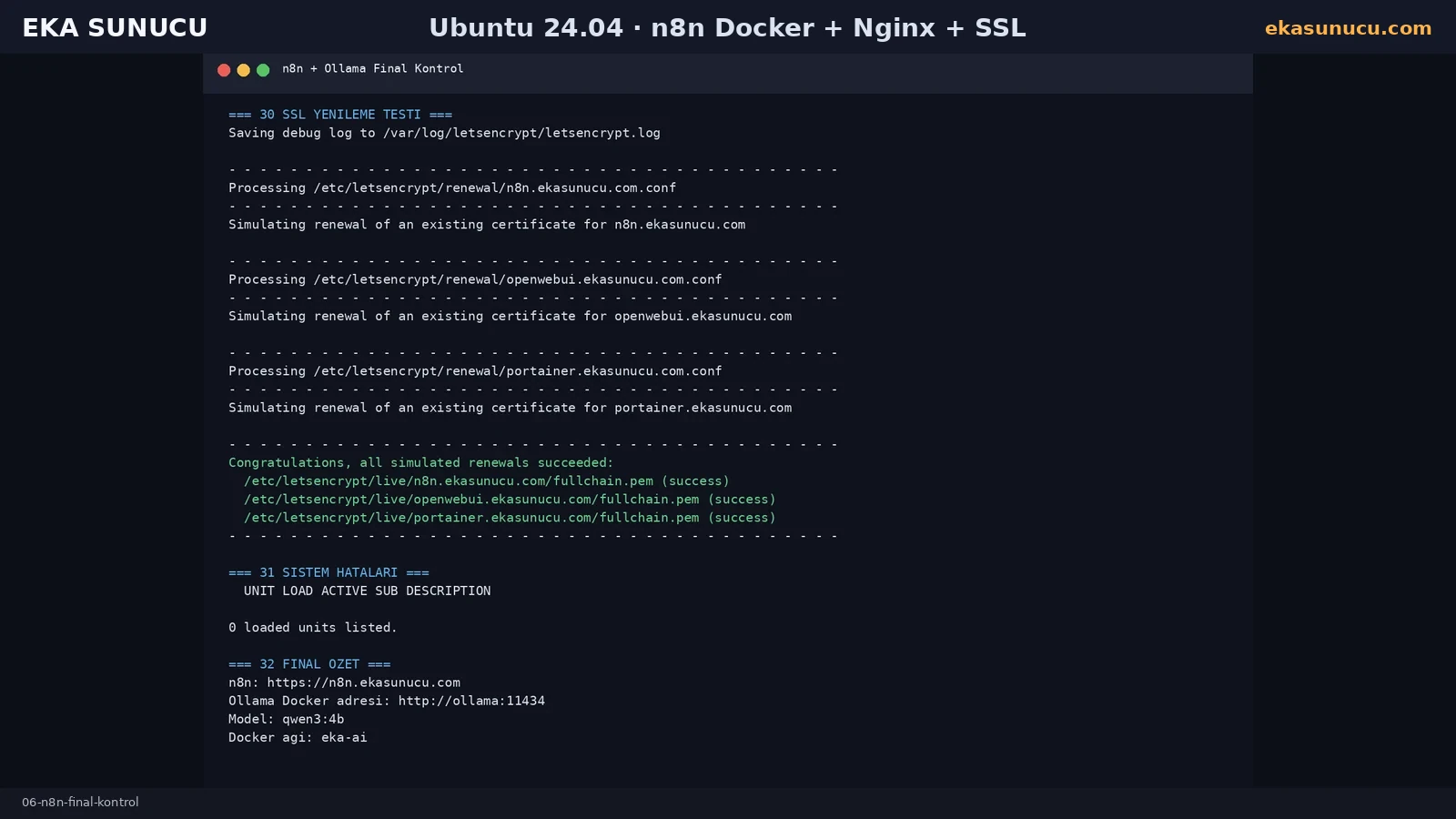
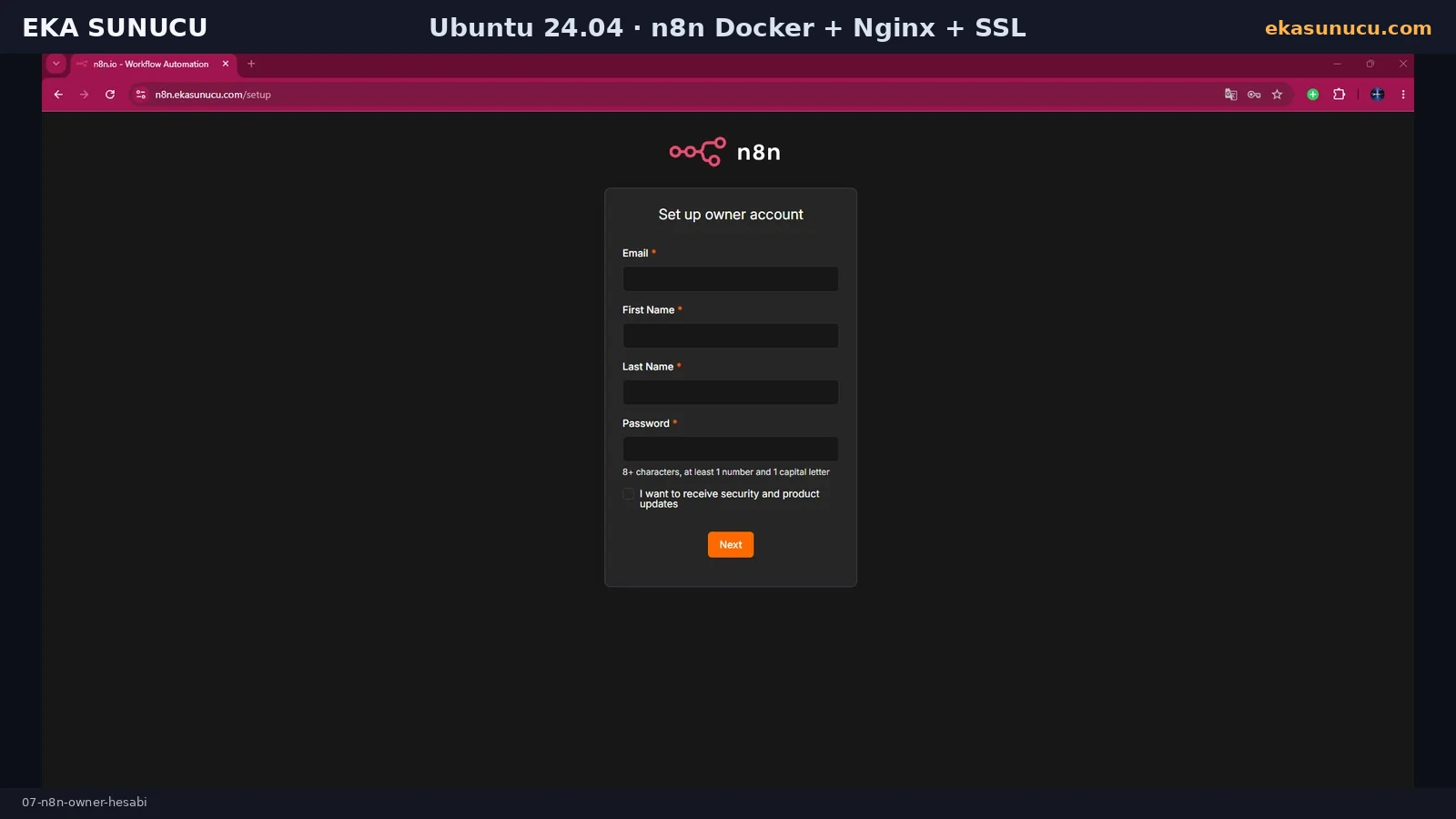
Opening the HTTPS domain displayed the owner-account setup screen. Use a strong unique password in production.
n8n may then show onboarding and customization questions. Completing them takes you to the main instance interface.
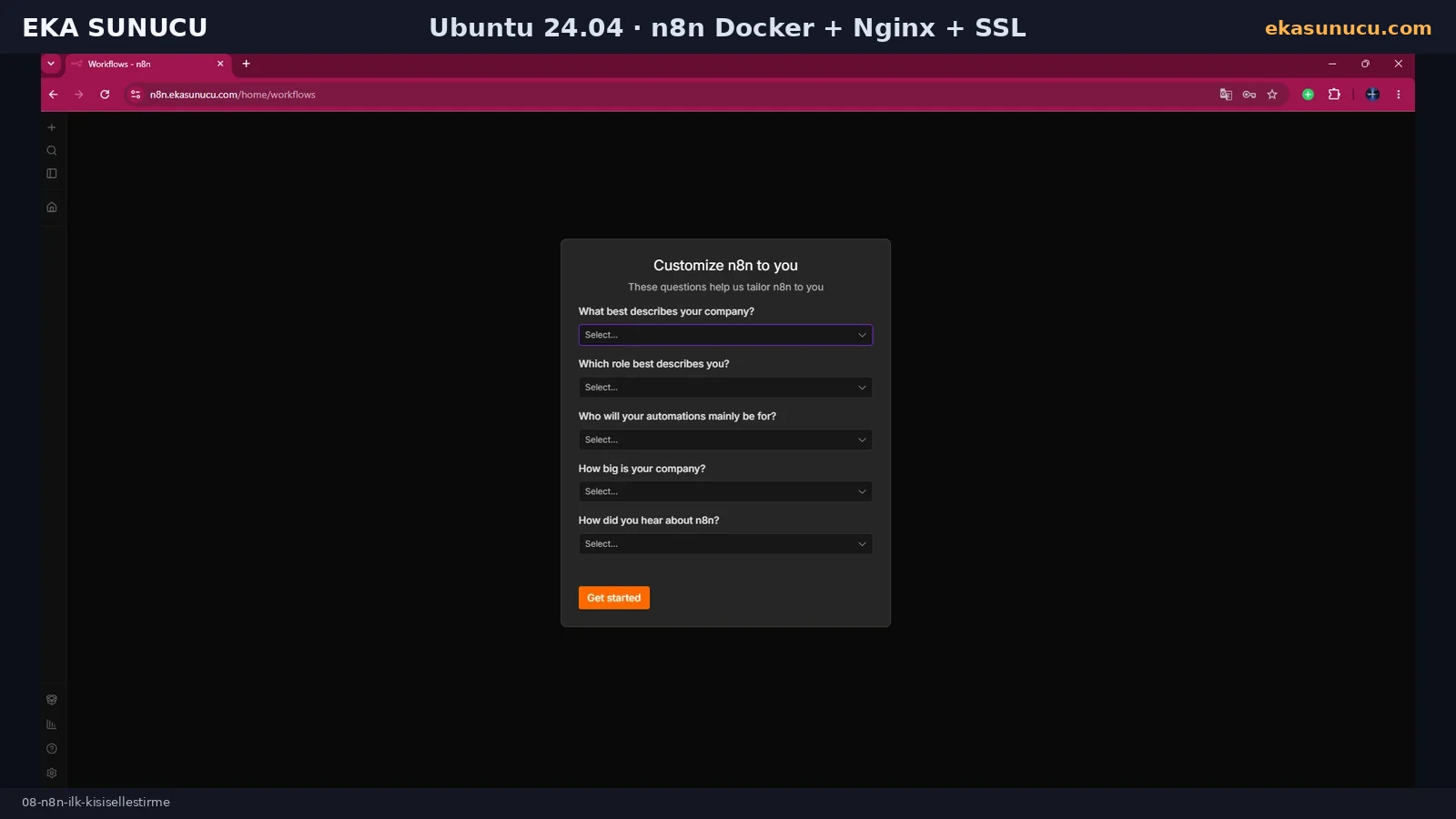
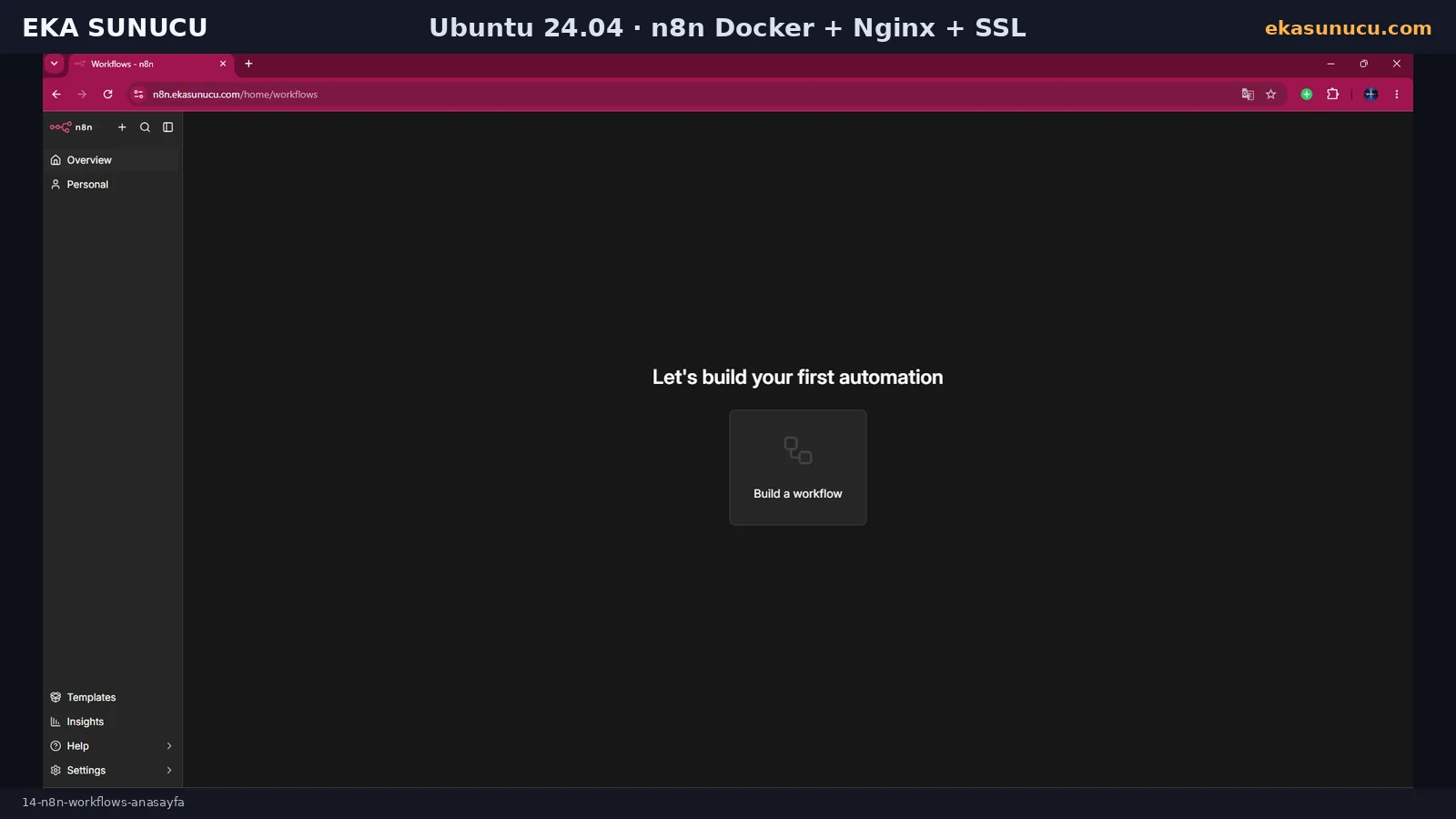
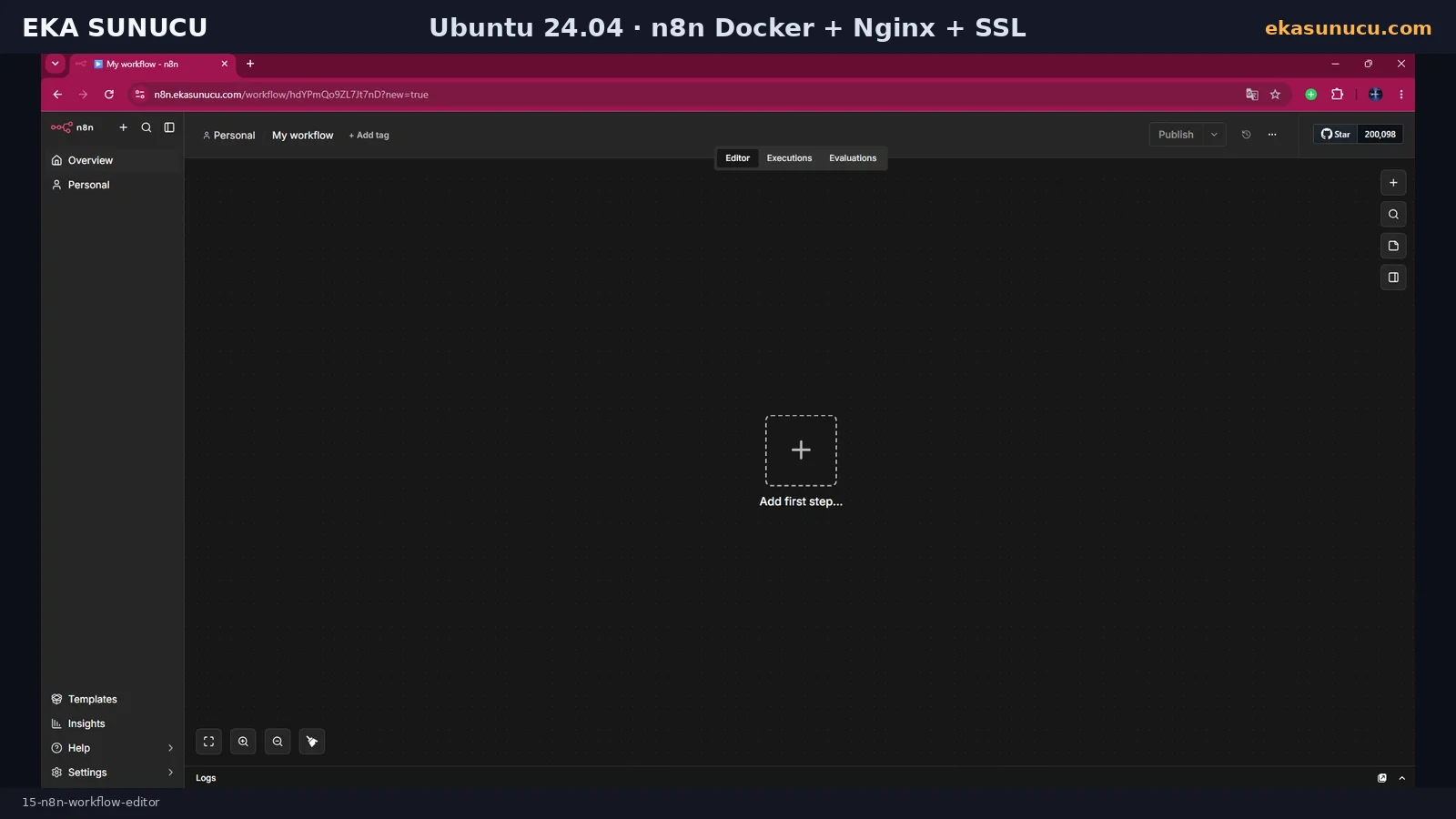
After setup, n8n opens the workflow creation screen. An empty workflow loading successfully is a practical check that the session, frontend and backend API are functioning.
From here you can add triggers, HTTP Request, database, mail, Telegram or AI nodes. This guide focuses first on a stable self-hosted n8n foundation.
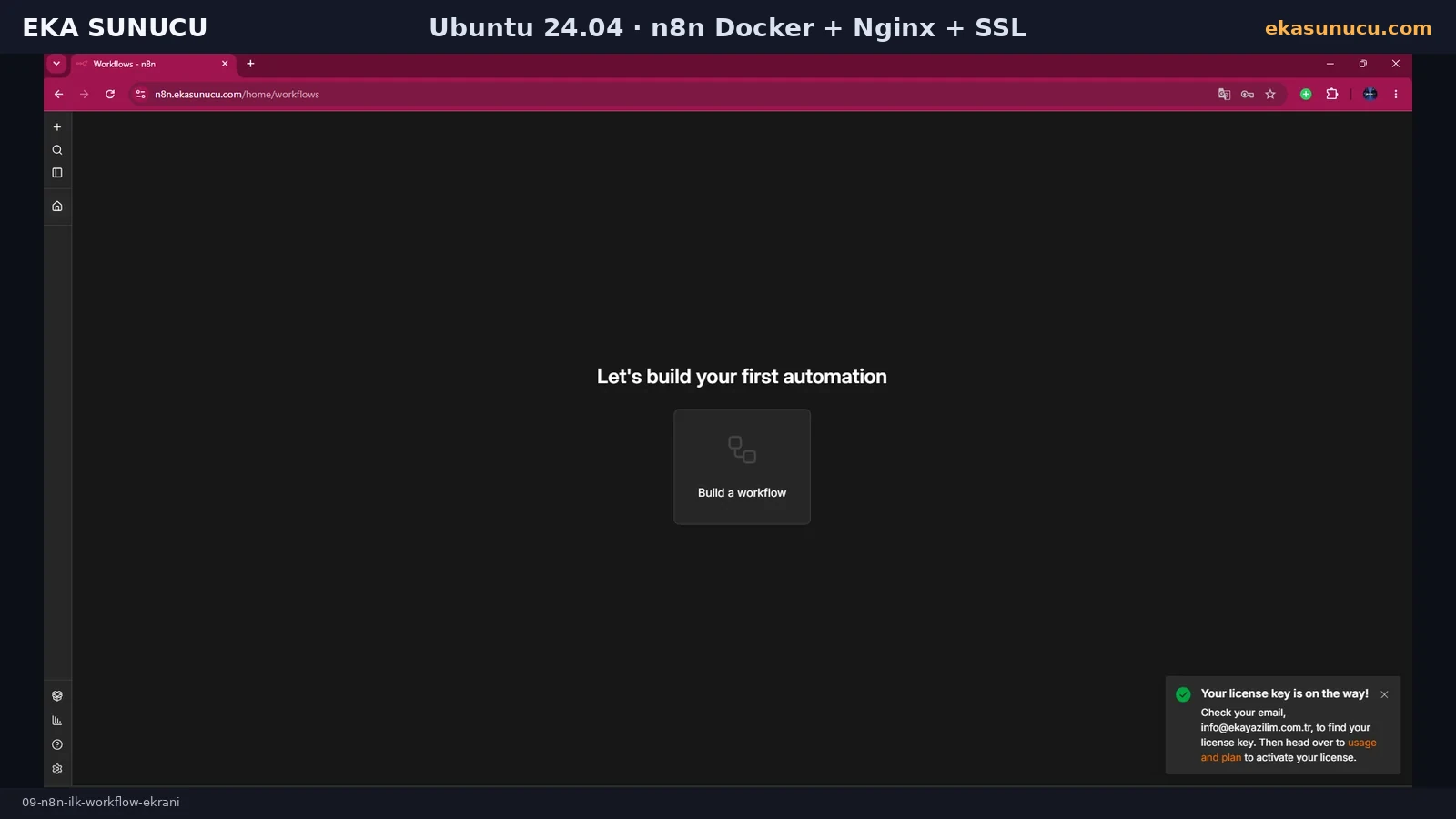
With the self-hosted Community Edition already working, the UI offered an optional free Registered Community Edition activation. In our real test the key arrived by email and activation completed successfully in the panel.
Available registered features can change over time. Core Docker, Nginx and SSL operation does not depend on this optional step.
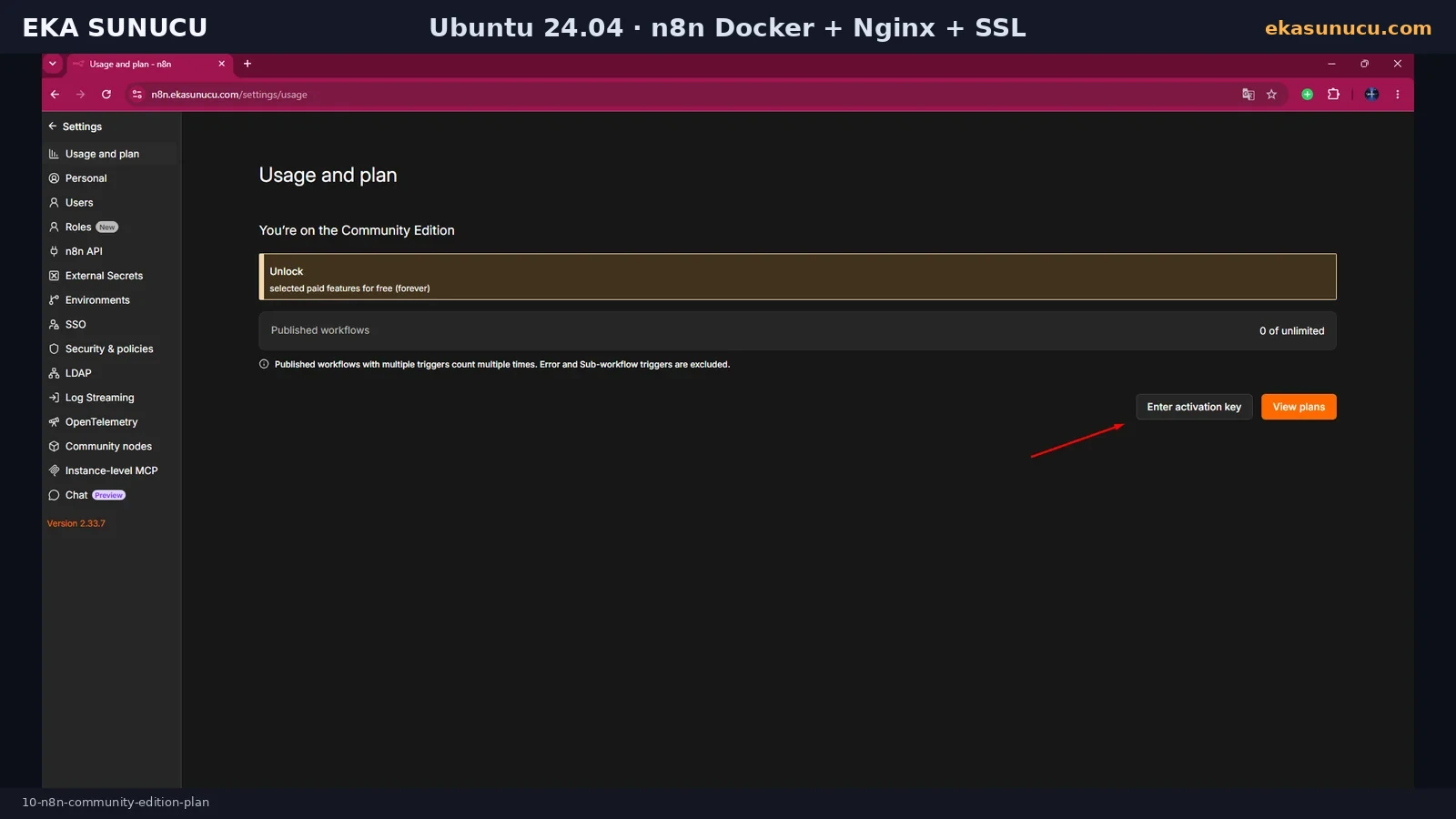
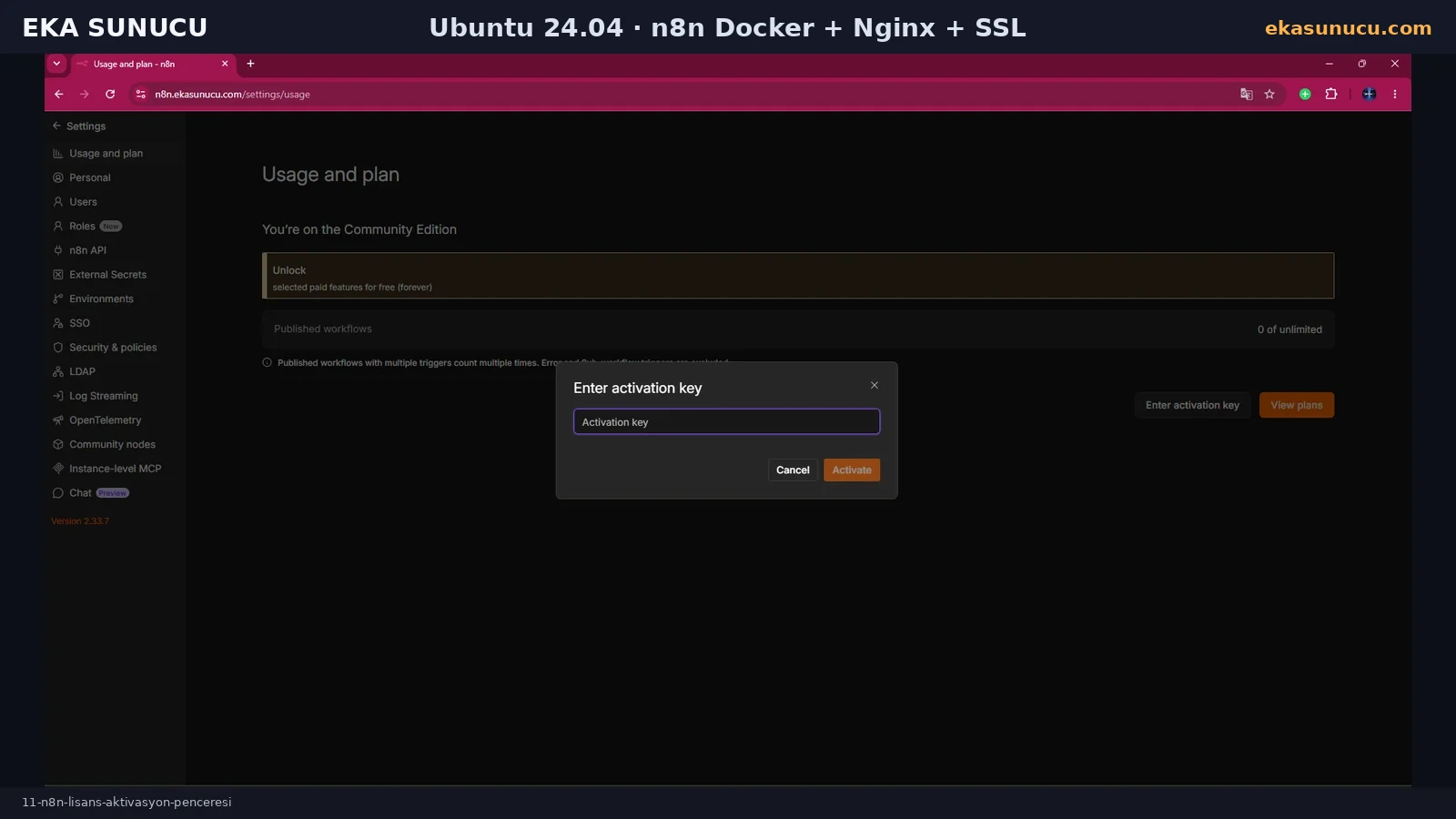
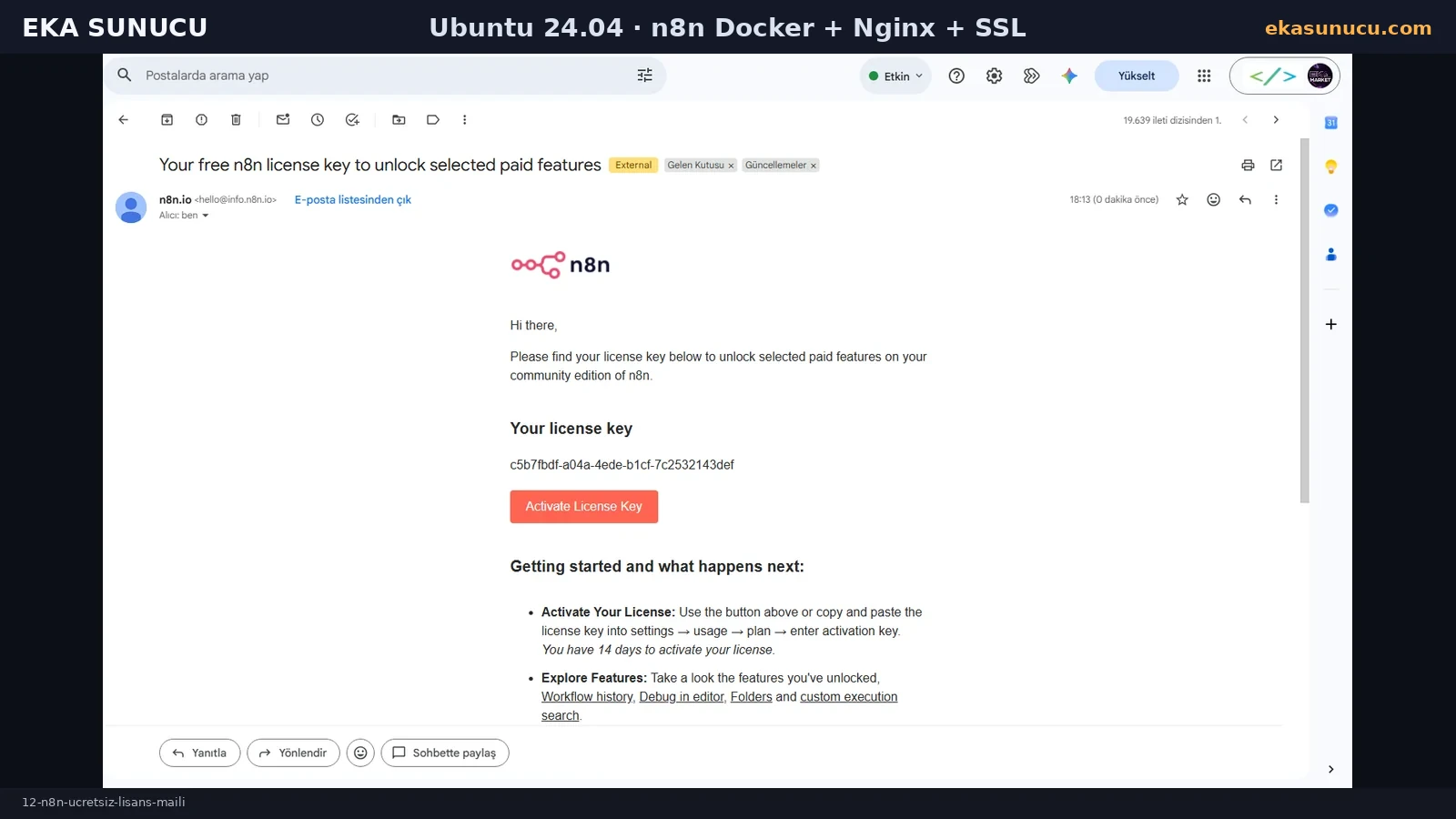
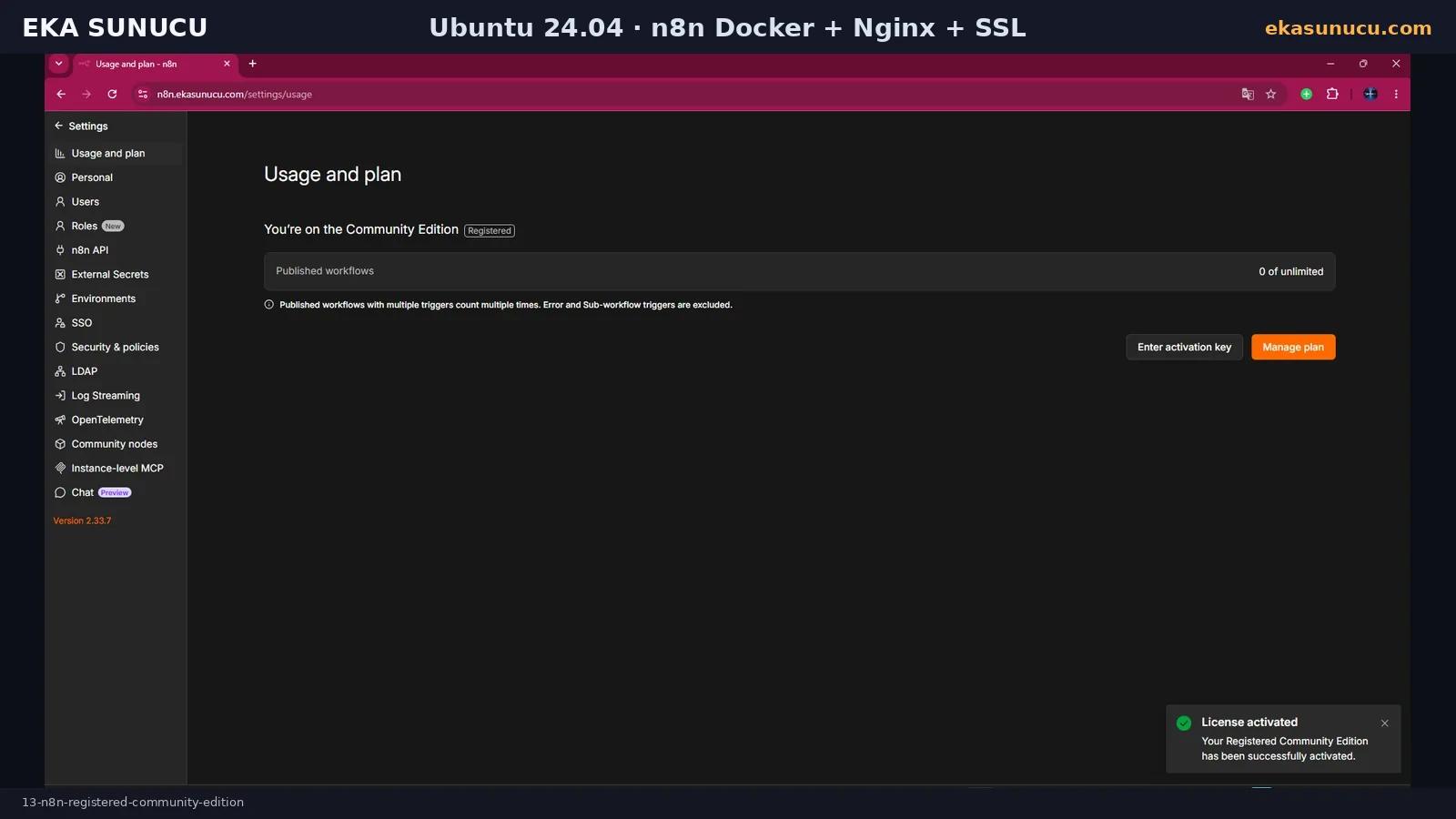
After activation, both the Workflows home page and workflow editor opened normally. At this point the instance is available over domain HTTPS, its data is persistent and port 5678 remains restricted to localhost.
You can now build webhook automations, API integrations, email flows or connect local AI services such as Ollama.
Before updating n8n, back up the n8n_data volume or create a VPS snapshot. Recreate the container with the same environment file and persistent volume.
After updates, re-test /healthz, docker logs, HTTPS and webhook behavior. n8n also provides a security audit command for common instance risks.
docker exec n8n n8n auditdocker logs --tail 200 n8ncurl -sS http://127.0.0.1:5678/healthzcertbot renew --dry-runYes. In this real test n8n 2.33.7 ran on Ubuntu 24.04.4 LTS using the official Docker image.
The default application port is 5678. This guide binds it only to 127.0.0.1:5678 on the host.
No. n8n remains on localhost and public access is provided through Nginx over HTTPS.
It keeps n8n application data persistent when the container is recreated.
n8n uses it for credential encryption. Losing or changing it can break access to existing credentials.
This example uses N8N_WEBHOOK_URL=https://n8n.ekasunucu.com/. Our real startup log marked the older WEBHOOK_URL name as deprecated.
Forwarding Upgrade and Connection headers is important for long-lived and real-time UI connections.
After the Nginx vhost was ready, Certbot --nginx obtained and deployed a Let’s Encrypt certificate.
Use certbot renew --dry-run to simulate renewal without replacing the live certificate.
Yes. Self-hosted Community Edition works. We also completed the optional free Registered Community Edition activation in this test.
Our log showed the internal Python runner could not start because Python 3 was missing and n8n recommended external mode for production. The normal editor and JS workflows continued working.
Yes. A new or upgraded n8n instance can run database migrations during startup.
Back up n8n_data or take a VPS snapshot, and preserve your environment file and encryption key.
Use n8n audit to check common credential, database, filesystem, node and instance risks.
Run webhook, API, AI and business workflow automation on your own EKA Sunucu Linux VPS.
Updated: 10.08.2026 Turkey (Turkish)
 Germany (German)
 Worldwide (English)

