
 Halkali merkez neighborhood fatih st ozgur apt no 46 , Kucukcekmece , Istanbul , 34303 , TR
This guide isolates the real Certbot / Let's Encrypt flow from our Ubuntu 24.04 VPS deployment. The first Portainer SSL attempt hit a core24 TCP timeout during snap install certbot; later Snap Certbot 5.7.0 installed successfully, the older APT Certbot 2.9.0 packages were removed, certbot --nginx deployed the certificate and certbot renew --dry-run completed successfully. The same pattern was then used for Open WebUI and n8n.
DNS + Nginx HTTP
   ↓
Snap Certbot
   ↓ core24 timeout → retry / fix
Certbot 5.7.0
   ↓
certbot --nginx
   ↓
Let's Encrypt HTTPS
   ↓
certbot renew --dry-run → successThis guide documents the Nginx + Certbot flow we used on a real Ubuntu 24.04 VPS to issue certificates for Portainer, Open WebUI and n8n.
The pattern is: make DNS and the Nginx HTTP vhost work first, issue and deploy the certificate through the Nginx plugin, then verify certificate details, HTTPS and renewal with a dry run.
DNS → Nginx :80 → Certbot --nginx → Let's Encrypt → Nginx :443 HTTPS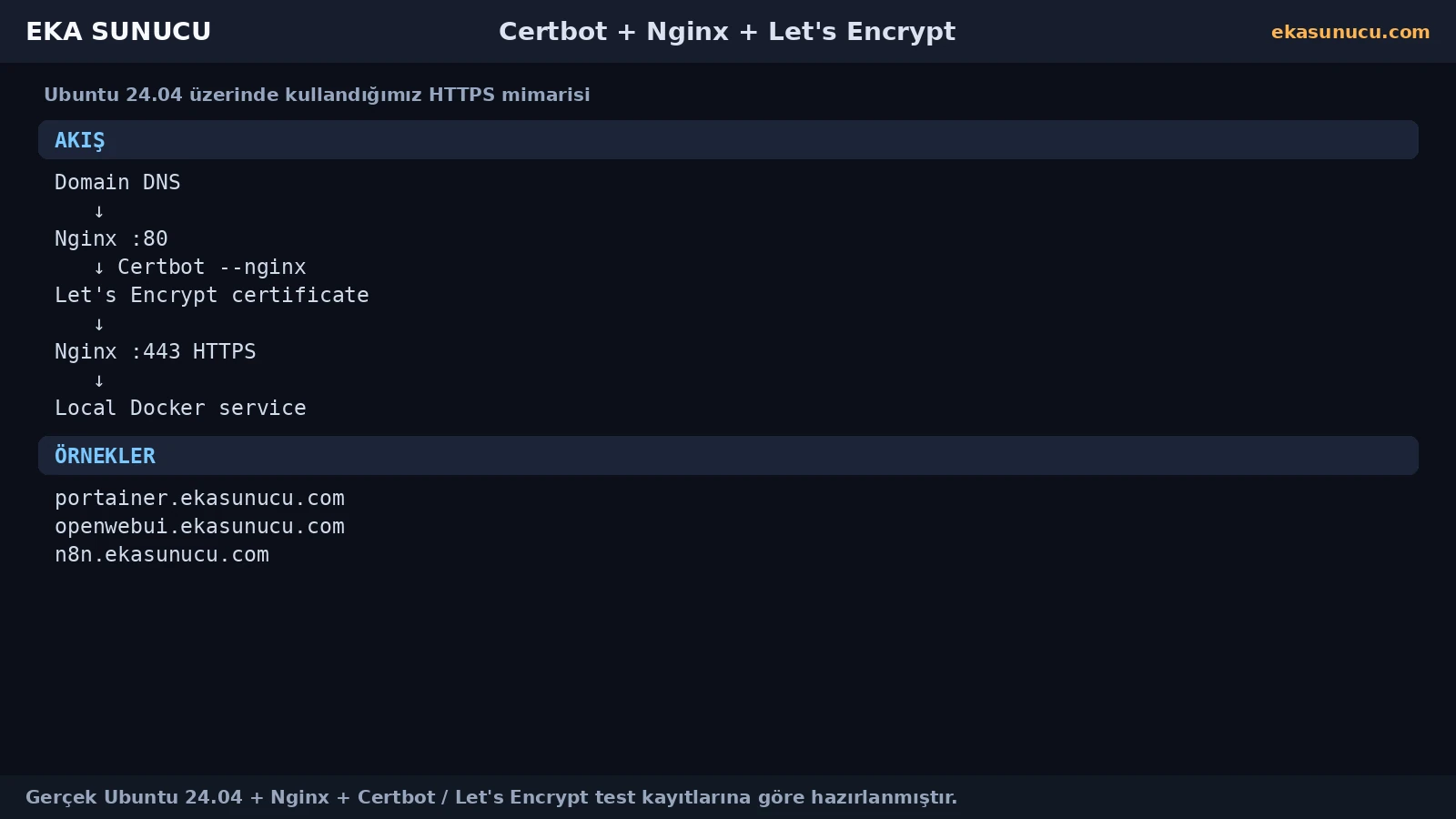
The fastest way to reduce Certbot failures is to verify the web-server path before starting ACME validation. In our real Portainer flow, Cloudflare and Google DNS resolved correctly, nginx -t succeeded and the local Host-header reverse-proxy test returned HTTP 200.
If DNS or the vhost is wrong, fix that layer before invoking Certbot.
dig +short A portainer.ekasunucu.com @1.1.1.1dig +short A portainer.ekasunucu.com @8.8.8.8nginx -tcurl -sS -o /dev/null -w '%{http_code}\n' -H 'Host: portainer.ekasunucu.com' http://127.0.0.1/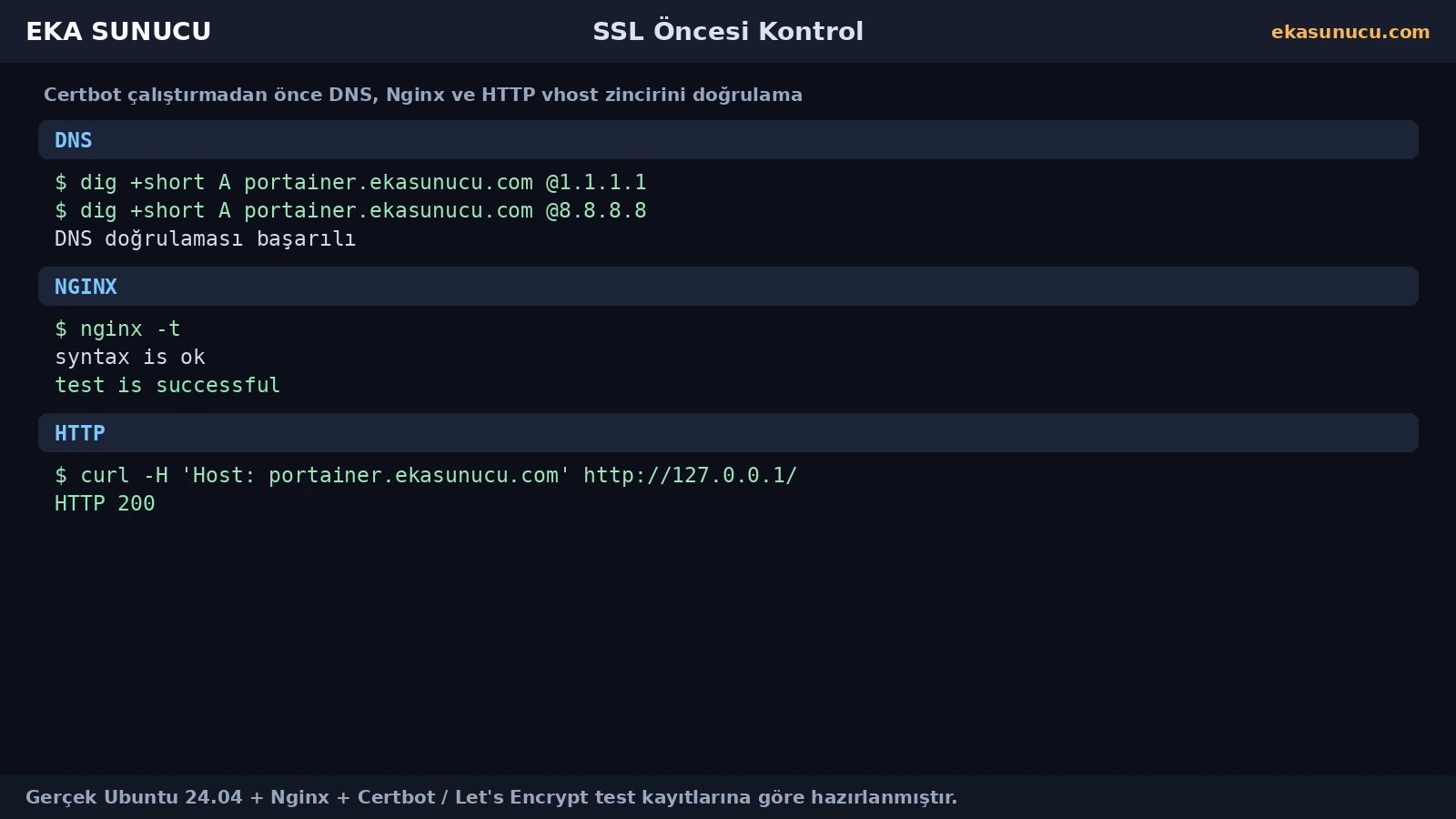
Our first Snap Certbot attempt failed while downloading the core24 dependency from Canonical's CDN. The TCP read timed out and snap install --classic certbot exited with code 1.
This was not an Nginx syntax, DNS or Let's Encrypt domain-validation failure. It was an outbound package-download/network problem.
snap install --classic certbot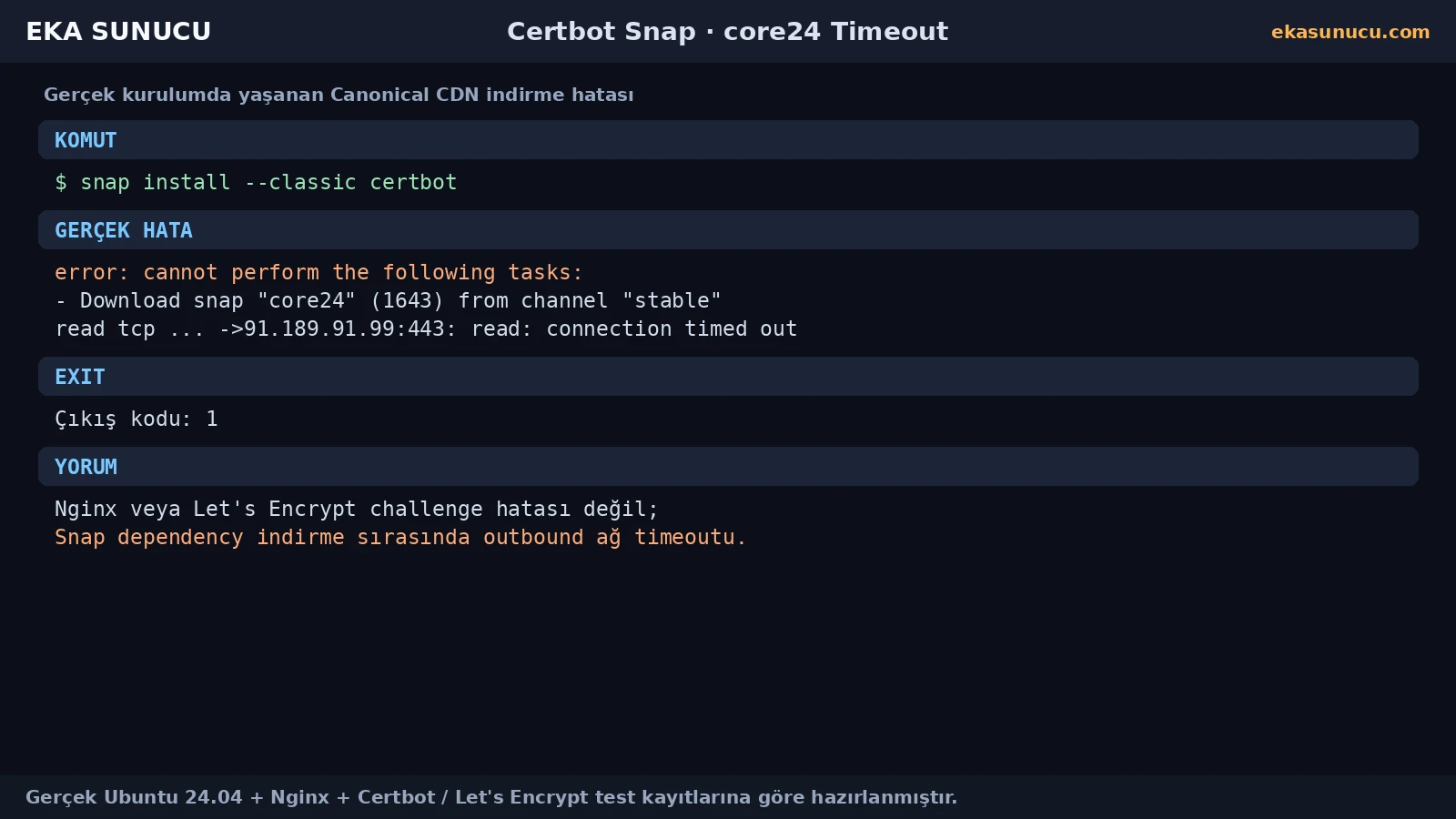
Use snap changes for failed/incomplete operations, snap list for installed snaps and journalctl for snapd logs. Test name resolution and outbound HTTPS separately.
In our deployment, a later retry succeeded and Snap Certbot 5.7.0 became available. Short CDN/network timeouts can justify a retry; persistent failures require deeper route, DNS or provider filtering checks.
snap changessnap listjournalctl -u snapd --no-pager -n 100getent hosts canonical-bos01.cdn.snapcraftcontent.comsnap install --classic certbot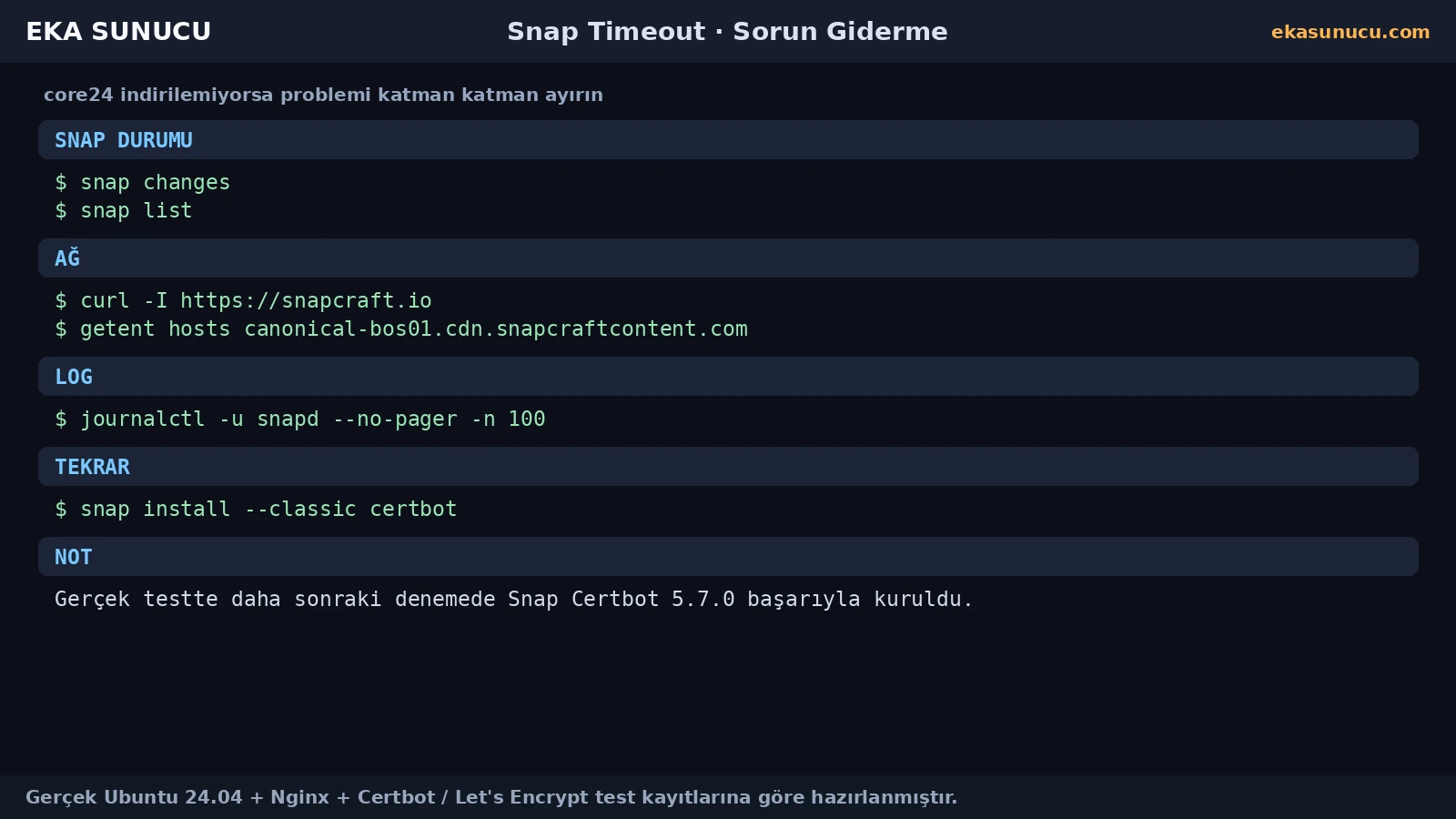
Once we standardized on Snap Certbot 5.7.0, the older APT certbot 2.9.0, python3-certbot and python3-certbot-nginx packages were removed. That made the active binary and renewal mechanism unambiguous.
The point is not to delete packages blindly, but to standardize on one installation method after checking existing certificates and renewal configuration.
snap list certbotapt-cache policy certbot python3-certbot-nginxapt-get remove -y certbot python3-certbot-nginx python3-certbotcertbot --version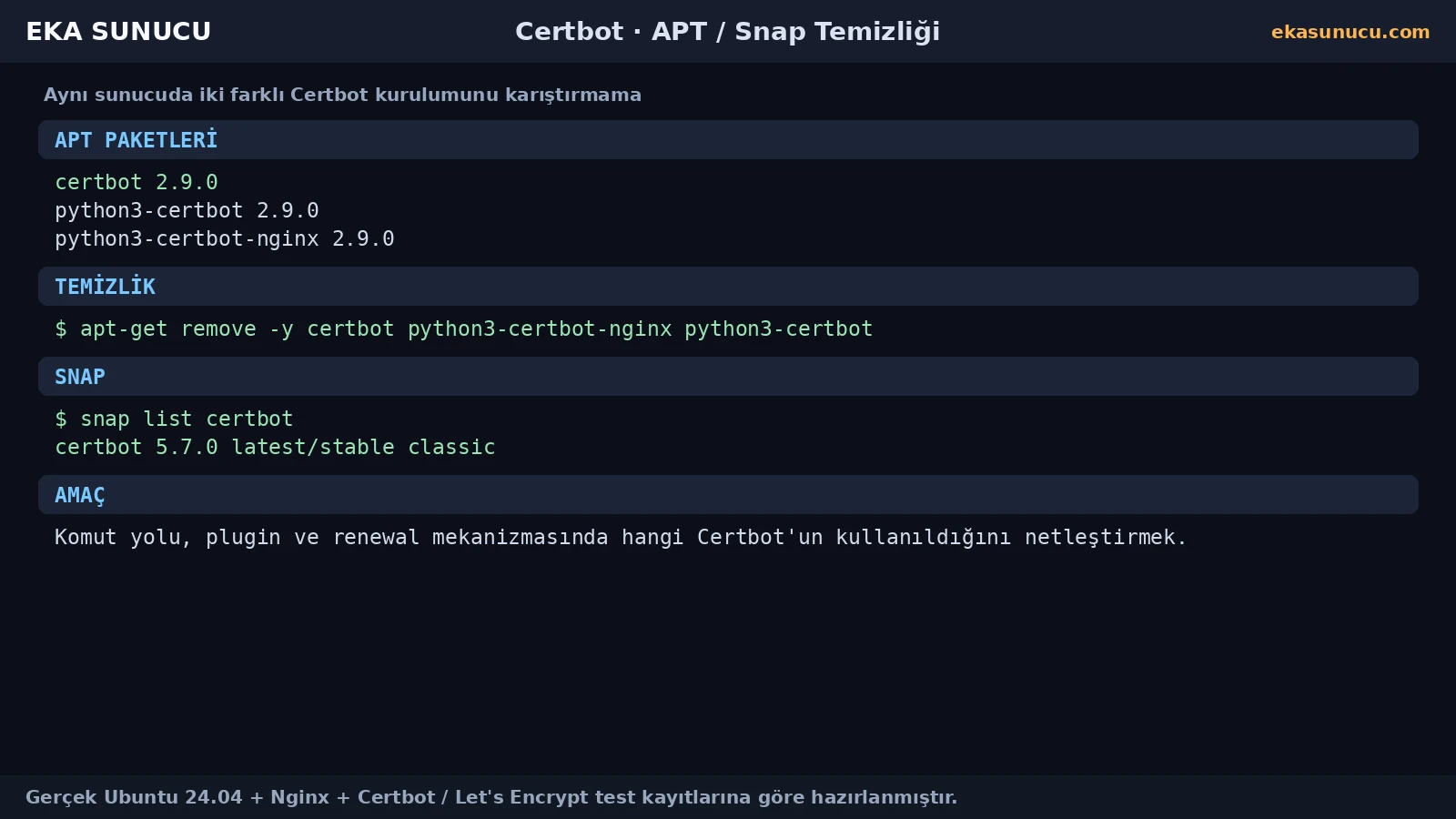
An early version of our installation script sent commands to SSH through a Bash heredoc while also trying to read the Let's Encrypt email address from stdin. Because the heredoc already owned stdin, read could not receive the intended interactive input.
Collect interactive values before starting the heredoc and pass them into the remote script deliberately. This is a Bash/stdin problem, not a Certbot failure.
read -r -p 'Let\'s Encrypt email: ' LE_EMAILexport LE_EMAILAfter the Nginx vhost was healthy, we ran certbot --nginx for portainer.ekasunucu.com. The real output confirmed both successful issuance and deployment.
Certbot manages the live certificate and private-key symlinks below /etc/letsencrypt/live/DOMAIN/. Keeping Nginx tied to the managed paths simplifies later renewal.
certbot --nginx -d portainer.ekasunucu.comnginx -tcurl -I https://portainer.ekasunucu.com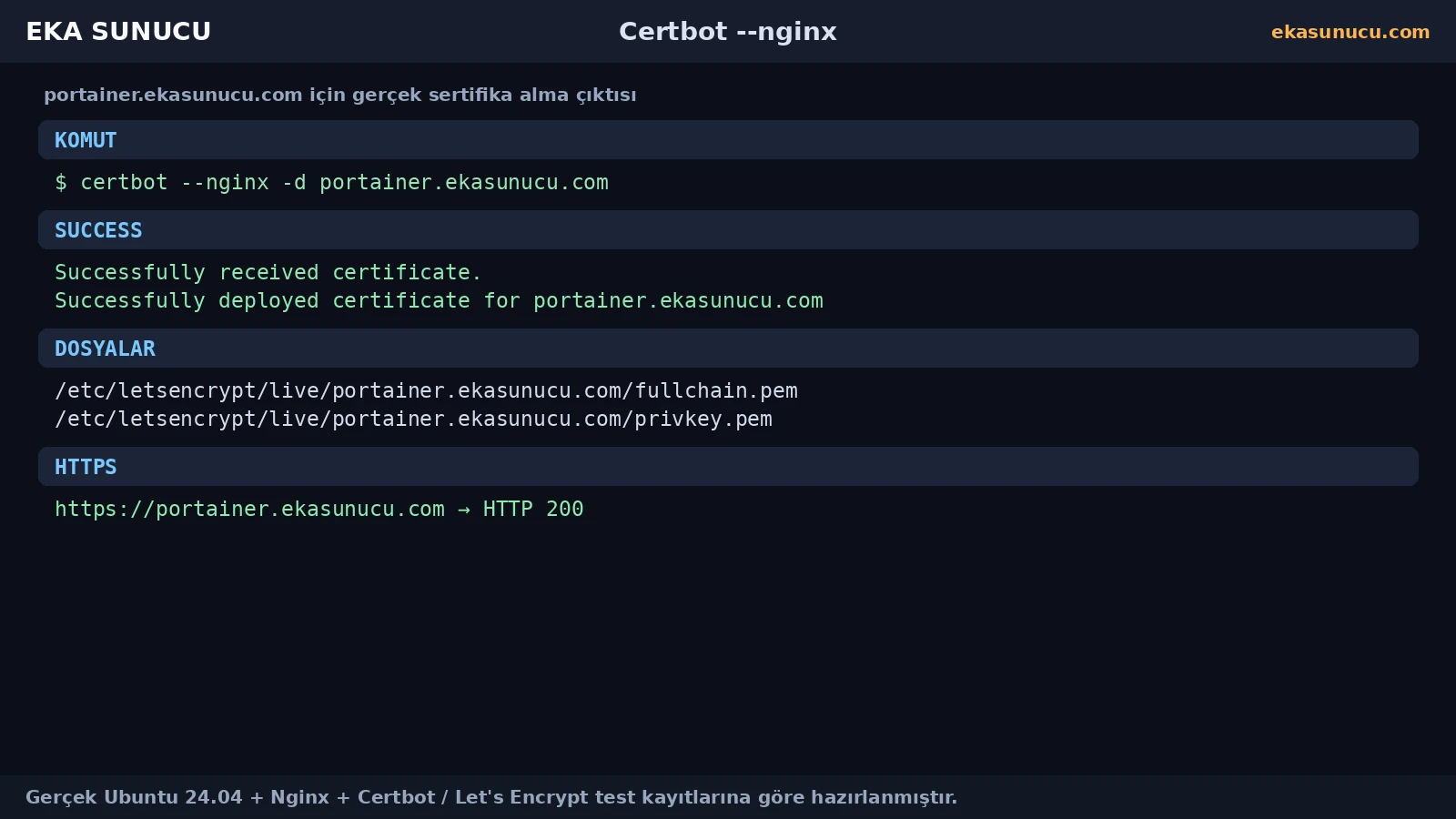
For the real Portainer certificate, certbot certificates showed an ECDSA key, the domain identifier, expiry and the fullchain/private-key paths.
On servers hosting several domains, this command is a convenient inventory for renewal troubleshooting.
certbot certificatesopenssl x509 -in /etc/letsencrypt/live/portainer.ekasunucu.com/fullchain.pem -noout -subject -issuer -dates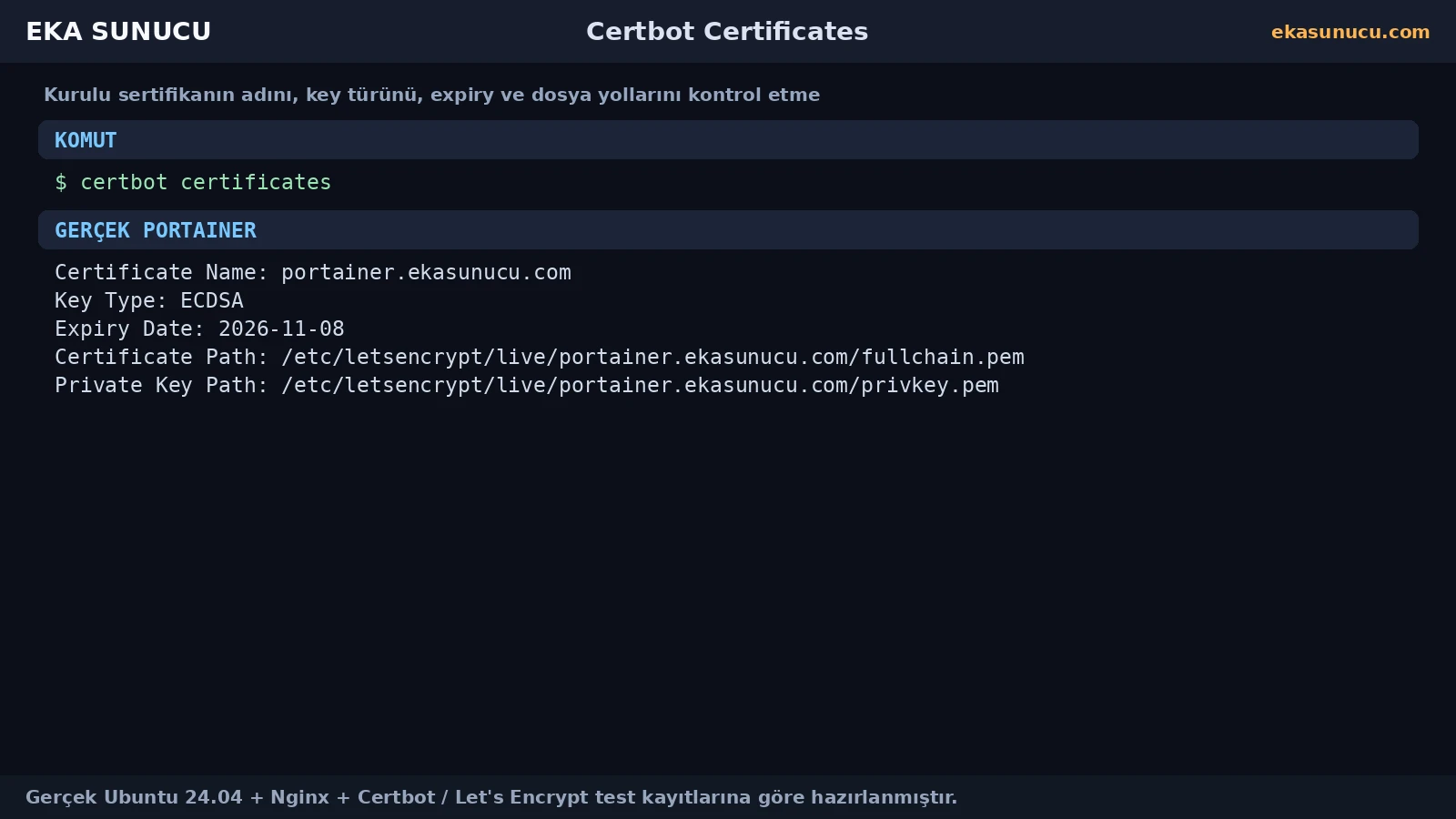
After Portainer, the same pattern was used for openwebui.ekasunucu.com and n8n.ekasunucu.com. The real logs show successful issuance and deployment for both domains, with expiry recorded as 2026-11-08.
The method is not application-specific; each domain simply needs correct DNS, a working Nginx vhost and a reachable validation/HTTPS path.
certbot --nginx -d openwebui.ekasunucu.comcertbot --nginx -d n8n.ekasunucu.com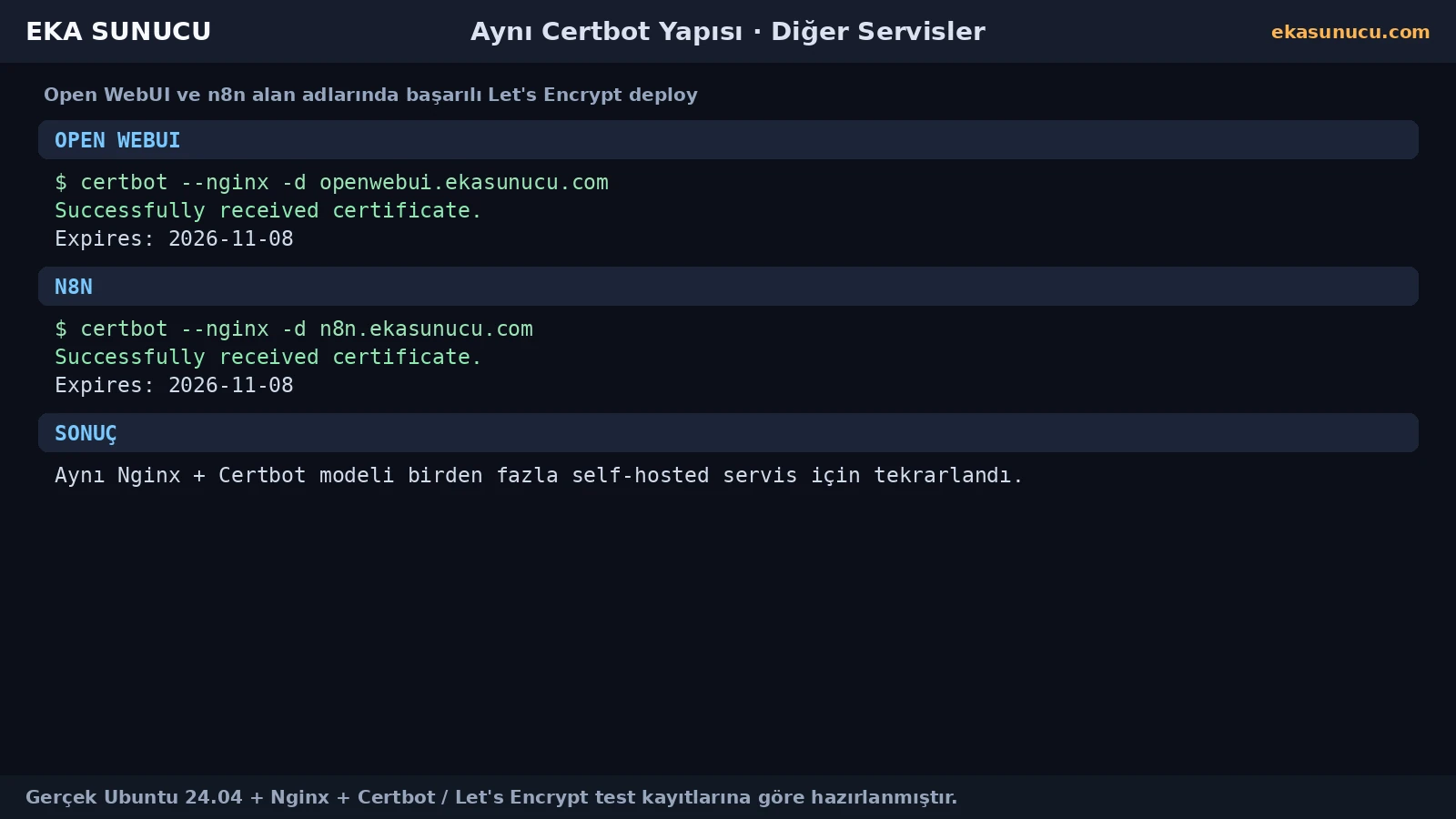
Our final system check showed snap.certbot.renew.timer. The renewal service does not need to remain active continuously; the timer triggers it when scheduled.
Do not treat the existence of a timer as the only proof of renewal health. Validate the real renewal configuration with dry-run.
systemctl list-timers --all | grep -i certbotsystemctl status snap.certbot.renew.timer --no-pager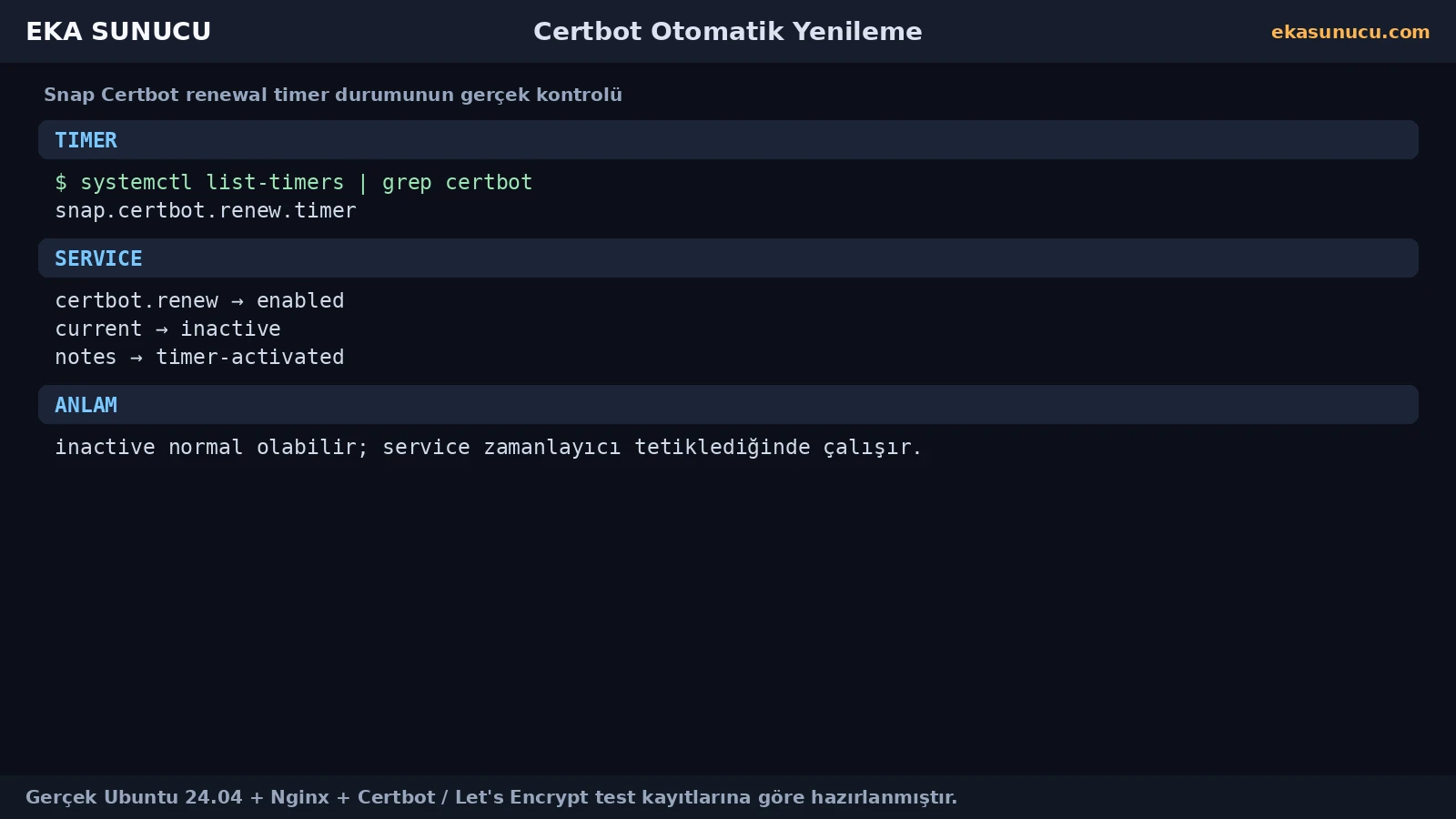
The Portainer certificate's real renewal configuration was processed by certbot renew --dry-run and the simulated renewal succeeded. This checks authentication, renewal configuration and the deployment path without replacing the live certificate.
Our output reported success for /etc/letsencrypt/live/portainer.ekasunucu.com/fullchain.pem. Finishing SSL setup with a dry run is much stronger than stopping after initial issuance.
certbot renew --dry-run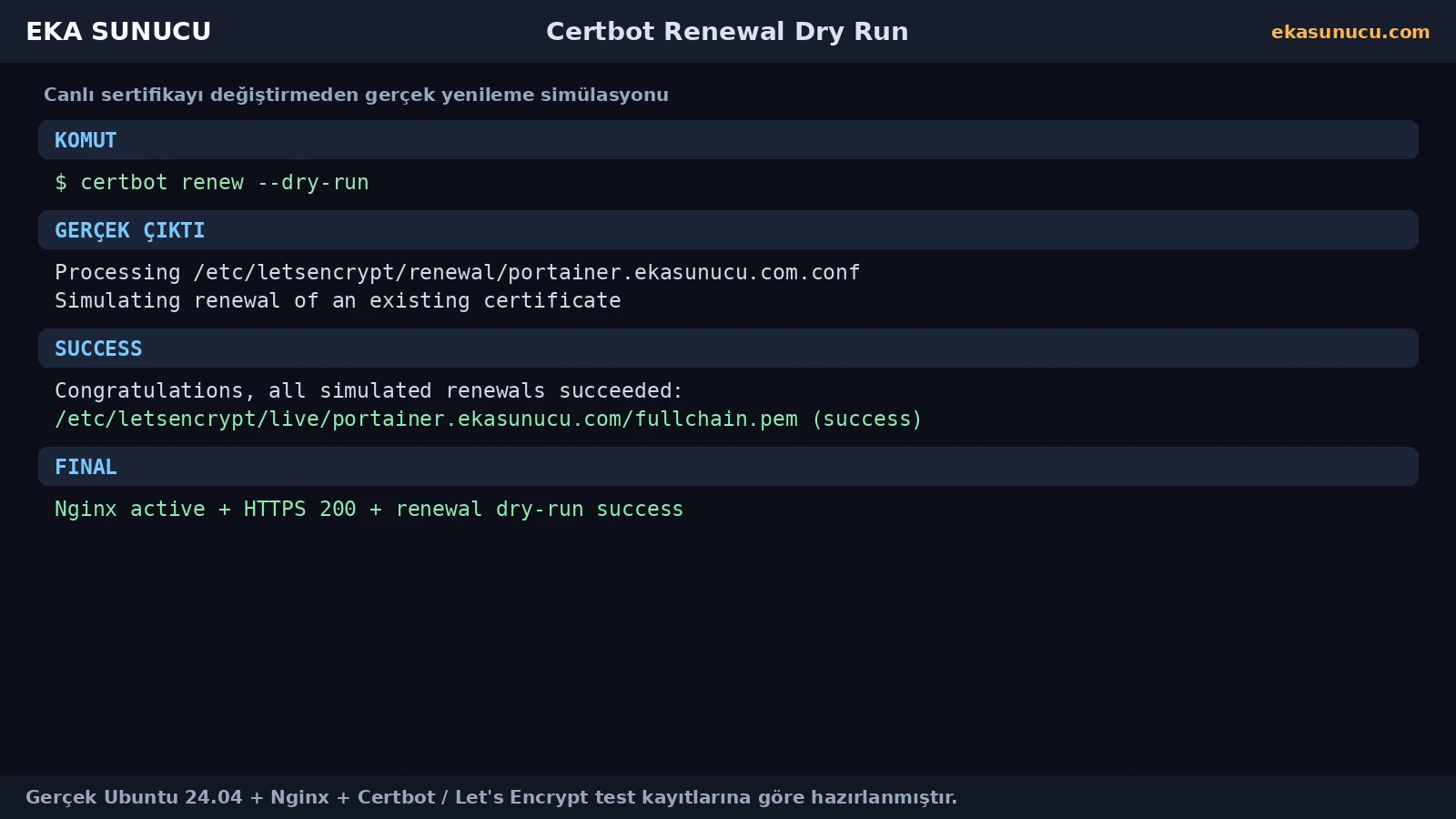
Certbot troubleshooting is not one error category. Wrong DNS is a resolver problem; broken nginx -t is a web-server problem; core24 timeout is an outbound Snap download problem; issuance rejection is ACME validation; a failing dry-run is a renewal/configuration problem.
Test each layer independently instead of forcing several simultaneous failures into one root cause.
dig +short A DOMAINnginx -tsnap changescertbot certificatescertbot renew --dry-runtail -n 150 /var/log/letsencrypt/letsencrypt.logThe final state should have correct DNS, a valid Nginx configuration, successful HTTPS, certificate paths present, an automatic renewal mechanism and a successful renewal dry-run. Also confirm you did not expose private backend ports just to obtain TLS.
Our Portainer final state combined HTTPS 200, a valid certificate, localhost-only 9443 and successful simulated renewal; the pattern was then repeated for Open WebUI and n8n.
nginx -tcertbot certificatescurl -I https://portainer.ekasunucu.comsystemctl list-timers --all | grep -i certbotcertbot renew --dry-runss -lntp | grep -E ':80|:443|:9443'In our real test, the core24 Snap dependency timed out while downloading over outbound HTTPS from Canonical's CDN.
No. It was a package-download/network-layer problem, not an Nginx or ACME challenge error.
Verify DNS resolution, nginx -t and the HTTP vhost/reverse-proxy path.
Standardizing on one installation method reduces binary/plugin/renewal ambiguity. Back up existing certificates before changing packages.
The final Snap installation used Certbot 5.7.0.
It requests a certificate for the Nginx vhost and can deploy HTTPS configuration after successful issuance.
Our example used /etc/letsencrypt/live/DOMAIN/fullchain.pem and privkey.pem.
Certificate names, identifiers, key types, expiry dates and managed file paths.
The real Snap setup contained snap.certbot.renew.timer and Certbot reported a scheduled renewal task.
It simulates the renewal process without replacing the live certificate.
It shows the current renewal configuration and validation/deployment path worked during the simulation.
The heredoc already consumed stdin, so the interactive read could not receive the intended user input.
Yes. Both real domains received successful certbot --nginx deployments.
nginx -t, certbot certificates, HTTPS response, renewal timer, dry-run and private backend port bindings.
Publish Portainer, Open WebUI, n8n and other self-hosted services securely over HTTPS on EKA Sunucu Linux VPS.
Updated: 10.08.2026 Turkey (Turkish)
 Germany (German)
 Worldwide (English)

