
 Halkali merkez neighborhood fatih st ozgur apt no 46 , Kucukcekmece , Istanbul , 34303 , TR
Python + Tkinter A comprehensive desktop application developed using Telegram bots that allows you to manage Telegram bots through a visual interface. Manage your bot without having to write code.
Control features such as message scheduling, group detection, live log tracking and multi-group management from a single panel. Open source and completely free!
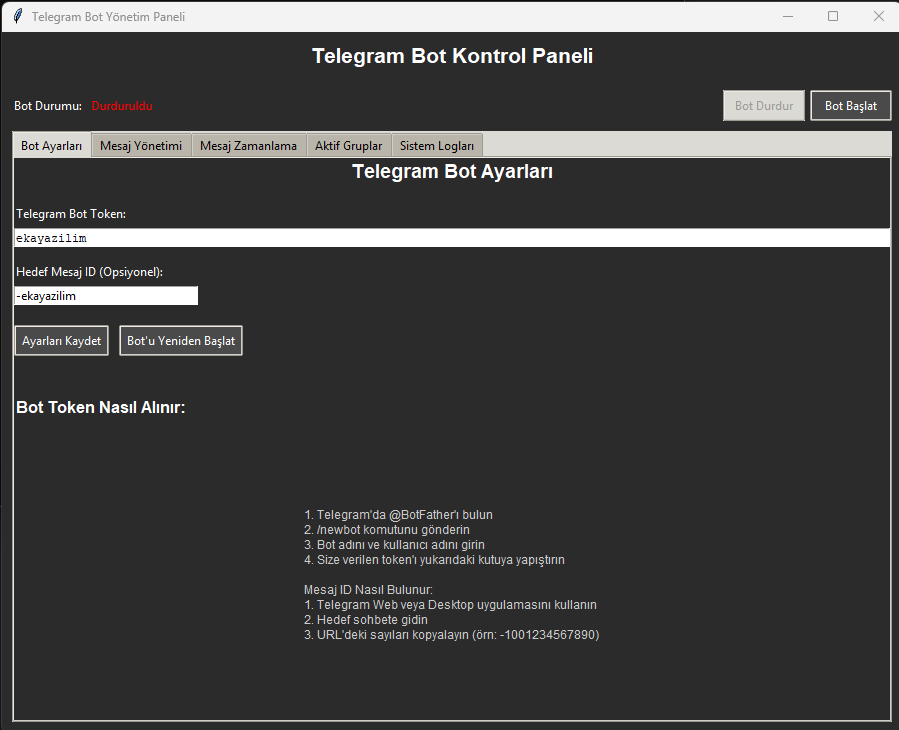
User-friendly GUI with Python Tkinter
Future automatic shipping
Automatic group detection and management
Real-time transaction tracking
This project we developed as Eka Software, Python and tkinter It is a comprehensive desktop application created using libraries. It allows you to manage your bot without the need for console screens or complex commands.
Application; It allows you to perform operations such as sending messages, scheduling, group management and bot settings easily and stably from a single panel. Asyncio and Threading Thanks to its support, operations occur in the background without the interface freezing.
Basic features and usage areas offered by the panel
Defining Telegram Bot Token, determining target message or group ID, saving settings and restarting the bot.
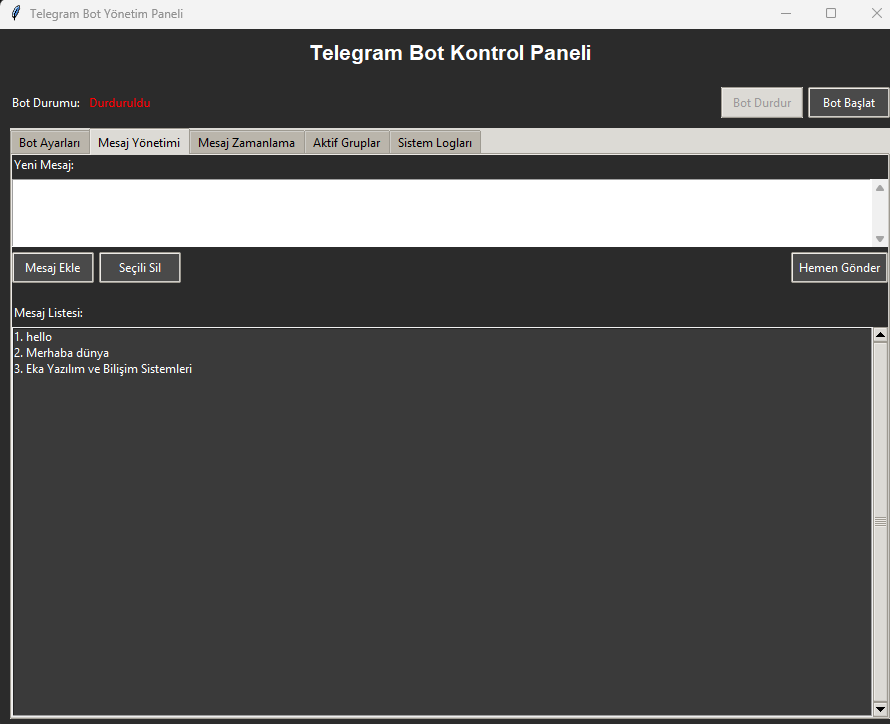
Features of creating a message list, deleting messages and sending the selected message instantly.
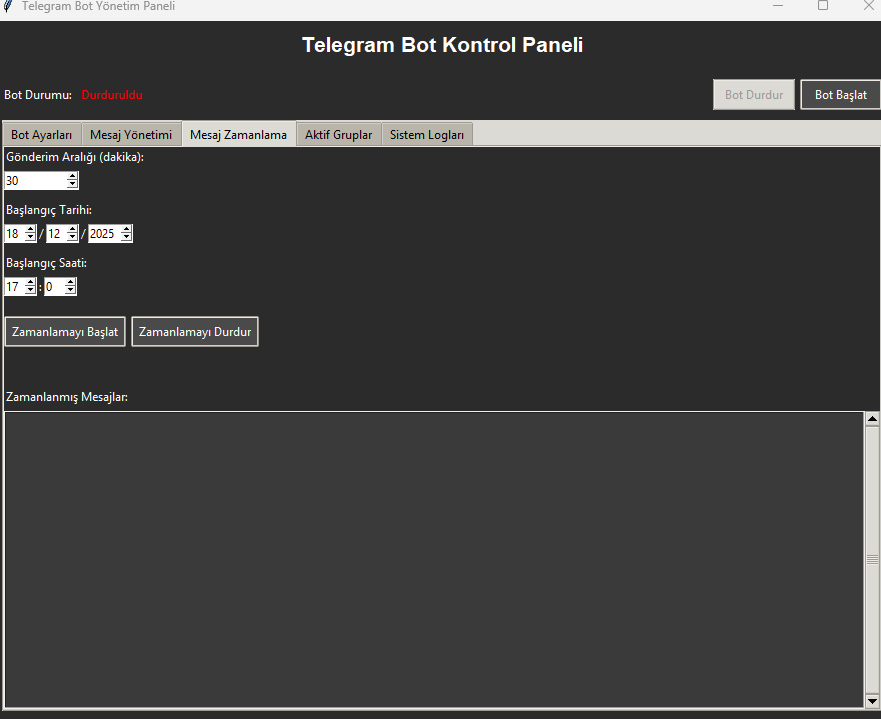
Starting date and time determination, minute-based sending interval and cyclic message sending.
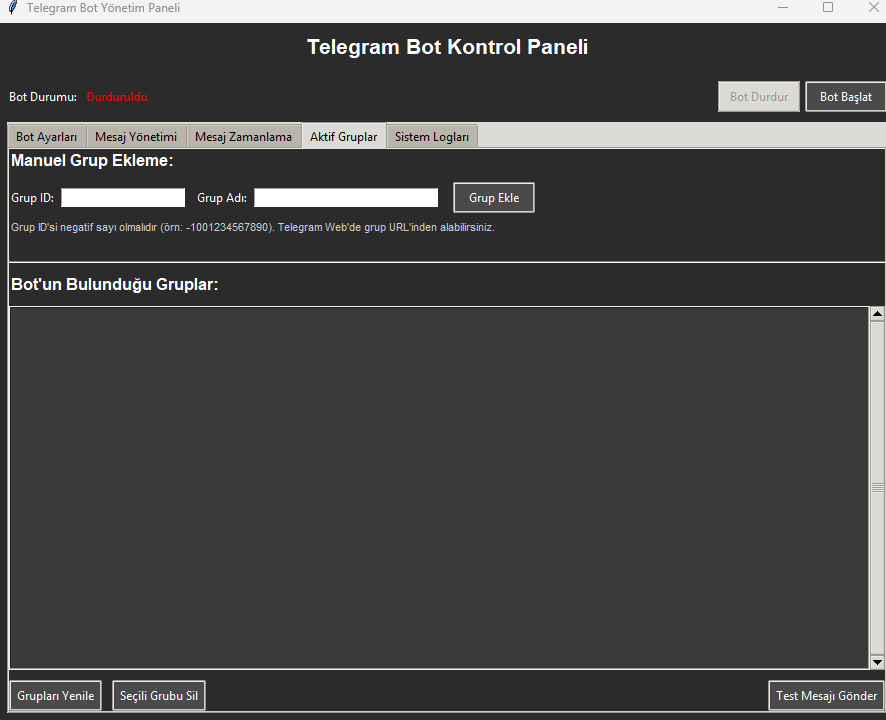
Automatic detection of groups to which the bot is added, manual group addition/deletion and sending test messages.
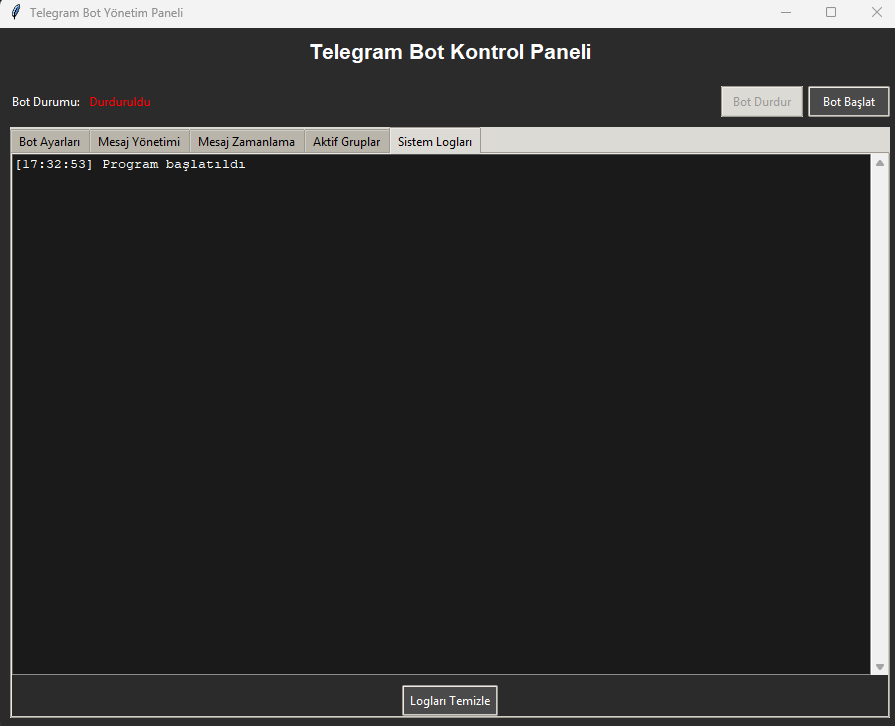
Real-time transaction records, error tracking and log cleaning functions.
Views from the application interface
Bot Settings Tab
Message Management
Schedule Settings
Group Management
python-telegram-bot, tkinterproje_klasoru │ ├── main.py (Ana Uygulama) ├── bot_ayarlari.json (Ayarlar) ├── error_kaydi.log (Loglar)
To run the application, follow these steps:
pip install python-telegram-bot==20.7
python main.py
/baslat send command.Curiosities about the project
No, this project is completely free and open source. You can use it in your educational and commercial projects. However, selling without permission is prohibited.
via Telegram @BotFather Open your account. /newbot Send the command and give your bot a name and username. BotFather will give you a long API Token. Just paste this token into the "Bot Settings" section on the panel.
No. While the project is being developed Threading and Asyncio structures were used. In this way, message sending or bot operations run in the background, and the interface (GUI) remains responsive at all times.
Once you add the bot to a group, it must trigger a message from the group before the bot can read and take action on messages in that group. After adding the bot, within the group /baslat If you type it, the bot will detect the group and automatically add it to the panel. It is also recommended to become an administrator in the bot's group settings.
Download our open source panel on GitHub to manage your Telegram bots professionally.
 Turkey (Turkish)
 Germany (German)
 Worldwide (English)

