 Turkey (Turkish)
 Germany (German)
 Worldwide (English)


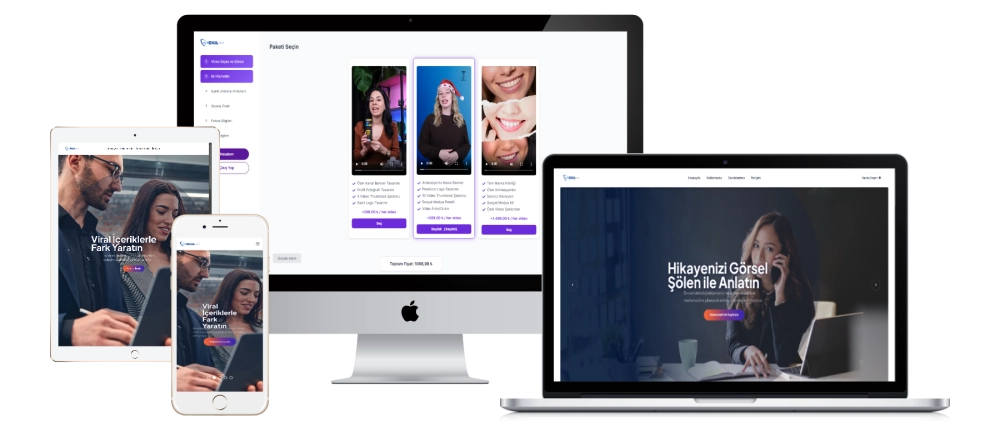
1. Administration Panel Features
Site Management
- General Management:The main control center of the panel.
- Video Number and Duration: Area where users can order video content.
- Additional Services: Area where users can add additional services to content creators
- Content Creator Criteria: Area where content producer selection criteria are determined.
- Payment & Site Settings: Site-specific payment methods and general settings.
- Company Settings: The section where company information and policies are set.
- Administrator Settings: Panel where administrator accounts are controlled.
- Customer Management: User and customer information editing screen.
Order Management
- All Orders: Screen to view and manage users' order history.
- Mail Templates: Automatic email templates such as order confirmation and payment information.
- Mail Setting: Section where SMTP and e-mail sending settings are made.
Content Management
- Menu Settings: The area where the administration panel and site menus are arranged.
- Slider Management: The section where home page sliders are managed.
- Number Management: The area where statistics and dynamic numerical data are organized.
- About Us Management: Panel where the About Us page can be edited.
- Services Management: Detailed settings of the services offered on the platform.
- Order Sorting: Sorting and priority settings of the orders placed by users.
- Customer Comments: Area to review and approve/reject comments left by users.
- Communication Settings: Communication settings that users can access through the site.
- Contact Requests: Screen for managing messages sent by users.
2. User Panel & Order System
- Video Quality Selection: Users can order content in different video qualities such as 720p, 4K and 8K.
- Package Selection: Users can choose between different content services (banner design, social media package, brand identity).
- Order Summary: Users can view and edit their orders in summary.
- Invoice Information: Users can enter individual or corporate invoice information.
- Payment System: Users can complete their orders by entering their payment information.
- Order Status Tracking: Users can follow their order history and status of current orders from the panel.
- Mail Notifications: Information such as order status and payment confirmation are sent to users via e-mail.
3. Management Panel Statistics & Analysis
- Pending Orders: Administrator can view uncompleted orders.
- Total Number of Users: Shows the number of users registered on the platform.
- Total Earnings: Analyzes the total earnings of the platform.
- Latest Orders: Makes it easier to keep track of recent orders.
- Monthly Earnings Graph: Helps analyze earnings on a monthly basis.
4. Home Page & General Features
- Modern Interface: A user-friendly and dynamic design.
- About Us & Services: Sections where the services offered by the company are explained in detail.
- Pricing Table: Allows users to quickly choose among service packages.
- Visual & Video Contents: Interactive contents that promote services effectively.
This platform offers comprehensive software that is compatible with the UGC (User Generated Content) system and facilitates the work of users and content producers.


