Turkey (Turkish)
 Germany (German)
 Worldwide (English)


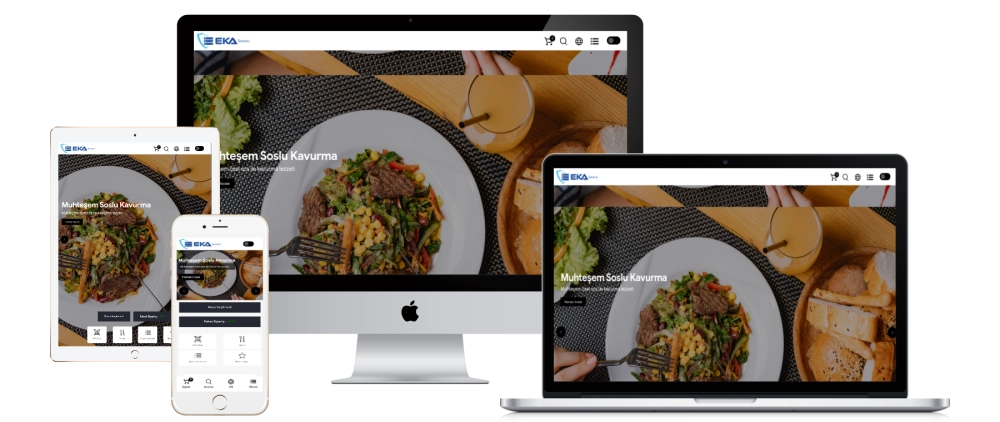
General Features ;
- Public announcement area
You can inform your users through the announcements area on the home page.
- Order tracking
Your users can instantly query the orders they placed through the system. When registered or unregistered users place an order, the data is automatically reflected in the tracking form.
- Customer e-mail notification feature
When your users place an order, a thank you message is sent instantly. If you mark the order as shipped via the admin panel and choose how long it will take for it to arrive, an information e-mail will be sent to the user.
- Special QR code feature for tables
With table-specific QR code support, introduce all the tables in your business to the system and take their QR printouts. When your customers sit at the table and scan the QR code, they automatically receive the table number and your customers can order.
- Waiter and bill request feature
With QR code support specific to the tables, your customers can instantly submit their waiter or account requests.
- Takeaway service module
Thanks to the takeaway service module, registered or unregistered users can place orders with the takeaway service module.
- Takeaway service module
Thanks to the take-away service module, users can come to your restaurant and pick up their orders.
- Future order feature
With the future order feature, users can indicate that they want to receive the order within the specified day and time.
- PayTR virtual POS module
Thanks to the PayTR virtual POS module, users can pay online by credit card.
- Payment selection feature
Users can choose payment methods when placing an order. They can benefit from options such as payment by credit card at the door, cash payment at the door, and online payment.
- Possibility to take orders according to restaurant opening and closing hours
Restaurant officials can arrange the ability to take orders by determining the opening and closing hours of the restaurant on a weekly basis, as well as the takeaway service hours. At the same time, you can close order taking processes with a single touch for emergencies.
- Turning off order taking for emergencies
If you want to stop taking orders for all possible situations, you can turn off taking orders with a single tap.
- Minimum basket amount according to neighborhood selection
You can prevent losses by adding a minimum basket amount depending on the neighborhood you want to serve.
- City / District / Neighborhood feature
If you want to provide service in more than one city or district area, this feature is perfect for you. You can receive orders from the regions you specify according to the city / district / neighborhood filtering that only you can specify.
- Registered member and guest member feature
You can enable users to place orders easily with the registered or guest member feature.
- Possibility of additional paid and free options
For example, if you add a wrap, free options are usually added to it. You can add paid options such as ketchup, mayonnaise and pepper if you wish.
- About us, contact and social media accounts pages
You can present it to users by adding your About Us, contact and social media accounts. You can also hide social media accounts you do not want to use by making them inactive.
- Advanced category system
Thanks to the advanced category system feature, you can define your products into the system as main category > product or main category > sub category > product.
- Advanced product search system
You can offer an easy experience to your users with the general product search and specific product search within categories feature.
- Seo compatible link structure
The user interface area has fully SEO compatible links.
- Multi-language system
The system is TR / ENG compatible so that you can make an easy presentation to your foreign customers. You can use more languages if you want.
- Night – Day mode
Are you ready to give your users a completely different experience thanks to the day and night mode…
- Ability to add multiple photos to products
You can add multiple photos to all the products you add.
- Allergen module
With this decision taken by the Ministry of Agriculture and Forestry, it is mandatory to indicate possible allergens in the menus of the products.
- Discount coupon module
You can give discount coupons to your users throughout the cart. For example, if you want to get a 5 TL discount when the basket amount is 100 TL, you can create a discount coupon.
- Customers can add multiple addresses
Your registered customers can place orders much more easily by adding multiple addresses.
System Features ;
- Daily and monthly turnover information
You can record how much turnover your business makes today or monthly.
- System backup feature
In order to ensure system security, you can enable businesses to take both SQL and FTP backups at any time with a single touch.
- Voice order notification feature
With the voice notification feature, you receive instant voice notifications for orders, waiters and account requests.
- Log recording system
Thanks to the log recording system, you can see which pages everyone who visits your site has accessed.
- Visitor analysis
Thanks to visitor analysis, you can see how many people enter your site daily.
- Day and night mode
You can easily manage your system thanks to the day and night mode in the admin panel.