 Turkey (Turkish)
 Germany (German)
 Worldwide (English)


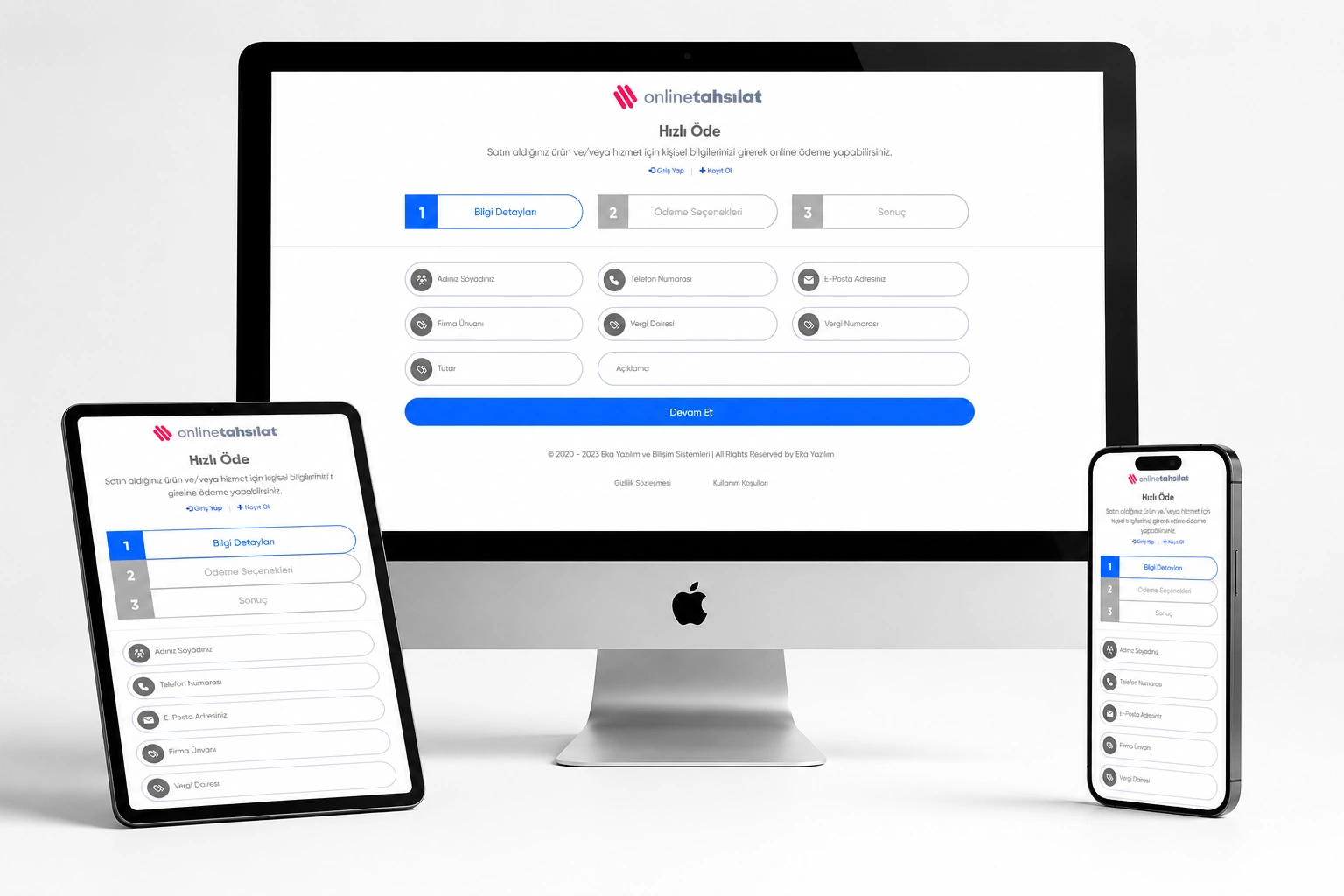
- What is Eka Collection Pro V2?
- Eka Collection Pro V2 is a professional collection management software that digitizes your business's online payment process from end to end and works fully integrated with Türkiye's most popular payment infrastructures. It allows you to easily collect payments from your customers via credit card, installment payment or bank transfer.
- Whether you are a freelancer, an agency or a corporate company — create special payment links for your customers, send notifications via SMS and e-mail, automate periodic invoices and manage all your collections from a single panel.
- Highlights
- 1. 5 Different Payment Infrastructures — Management from a Single Panel
- Activate PayTR, Shopier, iyzico, Paymax and Stripe payment infrastructures with a single installation. Let your customers choose the payment method that is most convenient for them. You can define a separate commission rate for each infrastructure.
- 2. Receiving Payment in Installments (PayTR)
- Offer your customers the option of 2, 3, 6, 9 or 12 installments, thanks to PayTR integration. Determine the number of installments with a single click from the management panel. Prevent customer loss in high amount collections.
- 3. Collection via Money Order/EFT (PayTR)
- Activate the PayTR Money Transfer/EFT module for your customers who do not want to use a credit card. Get paid securely via bank transfer.
- 4. Customer Panel — Self Service Payment
- Your customers log in to their accounts to:
- Can view pending invoices
- Can pay online
- Can review payment history
- Can update profile information
- Can perform password reset
- You no longer need to inform your customer individually for each payment.
- 5. Periodic (Repeated) Invoice System
- Indispensable for businesses that provide monthly services:Automatic invoice creation with monthly, 3-monthly, 6-monthly and annual periods. Invoices are created automatically with Cron tasks, and customers are notified via SMS and e-mail.
- 6. Automatic SMS and Email Notifications
- Payment reminders, invoice creation and successful payment notifications with NetGSM SMS integration
- Professional HTML email templates with SMTP email integration
- Automatic reminder 3, 2 and 1 days before the payment due date with Cron
- 7. Paraşüt e-Archive Invoice Integration
- After payment is received, create and make official Paraşüt e-Archive invoice with just one click. Customer information is automatically transferred to Paraşüt. Invoice deletion and re-creation operations are done via the panel.
- 8. Payment Deadline and Automatic Cancellation
- Add a payment due date to each collection. With a cron task, when time expires, the collection is automatically put in the "Cancelled" status. Automatically track overdue invoices.
- 9. Advanced Administration Panel
- Dashboard instant total balance, pending, cancellation and recurring payment summaries
- Fast searching, sorting and pagination with DataTable infrastructure
- Multiple admin support (Admin/Editor roles)
- Detailed log recording system — who did what when
- Dark Mode / Light Mode interface option
- 10. Multi-Language Infrastructure
- Customize all interface texts from the panel with language templates. Add different languages, update existing translations. Serve multinational customers.
- 11. Dynamic Payment Links
- A unique order number and payment link is generated for each collection. Share this link to your customer via SMS, email or WhatsApp. Let your customer complete his transaction on the secure payment page by clicking on the link.
- 12. Commission Management
- Define separate commission rate for each payment infrastructure. The commission amount is automatically reflected in the customer price. Protect your profit margin.
- 13. Company & Tax Information Management
- When creating collections, record the customer'scompany name, tax office and tax number information. Speed up your billing processes.
- 14. Maintenance Mode
- Maintain your site with just one click. Set a custom care message and background color. Notify your customers during updates or maintenance.
- 15. Security Infrastructure
- SSL forwarding support
- Session-based session management
- XSS protection (html_escape)
- Secure file upload system
- Admin login logs
- Who is it suitable for?
| Target Audience | Usage Scenario |
|---|---|
| Freelancers | Freelancers who want to receive online payments from clients |
| Digital Agencies | Instalment collection for web design, SEO and software services |
| SaaS Companies | Automatic billing of monthly subscription payments |
| E-commerce Businesses | Manual order and special payment links |
| Consulting Companies | Project based collection and invoice tracking |
| Educational Institutions | Collection of course and training fees in installments |
| Real Estate & Rental | Monthly rent and deposit collections |
| Health Sector | Online collection of appointment and treatment fees |
| Membership Sites | Automatic collection of periodic membership fees |
- What Can You Do With This Product?
- ✅ You can receive online payments 24/7 through your website ✅ You can offer your customers the option of paying in installments ✅ You can also accept payments via money order/EFT ✅ You can create special payment links for your customers ✅ You can send automatic payment reminders via SMS and e-mail ✅ You can automatically create periodic invoices ✅ You can issue e-Archive invoices with a single click with Paraşüt ✅ You can enable your customers to make payments from their own panels ✅ You can report your entire collection history ✅ You can use more than one payment infrastructure at the same time
- ❓ Frequently Asked Questions (FAQ)
- Q: Can I use it without having a PayTR, iyzico or Shopier account? A: To receive payments, you must be an active member of at least one payment infrastructure. Whichever infrastructure you want to use, create a membership with the relevant company and define your API information on the panel. You can use more than one infrastructure at the same time.
- Q: How does installment payment work? A: Installment payment is activated through the PayTR infrastructure. You determine the maximum number of installments (2, 3, 6, 9 or 12) from the administration panel. Your customer sees the installment option on the payment page and selects the number of installments he/she wants.
- Q: Does it work on shared hosting? A: Yes! It works smoothly on all shared hostings that support PHP 7.4+, MySQL 5.7+ and cURL. You can easily define cron tasks via cPanel or Plesk.
- Q: Is it difficult to install? A: No, installation is extremely easy. Upload the files via FTP, import the database, enter your database information in the config file — done! A detailed installation guide is provided with the product.
- Q: Can I use it in more than one domain? A: The license is valid for a single domain. You must purchase a separate license for each domain.
- Q: Are SMS notifications paid? A: SMS integration within the software uses NetGSM infrastructure. You must have a balance in your NetGSM account to send SMS. SMS cost is determined according to NetGSM tariff.
- Q: Can my customers pay without registering? A: Yes! You can send a direct payment link to your customers. The customer can make payment by entering his/her name-surname, e-mail and telephone information without registering. Customers can also create an account and track their invoices via the panel if they wish.
- Q: Is parachute integration mandatory? A: No, it is optional. If you have a Paraşüt account, you can create an e-Archive invoice with a single click by defining your API information. If you are not using Parachute, all other features continue to work smoothly.
- Q: Is there Dark Mode support? A: Yes, you can switch between Dark Mode / Light Mode in the administration panel. Preferences are managed from the panel.
- Q: Can I receive updates? A: Yes, post-purchase updates will be notified via email. You can easily apply updates via file upload.
- Q: Do you provide technical support? A: Yes, post-purchase technical support is provided via WhatsApp, email and phone. Installation support included.


