 Turkey (Turkish)
 Germany (German)
 Worldwide (English)


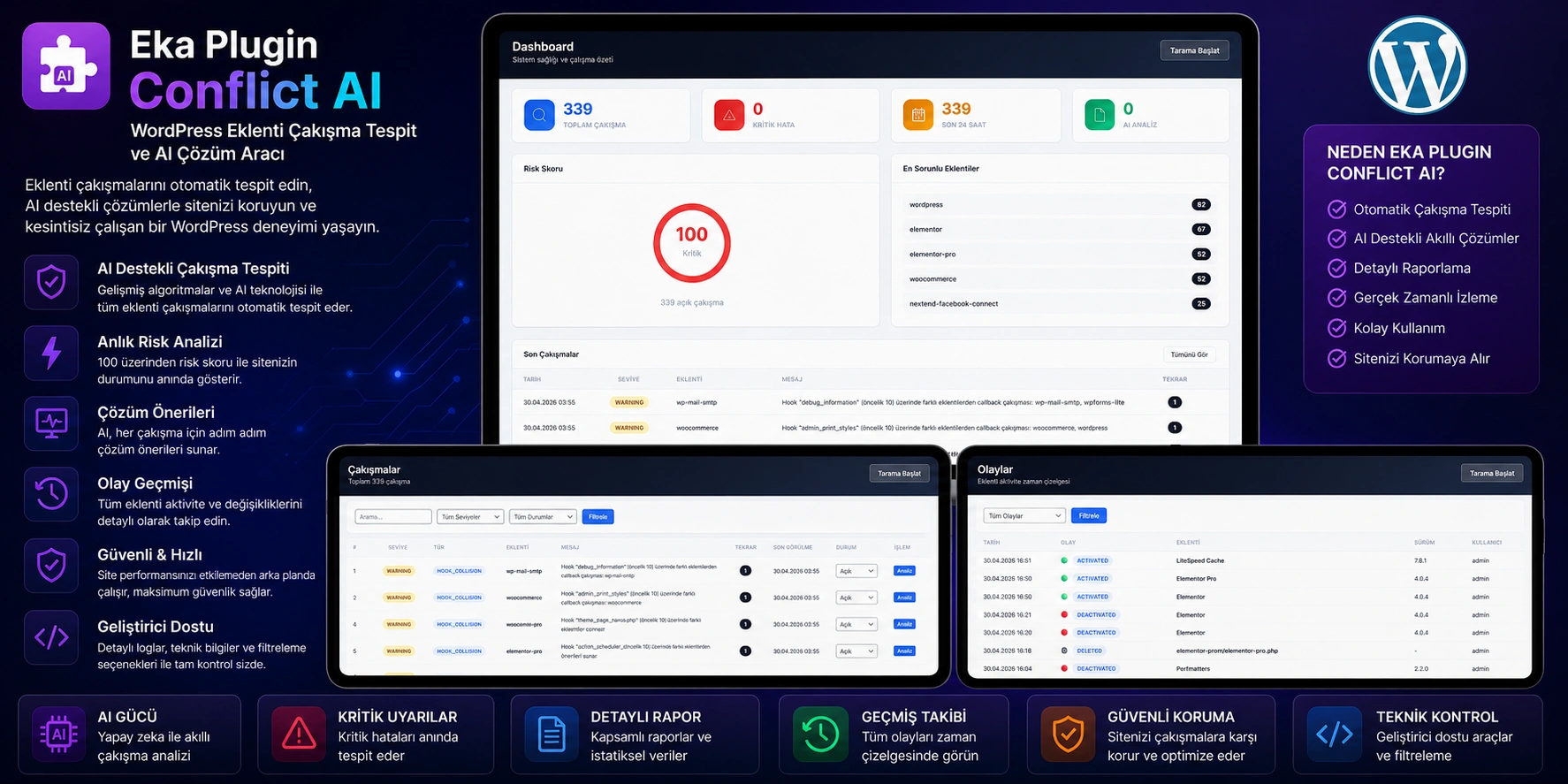
- Protect Your WordPress Site From Conflicts, Instantly Solve Problems With Artificial Intelligence
- Eka Plugin Conflict AI is a professional security and maintenance tool that automatically detects plugin conflicts on your WordPress site, analyzes error logs and offers artificial intelligence-supported solution suggestions.
- Why Are Plugin Conflicts Critical?
- More than 70% of problems experienced on WordPress sites are caused by plugin conflicts:
- Your site becomes completely inaccessible with a White Screen of Death
- WooCommerce payment page does not work, your customers cannot pay
- After updates, your site may crash and you may lose revenue
- It may take hours or even days to find the source of the error
- Technical support costs increase, customer trust decreases
- Eka Plugin Conflict AI detects these problems in minutes and provides solutions.
- Key Features
- Artificial Intelligence-Assisted Error Analysis
- Each conflict detected is analyzed by artificial intelligence. AI provides you with possible causeof the error, risk level, affected components and step-by-step solution instructions. A developer note, customer disclosure text, and prevention tips are also included. You can resolve errors at a professional level without requiring technical knowledge.
- Comprehensive Auto-Crawl Engine
- The plugin scans three different sources simultaneously:
- WordPress debug.log – PHP fatal error, warning and notice records
- WooCommerce logs – Payment and checkout error records
- Custom log files – Any log file you specify
- All errors are automatically classified: function duplication, class conflict, memory overflow, undefined function, parse error and 15+ error types.
- Safe Mode – Find the problematic Plugin without errors
- WordPress' most powerful troubleshooting method is now at your fingertips with a single click. Safe Mode feature:
- You can find the source of the problem without any data loss or disruption of your site.
- Smart Hook Conflict Detection
- Deeply scans the WordPress hook system and detects:
- Repeated callbacks registered in more than one priority on the same hook
- Conflicting functions binding to the same priority from different plugins
- Determines which plugin each callback comes from with the Reflection API
- Provides total hook count and plugin-based hook distribution statistics
- WooCommerce Private Scan
- It also monitors WooCommerce areas that are critical for your e-commerce site:
- 3rd party plugin density in checkout hooks
- Number of active payment methods and performance alerts
- Excessive callback detection due to woocommerce_init hook
- Potential conflicts in checkout, cart and order processes
- Sensitive Data Protection
- Sensitive information in error logs sent to the AI is automatically masked:
- API keys, passwords and tokens →
[API_KEY_MASKED] - Email addresses →
[EMAIL_MASKED] - IP addresses →
[IP_MASKED] - Database information →
[DB_MASKED] - JWT tokens and service keys →
[SERVICE_KEY_MASKED] - File paths → Replaced with relative paths
- Your data is never sent to the AI provider in cleartext.
- Multiple AI Provider Support and Automatic Fallback
- Supports 8 different AI providers. If your default provider becomes unresponsive, it automatically switches to a backup provider:
| Provider | Description |
|---|---|
| Google Gemini | Google's artificial intelligence model |
| OpenRouter | 100+ model access |
| Groq | Ultra-fast inference |
| NVIDIA Build | NVIDIA GPU supported models |
| Cloudflare Workers AI | Edge computing AI |
| Hugging Face | Open source models |
| Eka AI | Eka's own AI service |
| Z AI | Z AI platform |
- Plugin Event Tracking
- Every plugin activation, deactivation, update and deletion is automatically recorded. When a conflict is detected, you can instantly see which plugin was updated or activated when and find the source of the problem in the timeline.
- Snapshot and Restore
- The current status of your plugins is automatically saved before each scan. If something goes wrong, you can return to the previous stable state with one click. The last 10 snapshots are stored historically.
- ⏰ Scheduled Auto-Crawling
- Periodic scans are made with WP-Cron integration. Even while you sleep, the plugin crawls your site and records new conflicts. When you open your administration panel in the morning, you will find all the problems that occurred during the night reported.
- AI Response Cache
- When the same error occurs again, a new query is not sent to AI. Previously analyzed errors are instantly loaded from the hash-based cache system. It reduces your API costs and reduces response time to zero.
Who is it suitable for?
| Target Audience | Usage Scenario |
|---|---|
| Site Owners | Instantly detecting conflicts that occur after the update |
| WooCommerce Stores | Quickly resolve payment and checkout issues |
| Agencies and Freelancers | Professional troubleshooting at customer sites |
| Developers | Analyzing hook conflicts and duplicate callbacks |
| System Administrators | Ensuring stability on sites with multiple plugins |


