 Turkey (Turkish)
 Germany (German)
 Worldwide (English)


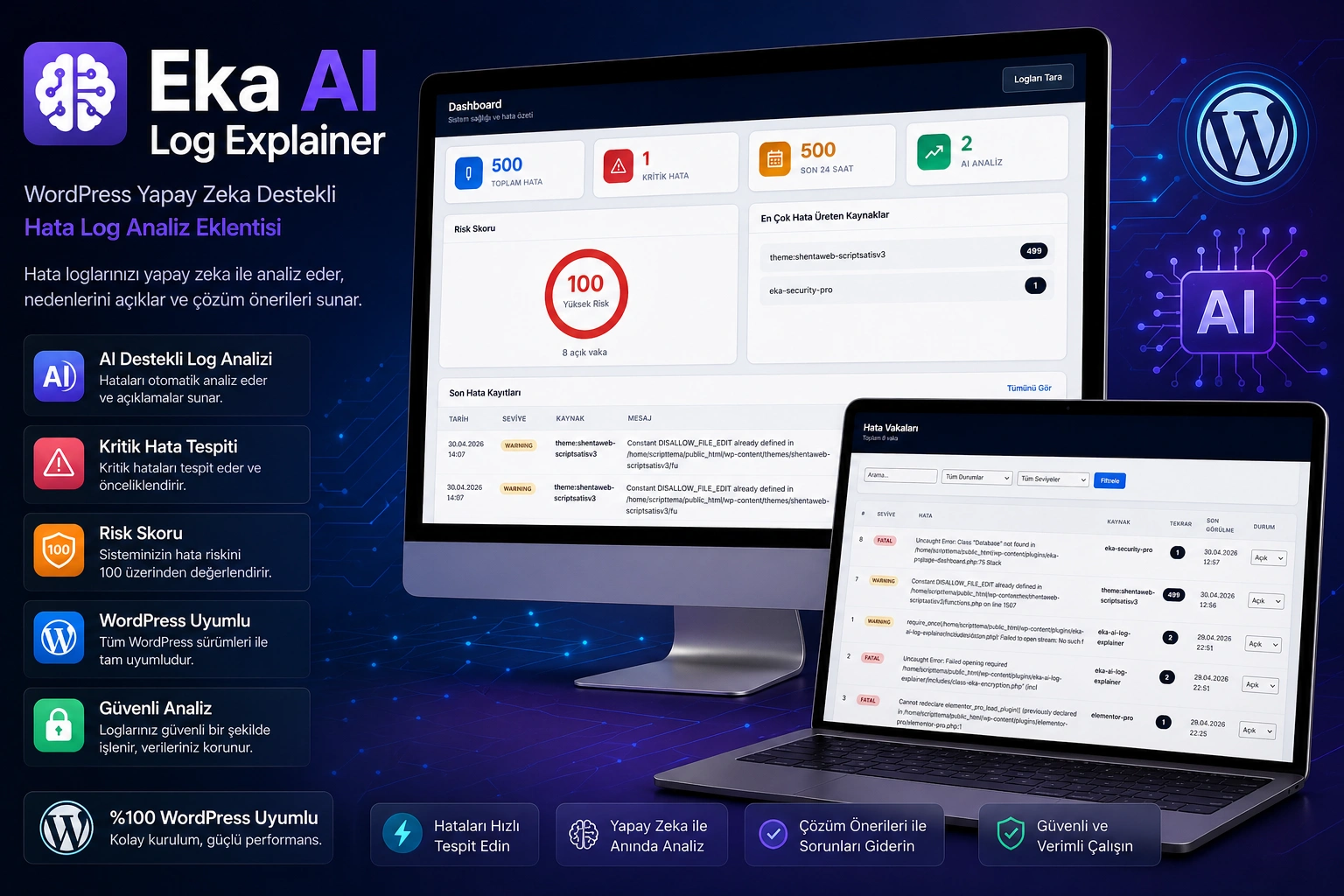
- Revolution in Error Management of Your WordPress Site: Eka AI Log Explainer
- It now takes seconds to understand, resolve and prevent errors occurring on your WordPress site. Eka AI Log Explainer automatically scans your log files with its artificial intelligence-supported advanced error analysis engine, explains each error in understandable language and offers a step-by-step solution.
- Key Features
- 1. Artificial Intelligence Supported Intelligent Error Analysis
- It analyzes each log record in depth with artificial intelligence. Error summary, possible cause, affected component, risk level, solution steps and preventive suggestions are available with a single click. A "customer brief" for non-technical teammates and a "technical note" for developers are provided separately.
- 2. 8+ AI Provider Integrations — Zero Dependency
- OpenRouter, Google Gemini, Groq, Cloudflare AI, NVIDIA Build, Hugging Face, Z AI and custom endpoint support. Continuous analysis with automatic fallback system if a provider does not respond. Thanks to free AI models, you can use it without additional costs.
- 3. WordPress + WooCommerce + PHP Log Support
- Not just
debug.log; It also scans, parses and classifies WooCommerce log files (wc-logs) and PHP error log files from a single panel. All your error sources are now in one place. - 4. Automatic Sensitive Data Masking
- API keys, passwords, database information, server paths, IP addresses and email addresses are automatically masked in the log data sent to AI. Contributes to KVKK and GDPR compliance; Your sensitive information never gets out.
- 5. Key Security with AES-256-CBC Encryption
- Your AI provider API keys are stored in the database with AES-256-CBC encryption. Maximum security is ensured by using the WordPress salt key infrastructure.
- 6. Instant Multi-Channel Notifications
- Receive instant notifications via Email, Telegram, Discord and Slack when critical errors are detected. Find out the status of your site every morning with a daily summary report. You can turn notification channels on and off one by one.
- 7. Advanced Case Management System (Case Management)
- Each group of errors is automatically made into a "case". Repetitive errors are combined under the same case and the number of occurrences is monitored. Manage cases with statuses Open → Under Review → Resolved → Ignored and add your notes.
- 8. Risk Score and Instant Dashboard
- See the overall health of your site at a glance with dynamic risk score calculation. Total errors, critical errors, number of errors in the last 24 hours, number of AI analyzes and number of open cases are summarized in the main panel. Immediately identify the source of the problem by ranking the plugin/theme/resource that produces the most errors.
- 9. Automatic Timed Scan (Cron Jobs)
- The plugin is self-managed with hourly automatic log scanning and daily old data cleaning. Adjust the data retention period (90 days default) according to your needs.
- 10. Free Text Analysis
- Perform instant AI analysis by copying and pasting any error message or log output. You can even analyze errors that are not in the log files.
- 11. Multi-Language Support
- The plug-in interface and AI analysis outputs can be configured in both Turkish and English. Additional language support can be added with
.pottranslation files. - 12. Clean Removal
- With the uninstall options, you can clear all tables and data or preserve the data when you delete the plugin. You can easily make the preference from the settings.
- Who is it for?
-
Target Audience How Does It Benefit? WordPress Developers Analyze errors on customer sites remotely and produce quick solutions Agencies and Freelancers Manage multiple sites from one place, provide professional reports to your customers E-Commerce Site Owners (WooCommerce) Immediately detect WooCommerce errors and prevent sales loss System Administrators Monitor server logs from WordPress panel, know critical situations instantly Non-Technical Site Owners Learn what errors mean, no technical knowledge required
- Where-is-it-useful-for-you?
- Find an answer to the question "Your site crashed, what happened?" in seconds
- Quickly detect payment errors, product update issues, API integration problems in WooCommerce
- Share AI analysis outputs as technical reports when communicating with your hosting provider
- Immediately notice incompatibilities that occur after plugin/theme update
- Transmit the error report to your customers in "understandable Turkish"
- Continuously monitor the security status of your WordPress site and take proactive measures
- If you manage more than one site, avoid the trouble of reading separate logs on each site
- Frequently Asked Questions (FAQ)
- Q: Does the plugin work with free AI models? A: Yes. You can use free models such as Google Gemini 2.0 Flash and Meta Llama 3.1 via OpenRouter. Groq and Hugging Face free tiers are also supported. Paid AI service is not mandatory.
- Q: Is my log data sent to AI safe? A: Absolutely. Automatic data masking system; It detects and masks API keys, passwords, database information, server paths, IP addresses and e-mail addresses. Your sensitive information is automatically cleaned before being sent to the AI provider.
- Q: Can WooCommerce also analyze log files? A: Yes. It automatically scans and analyzes all WooCommerce log files in the
wp-content/uploads/wc-logs/andwp-content/wc-logs/directories .
- Q: Can I use more than one AI provider? A: Yes. You can configure 8 different AI providers simultaneously. Automatically switches to the fallback provider when the default provider becomes unresponsive.
- Q: Will the plugin affect my site's performance? A: No. The plugin only works in the admin panel and does not load any code on the frontend. Log scans are triggered in the background (cron) or manually. Your site speed is not affected.
- Q: What notification channels does it support? A: Email, Telegram, Discord and Slack. Each channel can be enabled/disabled independently. You can check that it is configured correctly by sending a test notification.
- Q: Does it support multisite? A: The plugin works independently for each site. You can use it in a multisite network by installing it separately for each subsite.
- Q: What will happen to my data if I uninstall the plugin? A: Your data will be preserved unless you have activated the "Delete all data on uninstall" option in the settings. If you activate it, all tables and settings will be cleared.
- Q: Are analysis results recorded? A: Yes. All AI analysis results are stored in the database and loaded from the cache when the same error is wanted to be analyzed again. In this way, unnecessary API calls are not made and cost savings are achieved.
- Q: Can I use my own AI server (self-hosted)? A: Yes. With the "Custom Endpoint" option, you can use any OpenAI compatible AI API (such as Open WebUI, LocalAI, Ollama) running on your own server.


