
 Halkali merkez neighborhood fatih st ozgur apt no 46 , Kucukcekmece , Istanbul , 34303 , TR
Yes, Ollama can run without a GPU. Ollama's current Docker documentation includes a CPU-only container path. In our real Ubuntu 24.04 VPS test there was no compute GPU passthrough: qwen3:4b loaded entirely on CPU, ollama ps reported 100% CPU with context 4096, the container used about 3.059 GiB of memory, and a real /api/chat request returned EKA-OLLAMA-TEST-BASARILI in roughly 18 seconds. These values describe our test moment, not a universal benchmark.
Ubuntu 24.04 VPS
GPU passthrough: none
↓
Ollama Docker CPU-only
↓
qwen3:4b ~2.5 GB
↓
ollama ps: 100% CPU / context 4096
Docker memory: ~3.059 GiB
/api/chat: ~18 s real testOllama's current Docker documentation explicitly provides a CPU-only container command without GPU flags. A GPU is therefore not a strict requirement to start using Ollama.
GPU acceleration can dramatically improve larger-model and higher-throughput workloads; runnable and fast are different questions.
docker run -d -v ollama:/root/.ollama --name ollama ollama/ollamaThe real server exposed 8 vCPU from an AMD Ryzen 9 7950X host and roughly 31 GiB RAM, with no compute GPU passthrough. Ollama therefore ran on CPU.
Different CPUs, vCPU limits and host contention can change latency substantially.
Our real ollama list output showed qwen3:4b at roughly 2.5 GB with 4.0B parameter_size and Q4_K_M quantization.
On-disk model size is not the same as runtime memory usage.
docker exec ollama ollama listIn the real test ollama ps reported 100% CPU and context 4096. Ollama's current FAQ explains 100% CPU as the model being entirely in system memory.
This is a direct verification rather than guessing whether GPU acceleration is active.
docker exec ollama ollama psOur Docker stats snapshot showed roughly 3.059 GiB for Ollama after inference, while ollama ps showed about 3.2 GB loaded model size.
Context, concurrency and model versions can change memory use; do not treat 3.059 GiB as a universal minimum.
docker stats --no-stream ollamaA real non-streaming API request asking only for EKA-OLLAMA-TEST-BASARILI completed in roughly 18.4 seconds in our captured test.
This is a recorded latency, not a universal tokens-per-second benchmark.
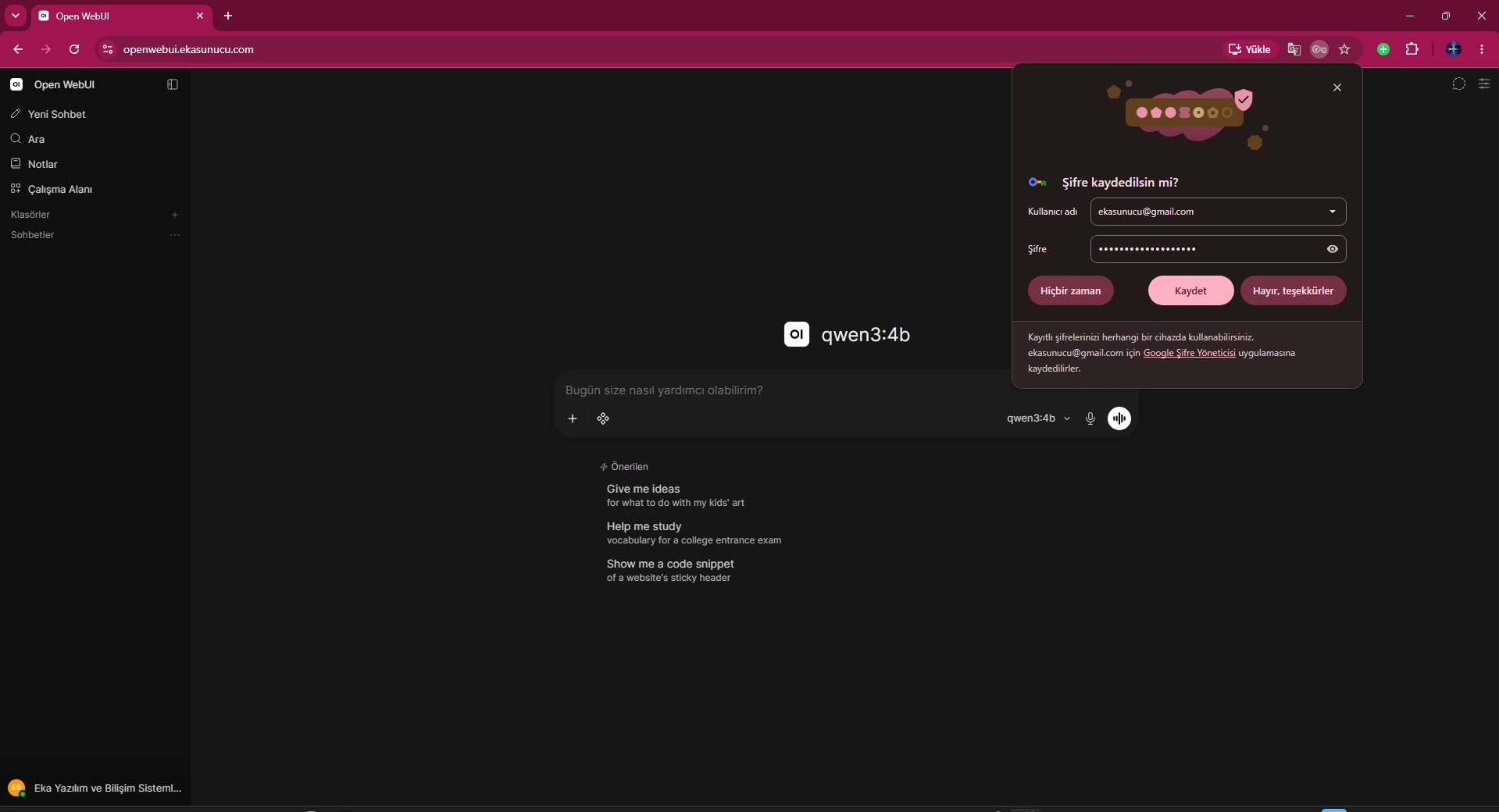
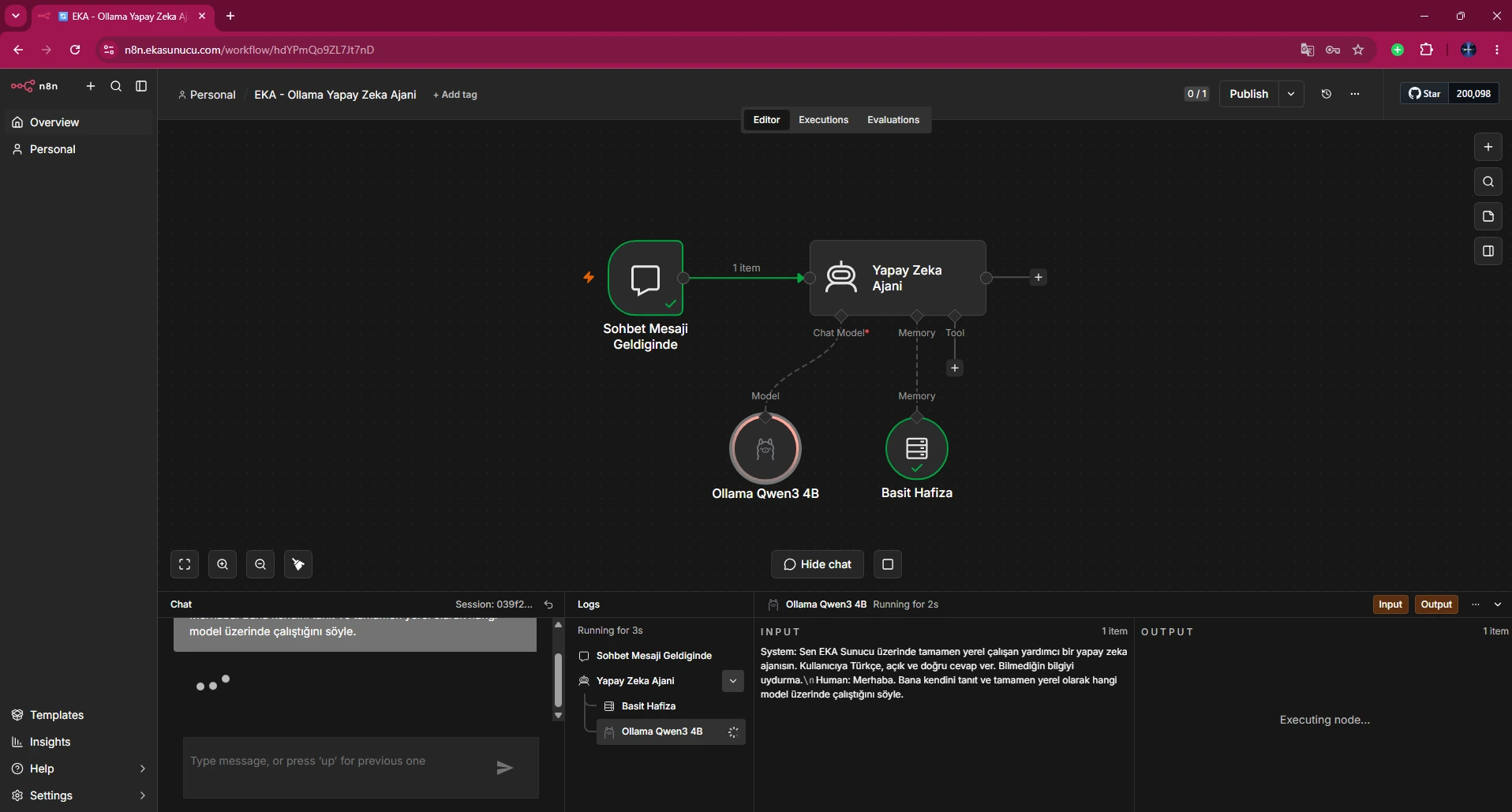
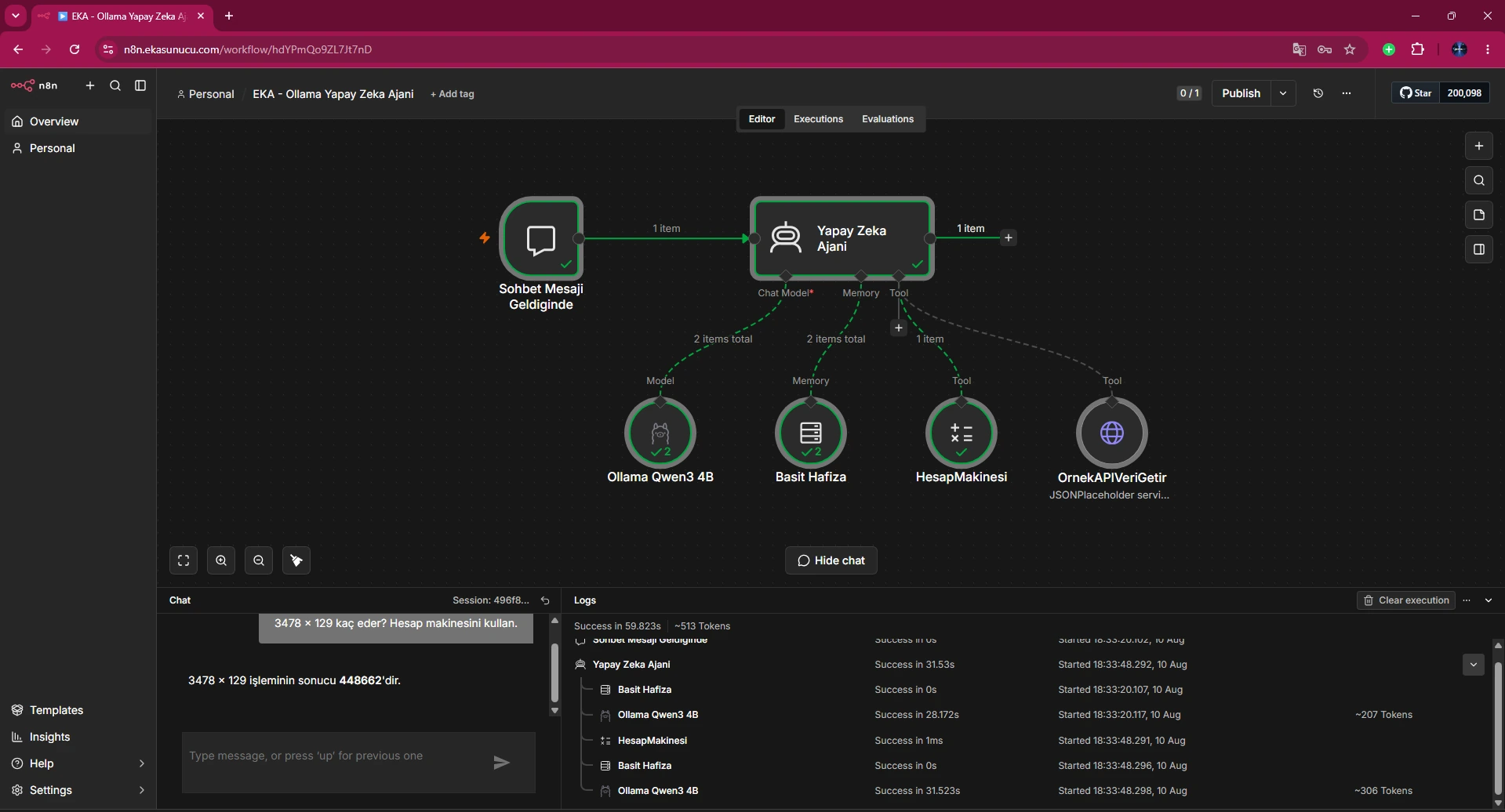
curl -sS http://127.0.0.1:11434/api/chat -H 'Content-Type: application/json' -d '{"model":"qwen3:4b","messages":[{"role":"user","content":"Sadece EKA-OLLAMA-TEST-BASARILI yaz."}],"stream":false}'Real screenshots show qwen3:4b selected in Open WebUI and running in the n8n Ollama node. The Calculator test also proves Agent tool calling on the CPU-backed model.
These screens validate practical integration, not just a synthetic API call.
A quantized 4B-class model can be usable on CPU for development and lighter workloads, while larger models, longer context, lower-latency targets and concurrency benefit increasingly from GPU acceleration.
Capacity-plan with real memory, latency and concurrency tests.
Yes; official Docker docs include CPU-only usage and our real test worked.
qwen3:4b.
About 2.5 GB in our real model list.
About 3.059 GiB at the captured moment.
100% CPU.
4096 in our ollama ps test.
Roughly 18 seconds; this is a single recorded test.
No; it is a real deployment latency/resource snapshot.
It accelerates highly parallel LLM matrix operations.
It can be, depending on workload and latency expectations; test it.
It shows loaded models, processor allocation and context information.
Ollama's FAQ says the model is loaded entirely in system memory.
Yes; qwen3:4b was selected in our real Open WebUI screen.
Yes; our real n8n screens show Ollama Qwen3 4B and Calculator working.
Choose EKA Sunucu Linux VPS resources for local LLM and Ollama workloads.
Updated: 10.08.2026 Turkey (Turkish)
 Germany (German)
 Worldwide (English)

