
 Halkali merkez neighborhood fatih st ozgur apt no 46 , Kucukcekmece , Istanbul , 34303 , TR
This article focuses on the real 'Error in sub-node Ollama Qwen3 4B' shown in our n8n screenshots. We isolated the issue through container localhost semantics, the eka-ai Docker network and the Ollama credential Base URL, then verified connectivity from inside n8n with /api/tags and /api/chat. After the fix, the same AI Agent workflow worked with qwen3:4b, Simple Memory, Calculator and an external HTTP tool.
n8n container
   ↓
http://ollama:11434
   ↓
eka-ai Docker network
   ↓
Ollama qwen3:4b

localhost:11434 ≠ Ollama containerIn our real workflow test the Chat Trigger succeeded, but the AI Agent failed and n8n highlighted the Ollama Qwen3 4B sub-node in red.
Instead of rebuilding the workflow, we isolated the Ollama credential and Docker-network path.
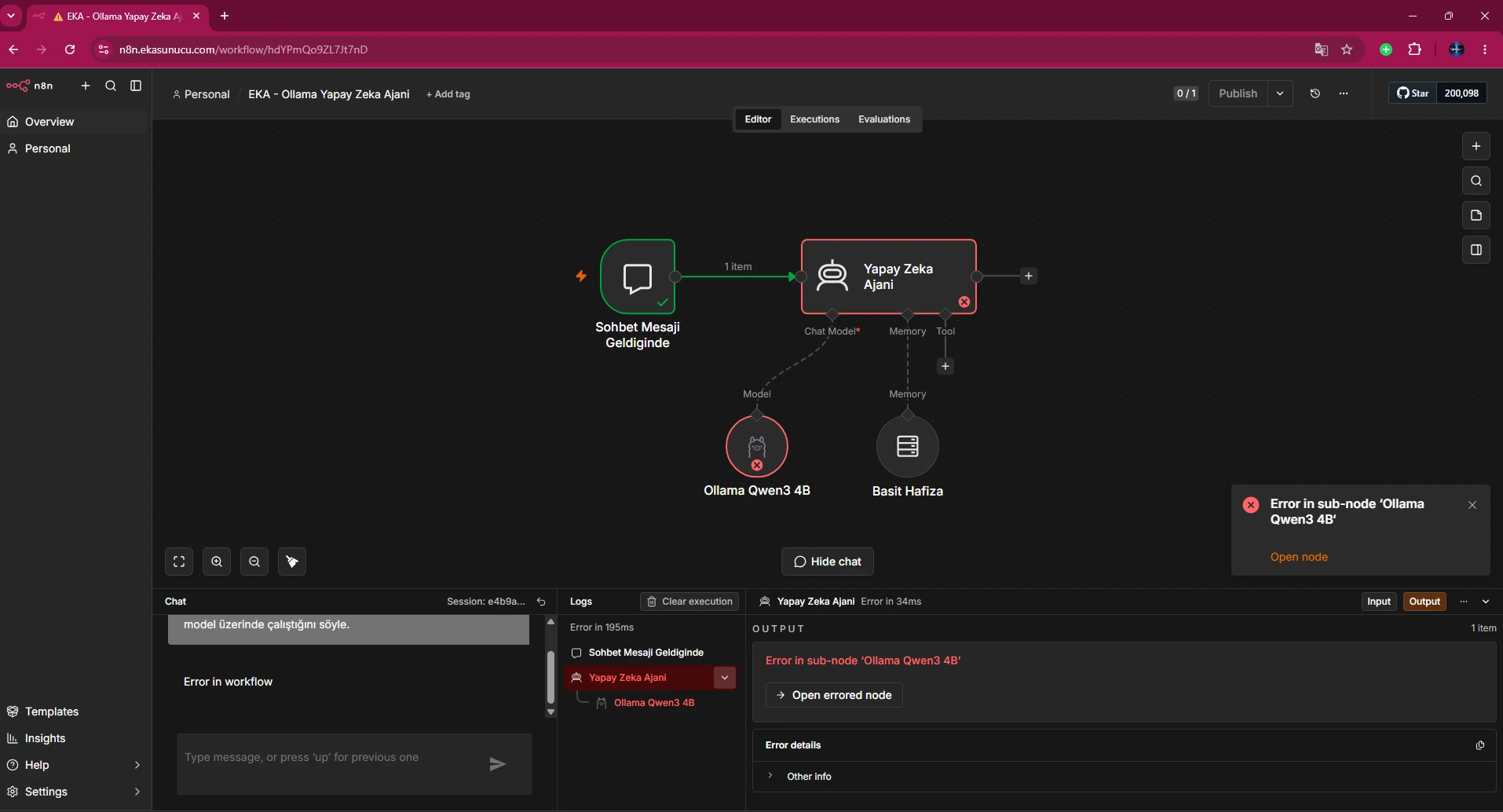
n8n and Ollama run in separate containers. localhost inside n8n refers to the n8n container itself, not Ollama.
On the shared user-defined network, Docker DNS resolves the Ollama container name. Our working Base URL was http://ollama:11434.
Wrong: http://localhost:11434Correct: http://ollama:11434Our shared network was named eka-ai. Both containers must be attached to the same user-defined network for the ollama hostname to resolve.
If they are on different networks, the correct hostname still won't be reachable.
docker network inspect eka-aidocker inspect n8n --format '{{json .NetworkSettings.Networks}}'docker inspect ollama --format '{{json .NetworkSettings.Networks}}'Our real container-to-container test returned HTTP 200 and found qwen3:4b.
If this works, focus on credentials and node configuration rather than Docker networking.
docker exec n8n node -e "fetch('http://ollama:11434/api/tags').then(async r=>{console.log('HTTP:',r.status);console.log(await r.text())})"We also sent a real chat request and received N8N-OLLAMA-BAGLANTISI-BASARILI.
That validates n8n→Ollama networking, the Ollama runtime and qwen3:4b inference together.
docker exec n8n node -e "fetch('http://ollama:11434/api/chat',{method:'POST',headers:{'content-type':'application/json'},body:JSON.stringify({model:'qwen3:4b',messages:[{role:'user',content:'Write only N8N-OLLAMA-BAGLANTISI-BASARILI.'}],stream:false})}).then(r=>r.json()).then(j=>console.log(j.message.content))"The working credential used http://ollama:11434 and was assigned to the Ollama Qwen3 4B sub-node.
The selected model was qwen3:4b.
Base URL: http://ollama:11434Model: qwen3:4b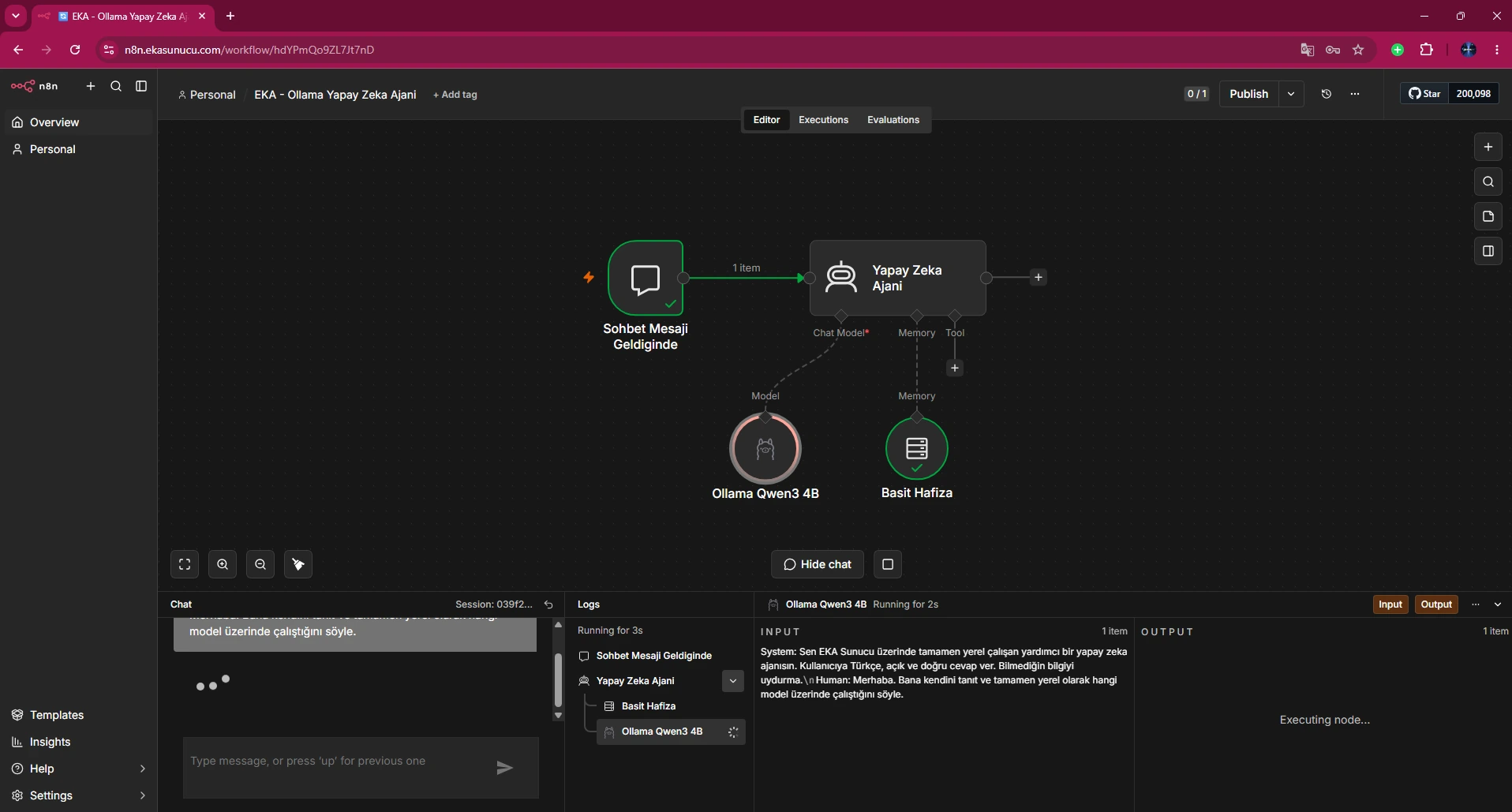
After fixing the credential and Docker address, the same workflow ran again without the previous red sub-node error.
The real screenshot shows the model node executing inside the existing workflow.
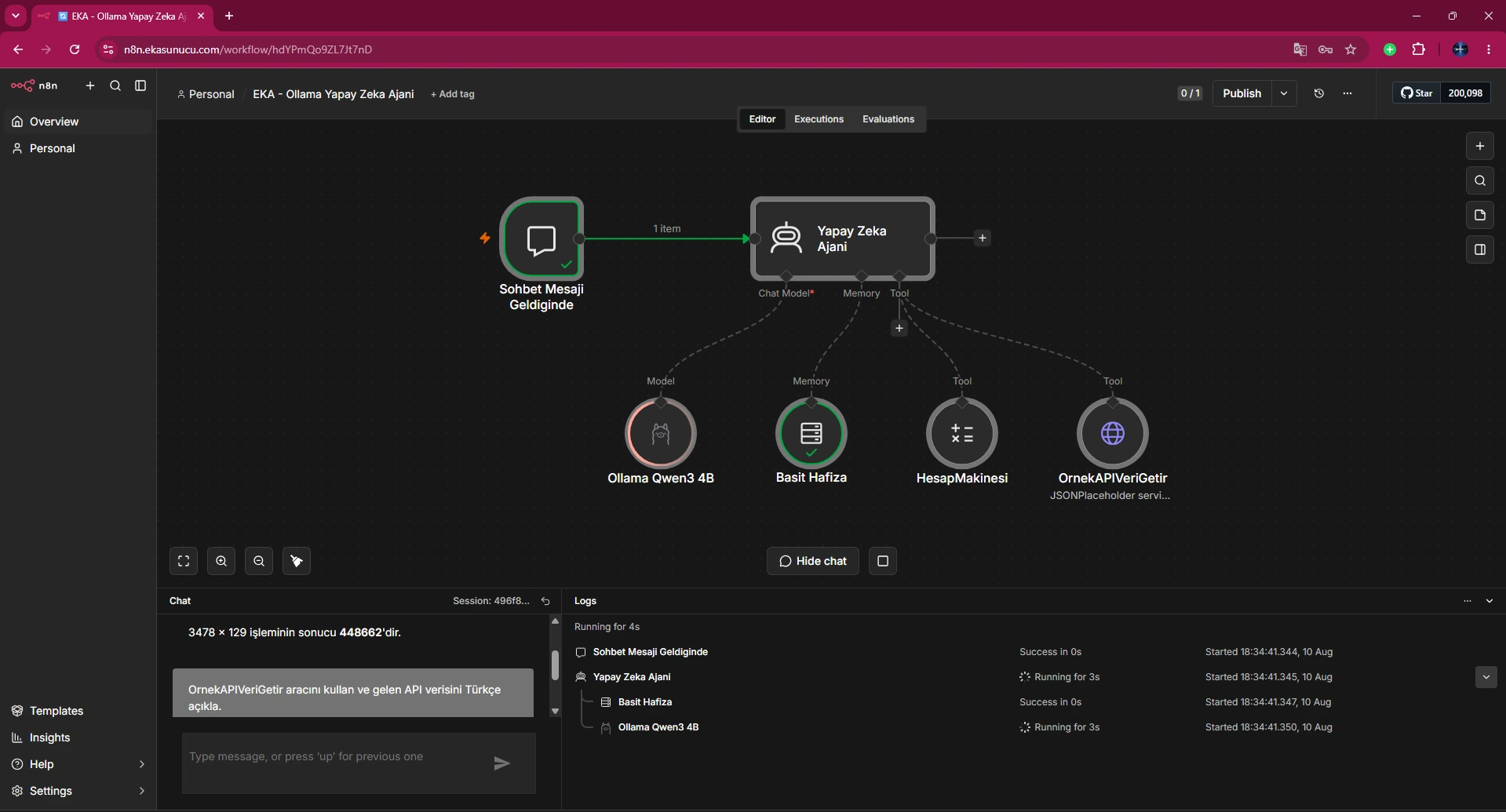
Attach Ollama Chat Model to Chat Model and Simple Memory to Memory.
If the Agent still fails, use execution logs to identify the exact sub-node that turns red.
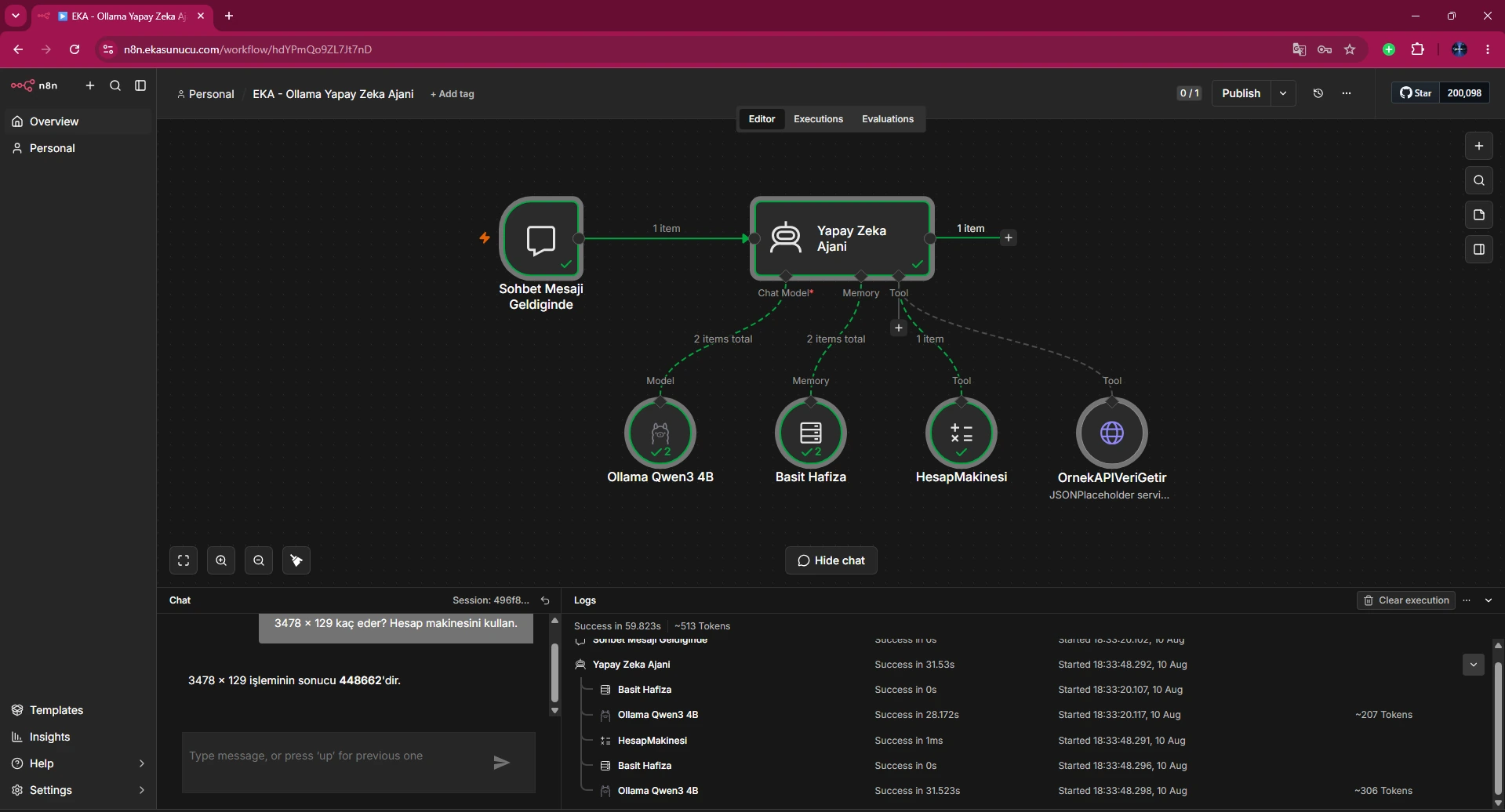
After the model connection was fixed, the Agent used Calculator for 3478 × 129 and returned 448662.
This validates both model inference and tool calling.
In a later test Ollama and the AI Agent were green while the HTTP Request Tool failed with a separate supplyData/execute error.
That is not an Ollama credential failure. The screenshot makes the layer separation clear.
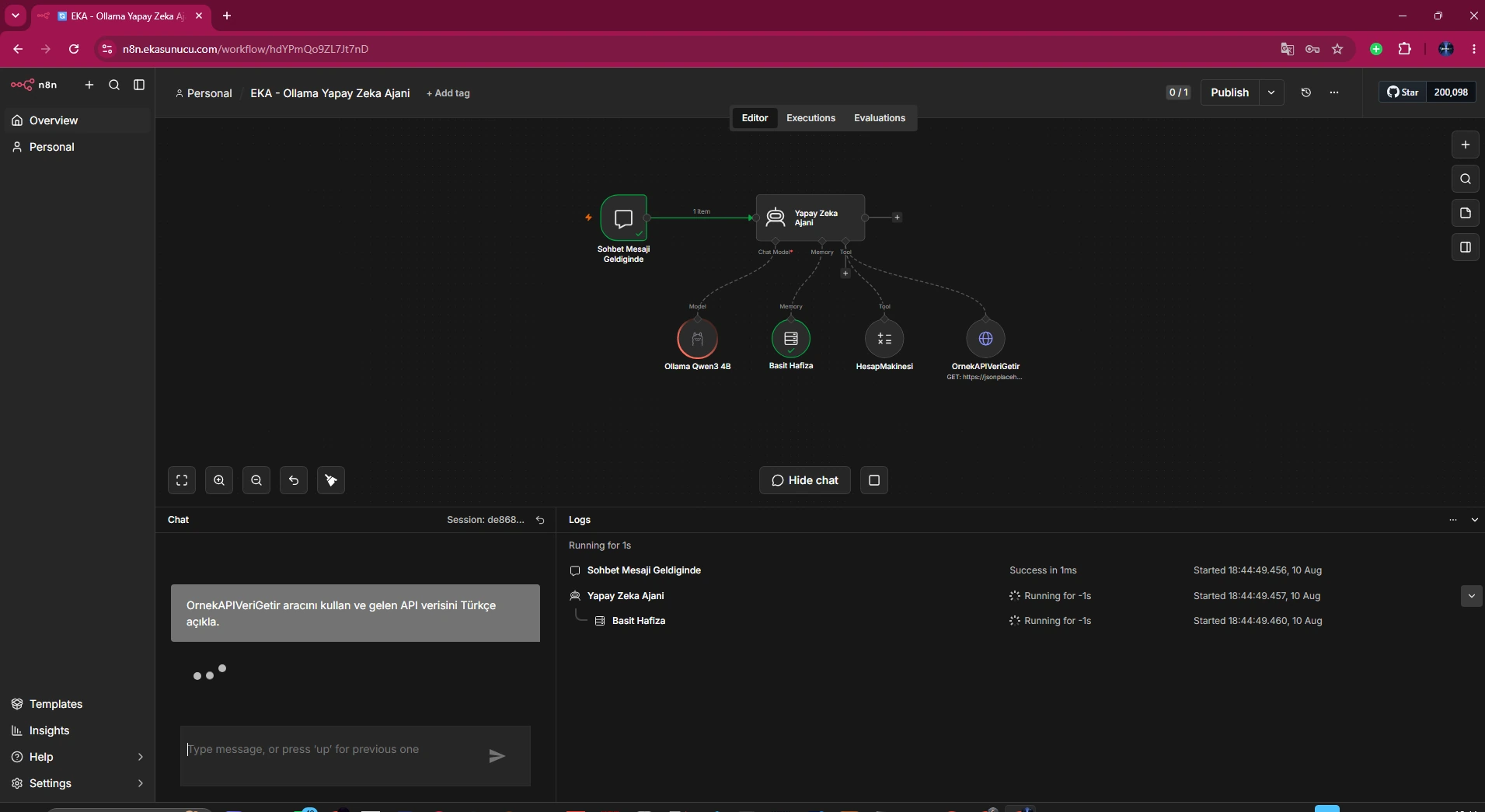
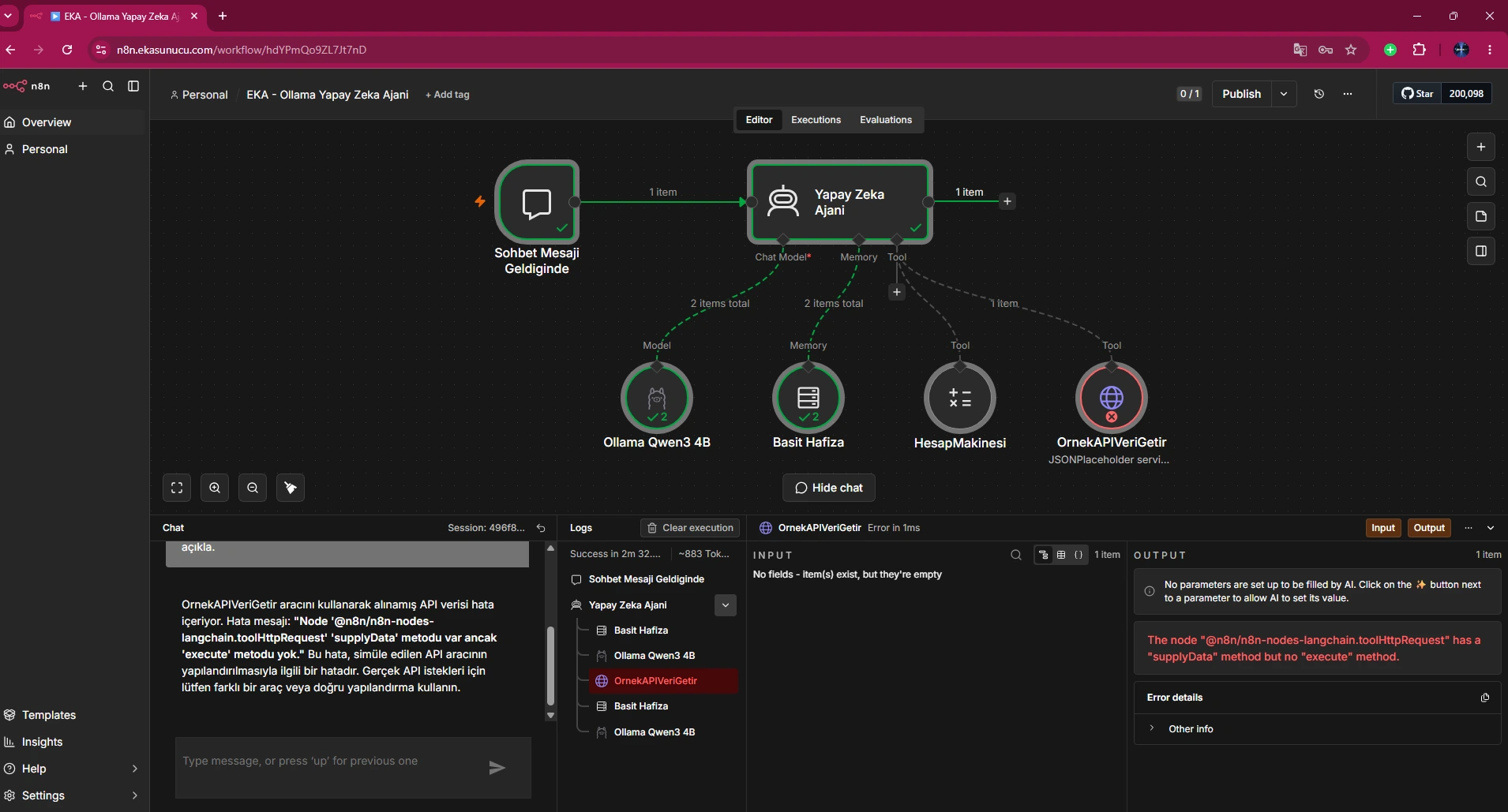
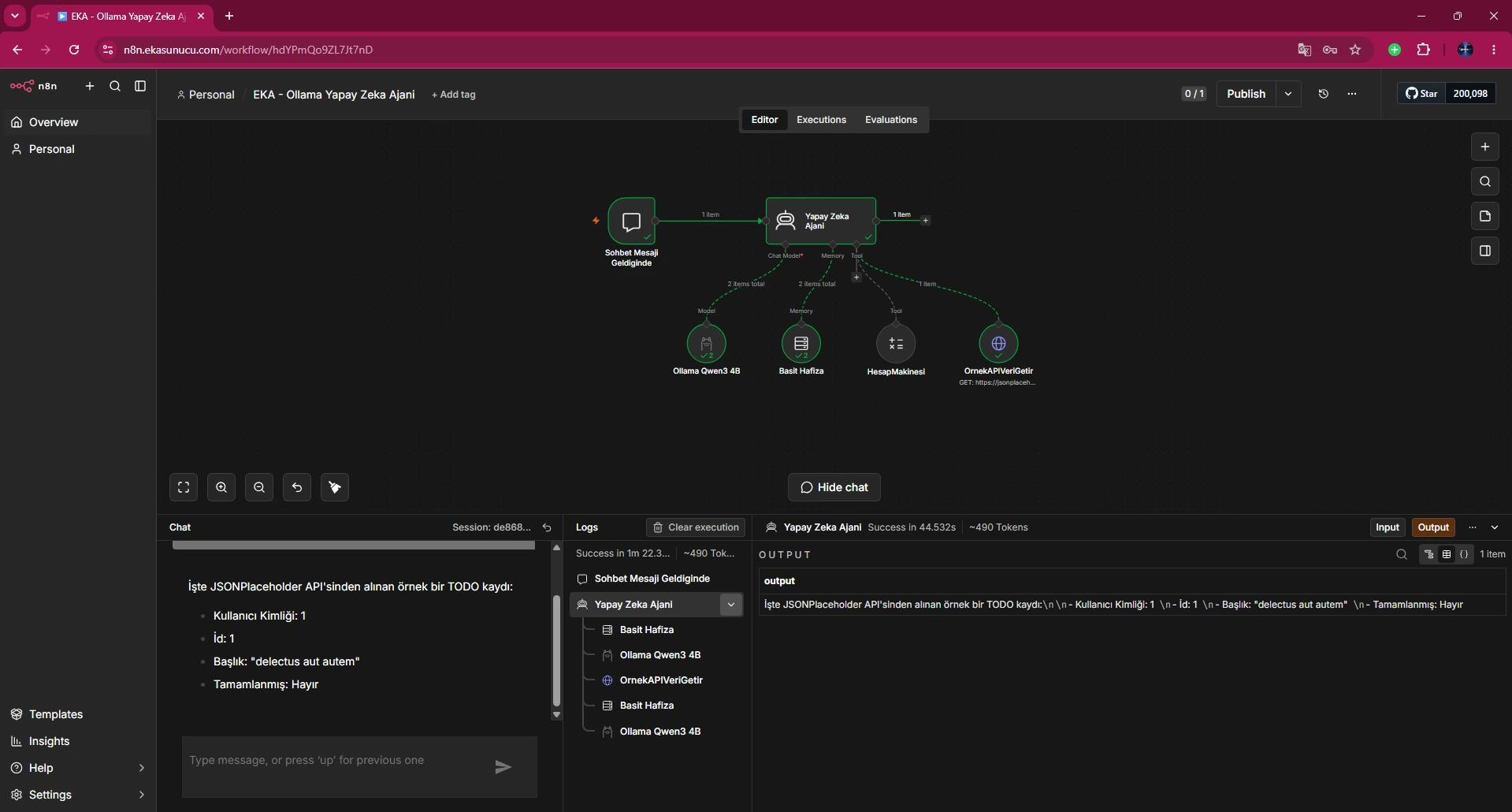
The corrected workflow retrieved JSONPlaceholder TODO data and explained it in Turkish.
The final real screenshot shows the complete Agent + model + memory + tool chain succeeding.
Check the Ollama container, Docker network, /api/tags from n8n, credential Base URL, model name and execution logs in that order.
This separates network, credential, model and tool failures quickly.
docker ps --filter name='^/ollama$'docker network inspect eka-aidocker exec n8n node -e "fetch('http://ollama:11434/api/tags').then(r=>console.log(r.status)).catch(console.error)"docker exec ollama ollama listdocker logs --tail 100 ollamaThe connected Ollama model sub-node failed while the AI Agent executed.
If n8n runs in its own container, localhost points to n8n itself, not the Ollama container.
http://ollama:11434 in our real Docker network.
For container-name access, both need to be attached to the same user-defined Docker network.
eka-ai.
Call http://ollama:11434/api/tags from inside the n8n container.
HTTP 200 and qwen3:4b was found.
N8N-OLLAMA-BAGLANTISI-BASARILI.
qwen3:4b.
No. The real error screenshot highlighted the Ollama Qwen3 4B sub-node.
Yes. Calculator returned 448662 for 3478 × 129.
No. Ollama was already green; the HTTP tool failed separately.
Yes. JSONPlaceholder data was processed successfully.
Container → Docker network → /api/tags → credential Base URL → model → execution logs.
Run n8n, Ollama, Qwen3 and Open WebUI on your own EKA Sunucu Linux VPS.
Updated: 10.08.2026 Turkey (Turkish)
 Germany (German)
 Worldwide (English)

