
 Halkali merkez neighborhood fatih st ozgur apt no 46 , Kucukcekmece , Istanbul , 34303 , TR
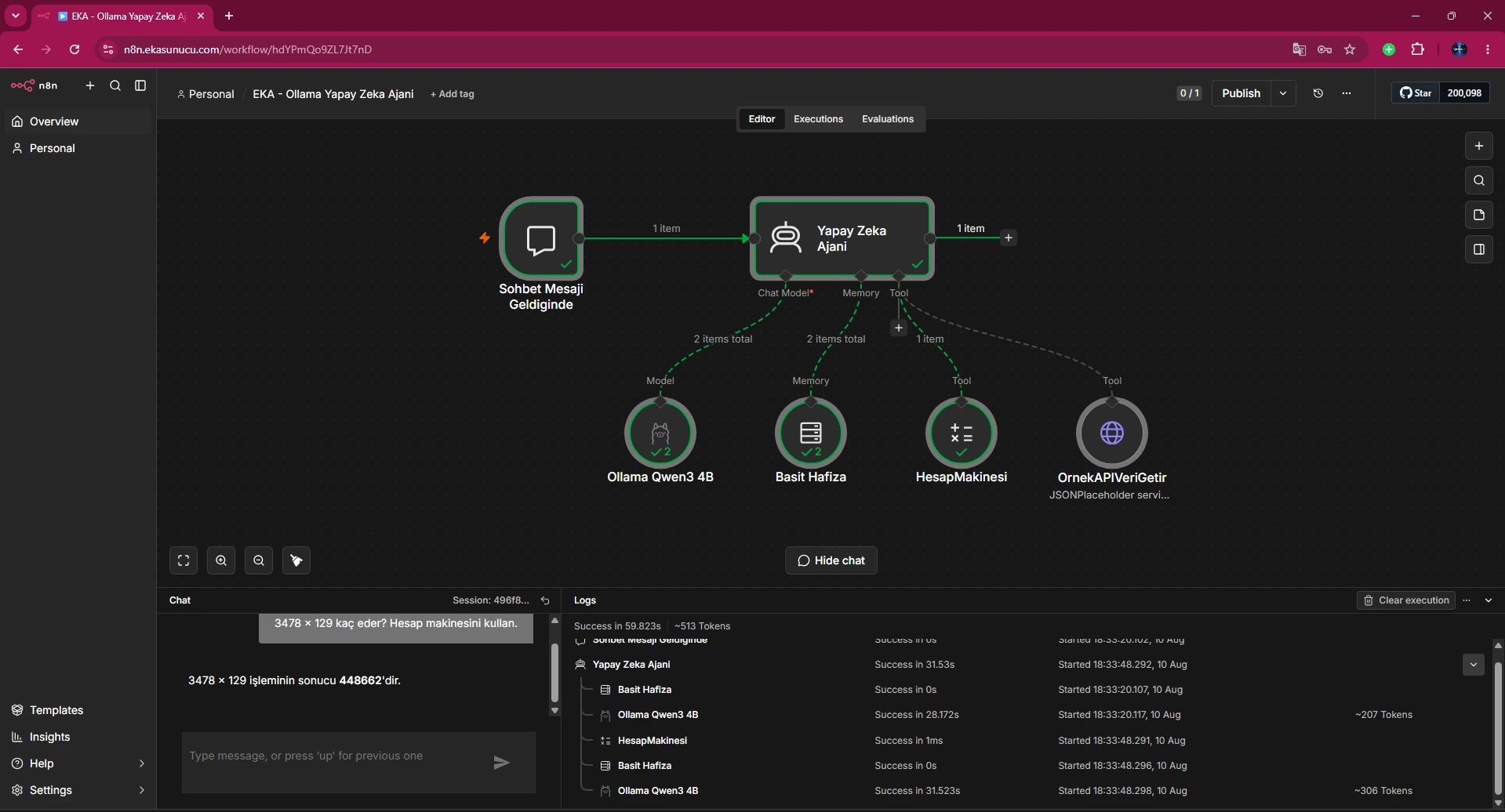
In our real n8n 2.33.7 AI Agent workflow, Ollama, Simple Memory and Calculator worked while an older HTTP tool failed separately with '@n8n/n8n-nodes-langchain.toolHttpRequest has a supplyData method but no execute method'. The execution view proved this was not an Ollama connection error. We replaced the incompatible tool with the current HTTP Request Tool and successfully processed a JSONPlaceholder GET response.
AI Agent + Ollama + Calculator → OK
↓
Old HTTP Tool
@n8n/n8n-nodes-langchain.toolHttpRequest
↓
supplyData exists / execute missing
↓
Current HTTP Request Tool
n8n-nodes-base.httpRequestTool
↓
GET JSONPlaceholder → successThe real execution showed AI Agent and Ollama working while HTTP Request Tool failed in red. The message said the old node type had supplyData but no execute method.
This isolated the problem to tool-node compatibility rather than model credentials.
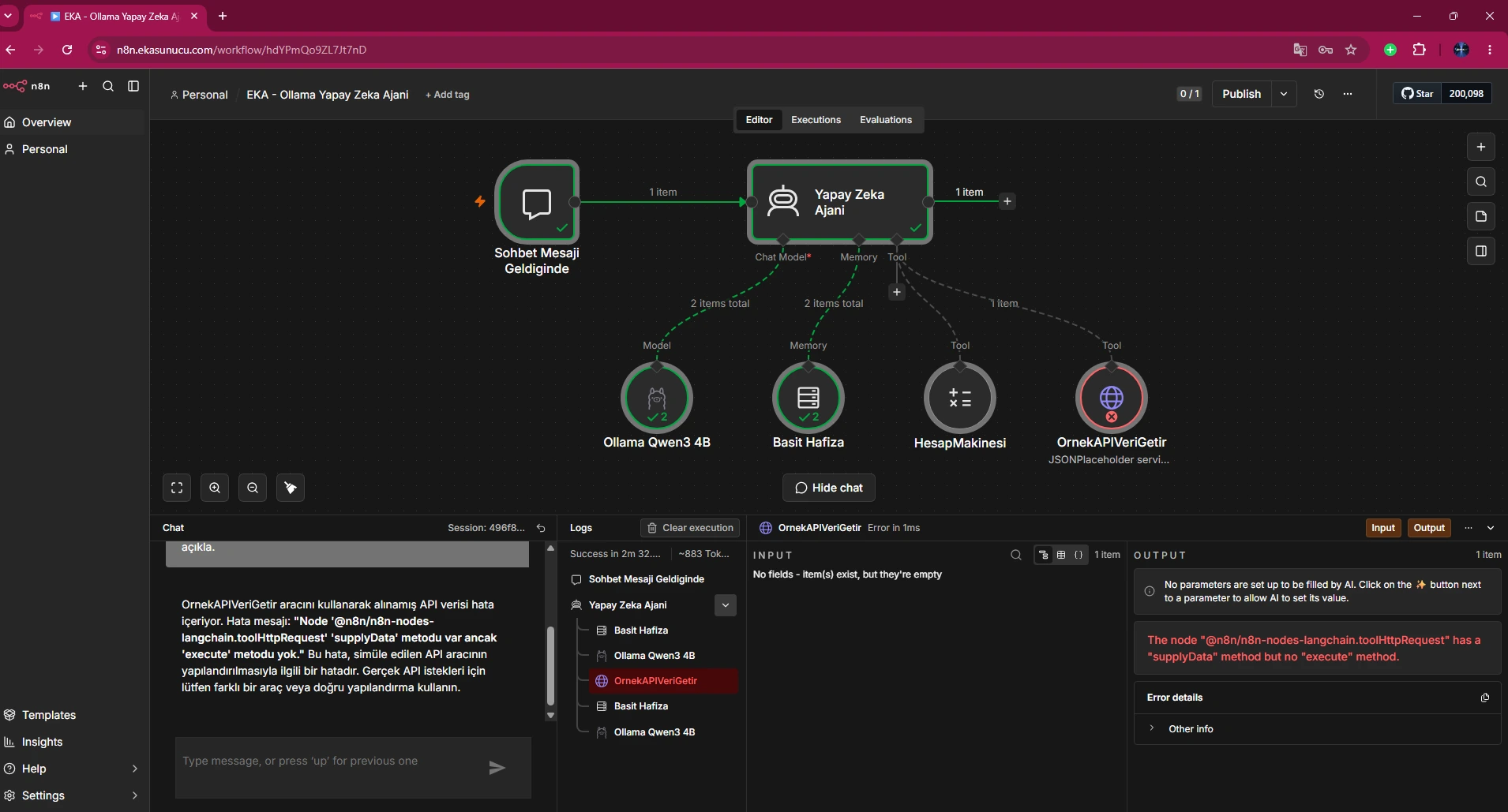
The failing old node was @n8n/n8n-nodes-langchain.toolHttpRequest. In the tested n8n build it was not compatible with the execution path used by the AI Agent.
Imported or older workflows should be checked for node type/version compatibility.
Old: @n8n/n8n-nodes-langchain.toolHttpRequestqwen3:4b and the AI Agent had already passed the Calculator test. During the later HTTP tool failure they remained healthy, so we did not change Ollama credentials or Docker networking.
The red node in n8n execution is a strong layer-isolation clue.
We replaced the old LangChain tool with n8n-nodes-base.httpRequestTool. The tested workflow used typeVersion 4.5.
Adding a fresh HTTP Request Tool through the UI is generally safer than manually patching stale node metadata.
New: n8n-nodes-base.httpRequestToolTested typeVersion: 4.5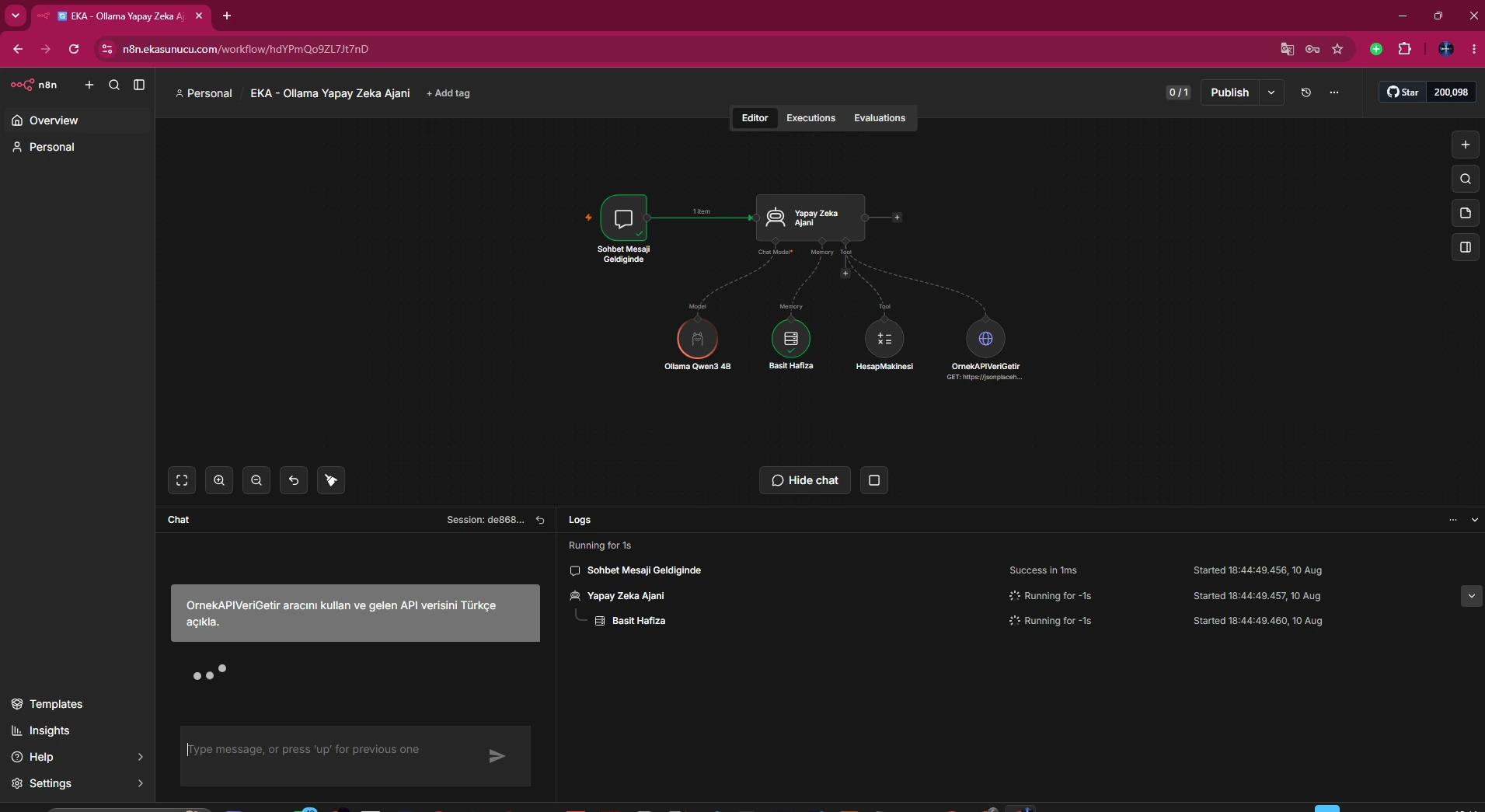
We used GET https://jsonplaceholder.typicode.com/todos/1 to validate tool invocation without authentication or a complex body.
After that works, add your production API's authentication, headers and body.
GET https://jsonplaceholder.typicode.com/todos/1The final real screen shows userId 1, id 1, title 'delectus aut autem' and completed false being processed by the Agent.
That validates model, Agent, tool invocation, HTTP request and response handling end-to-end.
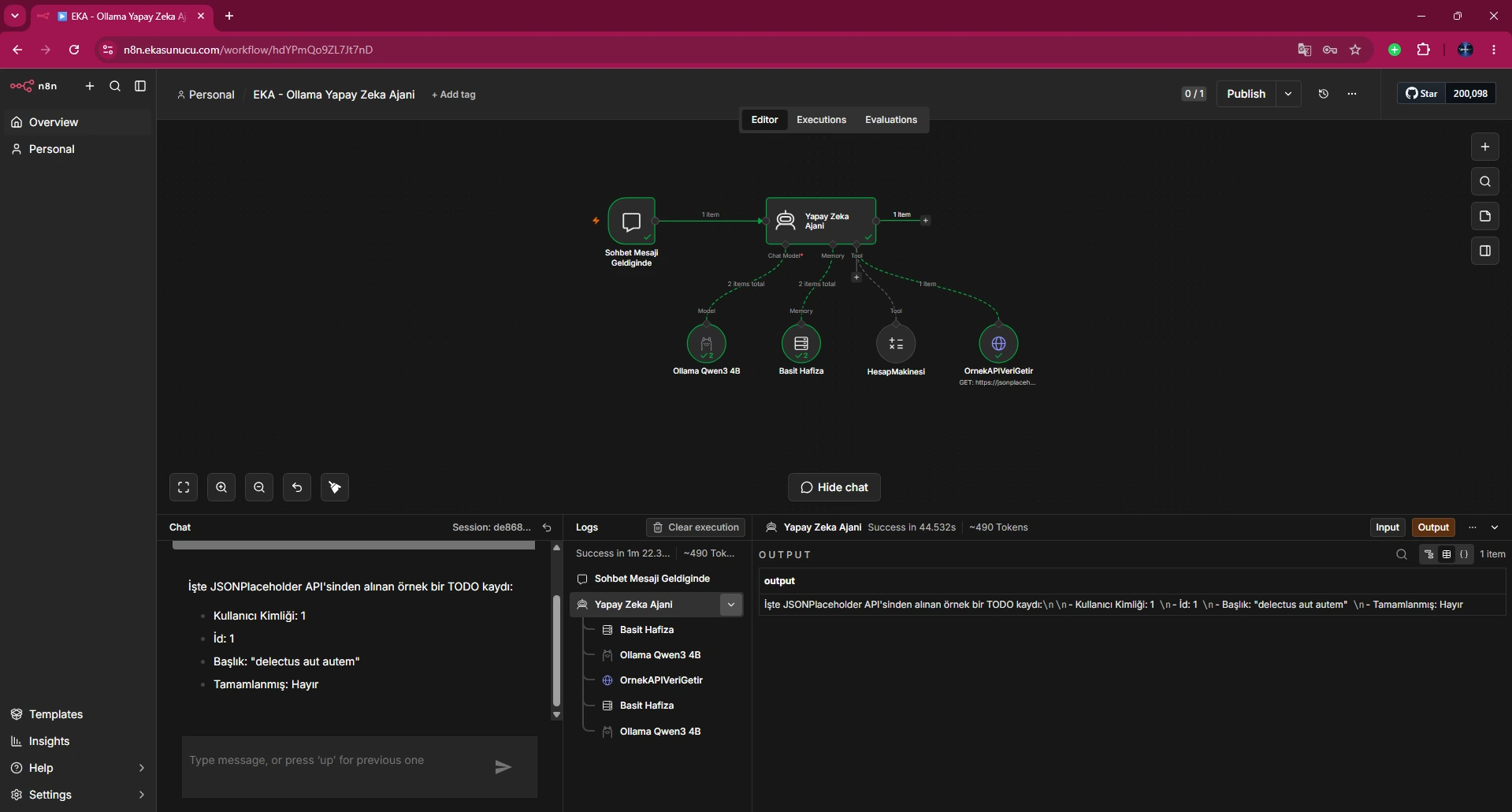
Node implementations and type versions can change across n8n releases. An old export may still render while failing at execution time.
Run test executions for critical workflows after upgrades/imports.
Because an AI Agent can invoke HTTP tools, design endpoint, method and credential scope with least privilege. A public dummy API is useful for low-risk validation.
Protect high-impact write/delete actions with human review or stronger workflow boundaries.
It said the old toolHttpRequest node had supplyData but no execute method.
No; Ollama was already working in the real execution.
@n8n/n8n-nodes-langchain.toolHttpRequest.
n8n-nodes-base.httpRequestTool.
4.5.
JSONPlaceholder /todos/1.
The Agent successfully read and explained the API response.
Possible, but adding a fresh current node is cleaner.
It can appear with stale workflow/node compatibility; test after upgrades.
It proved model and Agent tool calling worked before the HTTP failure.
Yes; a simple GET isolates the node execution path.
It depends on endpoint and credential scope; apply least privilege.
In the n8n execution view and node error details.
Verify Agent → identify red tool → add current HTTP Request Tool → test simple GET.
Run n8n, Ollama and self-hosted AI workflows on EKA Sunucu Linux VPS.
Updated: 10.08.2026 Turkey (Turkish)
 Germany (German)
 Worldwide (English)

