 Turkey (Turkish)
 Germany (German)
 Worldwide (English)


When iCloud Photos is enabled, deletion synchronizes across devices; synchronization is not the same as a backup.

 Halkali merkez neighborhood fatih st ozgur apt no 46 , Kucukcekmece , Istanbul , 34303 , TR
Learn every safe route to recover deleted iPhone photos through Recently Deleted, iCloud, computer backups and other verified locations, including the technical limits.

The safest approach is to classify the loss or security condition, preserve the current state and apply verifiable methods in order. No single tool or setting produces the same result in every scenario.
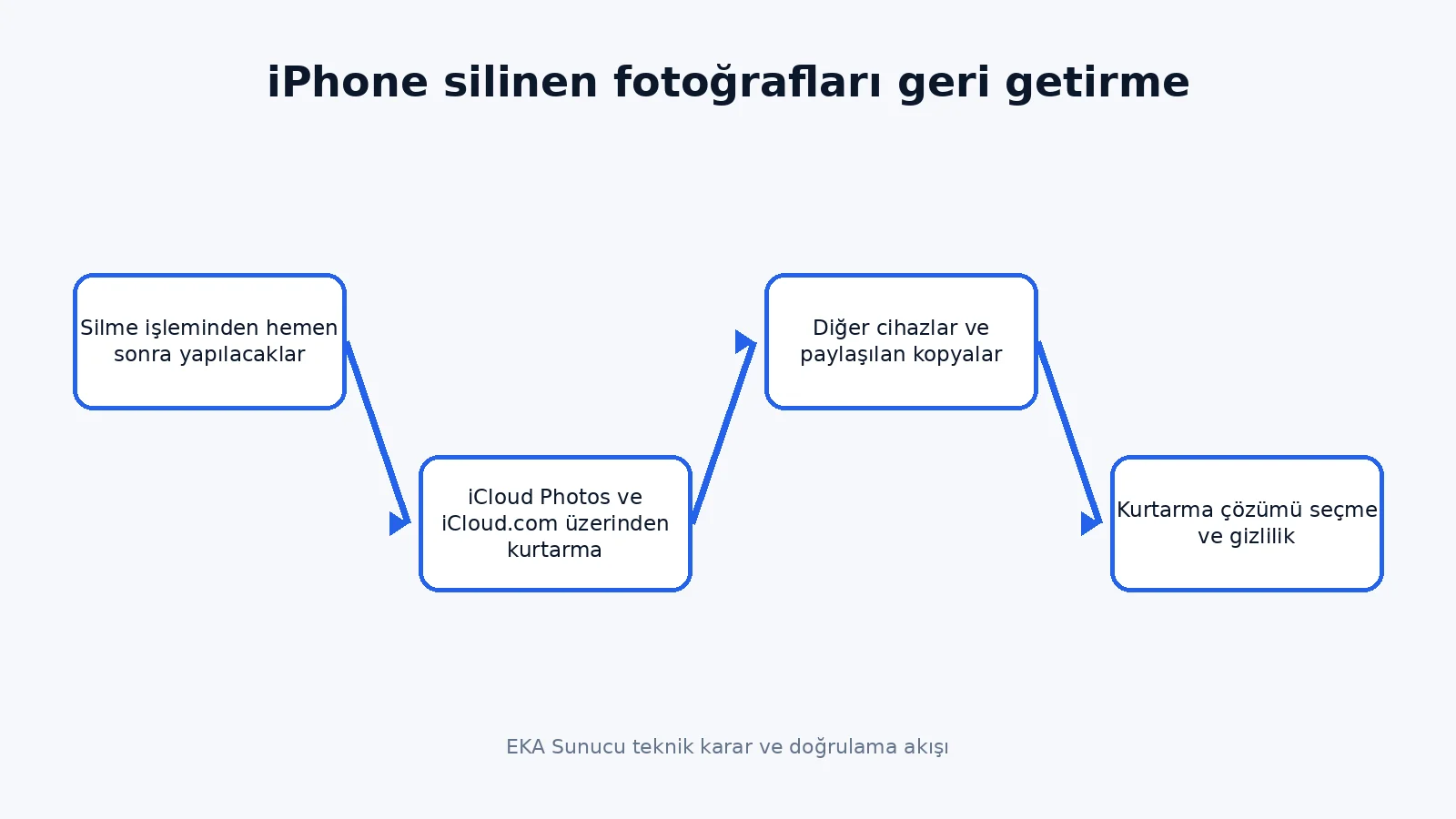
Avoid unnecessary phone use and reduce new photo or video creation. Deleted items normally remain in Apple Photos Recently Deleted for 30 days.
When iCloud Photos is enabled, deletion synchronizes across devices; synchronization is not the same as a backup.
Check Photos and Recently Deleted separately on iCloud.com.
Avoid unnecessary phone use and reduce new photo or video creation. Check Photos and Recently Deleted separately on iCloud.com.
Deleted items normally remain in Apple Photos Recently Deleted for 30 days. When iCloud Photos is enabled, deletion synchronizes across devices; synchronization is not the same as a backup.
When iCloud Photos is enabled, deletion synchronizes across devices; synchronization is not the same as a backup. Check Photos and Recently Deleted separately on iCloud.com.
Restoring a computer backup can replace current device data, so preserve the present state first.
Verify the date and encryption status of Finder or Apple Devices backups.
When iCloud Photos is enabled, deletion synchronizes across devices; synchronization is not the same as a backup. Verify the date and encryption status of Finder or Apple Devices backups.
Check Photos and Recently Deleted separately on iCloud.com. Restoring a computer backup can replace current device data, so preserve the present state first.
Restoring a computer backup can replace current device data, so preserve the present state first. Verify the date and encryption status of Finder or Apple Devices backups.
Messages, email attachments, shared albums and independent cloud stores may contain separate copies.
Recovery cannot be guaranteed for permanently deleted data with no surviving copy on a modern encrypted iPhone.
Restoring a computer backup can replace current device data, so preserve the present state first. Recovery cannot be guaranteed for permanently deleted data with no surviving copy on a modern encrypted iPhone.
Verify the date and encryption status of Finder or Apple Devices backups. Messages, email attachments, shared albums and independent cloud stores may contain separate copies.
Messages, email attachments, shared albums and independent cloud stores may contain separate copies. Recovery cannot be guaranteed for permanently deleted data with no surviving copy on a modern encrypted iPhone.
Treat any service requesting device or Apple Account credentials on a remote server as a privacy decision.
Monitor storage quota and test restoration instead of assuming an automatic backup is usable.
Messages, email attachments, shared albums and independent cloud stores may contain separate copies. Monitor storage quota and test restoration instead of assuming an automatic backup is usable.
Recovery cannot be guaranteed for permanently deleted data with no surviving copy on a modern encrypted iPhone. Treat any service requesting device or Apple Account credentials on a remote server as a privacy decision.
Treat any service requesting device or Apple Account credentials on a remote server as a privacy decision. Monitor storage quota and test restoration instead of assuming an automatic backup is usable.
Avoid unnecessary phone use and reduce new photo or video creation.
Deleted items normally remain in Apple Photos Recently Deleted for 30 days.
Treat any service requesting device or Apple Account credentials on a remote server as a privacy decision. Deleted items normally remain in Apple Photos Recently Deleted for 30 days.
Monitor storage quota and test restoration instead of assuming an automatic backup is usable. Avoid unnecessary phone use and reduce new photo or video creation.
Avoid unnecessary phone use and reduce new photo or video creation. Deleted items normally remain in Apple Photos Recently Deleted for 30 days.
When iCloud Photos is enabled, deletion synchronizes across devices; synchronization is not the same as a backup.
Check Photos and Recently Deleted separately on iCloud.com.
Avoid unnecessary phone use and reduce new photo or video creation. Check Photos and Recently Deleted separately on iCloud.com.
Deleted items normally remain in Apple Photos Recently Deleted for 30 days. When iCloud Photos is enabled, deletion synchronizes across devices; synchronization is not the same as a backup.
When iCloud Photos is enabled, deletion synchronizes across devices; synchronization is not the same as a backup. Check Photos and Recently Deleted separately on iCloud.com.
Restoring a computer backup can replace current device data, so preserve the present state first.
Verify the date and encryption status of Finder or Apple Devices backups.
When iCloud Photos is enabled, deletion synchronizes across devices; synchronization is not the same as a backup. Verify the date and encryption status of Finder or Apple Devices backups.
Check Photos and Recently Deleted separately on iCloud.com. Restoring a computer backup can replace current device data, so preserve the present state first.
Restoring a computer backup can replace current device data, so preserve the present state first. Verify the date and encryption status of Finder or Apple Devices backups.
Messages, email attachments, shared albums and independent cloud stores may contain separate copies.
Recovery cannot be guaranteed for permanently deleted data with no surviving copy on a modern encrypted iPhone.
Restoring a computer backup can replace current device data, so preserve the present state first. Recovery cannot be guaranteed for permanently deleted data with no surviving copy on a modern encrypted iPhone.
Verify the date and encryption status of Finder or Apple Devices backups. Messages, email attachments, shared albums and independent cloud stores may contain separate copies.
No. Results depend on the device, backup, file system and actions taken after the incident. A guaranteed success claim is not technically credible.
Preserve the current state, stop unnecessary writes or changes, record dates and confirm a rollback route.
Free methods can diagnose and solve basic cases. Decide using data value, privacy and rollback risk rather than price alone.
An incorrect restore, reset or write to the source can replace current data. Confirm the target and rollback effect before every step.
Time ranges from minutes to days depending on data volume, connectivity, hardware health and verification depth.
Use professional assessment for physical failure, business records, legal evidence, encryption or a single remaining copy.
The page was technically reviewed on 12 August 2026 against official documentation and current practice. Recheck sources after major version changes.
A backup provides rollback, version comparison and shorter recovery time in addition to basic recovery.
Send your server, backup, security or custom configuration requirements through our existing contact page.