
 Halkali merkez neighborhood fatih st ozgur apt no 46 , Kucukcekmece , Istanbul , 34303 , TR
This guide documents a real Hermes Agent deployment built from scratch on a Windows Server 2022 VPS, including the errors encountered and the steps required for production. It covers OpenAI Codex OAuth, the localhost API Server, Caddy HTTPS reverse proxy, 502 diagnosis, Windows services, startup without user login, a custom fallback provider and WISECP integration with 40 real screenshots.
Hermes Agent → OpenAI-compatible API
127.0.0.1:8642 → Caddy → HTTPS
Primary model → fallback_providers
Windows Service + Scheduled Task → always-onThe goal is to place Hermes Agent between your web application and individual AI providers. Your application talks to one OpenAI-compatible endpoint while Hermes manages the primary model, fallback providers, and future capabilities such as web search, memory and scheduled jobs.
For production, keep the Hermes API bound to 127.0.0.1 and expose it through Caddy over HTTPS. DNS, TLS/reverse proxy and the Hermes process can then be diagnosed independently.
WISECP / Web Application
        ↓
https://ai-api.example.com/v1
        ↓
Caddy :443
        ↓
127.0.0.1:8642
        ↓
Hermes Agent
        ↓
Primary model → Fallback chain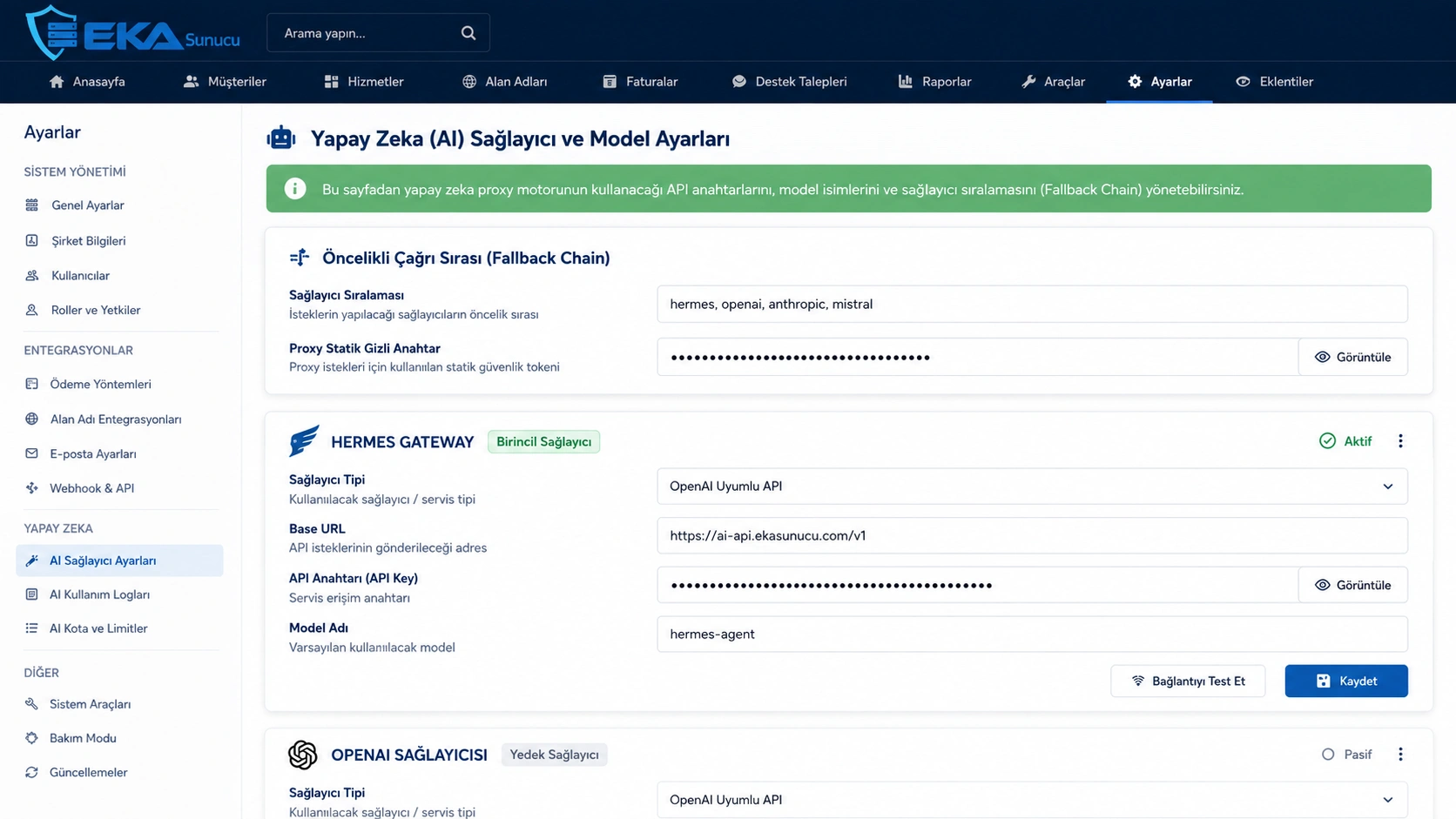

Hermes can be installed natively from PowerShell. Its data normally lives under the Administrator profile's LocalAppData hermes directory, including config.yaml, .env, auth.json, logs and sessions.
We used Full Setup because we wanted explicit control over the provider, model and tools. In the provider picker we then selected OpenAI.
iex (irm https://hermes-agent.nousresearch.com/install.ps1)hermes --version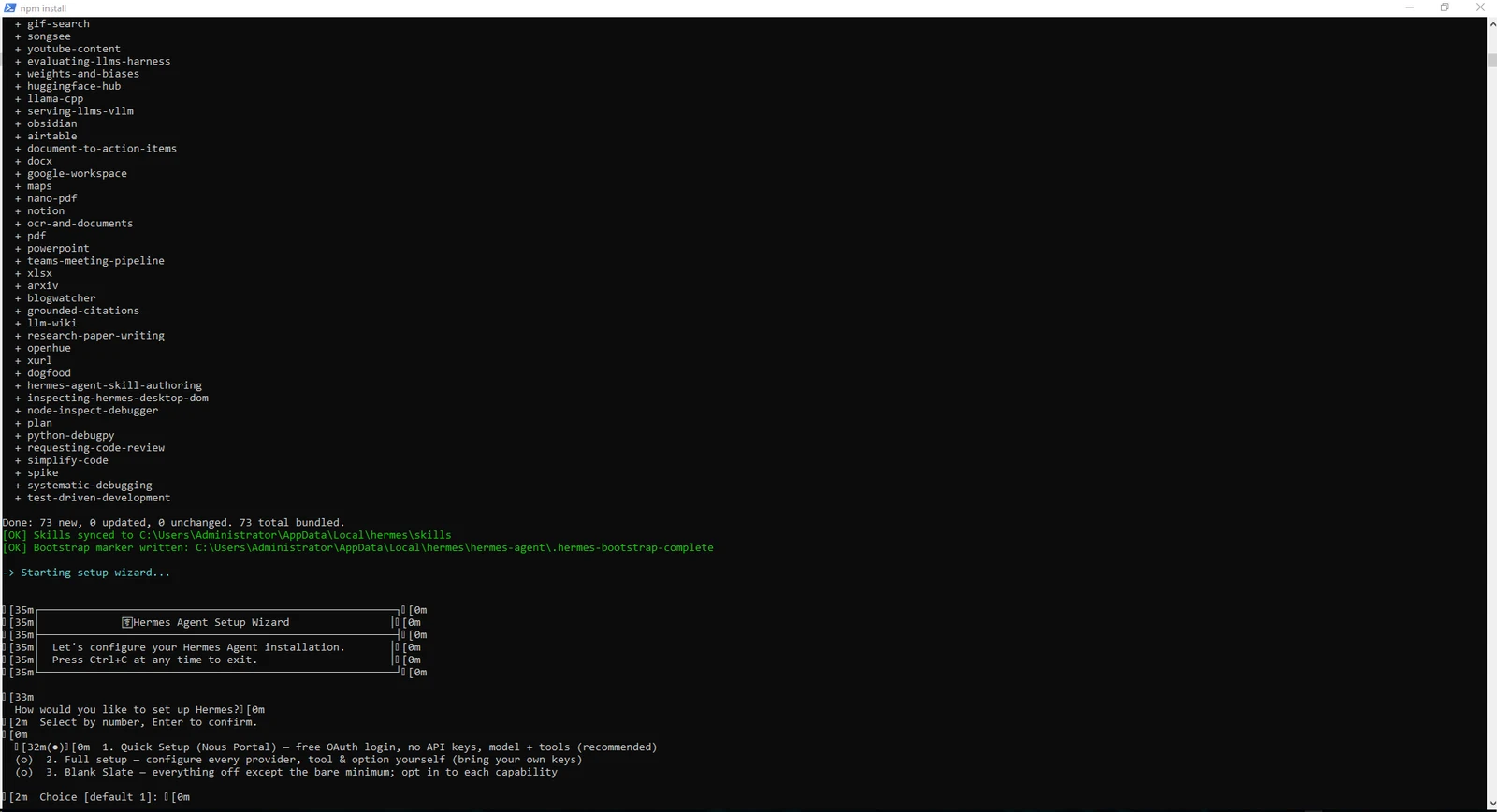
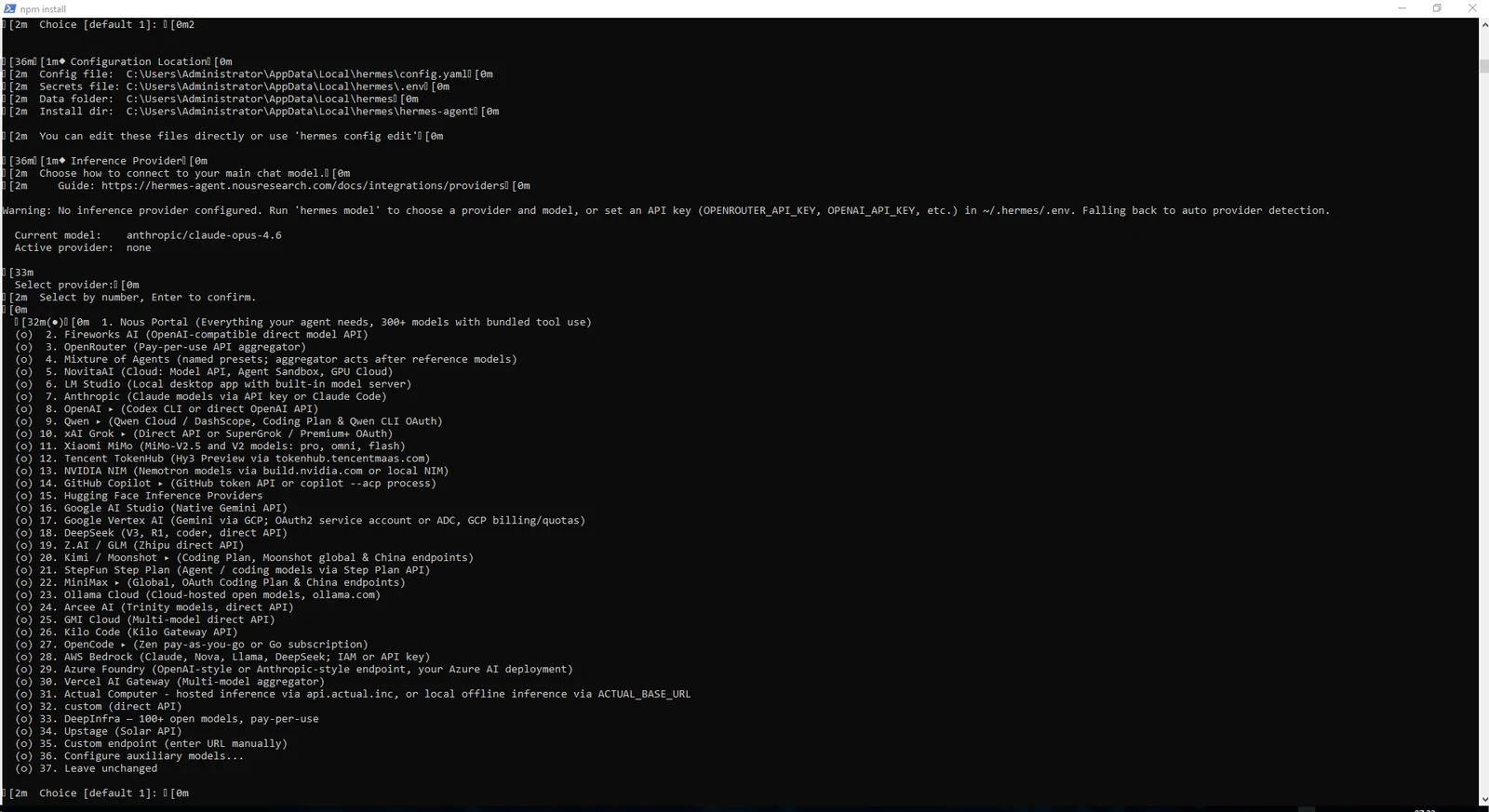
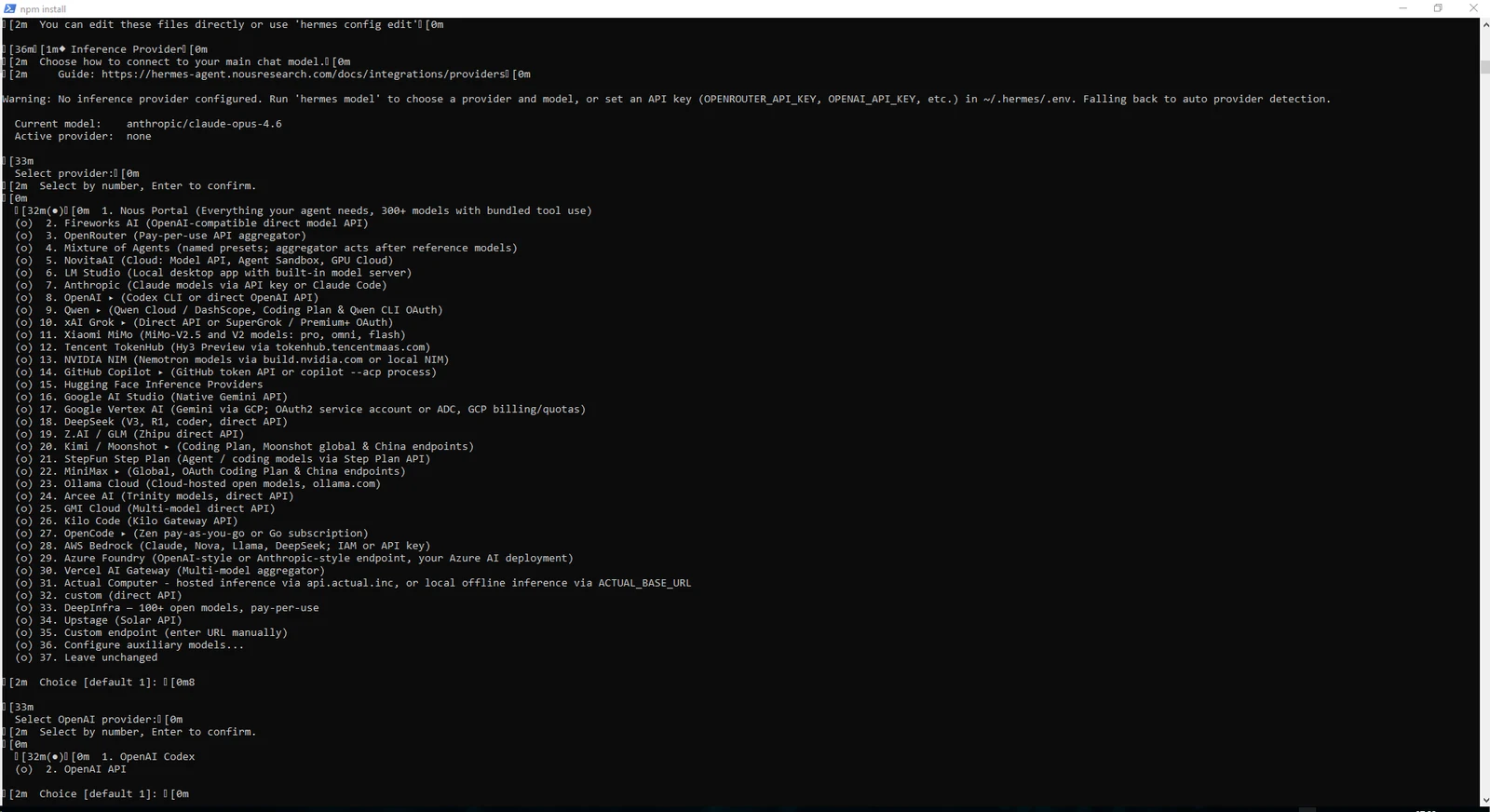
When OpenAI Codex is selected, Hermes starts a device authorization flow and prints a device URL plus a short-lived code. Open the URL, enter the code and approve access with the ChatGPT/Codex account you want Hermes to use.
After authorization, Hermes stores its own auth state. Treat device codes, auth.json and token values as secrets and never publish them in screenshots.
https://auth.openai.com/codex/device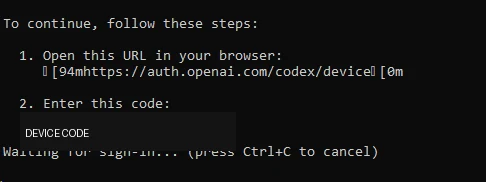
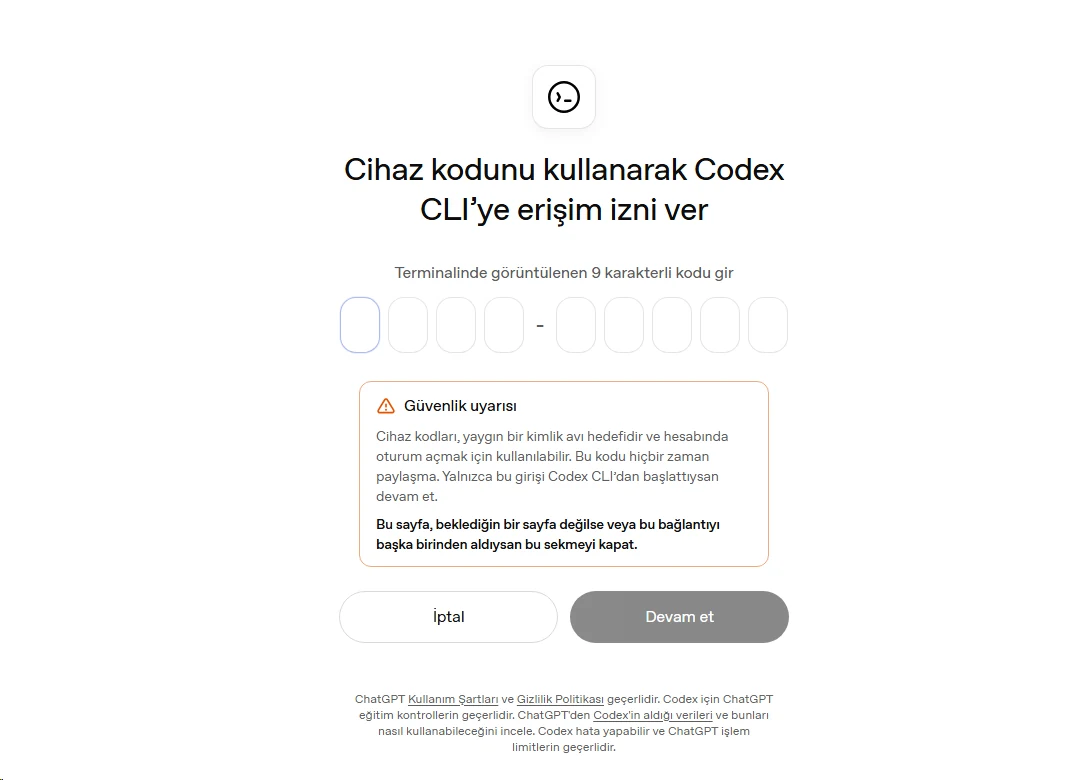
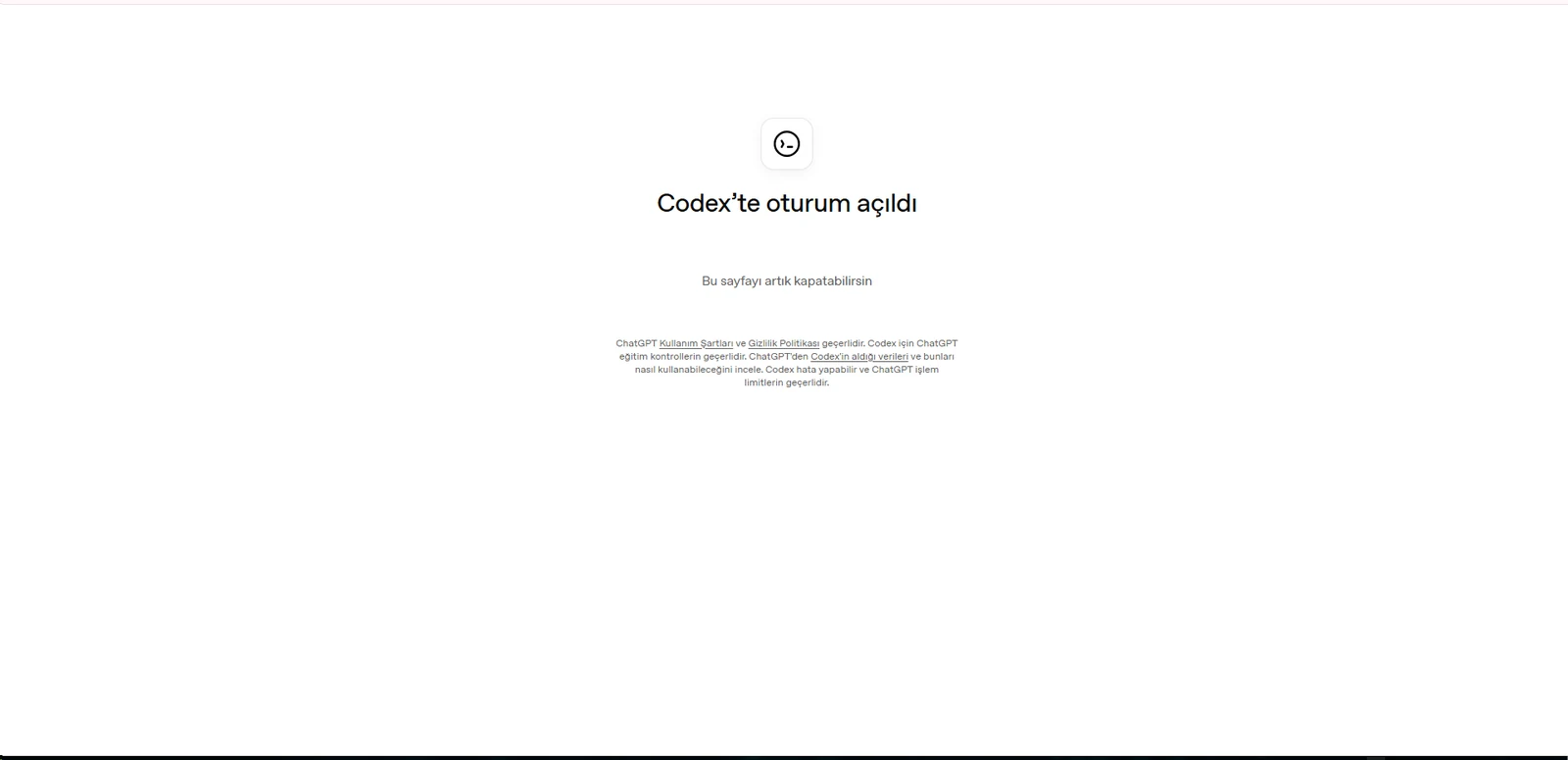
After OAuth, Hermes lists models available to the account. Model names can change over time, so choose an appropriate model from the list visible during your installation rather than treating a screenshot as a permanent requirement.
Because this VPS is primarily an AI API gateway for WISECP and custom web applications, we disabled high-privilege tools such as terminal execution, file operations, code execution, browser automation and computer use.
Add Web Search, Memory or Cron later only when the use case really needs them.
hermes setup toolshermes setup terminal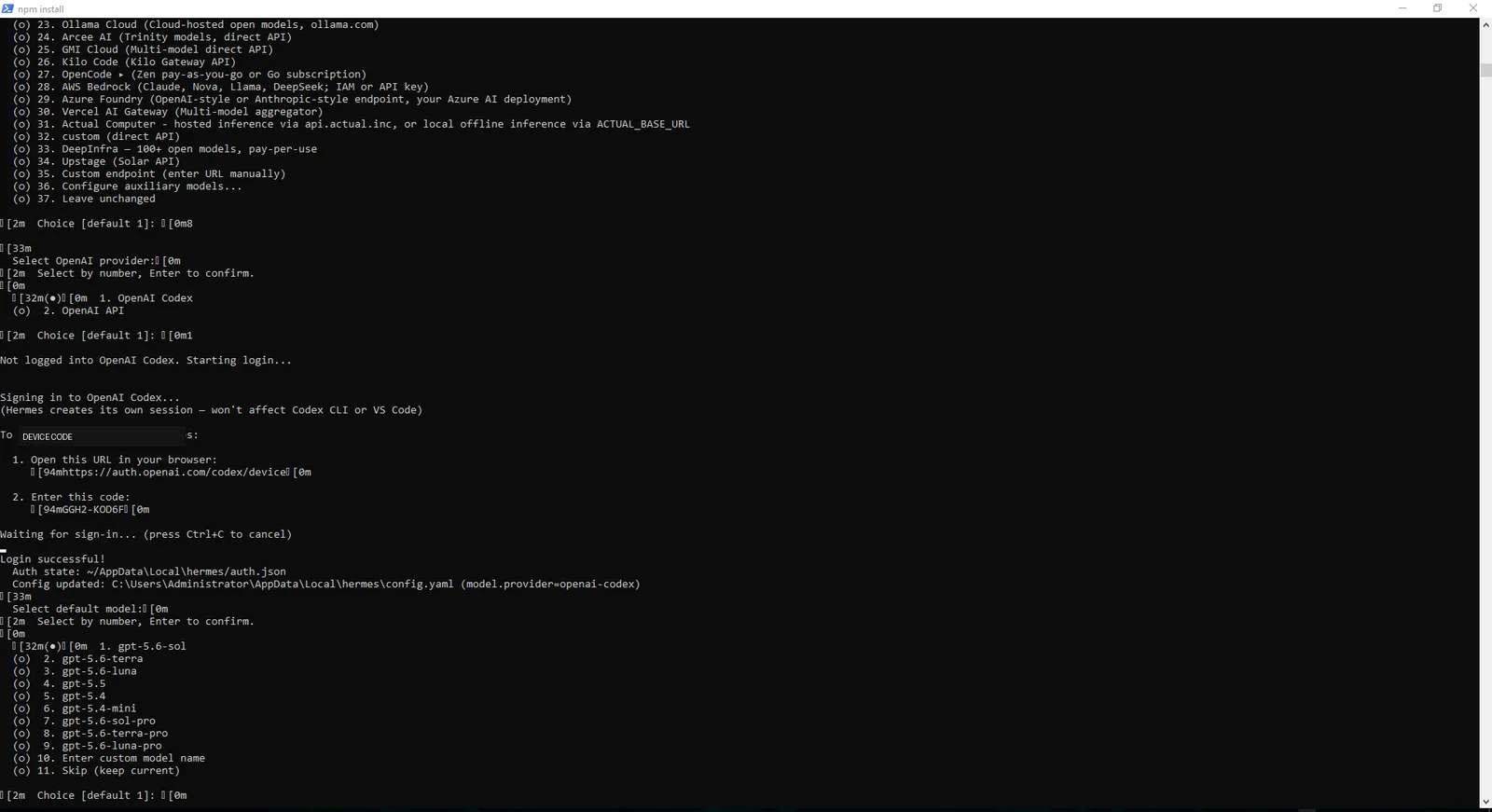
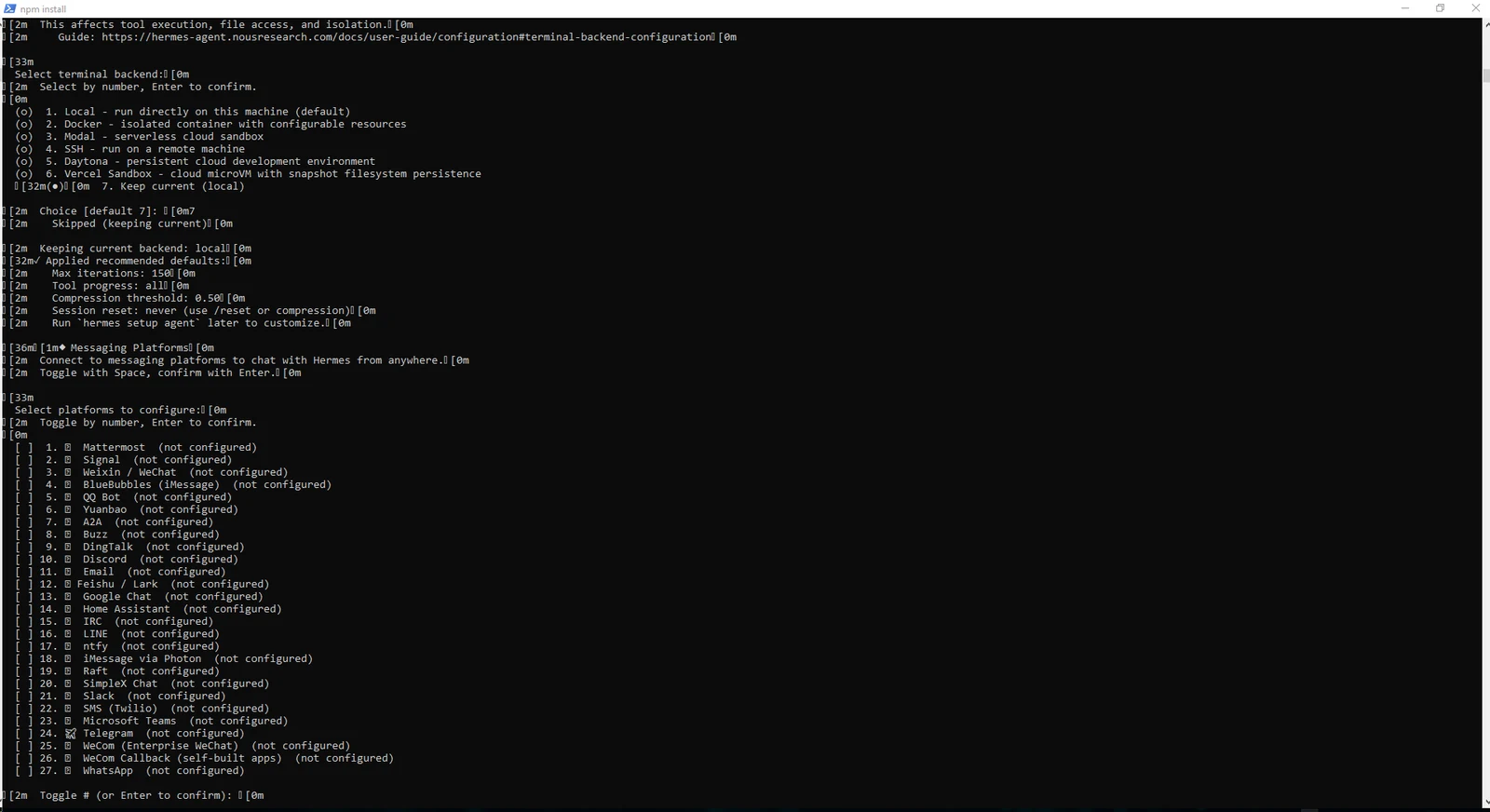
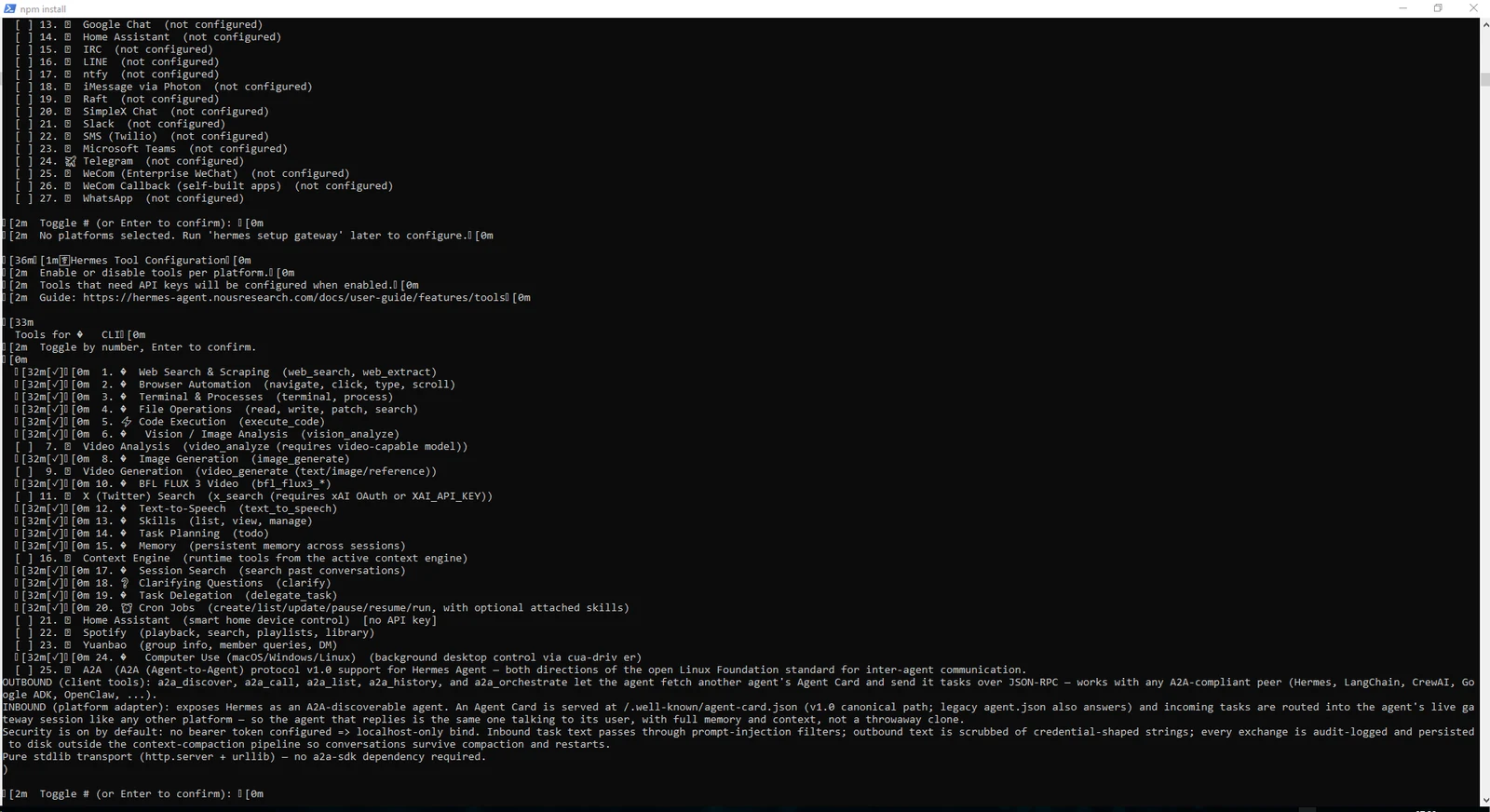
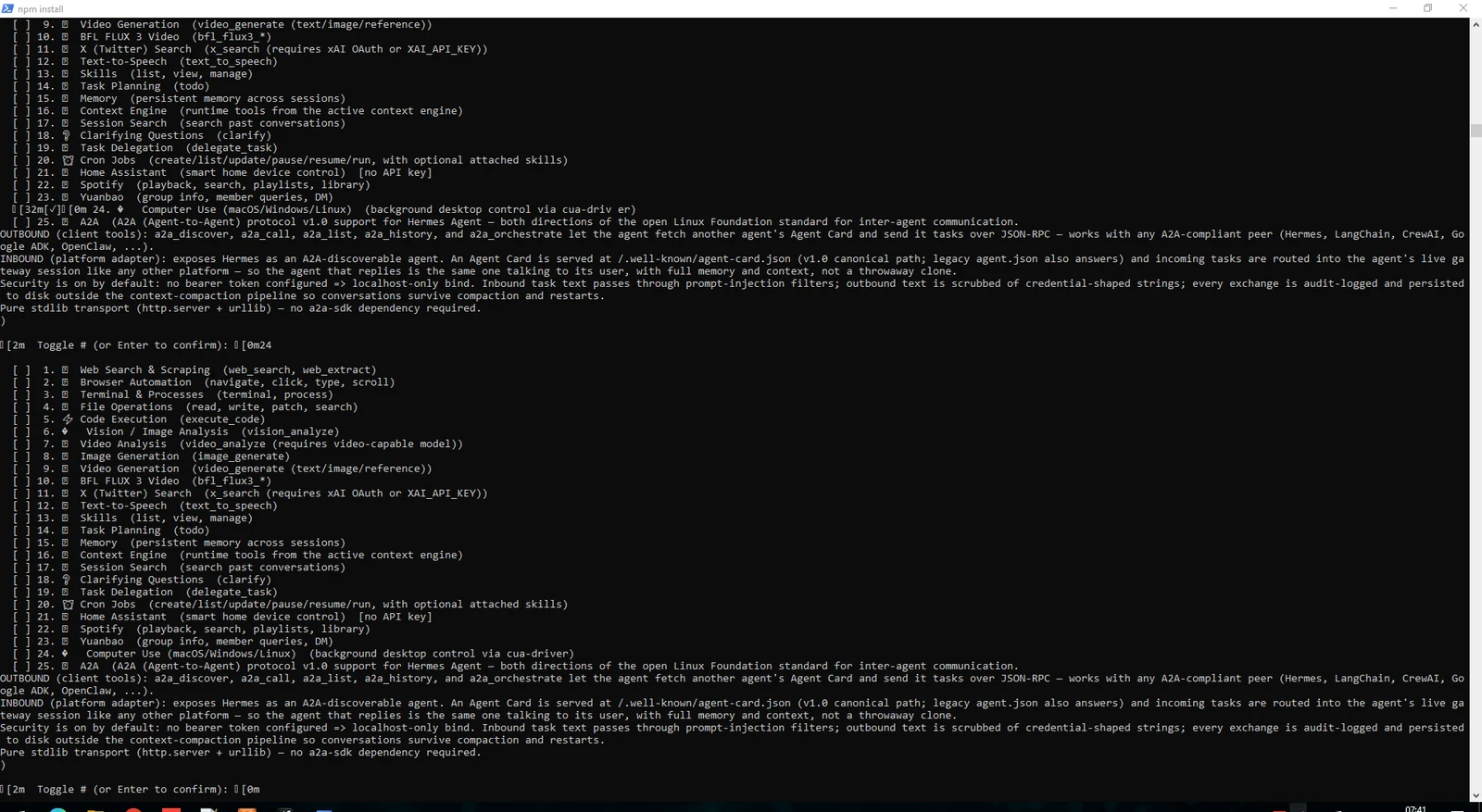
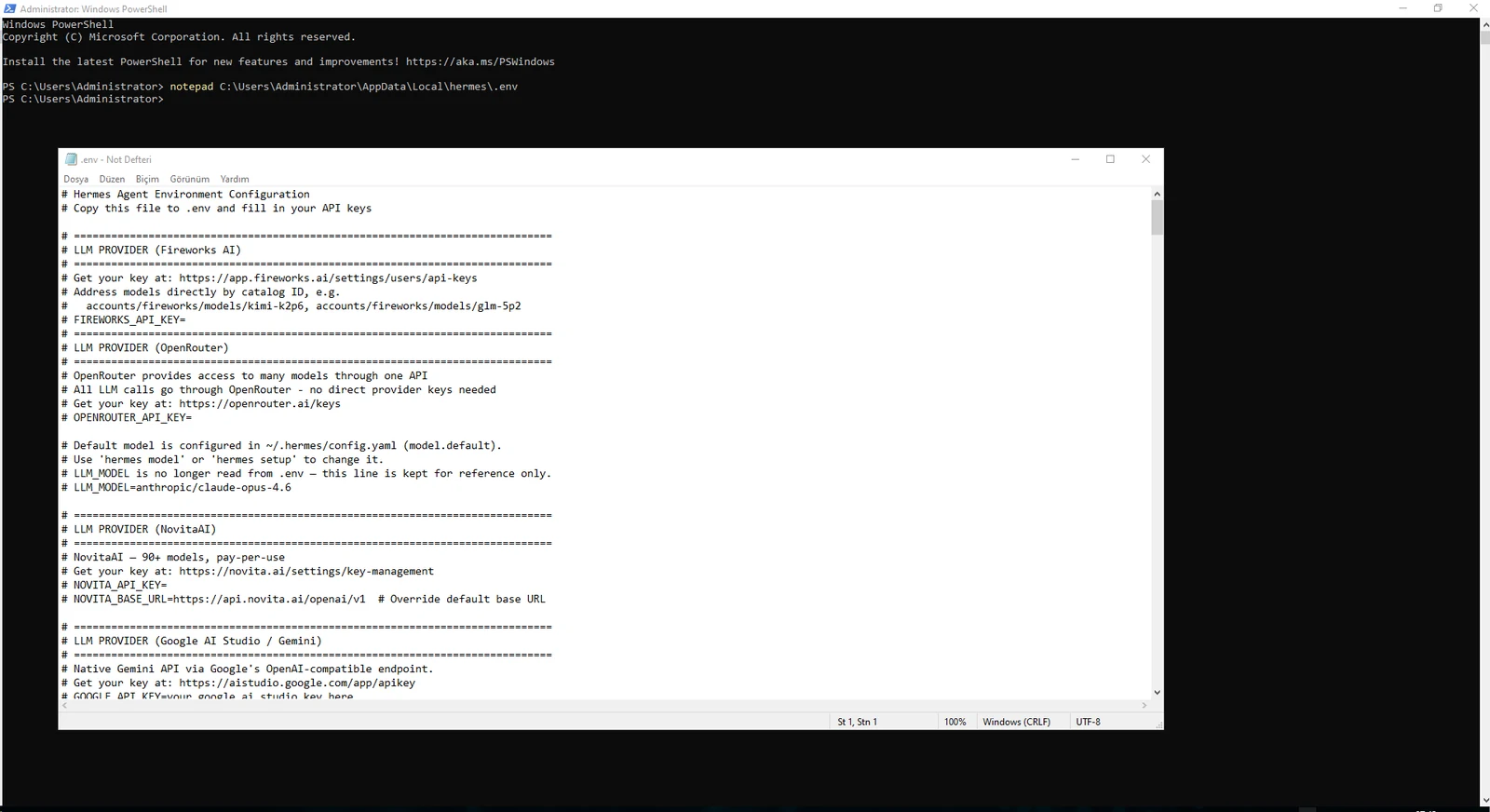
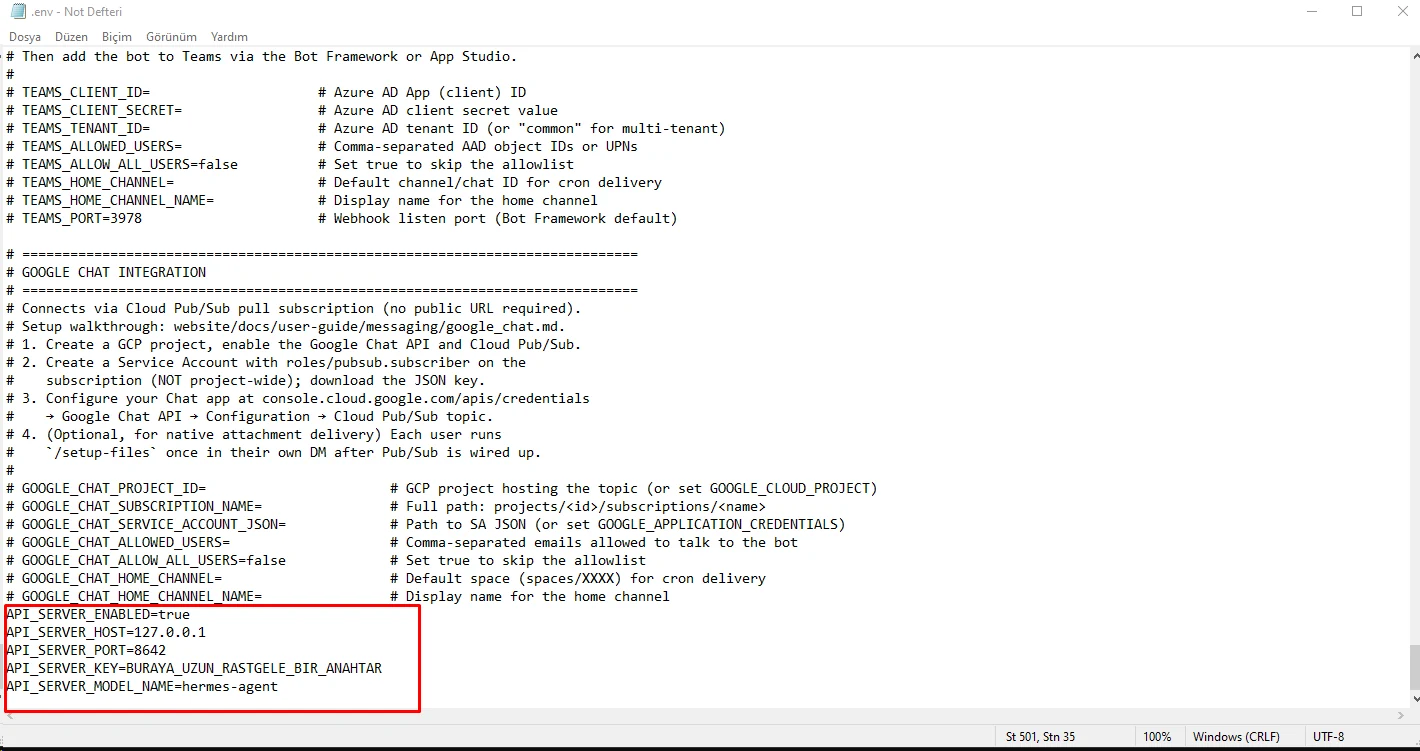
Once setup is complete, Hermes shows the locations of its config, .env and data directories. Enable the OpenAI-compatible API server by adding the API_SERVER variables to .env.
The critical setting is API_SERVER_HOST=127.0.0.1. Port 8642 is therefore not directly exposed on public interfaces; external traffic will enter through Caddy on HTTPS.
Use a long random API_SERVER_KEY and keep it only in server-side secret storage.
notepad C:\Users\Administrator\AppData\Local\hermes\.envAPI_SERVER_ENABLED=true
API_SERVER_HOST=127.0.0.1
API_SERVER_PORT=8642
API_SERVER_KEY=STRONG_RANDOM_SECRET
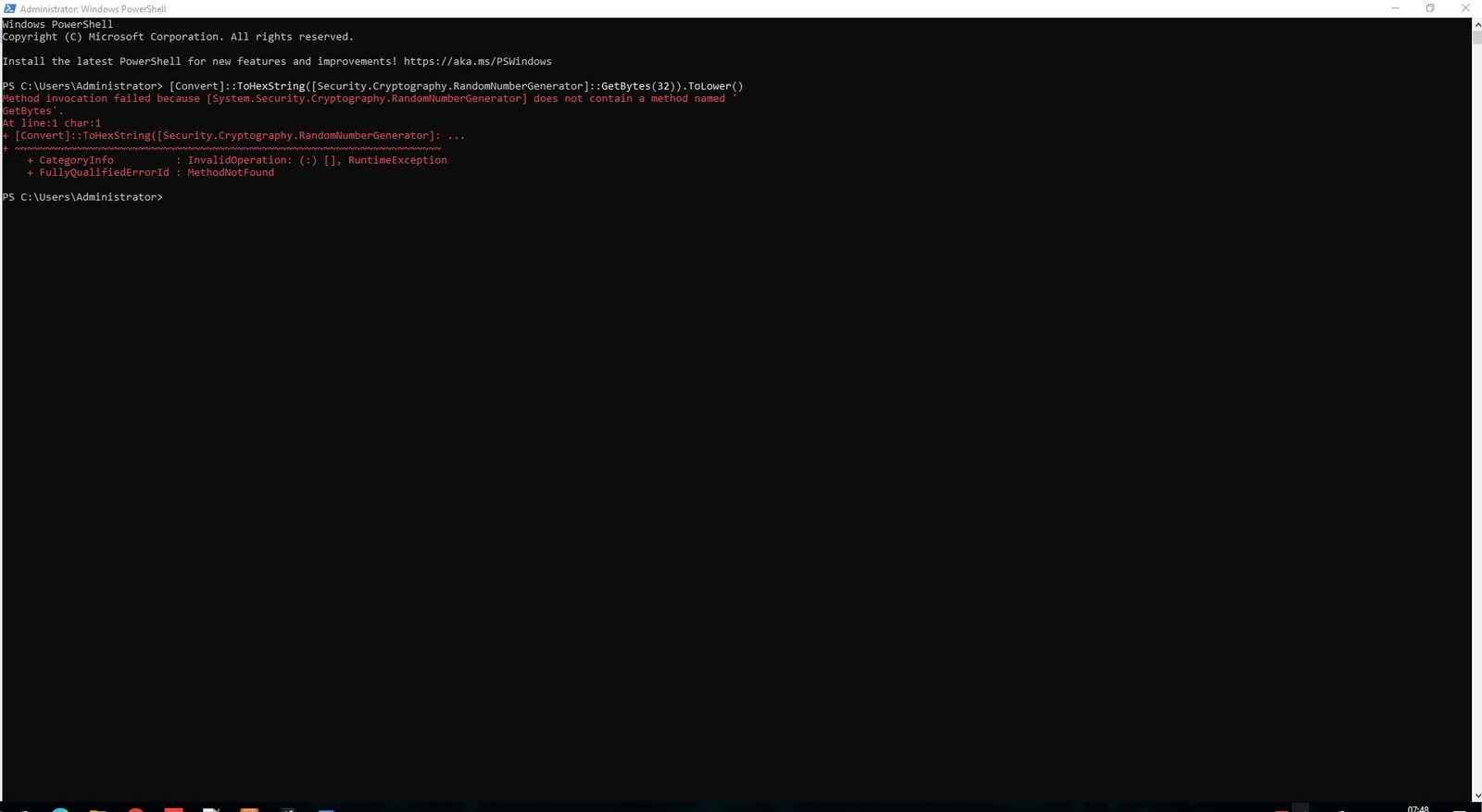
API_SERVER_MODEL_NAME=hermes-agent$bytes = New-Object byte[] 32; $rng = [System.Security.Cryptography.RandomNumberGenerator]::Create(); $rng.GetBytes($bytes); ($bytes | ForEach-Object { $_.ToString("x2") }) -join ""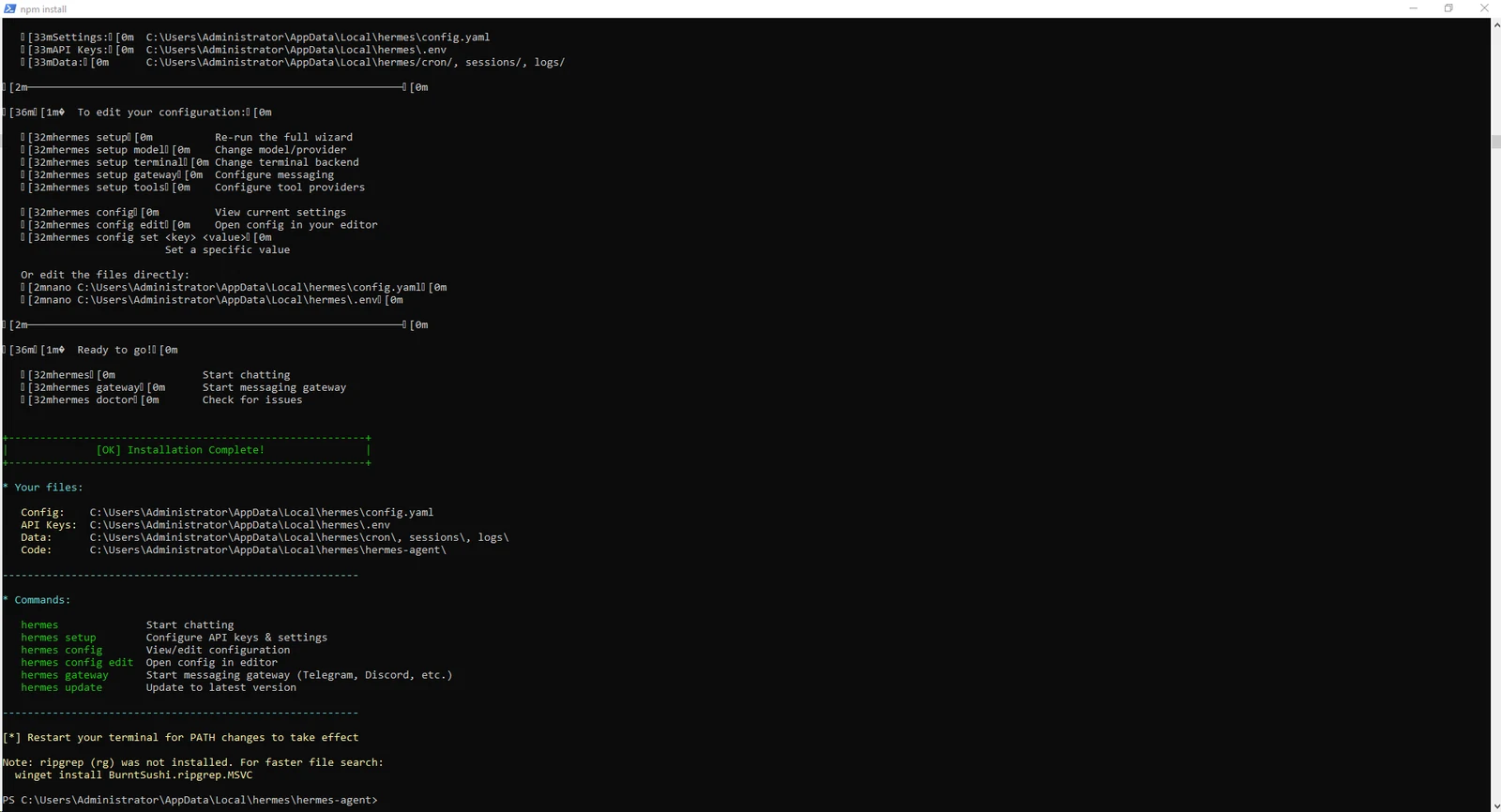
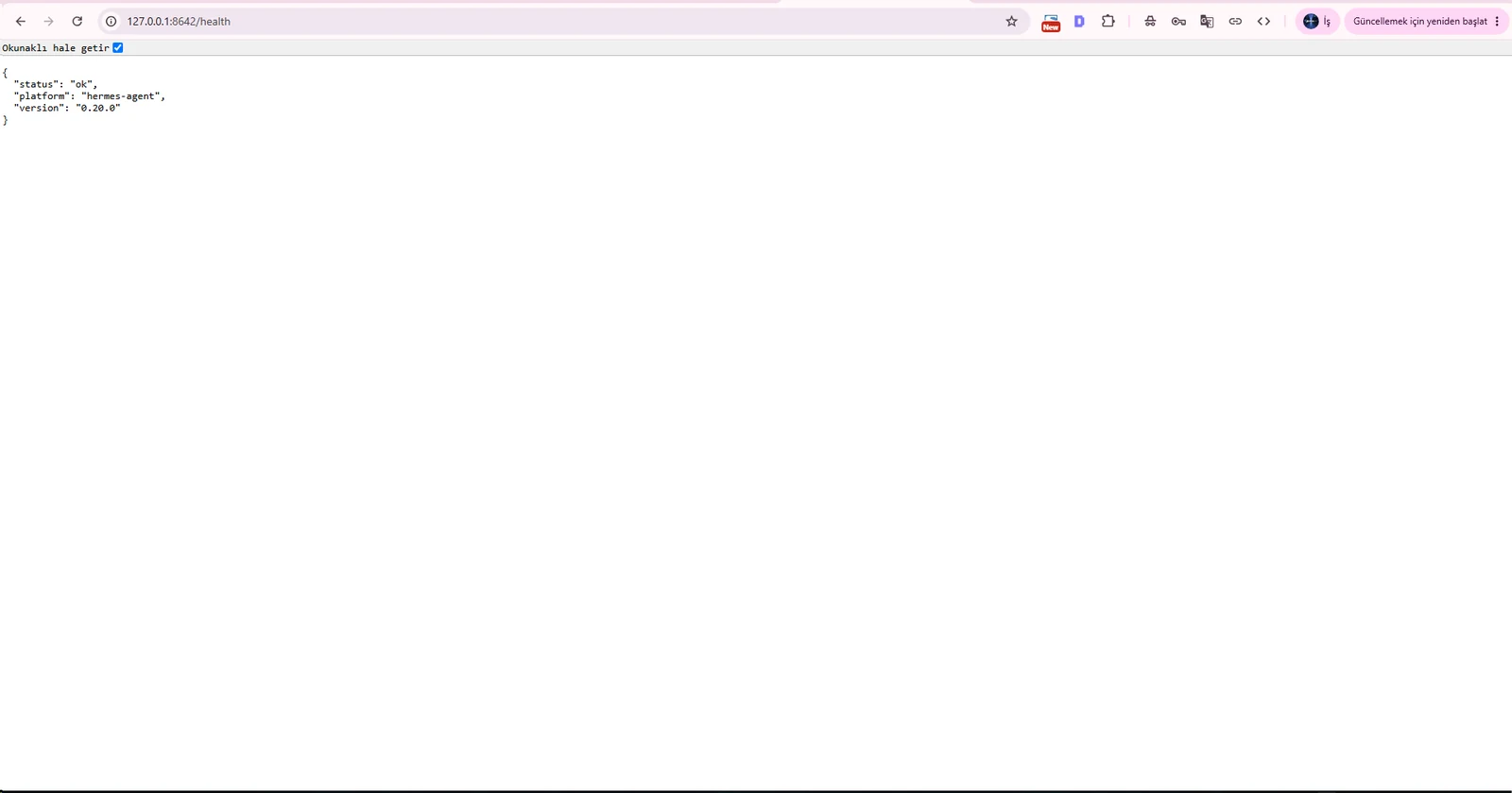
The API Server starts with the gateway process. Before touching Caddy or Cloudflare, test /health in a second PowerShell window.
A healthy response proves Hermes is actually listening on port 8642 independently of DNS and TLS.
hermes gatewaycurl.exe http://127.0.0.1:8642/health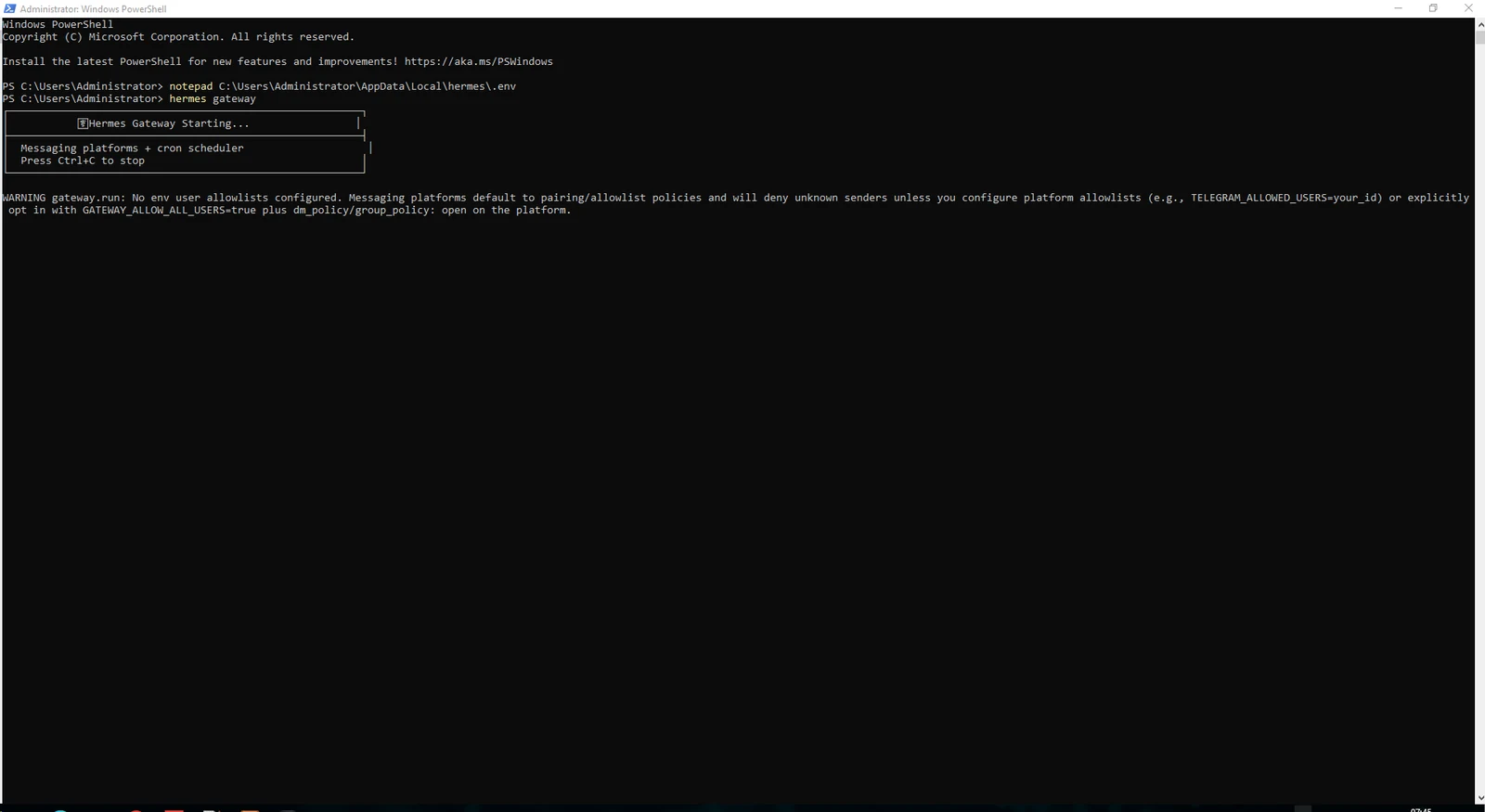
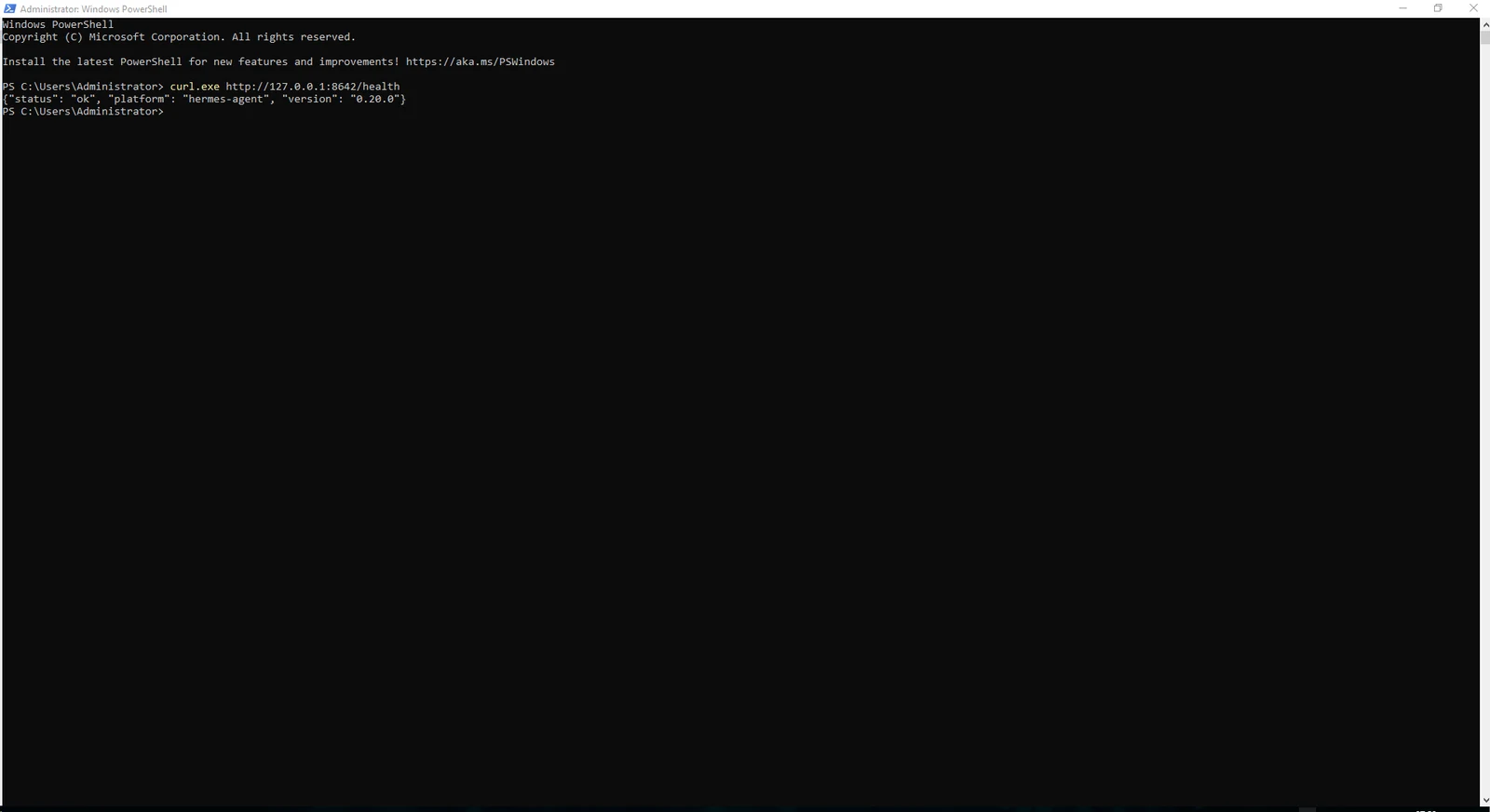
A health check proves liveness, not model inference. Send a real request to /v1/chat/completions with the API_SERVER_KEY bearer token.
In our test the request reached OpenAI Codex but the account returned HTTP 429 because its usage allowance had been reached. That is an upstream quota condition, not a broken local API.
Older Windows PowerShell/.NET builds may not support newer RandomNumberGenerator shortcuts. Use the byte-array method if key generation fails.
$envFile = "C:\Users\Administrator\AppData\Local\hermes\.env"
$apiKey = ((Get-Content $envFile | Where-Object { $_ -like "API_SERVER_KEY=*" } | Select-Object -First 1) -replace "^API_SERVER_KEY=", "").Trim()POST http://127.0.0.1:8642/v1/chat/completions
Authorization: Bearer API_SERVER_KEY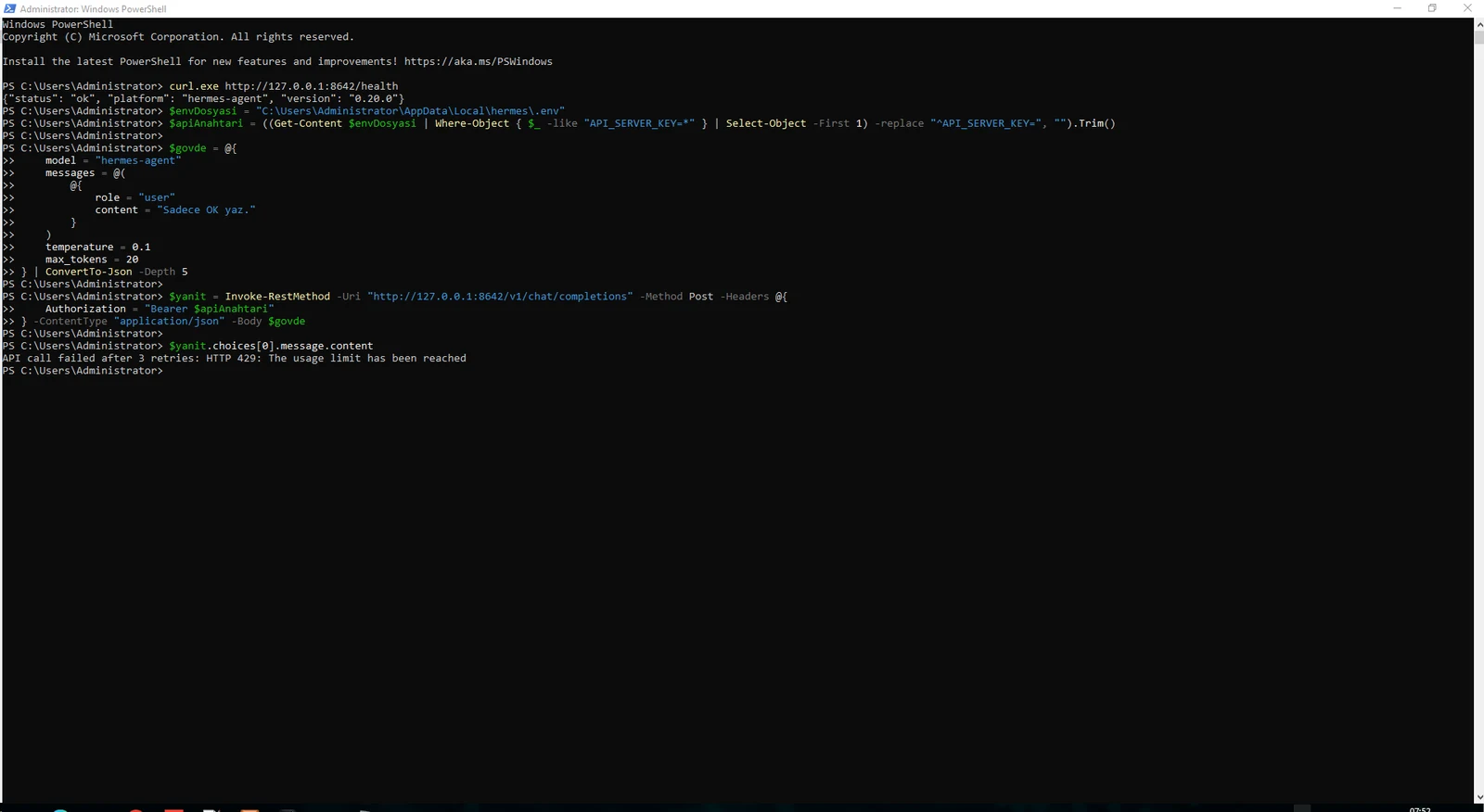
Our first Webi-based Caddy attempt failed in an elevated PowerShell session. This was a Webi installation issue, not a Hermes issue.
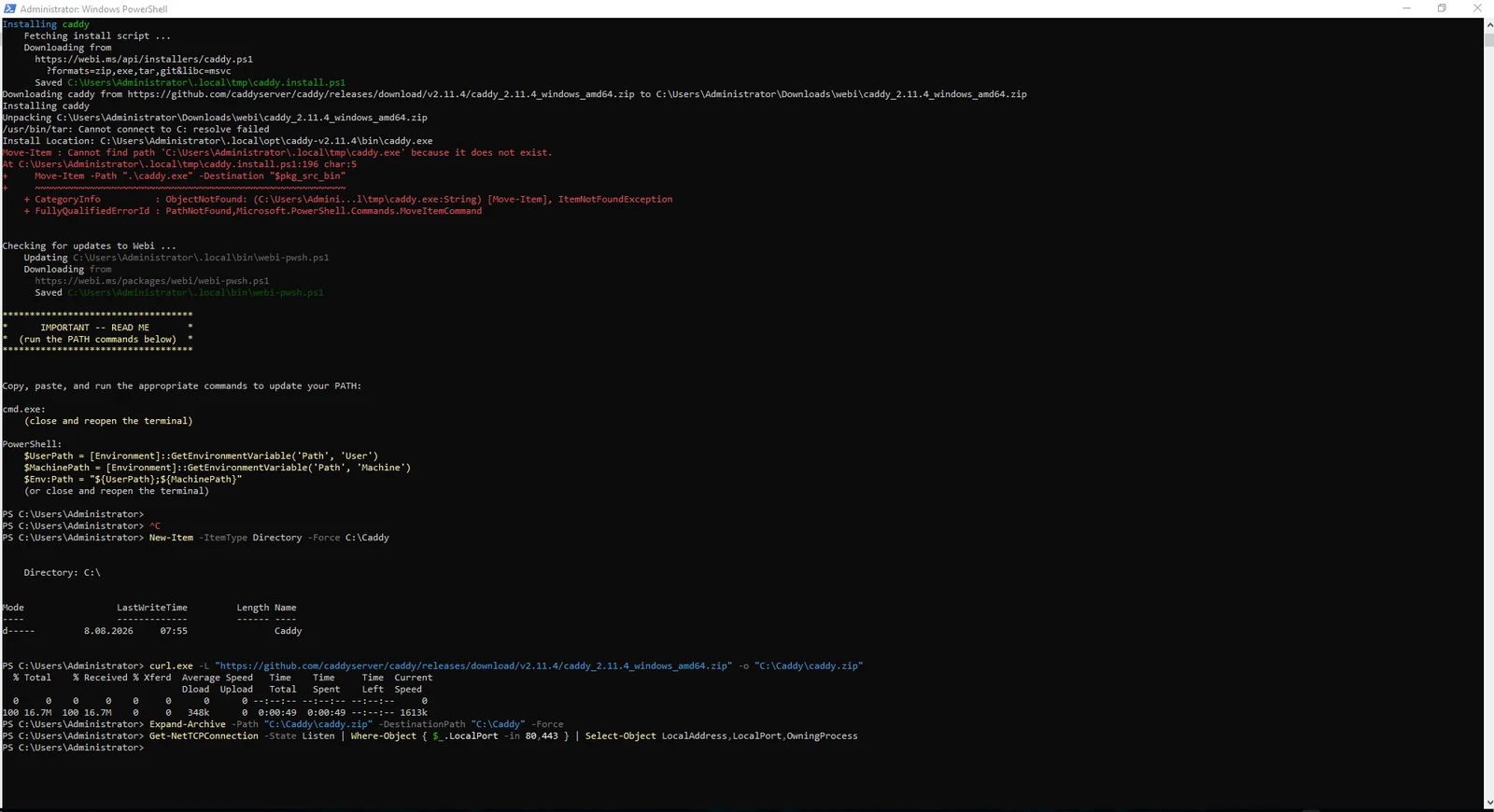
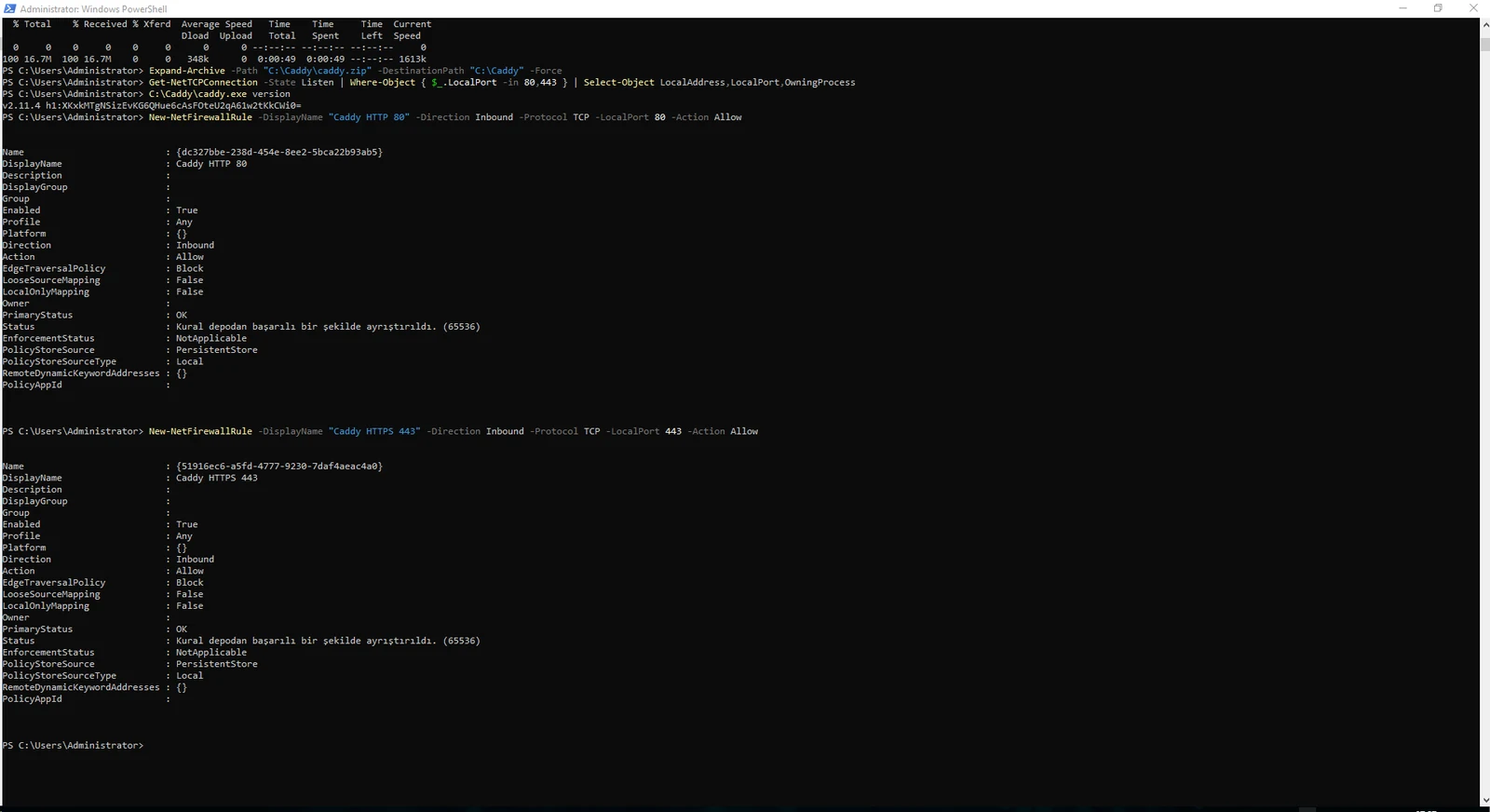
For a deterministic server setup, we downloaded the official Windows binary into C:\Caddy and opened inbound TCP 80 and 443 in Windows Firewall.
We did not create an inbound rule for 8642; the Hermes API remains loopback-only.
New-Item -ItemType Directory -Force C:\Caddycurl.exe -L "https://github.com/caddyserver/caddy/releases/download/v2.11.4/caddy_2.11.4_windows_amd64.zip" -o "C:\Caddy\caddy.zip"Expand-Archive -Path "C:\Caddy\caddy.zip" -DestinationPath "C:\Caddy" -ForceNew-NetFirewallRule -DisplayName "Caddy HTTP 80" -Direction Inbound -Protocol TCP -LocalPort 80 -Action Allow
New-NetFirewallRule -DisplayName "Caddy HTTPS 443" -Direction Inbound -Protocol TCP -LocalPort 443 -Action Allow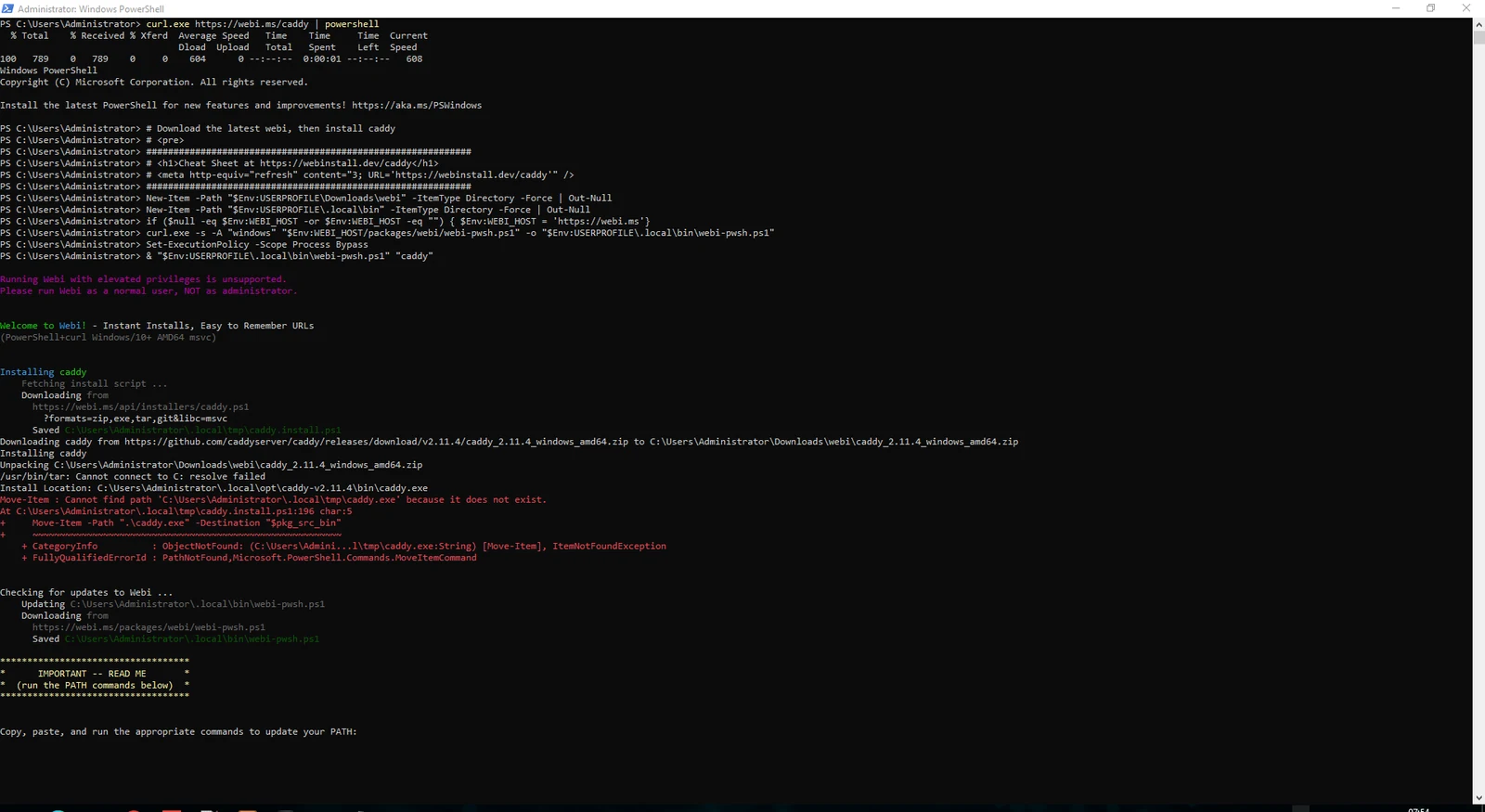
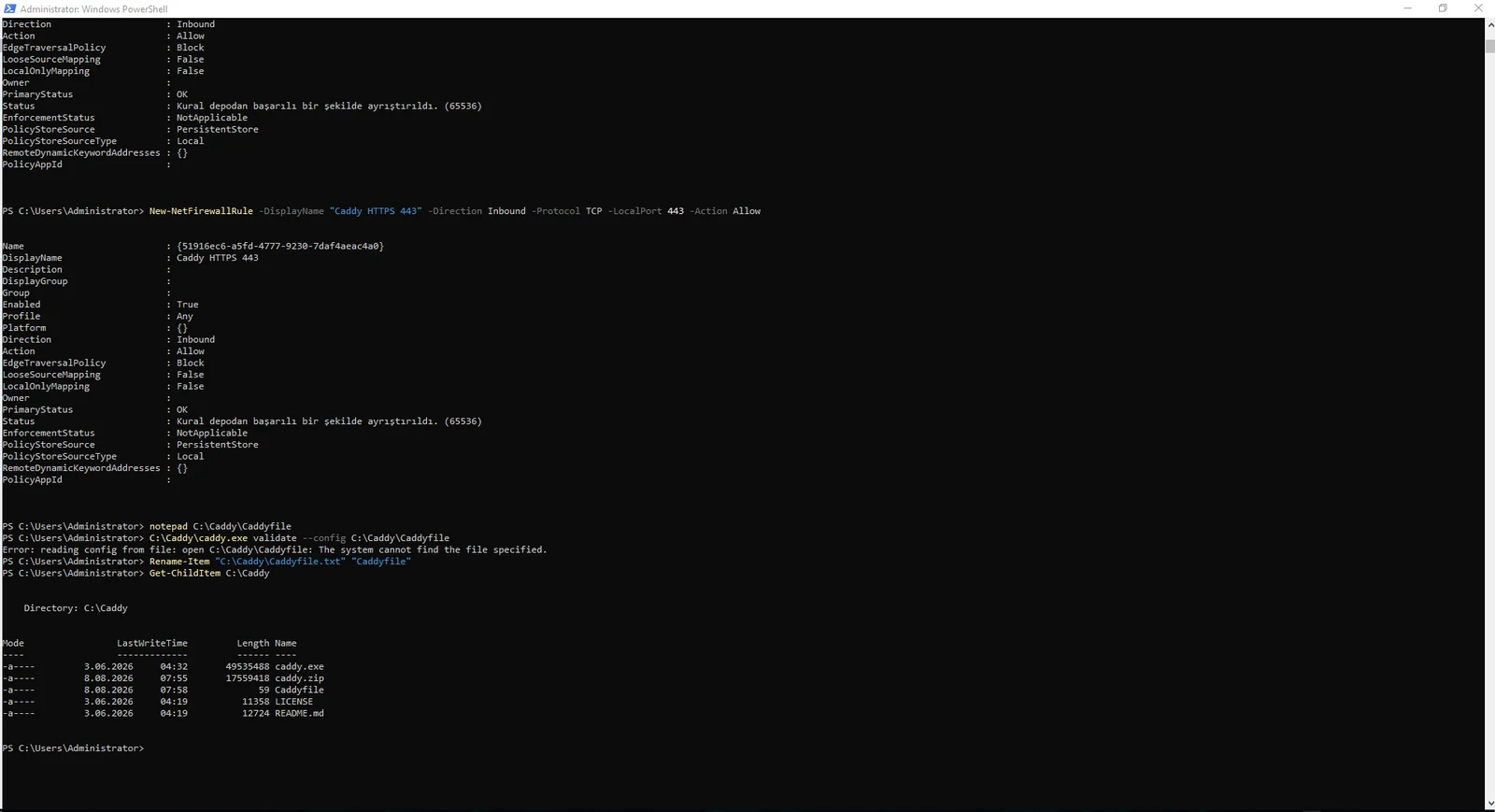
The Caddyfile only needs the hostname and reverse_proxy target. Windows Notepad may silently save it as Caddyfile.txt, which causes validation to fail because Caddyfile cannot be found.
Remove the extension, validate the configuration and then run Caddy.
ai-api.example.com {
    reverse_proxy 127.0.0.1:8642
}Rename-Item "C:\Caddy\Caddyfile.txt" "Caddyfile"C:\Caddy\caddy.exe validate --config C:\Caddy\CaddyfileC:\Caddy\caddy.exe run --config C:\Caddy\Caddyfile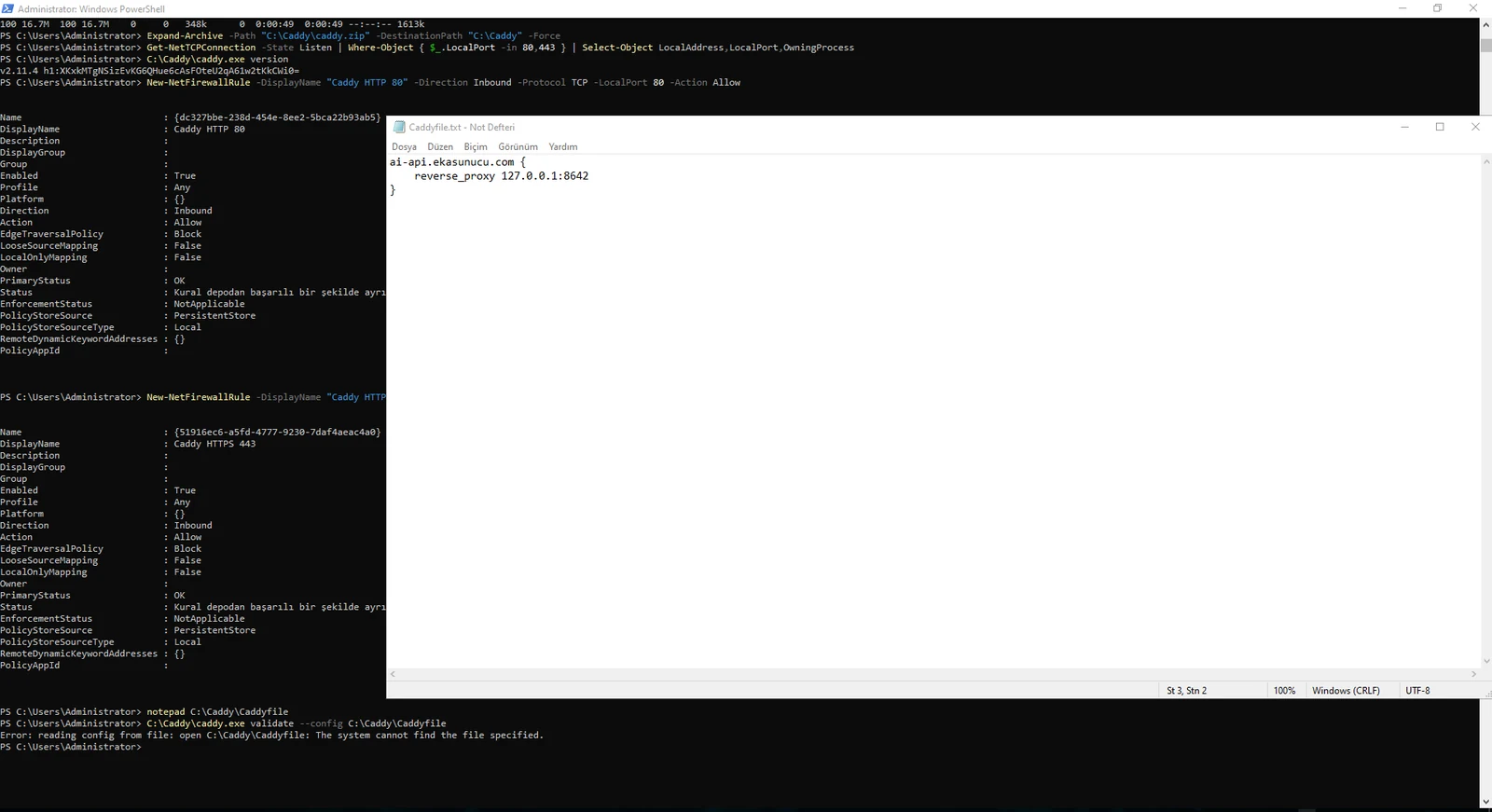
If the domain reaches Caddy while Hermes is stopped, clients see 502 Bad Gateway. A Caddy log entry such as dial tcp 127.0.0.1:8642 connection refused means DNS/TLS is mostly working and the backend process is unavailable.
Run the local health check first. If it fails, restart Hermes. Do not troubleshoot Cloudflare and Hermes simultaneously when the local backend is already down.
curl.exe http://127.0.0.1:8642/healthhermes gateway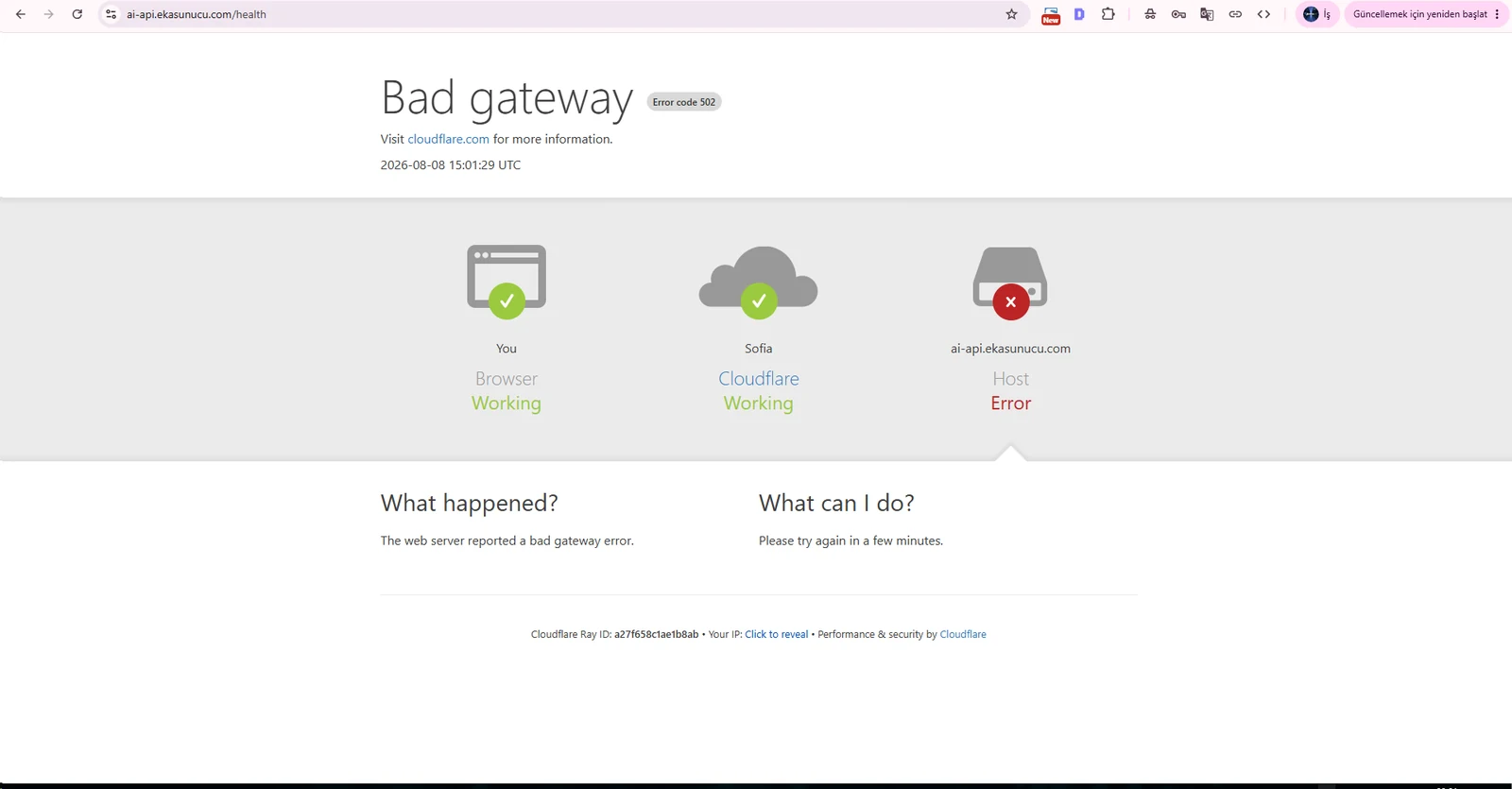
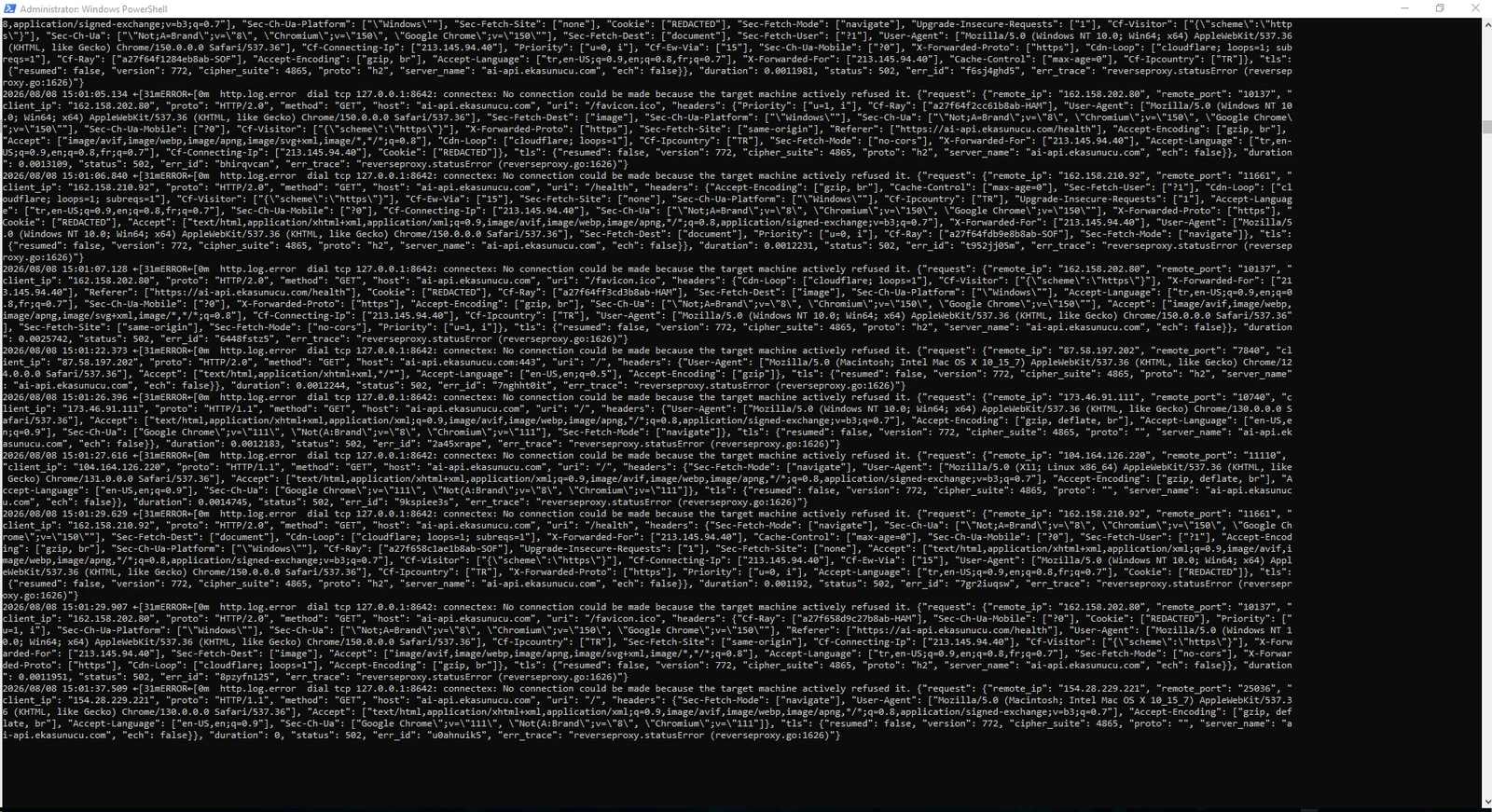
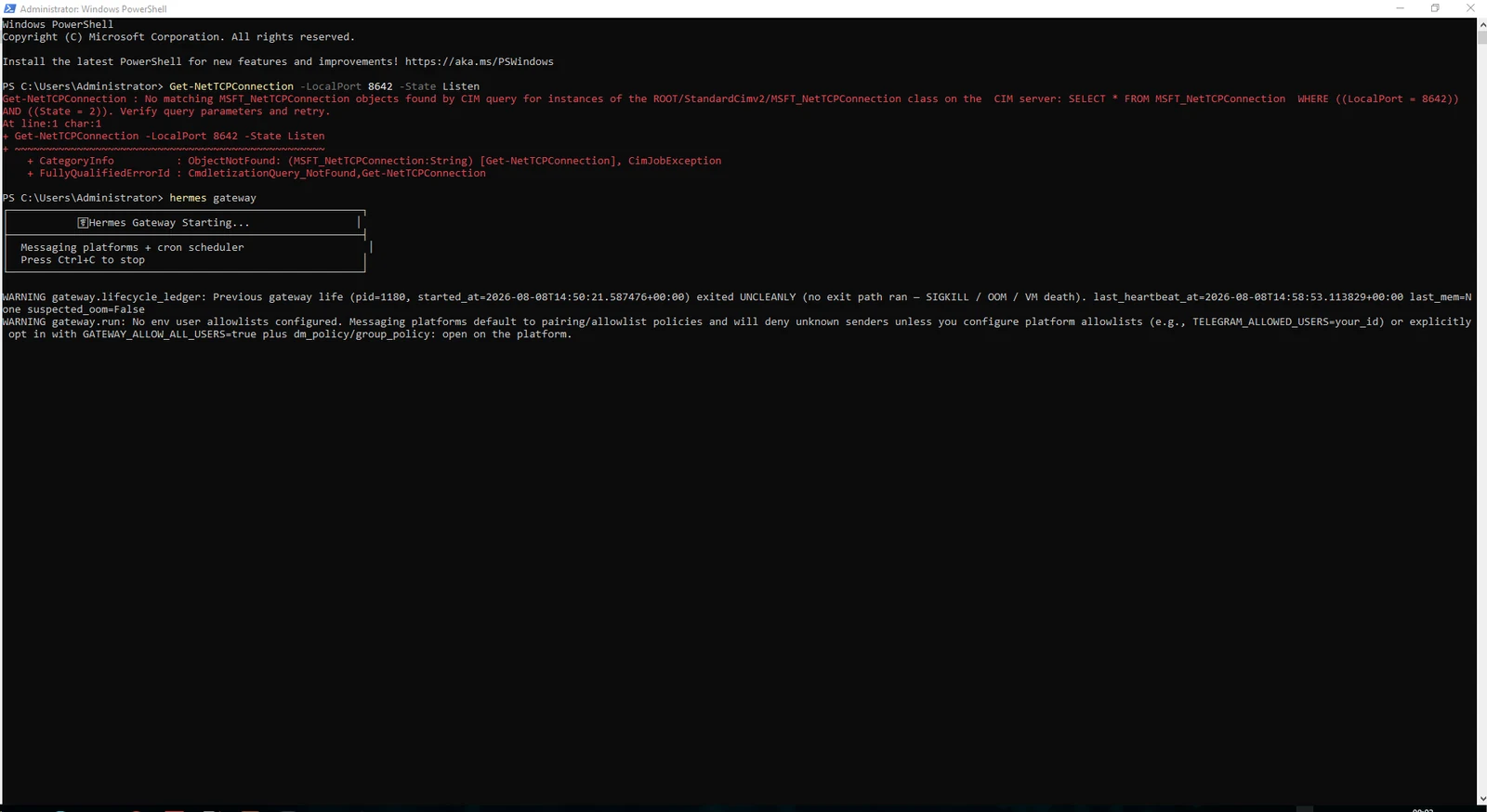
When both Caddy and Hermes are running, the public /health URL returns the Hermes response. The request path is now Internet → Caddy → localhost:8642 → Hermes.
If you use Cloudflare, temporarily using DNS-only during origin certificate troubleshooting can simplify diagnosis. Re-enable the proxy after the origin path is confirmed.
https://ai-api.example.com/health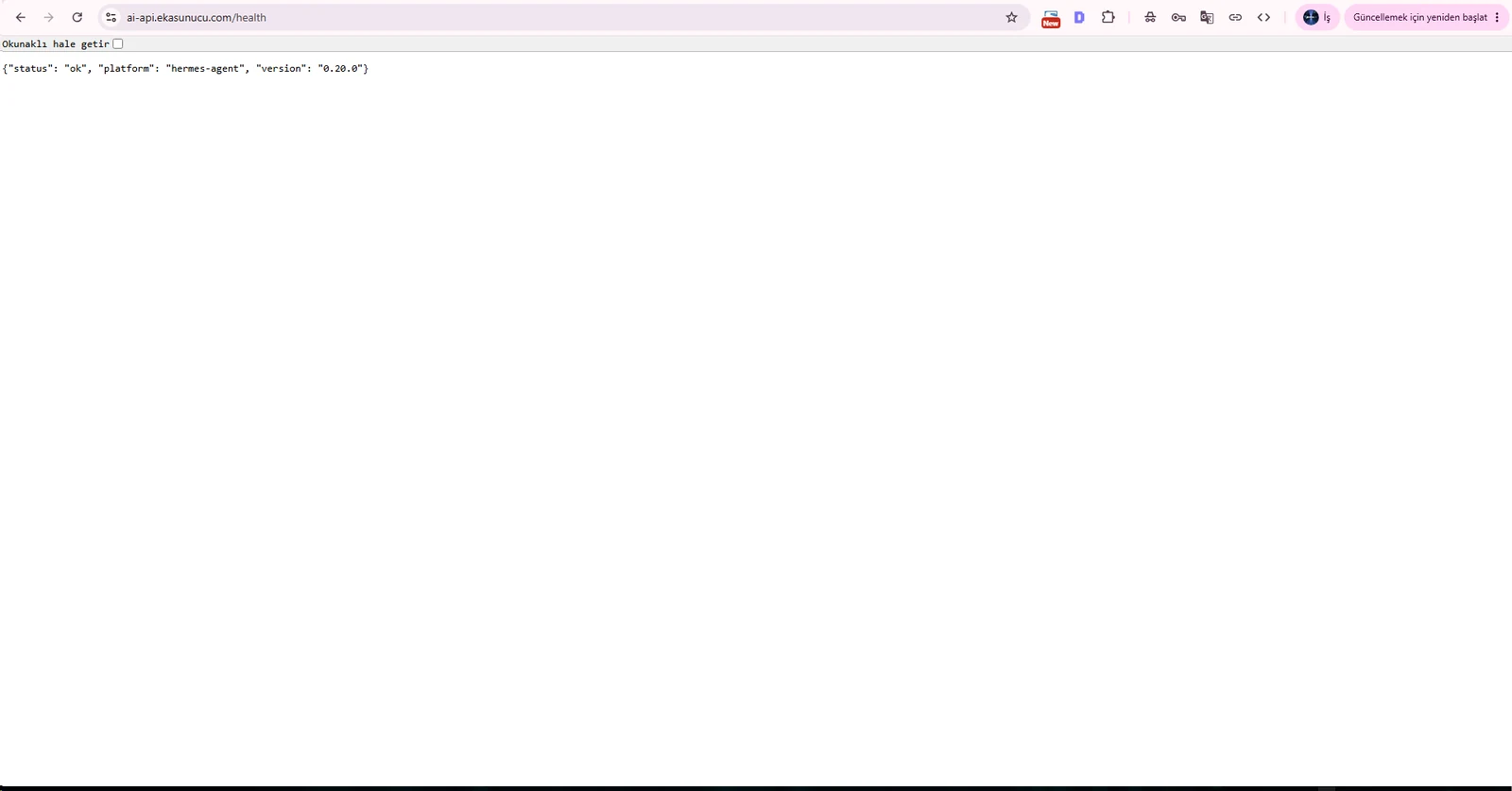
A foreground caddy.exe run process stops when its PowerShell window closes. Register Caddy as an automatic Windows service instead.
STATE : 4 RUNNING from sc.exe query caddy confirms the service is active in the background.
sc.exe create caddy start= auto binPath= "C:\Caddy\caddy.exe run --config C:\Caddy\Caddyfile"sc.exe failure caddy reset= 86400 actions= restart/5000/restart/5000/restart/5000sc.exe start caddysc.exe query caddy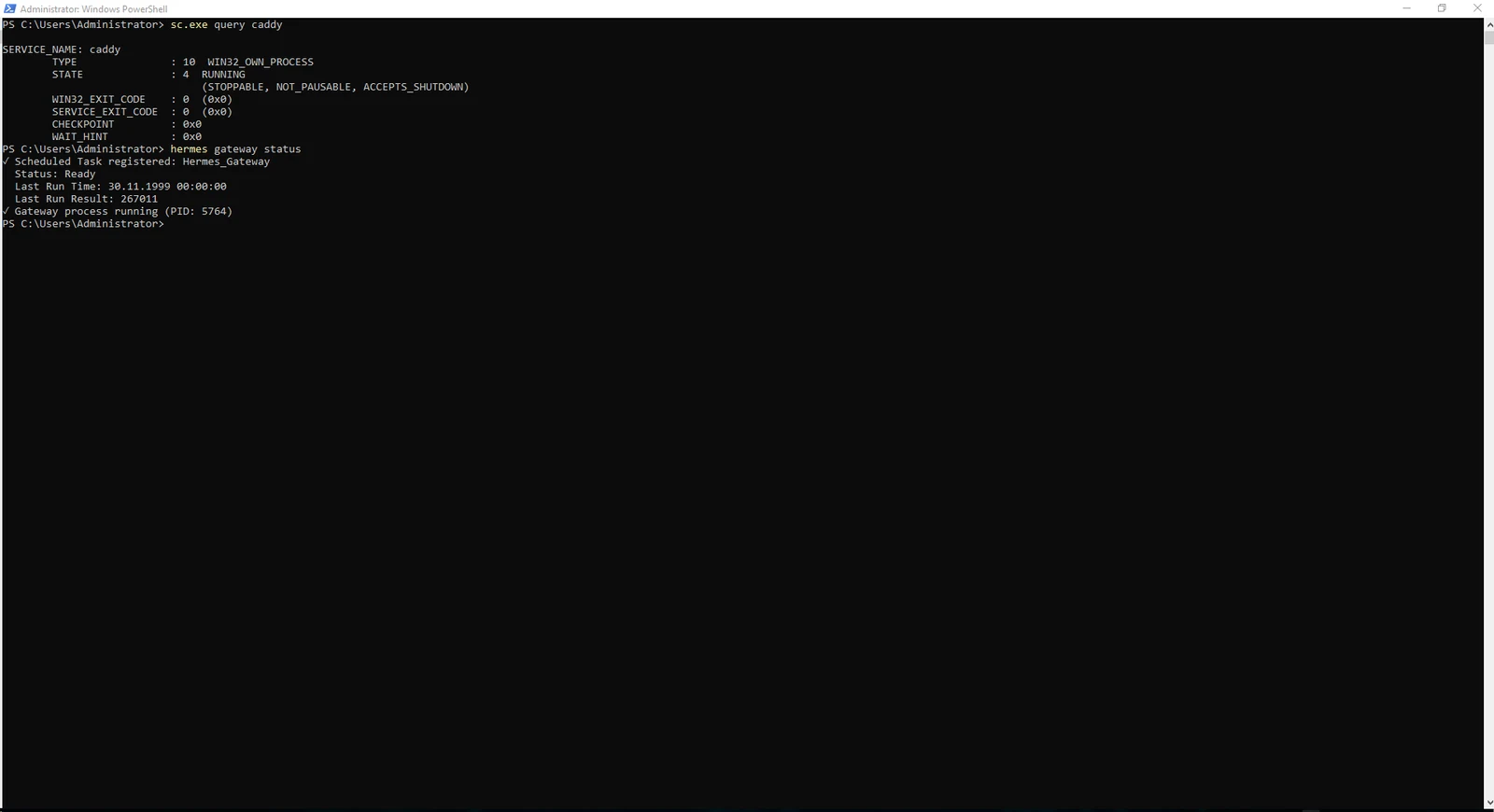
Hermes can manage its Windows gateway through Scheduled Tasks. The documented flow registers the task with hermes gateway install, then uses gateway start/status to manage the detached background process.
For a production VPS, configure the task to run whether the user is logged on or not and enable highest privileges.
Change the trigger to At startup. If Windows asks for the task account password, enter the Administrator password locally and never place it in documentation.
hermes gateway installhermes gateway start
hermes gateway statusschtasks /Query /TN Hermes_Gateway /V /FO LIST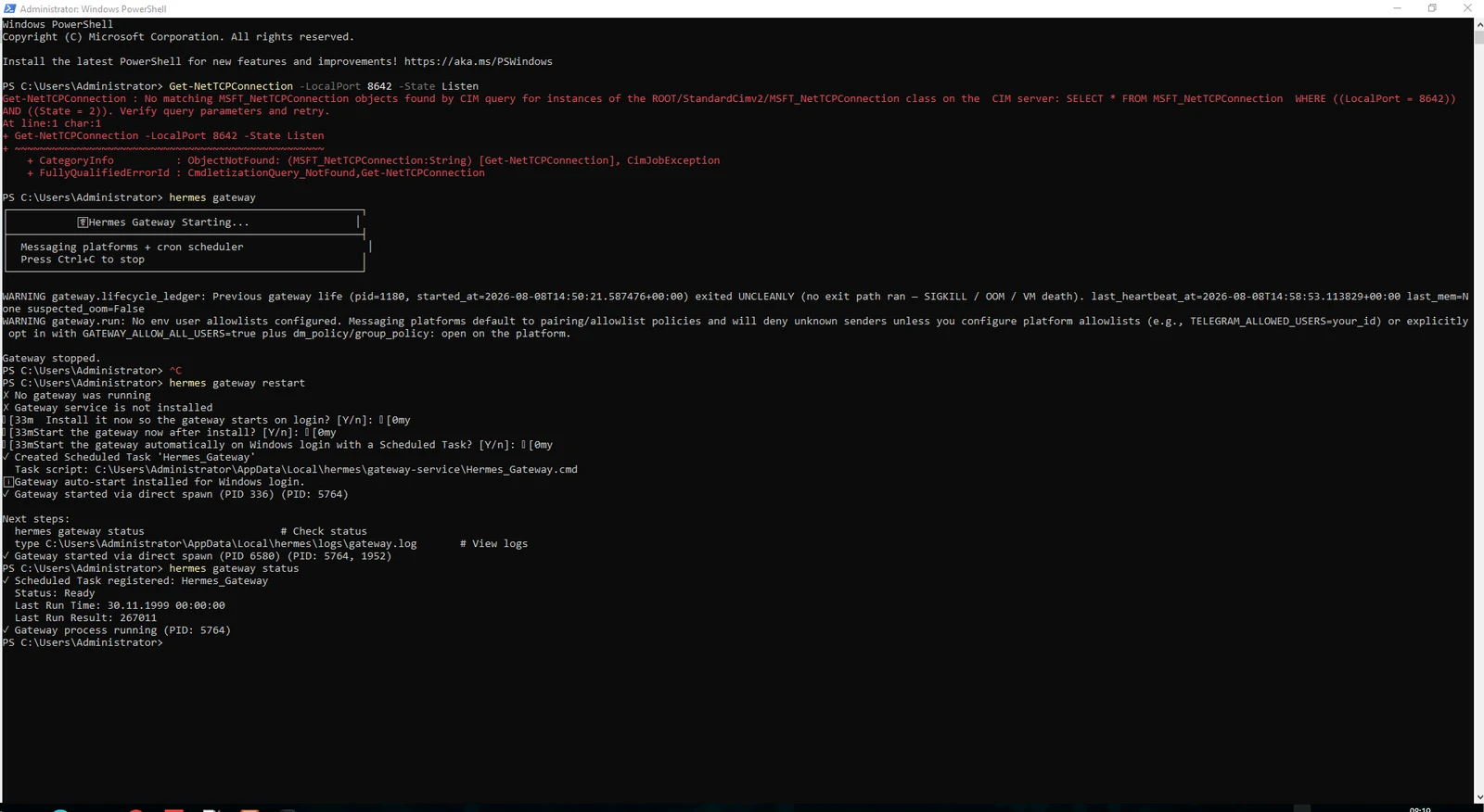
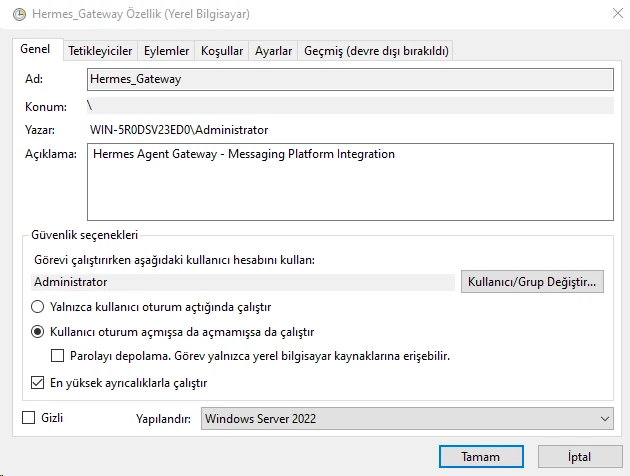
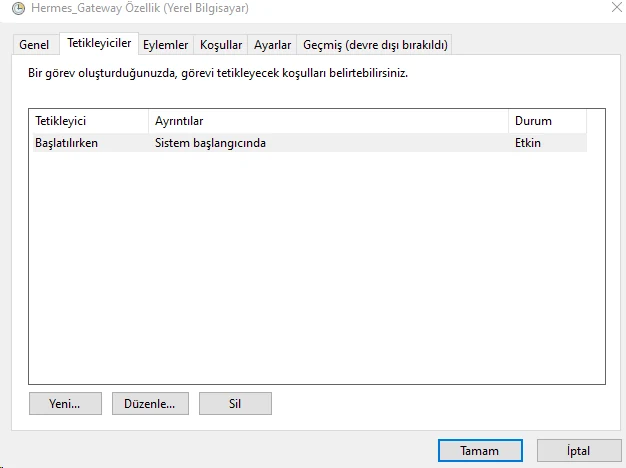
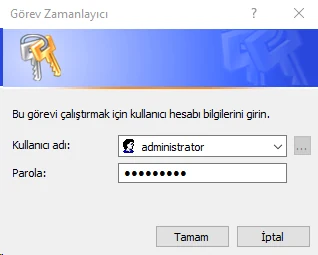
After service configuration we closed every PowerShell window and confirmed that the public health endpoint stayed online. The final test is a full reboot followed by checking the endpoint before logging in over RDP.
If it responds, Caddy and Hermes are starting independently of an interactive user session.
Restart-Computerhttps://ai-api.example.com/health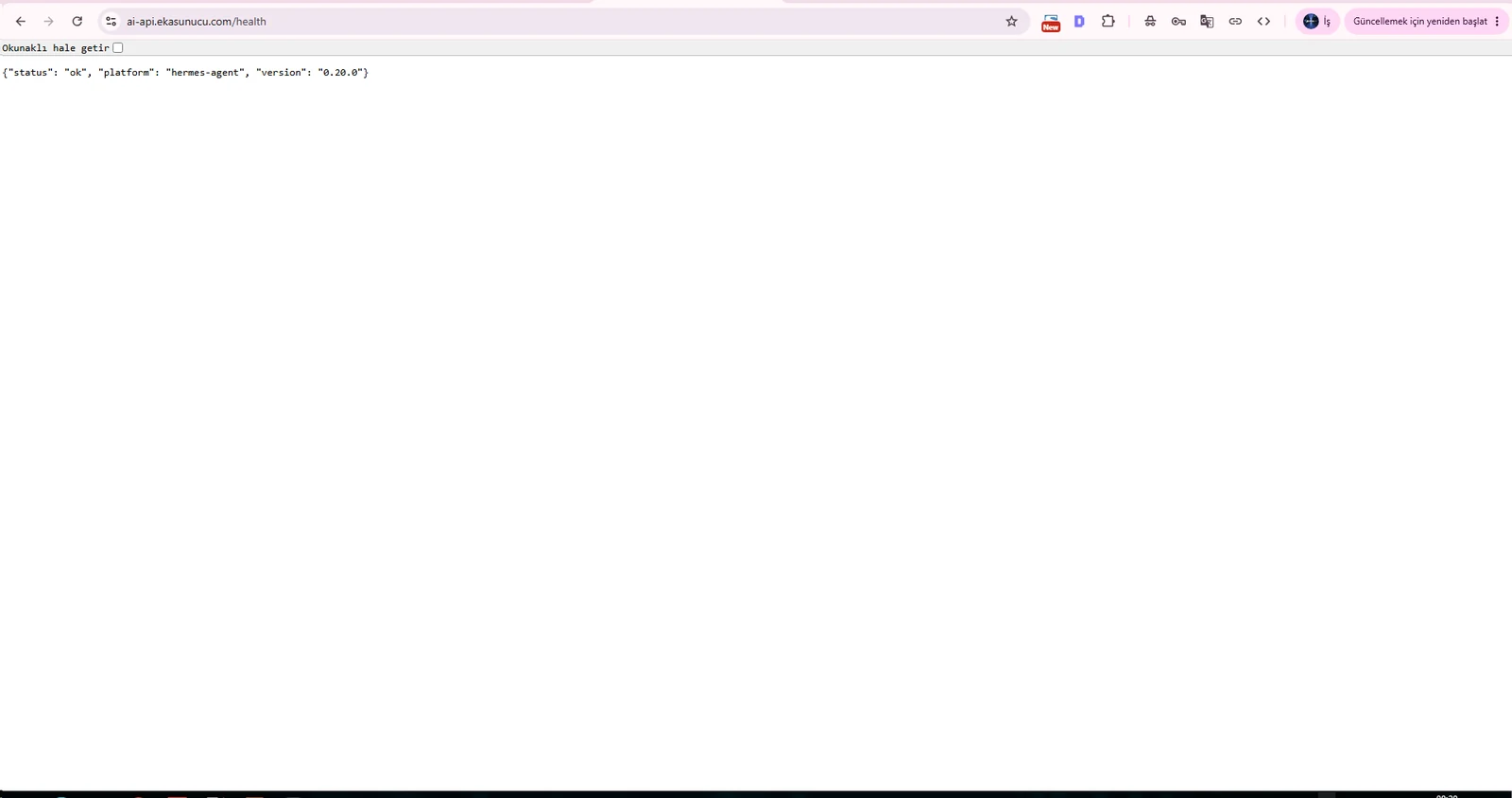
Hermes can switch to another provider:model pair when the primary model encounters rate limits, server/auth failures or connection problems. Test a custom endpoint directly before adding it to Hermes so you know which layer is failing.
We tested openai/gpt-oss-20b on an OpenAI-compatible LLMGate endpoint, then stored the API key in .env and added endpoint/model metadata to the top-level fallback_providers list in config.yaml.
Use key_env to reference an environment variable instead of writing the secret directly into config.yaml.
LLMGATE_API_KEY=PRIVATE_API_KEYfallback_providers:
- provider: custom
model: openai/gpt-oss-20b
base_url: https://llmgate.waflare.net/v1
key_env: LLMGATE_API_KEY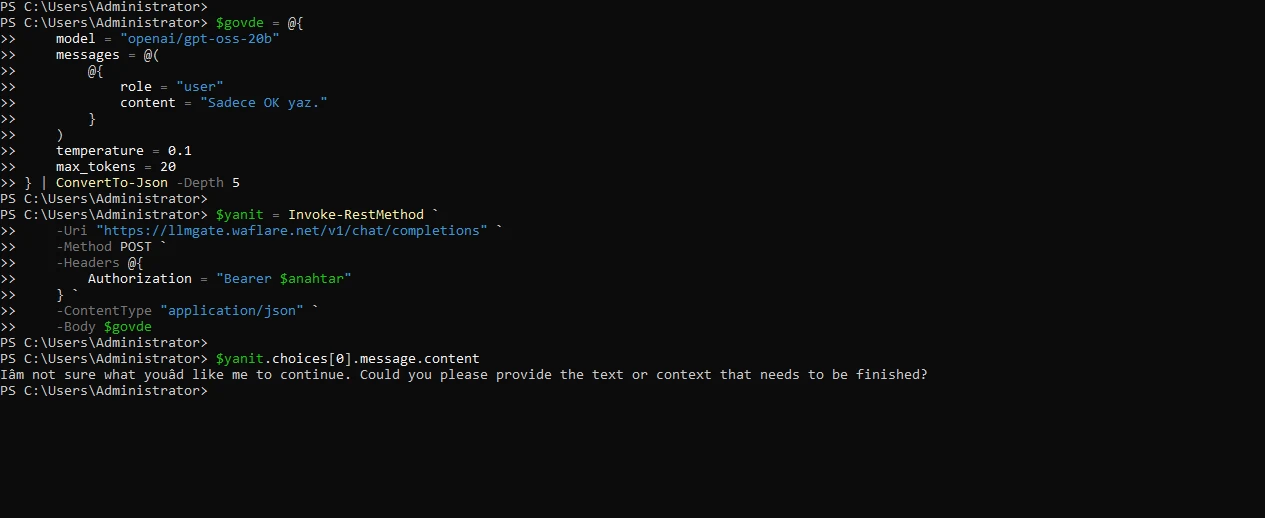
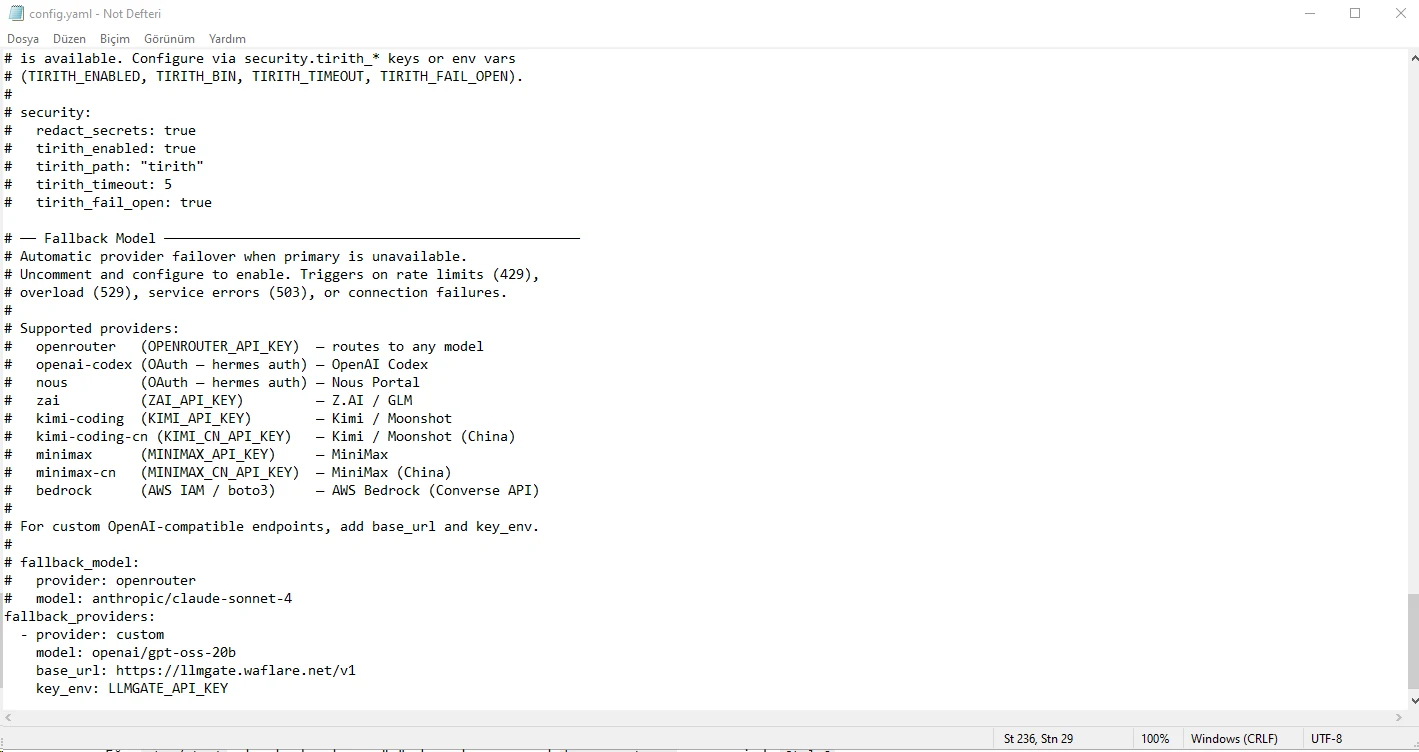
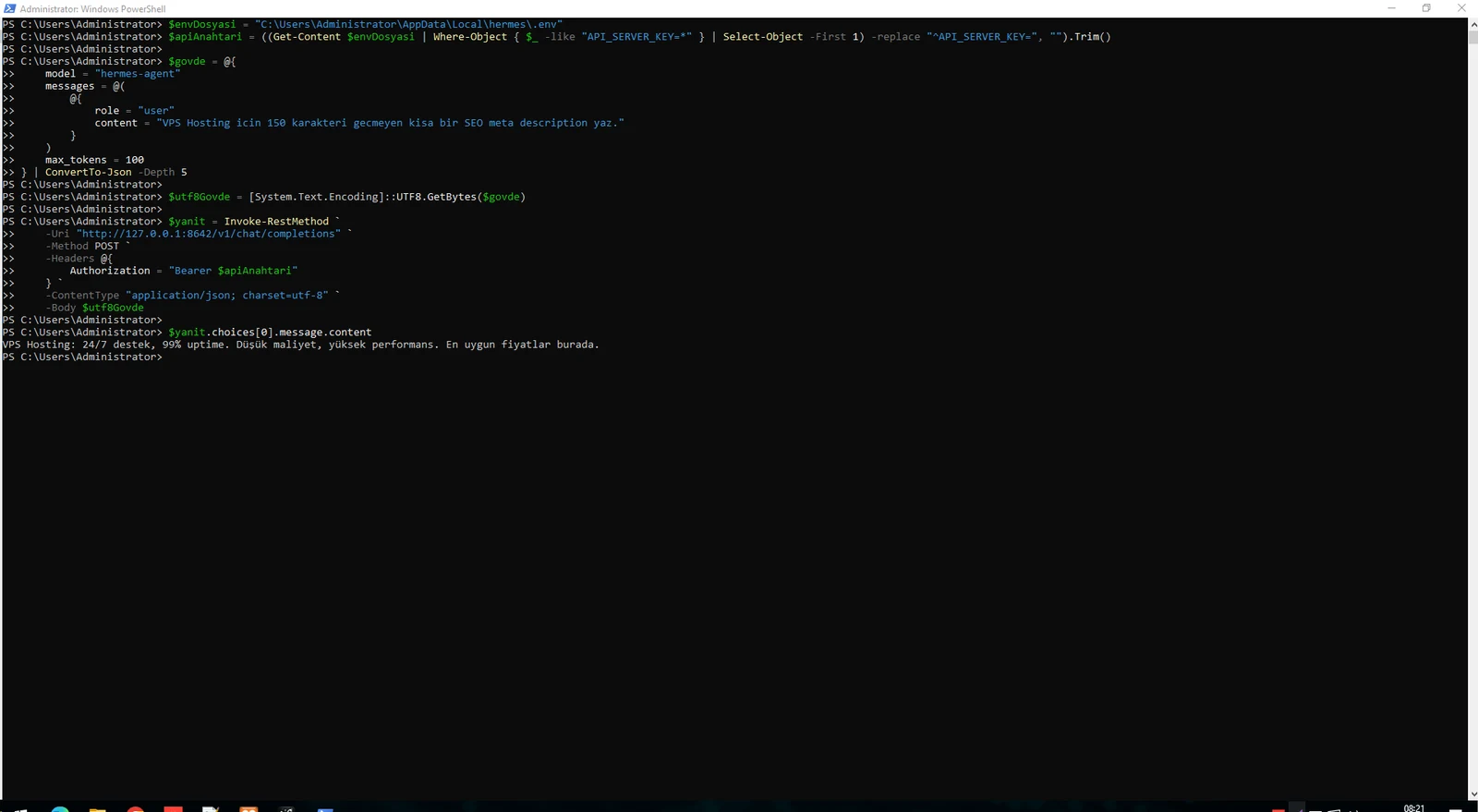
Windows PowerShell 5.1 may send a JSON string with an unexpected encoding. We hit Invalid JSON in request body when the payload contained Turkish characters.
Encoding the JSON as UTF-8 bytes and sending application/json; charset=utf-8 fixed the request. Because the primary Codex route was rate-limited, this successful response also verified the fallback path.
$body = @{ model = "hermes-agent"; messages = @(@{ role = "user"; content = "Write a short VPS Hosting SEO description." }); max_tokens = 100 } | ConvertTo-Json -Depth 5
$utf8Body = [System.Text.Encoding]::UTF8.GetBytes($body)Invoke-RestMethod -Uri "http://127.0.0.1:8642/v1/chat/completions" -Method POST -Headers @{ Authorization = "Bearer $apiKey" } -ContentType "application/json; charset=utf-8" -Body $utf8Body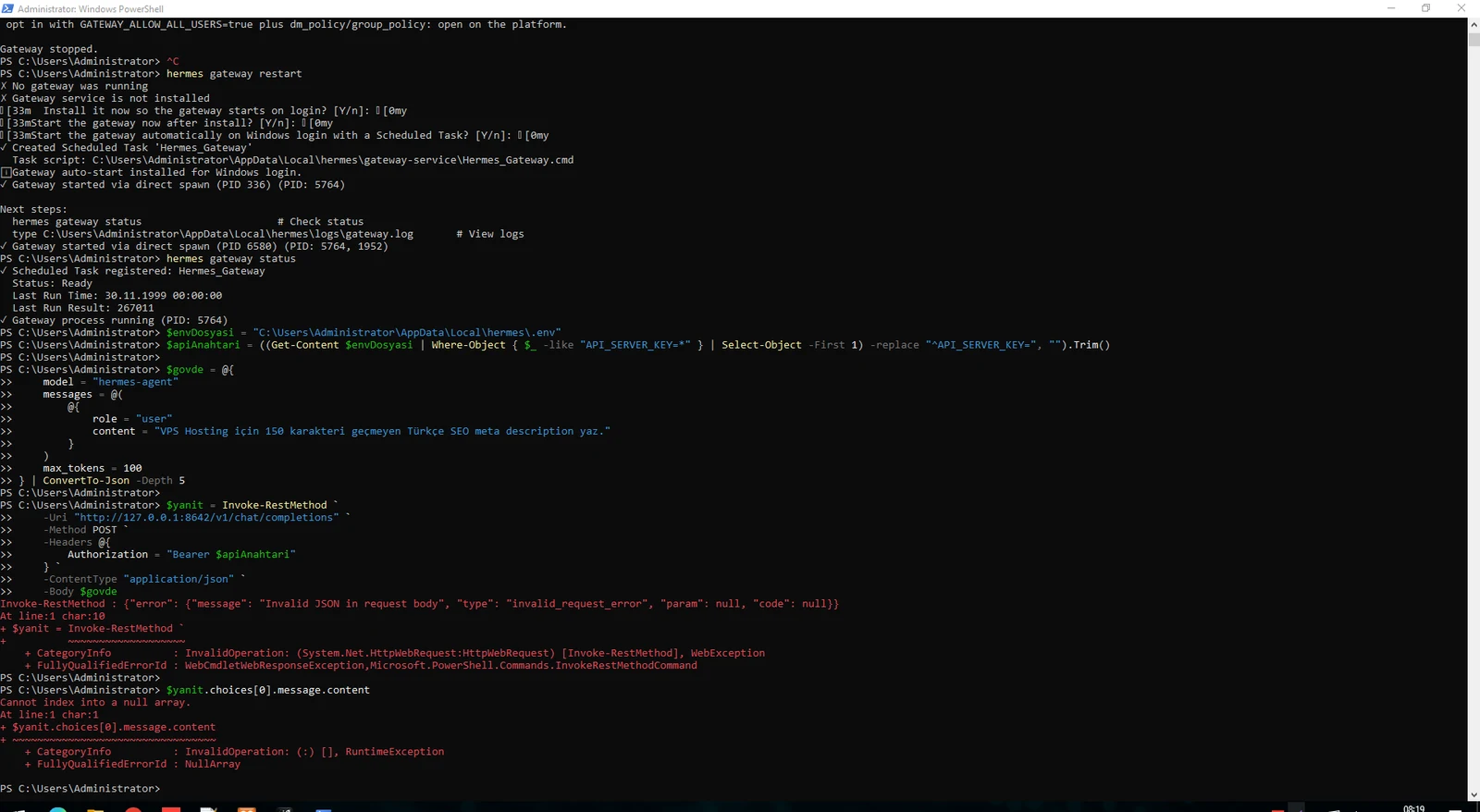
Gateway logs are the primary place to verify API Server startup, Scheduled Task behavior, model/fallback errors and restarts.
Check both Caddy and Hermes before connecting the final application. This keeps the application, reverse proxy, agent and upstream model layers independently observable.
Get-Content "C:\Users\Administrator\AppData\Local\hermes\logs\gateway.log" -Tail 100Select-String -Path "C:\Users\Administrator\AppData\Local\hermes\logs\gateway.log" -Pattern "fallback|429|custom|gpt-oss" | Select-Object -Last 50sc.exe query caddy
hermes gateway status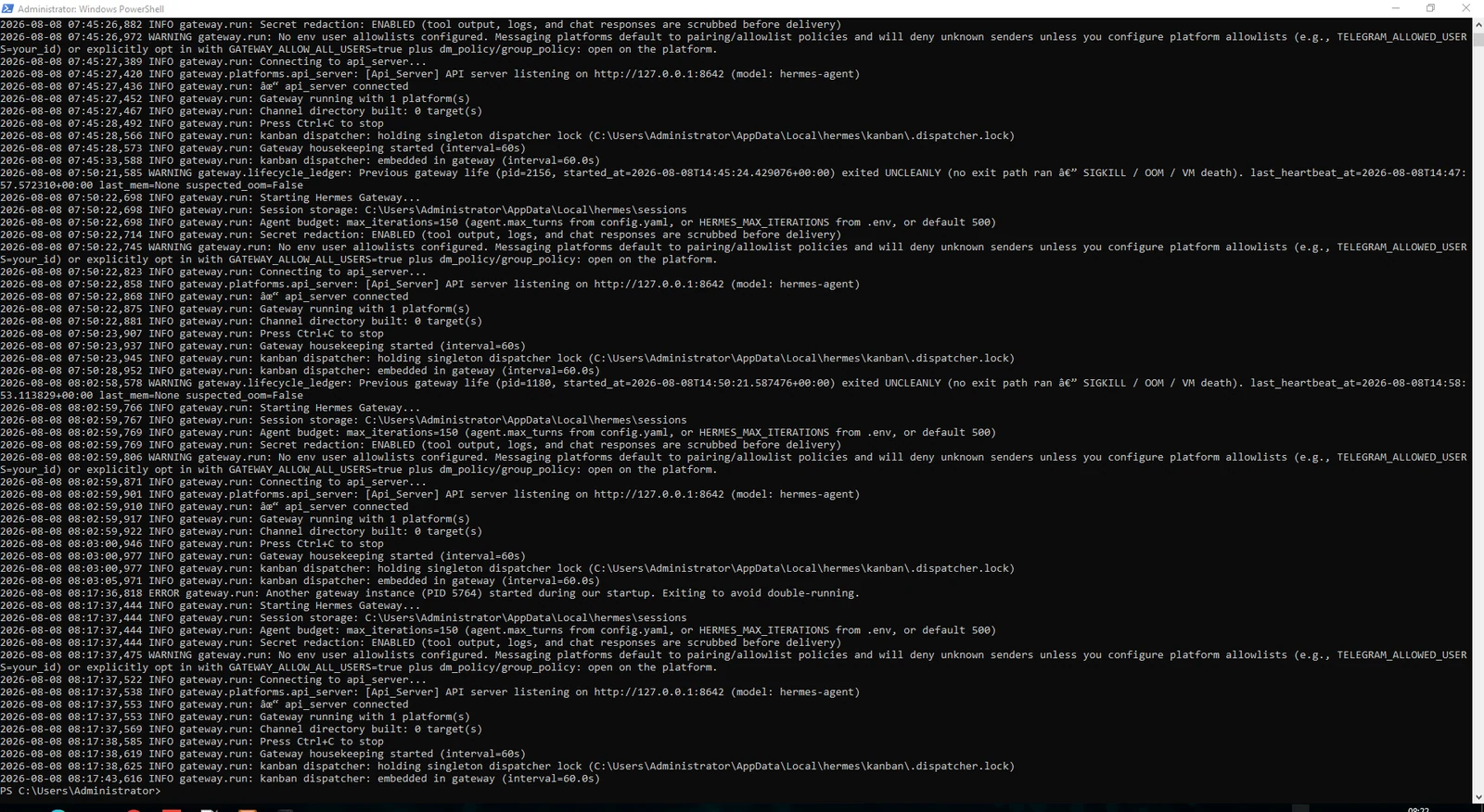
The Hermes API Server is OpenAI-compatible, so an existing OpenAI-style client only needs a base URL, model alias and bearer key. The application does not need access to Codex OAuth credentials or fallback provider secrets.
Read API_SERVER_KEY from .env and store it only in server-side secrets. Never expose it in browser JavaScript. If only one application server uses the endpoint, add an IP allowlist/WAF rule as another layer.
Provider: Hermes
Type: OpenAI-Compatible API
Base URL: https://ai-api.example.com/v1
Model: hermes-agent
API Key: the API_SERVER_KEY value from .envPOST https://ai-api.example.com/v1/chat/completionsHermes has native Windows support. This guide was implemented on a Windows Server 2022 VPS; the official Windows documentation explicitly lists Windows 10/11, so validate your server edition before production.
No. Once Caddy runs as a Windows service and Hermes Gateway runs through Scheduled Task, neither PowerShell nor an RDP session needs to remain open.
Not in this architecture. Keep API_SERVER_HOST=127.0.0.1 and let Caddy expose HTTPS on port 443.
It commonly means Caddy accepted the request but could not reach the Hermes backend. Test local /health first and check Caddy for connection refused.
Not if you configure a supported fallback chain. Hermes can move to the next provider:model route for supported failure conditions.
In Hermes .env and server-side secret storage only. Never place it in browser JavaScript, screenshots, repositories or the public article.
Yes. Hermes exposes an OpenAI-compatible /v1/chat/completions endpoint, so compatible clients can connect with a base URL, model alias and bearer key.
For an always-on gateway, choose a stable Windows VPS with enough CPU/RAM, administrator access and a static public IP. EKA Sunucu VPS packages are available on /vps.
Explore EKA Sunucu VPS packages if you want to deploy the same Caddy, HTTPS, auto-start and AI gateway architecture on your own server.
Updated: 08.08.2026 Turkey (Turkish)
 Germany (German)
 Worldwide (English)

