
 Halkali merkez neighborhood fatih st ozgur apt no 46 , Kucukcekmece , Istanbul , 34303 , TR
This guide shows how to clear Google Gemini chat and activity history with real desktop screenshots. We cover Last hour, Last day, All time and Custom range in My Activity, then explain individual chat deletion, Keep Activity, auto-delete, the 72-hour temporary retention rule and Workspace differences.
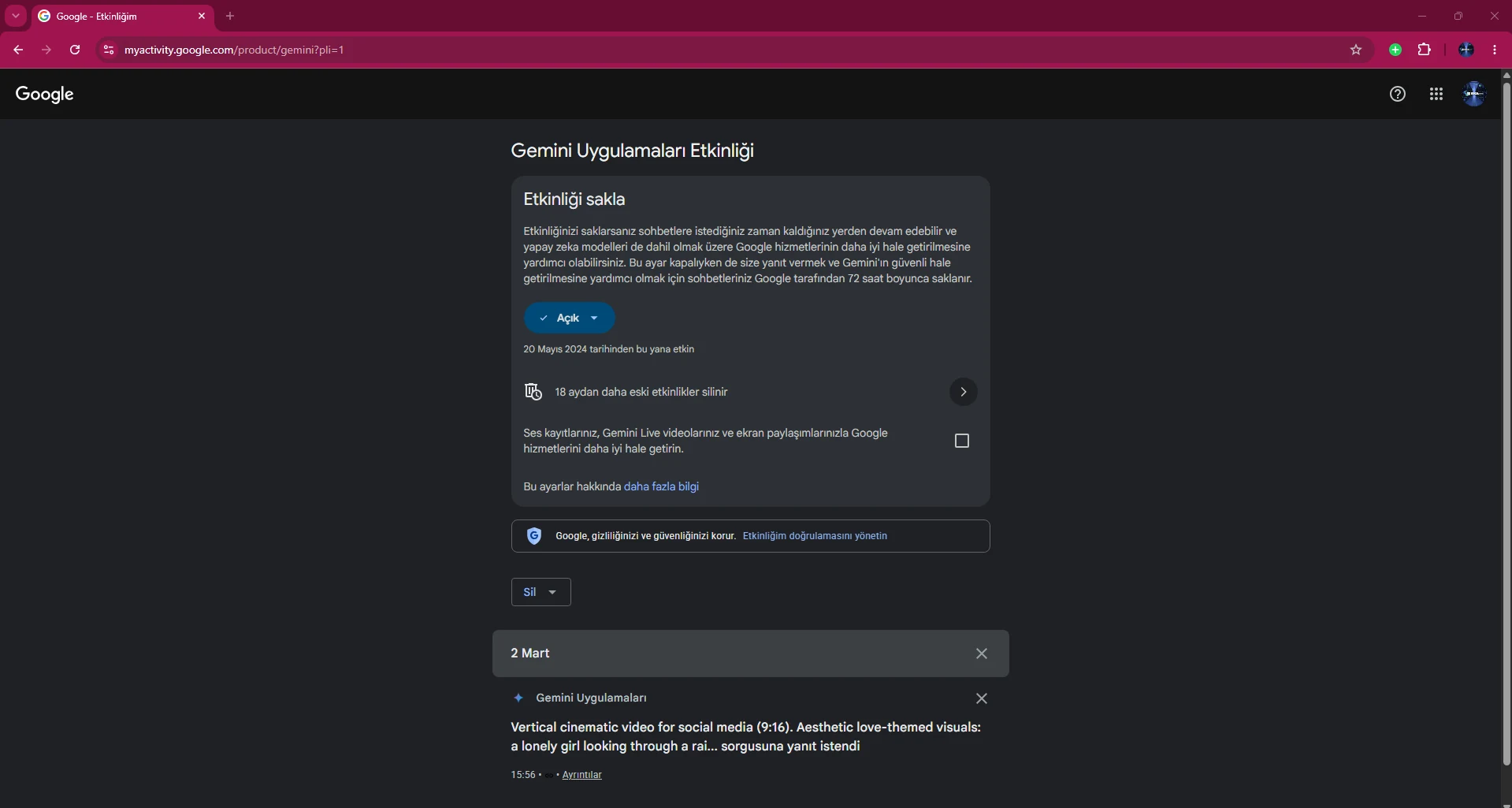
The recent chats shown in Gemini’s left panel are the day-to-day conversation view. Gemini Apps Activity in Google My Activity provides broader account-level control over Gemini activity. If you want to remove all history, specific days or a defined date range, My Activity gives you the more complete set of controls.
For personal accounts, recent chats and Gemini Apps Activity are linked. According to Google’s current help documentation, deleting a conversation from recent chats also removes its related Gemini Apps Activity, while activity that is deleted no longer appears in recent or pinned chats.
Go to myactivity.google.com/product/gemini in your browser and make sure you are signed in to the Google account whose Gemini history you want to clear. At the top of the page you can see Keep Activity status, auto-delete information and the Delete control.
You can also reach the same area from gemini.google.com through Settings and help → Activity. Both paths lead to the Gemini activity management page.
Click Delete to open the available time ranges: Last hour, Last day, All time and Custom range. Use a short range to remove only recent tests, or All time if you want to clear the complete Gemini activity shown for the account.
Custom range is useful when you only want to remove conversations from a particular day or project period without deleting older chats you still want to keep.
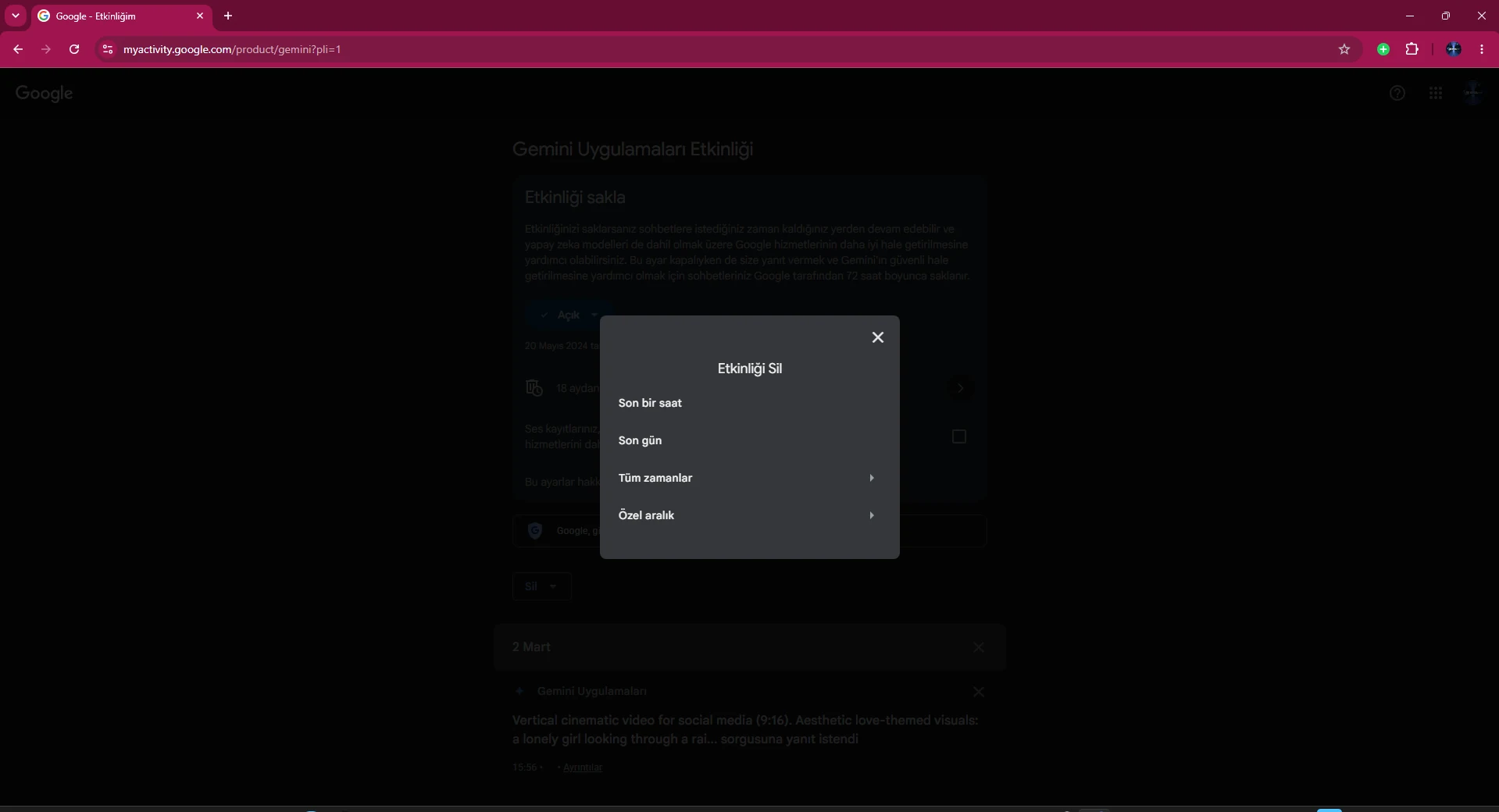
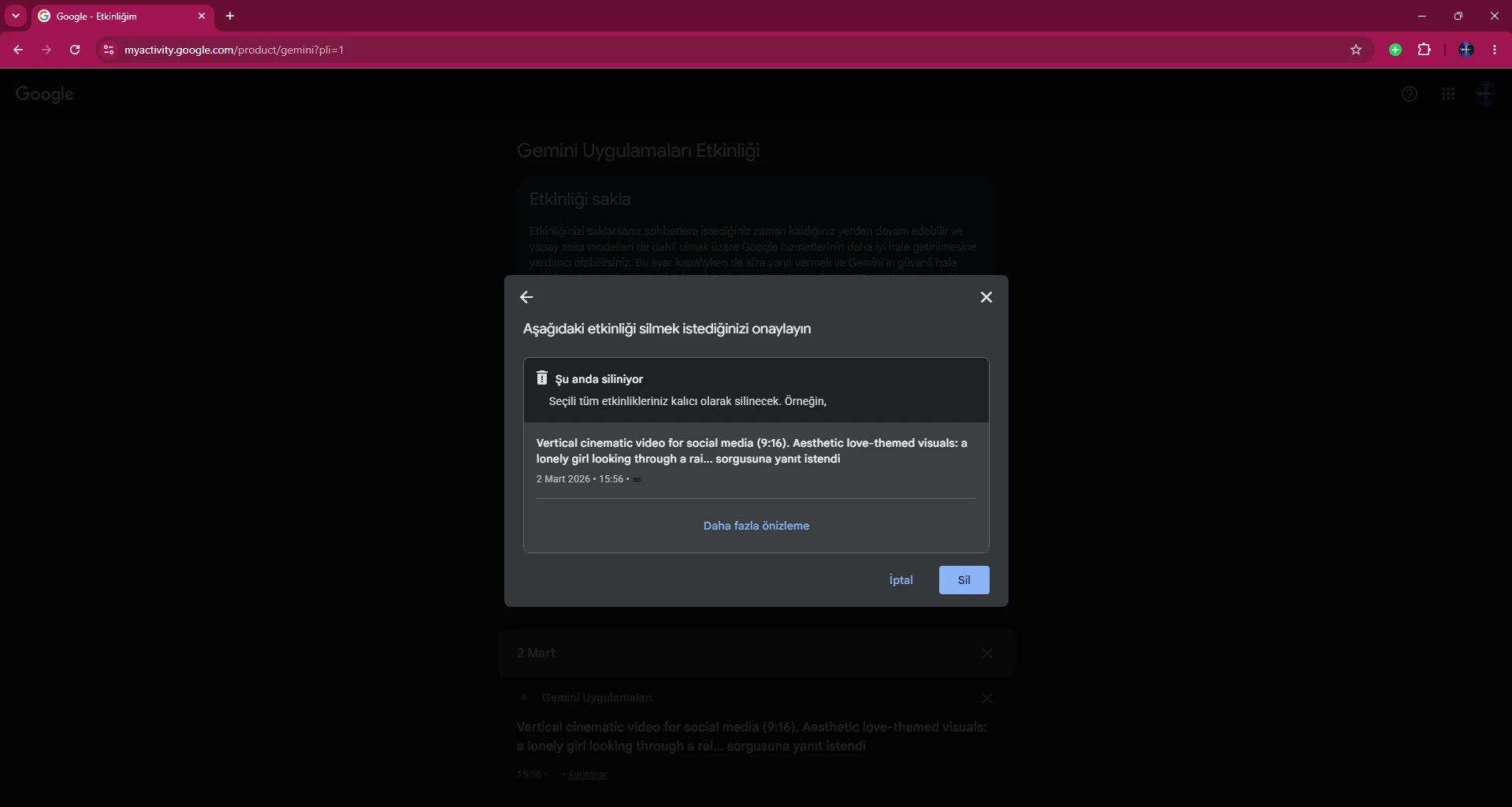
After choosing All time or another range, Google shows a confirmation screen. Review the scope and the sample activity displayed. If you are sure you are in the correct account, click Delete in the lower-right corner.
Google presents deletion as a permanent action. If a conversation contains information you may need later, copy or export it before confirming the deletion.
When the operation finishes, Google shows a confirmation dialog indicating that deletion is complete. This confirms that removal of the selected activity from your account view has been initiated successfully.
Close the dialog and return to the activity page. If you selected All time, check whether any activity remains in the list.
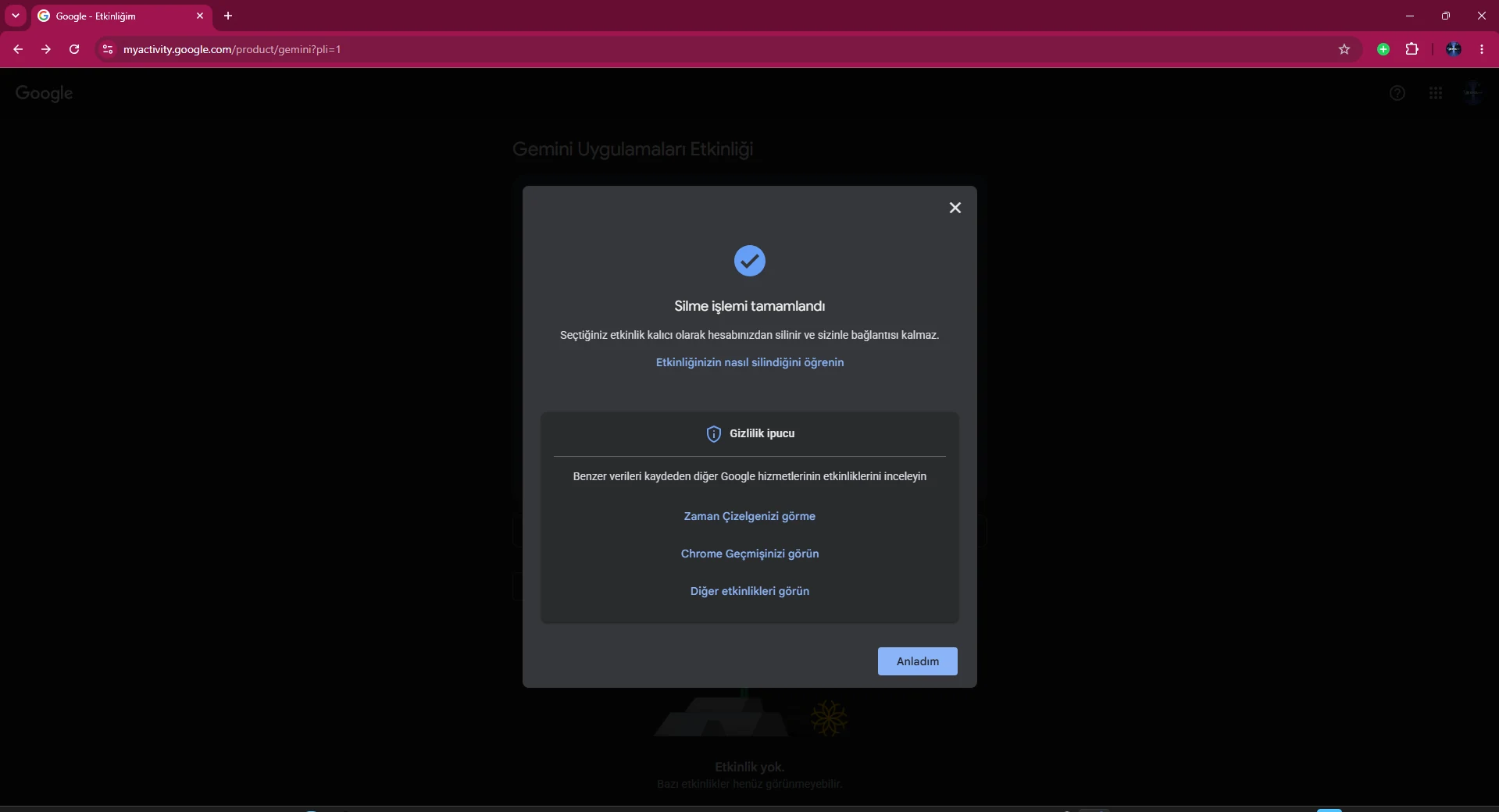
If the Gemini Apps Activity page shows no activity after deletion, there is no longer any activity listed for the range you removed. In some cases the interface may take a short time to refresh, so reloading the page can help.
This extra check is useful because it verifies the actual activity list instead of relying only on the confirmation message.
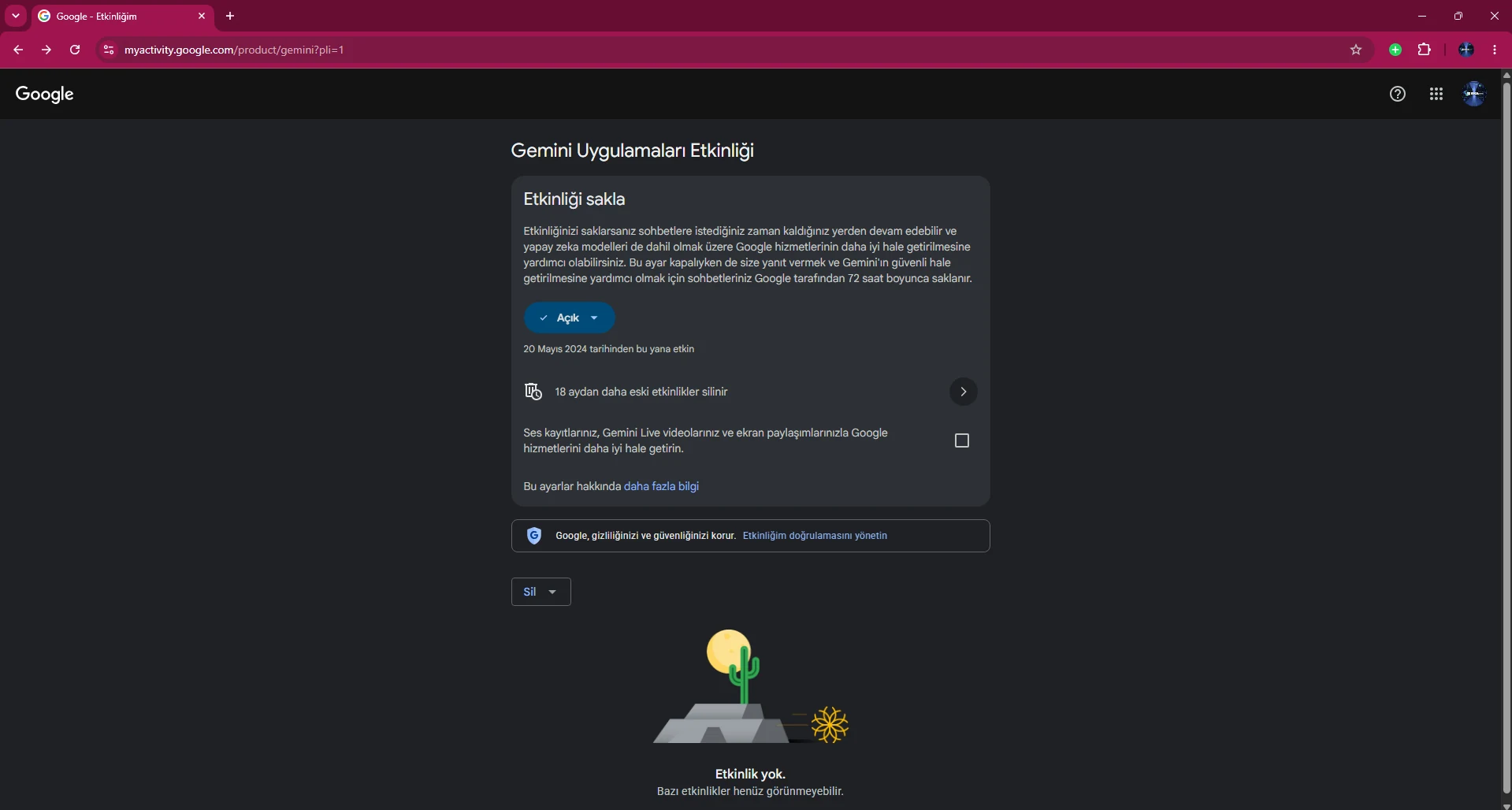
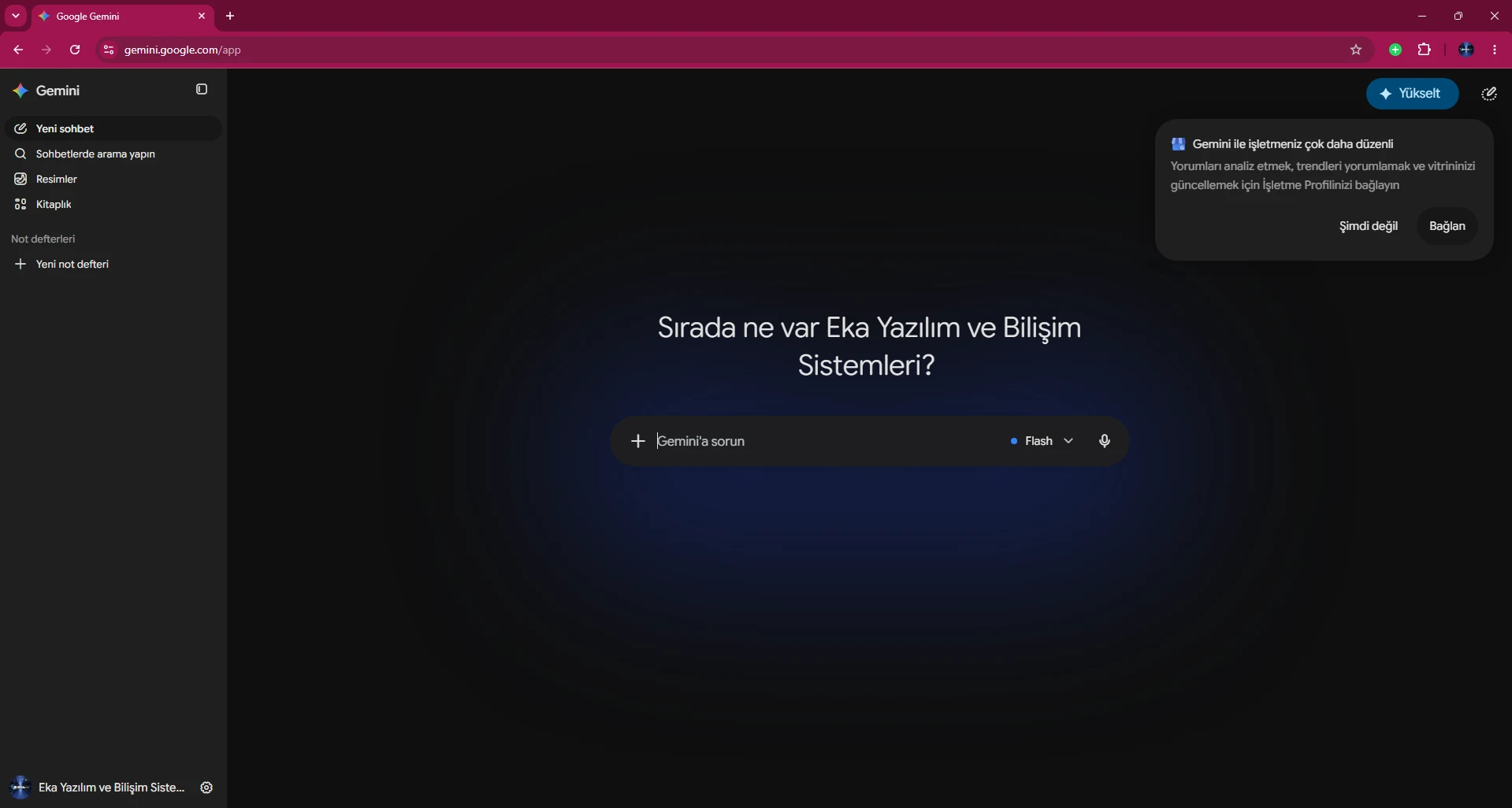
Finally, return to gemini.google.com and inspect the chat panel on the left. If you cleared All time, the historical chats covered by that deletion should no longer be listed.
This second verification helps confirm that My Activity and the Gemini app are synchronized for the same account. If old chats still appear, reload Gemini and re-check which account is active.
If you do not want to clear everything, you can delete a single conversation from the Gemini sidebar. Open the menu if chats are hidden, hover over the conversation you want to remove, open More and choose Delete.
Google’s current help documentation says that for personal accounts, deleting a chat this way also removes the related entry from Gemini Apps Activity. For a single-chat cleanup, you do not need to use My Activity.
If you want more than a one-time cleanup and do not want future conversations added to long-term activity history, you can turn off Keep Activity from the Gemini Apps Activity page. In the current interface, selecting the On control can offer Turn off or Turn off and delete activity.
Turn off stops new activity from being stored in the normal long-term history. Turn off and delete activity also starts removal of existing activity in the same flow. Google can change interface labels over time, so read the confirmation text before proceeding.
Turning Keep Activity off does not mean that no data is retained for any period at all. Google’s current Gemini help page states that conversations can still be saved with your account for up to 72 hours so Google can provide the service and process feedback.
Google also states that this temporary activity does not appear in Gemini Apps Activity. For that reason, highly sensitive information should not be shared solely on the assumption that disabling history means zero temporary processing.
The auto-delete control in Gemini Apps Activity can remove activity after it reaches a selected age. Available choices can vary by account type, but Google’s current Gemini and Workspace documentation references 3-month, 18-month and 36-month retention options.
If you do not want to perform manual cleanups often, a shorter retention period can be a practical privacy choice. If you regularly return to old conversations, you may prefer a longer period.
Google’s current documentation highlights three details. Deleting a conversation with a Gem does not delete the Gem itself. Deleting activity for a shared chat does not automatically remove its related public link. Both must be managed separately.
For Gemini Live, Google states that deleting activity for a Live chat also removes related audio, transcripts, videos and screenshares associated with that activity. Gemini Live users should therefore consider both the text conversation and its linked media.
If you use Gemini with a work or school account, activity settings can differ from personal accounts. A Google Workspace administrator can manage retention and conversation-history policy at the organization level, so some users may not see a delete control or may be unable to change retention.
Current Google Workspace documentation describes administrator-controlled 3-, 18- and 36-month retention options, and some configurations can disable history. If you cannot find an option in a managed account, contact your Workspace administrator.
If Delete is missing, the operation does not complete or chats continue to appear, first verify the account and browser state. You may be using a Workspace account rather than a personal account, and having multiple Google accounts signed in can also cause you to manage the wrong profile.
Google occasionally changes the interface, so button positions may differ slightly from the screenshots. The core route remains the same: open Activity from Gemini or go directly to myactivity.google.com/product/gemini.
Open myactivity.google.com/product/gemini while signed in to the correct Google account. Use Delete to choose Last hour, Last day, All time or a custom range.
For personal accounts, Gemini activity and recent chats are linked. Deleting a recent chat also removes the related Gemini Apps Activity, and deleted activity no longer appears in recent or pinned chats.
No. Google says conversations can still be saved with your account for up to 72 hours to provide the service and process feedback. This temporary activity does not appear in Gemini Apps Activity.
Yes. Choose Delete and then All time from the Gemini Apps Activity page, review the confirmation screen and confirm the deletion.
Yes. Use the Custom range option in the Delete menu to remove only the dates you select.
Google states that deleting activity for a Gemini Live chat also deletes related audio, transcripts, videos and screenshares for that activity.
No. Deleting a conversation with a Gem does not delete the Gem itself.
No. Google says deleting shared-chat activity does not automatically remove the related public link.
Gemini Apps Activity and retention for Workspace accounts can be controlled by the organization administrator. Some users may not be allowed to delete chats or change retention.
Available options vary by account type. Google documentation references 3, 18 and 36 months, with some configurations also allowing auto-delete to be disabled.
No. Gemini Apps Activity is separate. Chrome, Search, YouTube and other product history must be managed separately.
There is no standard undo button in the user interface for restoring deleted Gemini chats or activity. Save important content before deletion.
Explore EKA Sunucu VPS plans for local AI models, automation and test environments.
Updated: 15.08.2026 Turkey (Turkish)
 Germany (German)
 Worldwide (English)

