 Türkei (Türkisch)
 Germany (German)
 Worldwide (English)


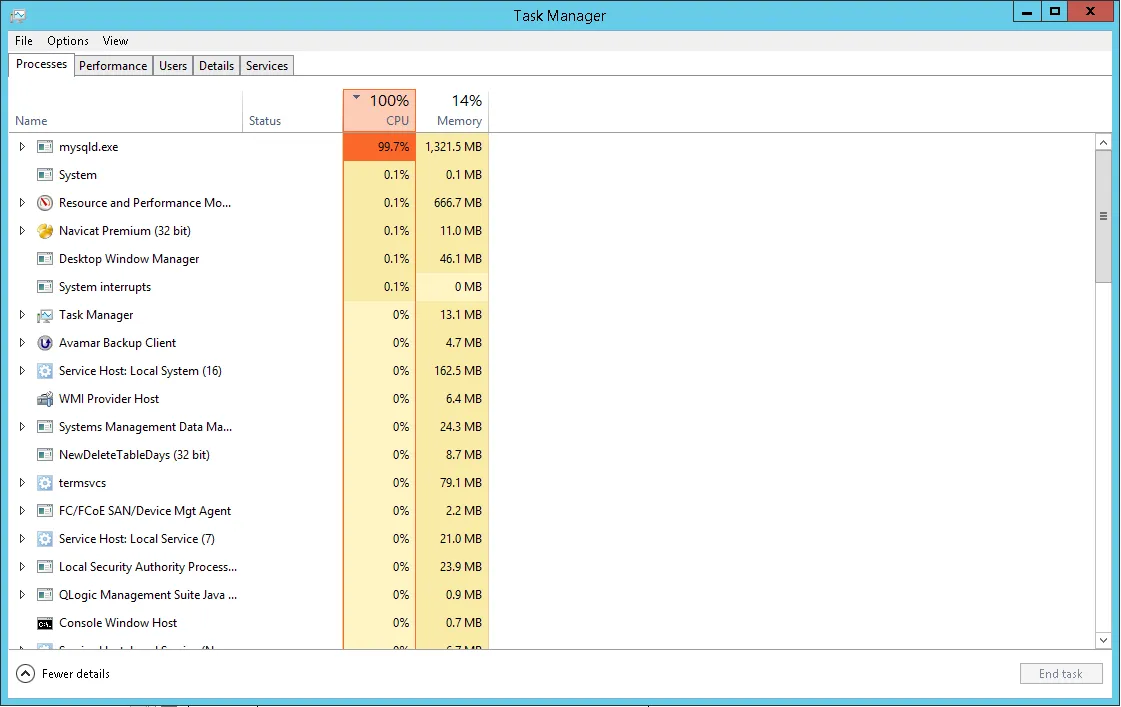
Common Causes of High MySQL CPU Usage
1. Heavy or Unoptimized Database Queries
-
Complex SQL queries that aren’t optimized may consume excessive CPU.
-
Statements with multiple
JOIN,SUBQUERY, orORDER BYoperations can increase resource usage.
2. Large Amount of Data
-
As your database grows, operations become slower and consume more CPU power.
-
Running queries on non-indexed tables is particularly problematic.
3. Default MySQL Configuration Settings
-
Default settings may not be suitable for your system’s resources.
-
Parameters like
innodb_buffer_pool_sizesignificantly impact performance.
4. Application or Script Errors
-
Loops or faulty SQL queries in PHP scripts may cause persistent CPU usage.
-
Background processes that keep running unnecessarily may lead to resource leaks.
5. Version Compatibility Issues
-
Some MySQL versions bundled with XAMPP may not work well on newer operating systems.
-
Using outdated versions can introduce bugs or inefficiencies.
Solutions and Optimization Tips
1. Optimize Your Queries
-
Use the
EXPLAINcommand to analyze and improve query performance. -
Reduce unnecessary
JOINoperations. -
Add appropriate
INDEXvalues to your tables.
2. Update MySQL Configuration
Modify the my.ini file with optimized values like:
These changes help balance CPU usage even on lower-end systems.
3. Restart Unused Services
-
Use the XAMPP Control Panel to only run services you need.
-
Restart MySQL occasionally to clear resource locks.
4. Keep Software Updated
-
Always use the latest stable versions of XAMPP and MySQL.
-
Ensure compatibility between Apache, PHP, and MySQL versions.
5. Check Log and Error Files
-
The
mysql_error.logfile can provide insights into background issues. -
Repeated errors or long-running queries will be listed there.
Extra Tips
-
Close phpMyAdmin when not in use — keeping it open consumes extra memory and CPU.
-
Clean up old tables and archive outdated data.
-
Schedule a regular restart for the MySQL service to maintain performance over long sessions.
XAMPP is a powerful tool for local development, but if not configured correctly, MySQL can become a major CPU hog. By following the recommendations above, you can significantly reduce CPU usage and create a more efficient and responsive development environment. Regular optimization and monitoring are key to ensuring stability.